Project managers
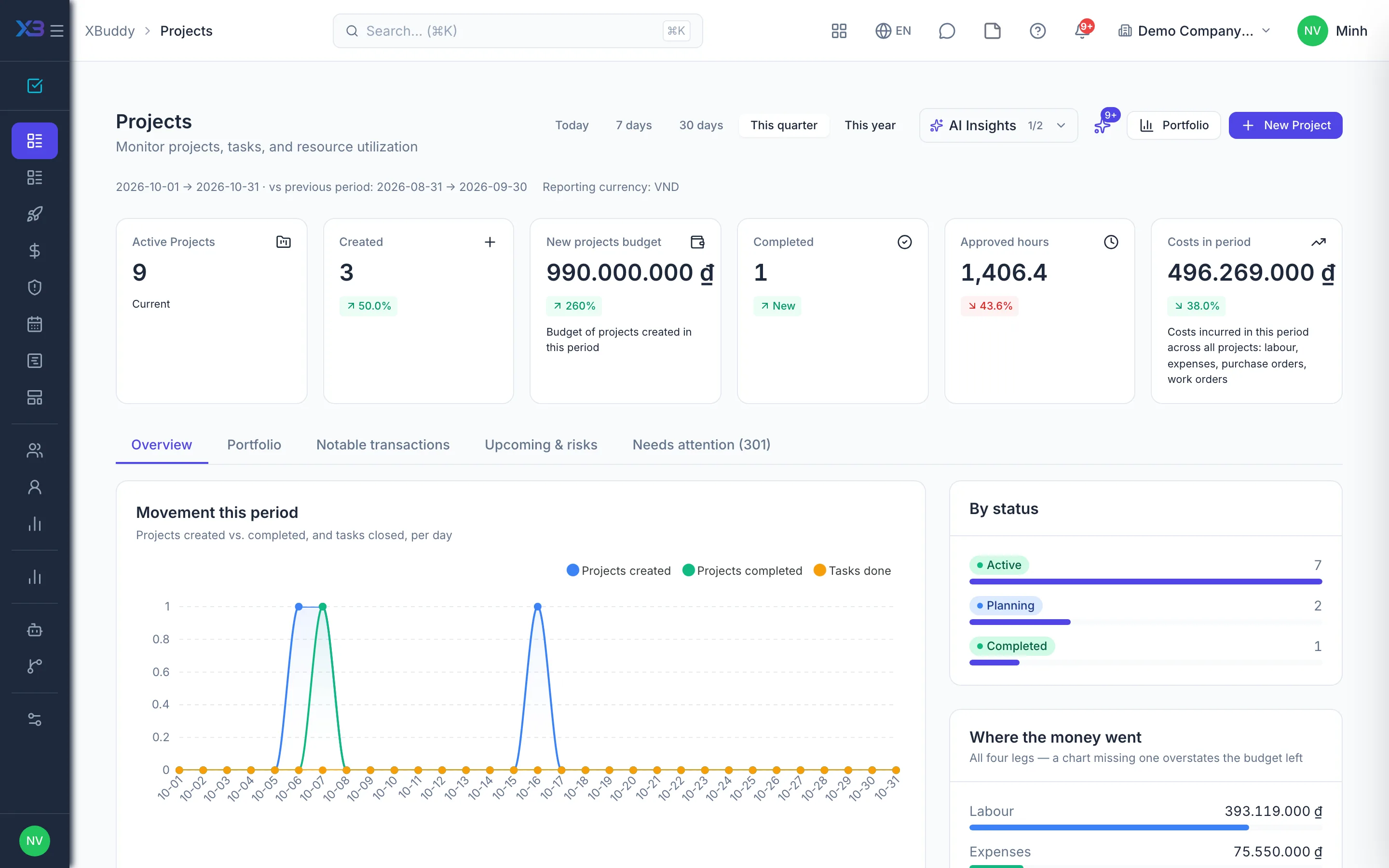
Projects on time, on budget, fully staffed
Tasks, resources, hours, approvals and project finances in one place — PMs spot risk early instead of chasing reports.
Key outcomes
- Progress, workload and budget on the same data
- Hours and project changes approved in one inbox
- See who is overloaded before deadlines slip
Problems solved
- Project data spread across tools — Tasks live in one tool, hours in a spreadsheet, costs in accounting. PMs spend hours every week stitching numbers together, and reports always lag reality.
- No view of who is overloaded — One person works on several projects at once, and each PM only sees their own slice. Overload only surfaces when tasks start slipping in a chain.
- Costs show up too late — Purchase orders and hours pile up until month end before they reach a report. By the time an overrun is spotted the money is spent, and all that is left is explaining it.
- Meeting decisions get lost — After the meeting, action items sit in minutes or chat messages. Nobody is clearly assigned, and the next meeting rehashes the same topics.
How it works
- Start from a template
- Assign the work
- Balance resources
- Log & approve hours
- Approvals
- Track the finances
This is a summary. The full content, step screenshots and FAQ are on the original page.
Related operations guide: Project managers