Configuring leave & accrual rules
Define leave types
Go to HR → Leave Management (/hr/leave) and set up leave types (annual, sick, unpaid, compassionate, and any custom type your policy needs), each with its own balance pool.
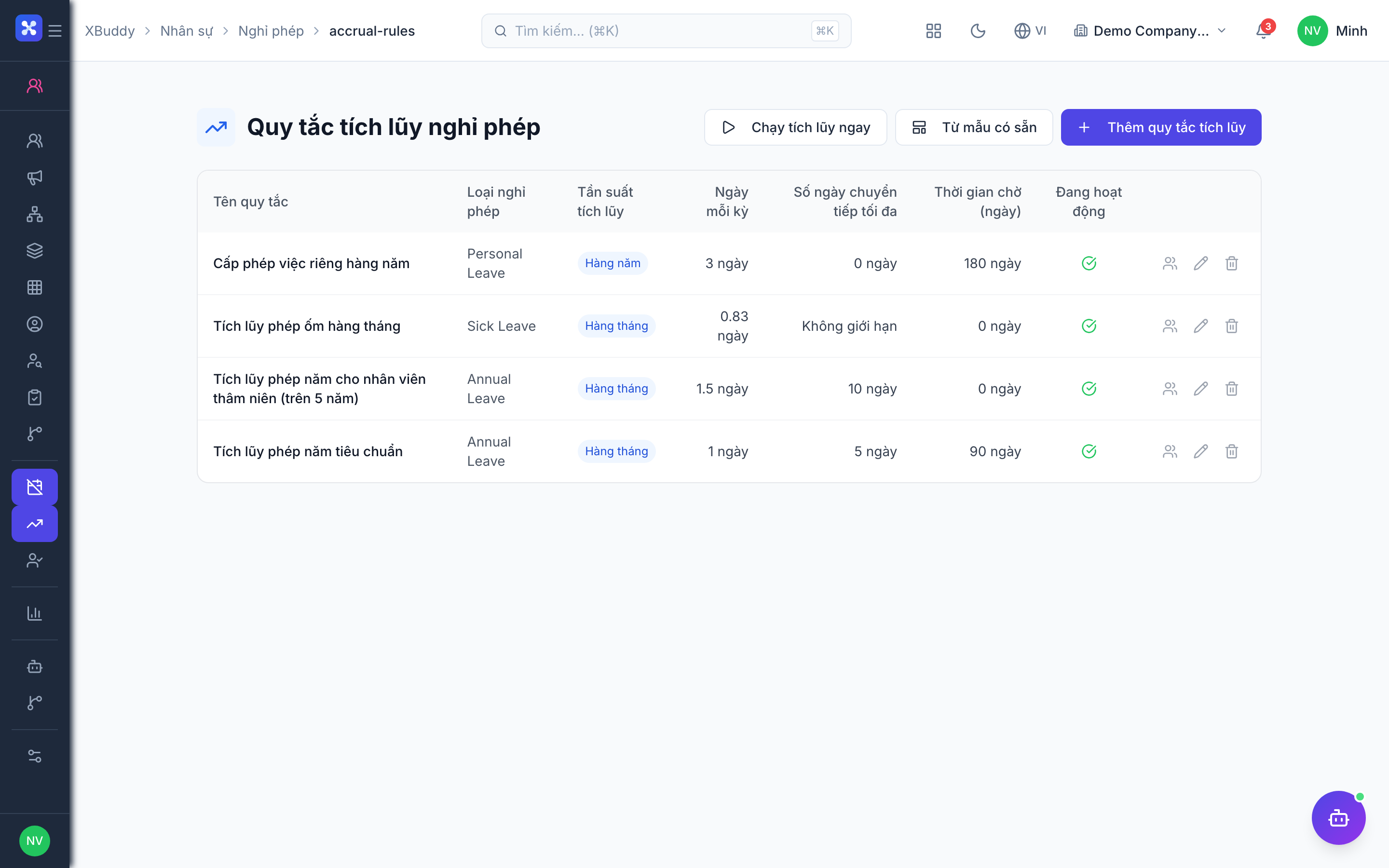
Set accrual rules
Go to HR → Leave Accrual Rules (/hr/leave/accrual-rules) to define how balances accrue — monthly accrual, an annual grant, tenure-based tiers, and carry-over limits per leave type.
Employees request leave
Employees submit requests from Employee Service (/hr/self-service/leave). A request immediately reserves the days as pending against the balance; the system blocks a request that would exceed what’s available.
Approve through the chain
Requests route through a multi-level approval chain — for example, the direct manager, then a department head. Approving, rejecting, or cancelling a request releases the pending reservation correctly against the leave year it was taken from.
Leave reaches Payroll automatically
When configured, approved leave that should reduce pay is flagged for salary deduction, and the deducted amount is stamped against the correct payroll period — no manual re-entry when the pay run happens.
Leave balances are tracked per leave year, keyed off the request’s start date. Approving, rejecting, or cancelling a request must release its pending days back into the same year they were reserved from — this is handled automatically, but it’s why year-end and year-start leave requests are treated carefully by the system.