Creating objectives and key results
Every OKR starts with one Objective and two to five Key Results. Objectives are set inside a cycle and assigned an owner; Key Results carry the numbers that prove progress.
When to use
Use this at the start of each cycle to write your goals: an objective that describes the outcome, and a few key results that prove it with numbers. Everything later (check-ins, alignment, team health) builds on this.
Before you start
- Permissions:
okrs:readto see OKRs;okrs:writeto create and edit objectives (the new, edit and import pages need it). You can edit your own OKRs; broader editing follows your data scope. - An active or draft cycle should exist (see Running OKR cycles).
- OKR has no feature toggles of its own.
Open My OKRs
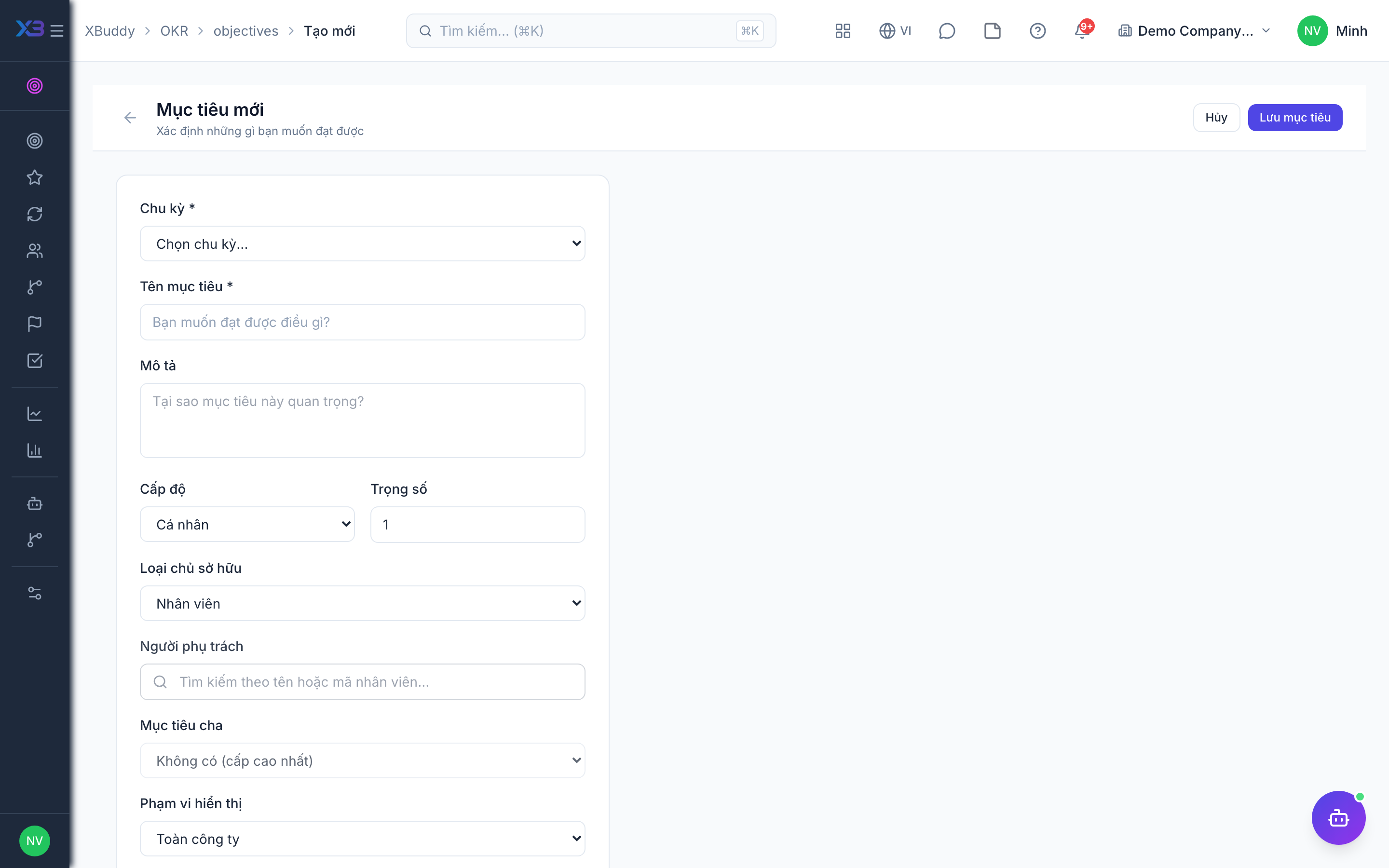
Go to OKR → My OKRs (/okr/my-okrs) and click New Objective. Give it a clear, outcome-focused title and select the active cycle.
Add key results
Under the objective, add each Key Result with a start value, target value, and unit (%, count, currency). Optionally set a metric type (increase, decrease, or milestone).
Align to a parent
Set the objective’s parent (a team or company objective) so it appears correctly in the OKR Tree. Individual OKRs should ladder up to team OKRs; team OKRs to company OKRs.
Set confidence
Assign an initial confidence score (0–100%). Owners revisit this each check-in to signal whether the goal is on track, at risk, or off track.
Aim for two to five Key Results per Objective. A single Key Result usually means the Objective is really just a task; more than five dilutes focus.
Alignment rules
Objectives form a tree: company, then department, then individual. The system validates the parent and child levels and blocks loops or invalid levels, so an objective can only be placed under a suitable parent.
Where to see the result
| Page | Route |
|---|---|
| My OKRs | /okr/my-okrs |
| New objective | /okr/objectives/new |
| Alignment tree | /okr/tree |
Tips & common mistakes
- Write the objective as an outcome, not a task.
- Give every key result a start, a target and a unit; progress is computed from them.
- Pick the parent before saving so the objective appears correctly in the tree.
- Comments on an objective are the right place for discussion, not the title.