Field Service setup guide
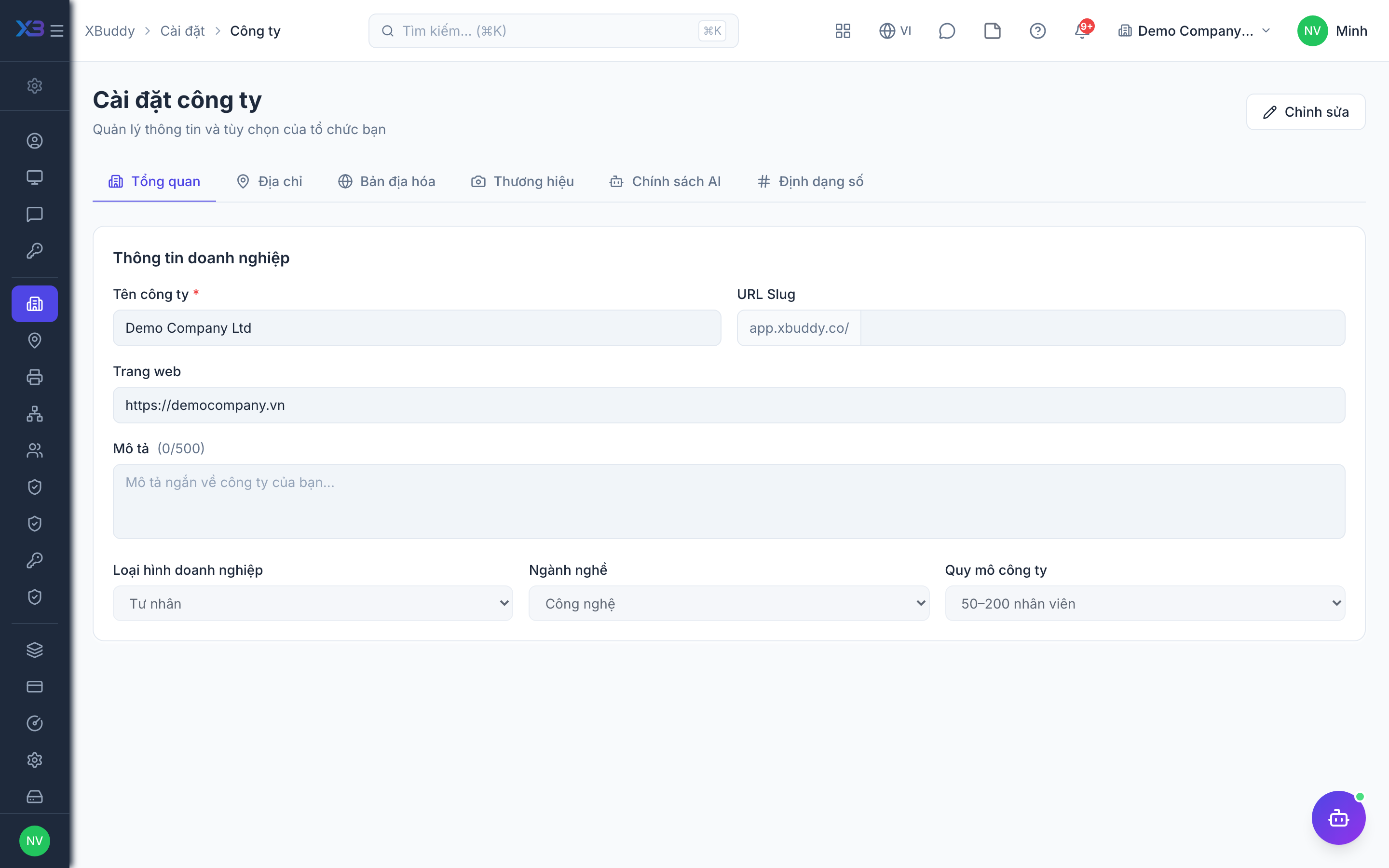
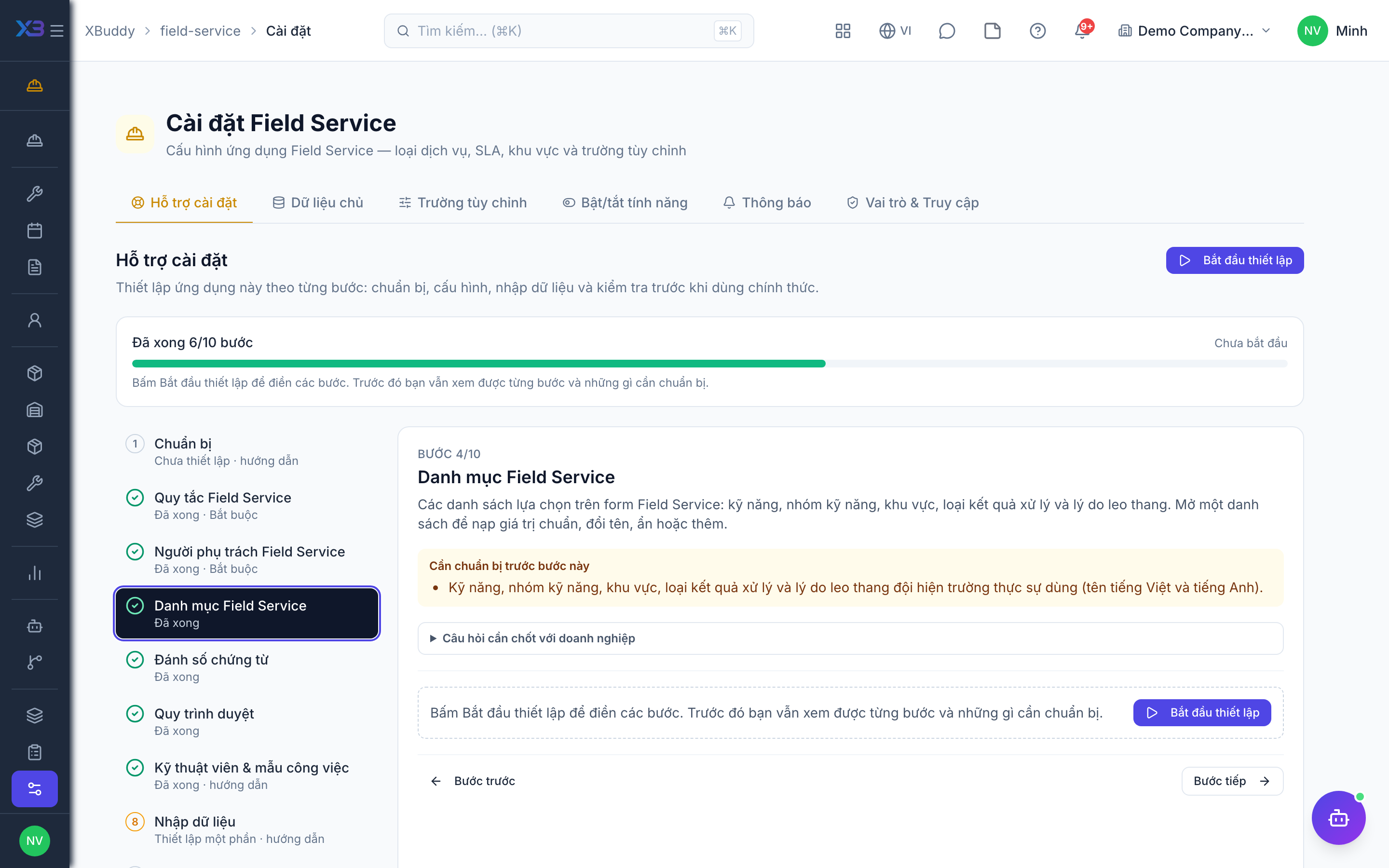
This page walks through 10 steps to set up Field Service, in the order the in-app Setup assistant recommends. Each step lists what to prepare, the questions to answer first and the screen to use.
In the app, open Settings → Setup assistant: it measures your current state, asks the survey questions below and proposes a change set you approve before it is applied. This page is the read-only version for preparing ahead or doing it by hand.
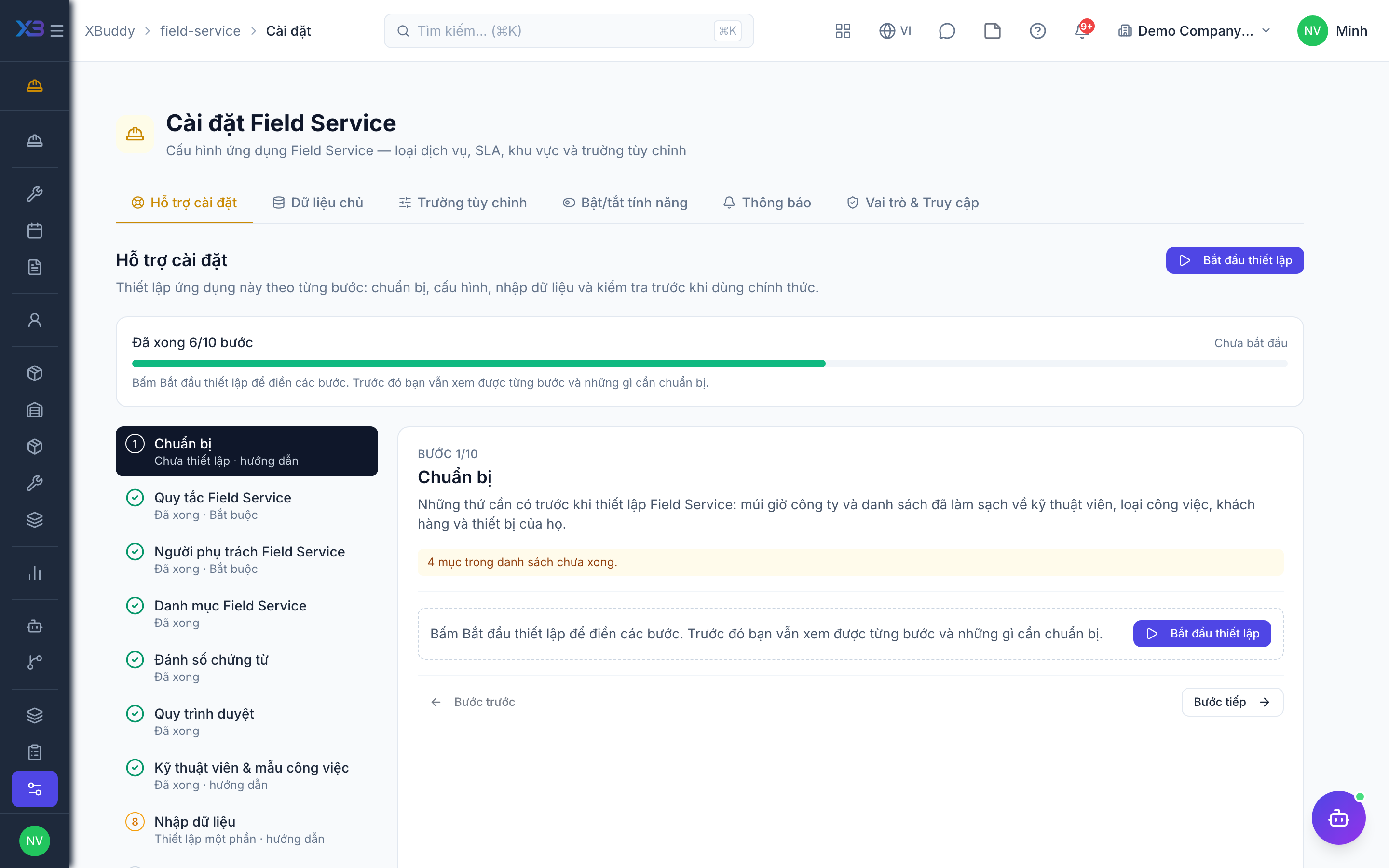
1. Prepare
Optional
What to have ready before setting up Field Service: company time zone and cleaned-up files of technicians, job types, customers and their equipment.
| # | Task | How | Screen |
|---|---|---|---|
| 1 | Time zone and office hours confirmed | SLA deadlines and technician schedules use the company time zone and office hours. | /settings/company |
| 2 | Technician list ready | Name, user account, skills, hourly cost and territory of each technician. | — |
| 3 | Job types written down | Installation, repair, maintenance… with default priority, checklist and standard materials and hours. | — |
| 4 | Customers and equipment cleaned up | Name, address, serial number and old-system code of each customer and serviced equipment. | — |
2. Field service rules
Required
Choose what a technician must provide to close a job, how job cost and invoicing work, how parts and tools are controlled, and (optional) contracts, maintenance plans, teams and scheduling.
Prepare first
- The rule agreed with the field team for closing a job: photo, GPS, checklist, time log, customer signature.
- How parts reach technicians today: from a central warehouse, from van stock, or bought per job.
Questions to answer
- What must a technician provide before a job can be closed: photo, GPS position, checklist, time log, customer signature?
- Is the customer invoiced when the job is done or only after they accept it? Do you need cost per job?
- Must parts requests be approved? Are vans and tools already managed in Inventory and the Asset Register?
- Do you sell maintenance contracts with visit quotas, and should jobs be generated automatically from maintenance plans?
- Do technicians work in teams, and do dispatchers need a dispatch board or shared-equipment booking?
| Toggle | Key | Default | Effect |
|---|---|---|---|
| Completion Photo Required | service.completion_photo_required | Off | Require a photo when marking a field job as complete |
| Customer Signature Required | service.customer_signature_required | Off | External jobs close to pending acceptance; the customer sign-off (signature or acceptance photo) is required before the job is accepted. Internal jobs are exempt |
| GPS Tracking | service.gps_tracking_enabled | Off | Block closing a field job unless GPS coordinates are sent with it |
| Require Checklist Completion | service.require_checklist_completion | Off | Block completing a field service job until its assigned checklist responses are submitted |
| Require Time Log on Completion | service.require_time_log_on_completion | Off | Block completing a field service job until at least one check-in/out or time log is recorded |
| Job Cost Tracking | service.job_cost_tracking | On | Track labour time and parts cost against each field service job for profitability analysis |
| Invoice on Customer Acceptance | service.invoice_on_acceptance | Off | Defer the AR invoice until the customer signs off (accept) instead of on completion |
| Service-Order parts leave stock | service.service_order_parts_stock | Off | On completion, part lines on a Service Order — and Service Management material consumptions that reference a stock item — are issued out of inventory through the standard goods-issue path (FIFO cost layers; journal: debit the account mapped for maintenance or project material — 632 by default — credit inventory 156/152), and put back on cancel. Off by default — turning it on starts moving real stock for orders that previously only moved money. |
| Parts Requisition Workflow | service.parts_requisition_workflow | Off | New parts requisitions start in pending approval and open the approval workflow; off = they start as draft and are submitted by hand (still approved before issue) |
| Enforce Inventory / Asset Linkage | service.enforce_inventory_link | Off | Field Service parts, stock, requisitions and tools are backed by canonical Inventory items and the Asset Register (van stock mirrors to Inventory; requisitions create a stock request; tools become assets). Off by default — turn on only after the backfill migration has run. |
| Company assets go through work orders | service.enforce_asset_ownership | Off | External Field Service jobs and maintenance plans cannot target company-owned assets — use an internal job or an asset work order |
| Field Service Contracts | service.field_service_contracts_enabled | Off | Show maintenance contracts (visit quotas, expiry, renewal) inside Field Service. The contracts are stored in Service Management. Off by default |
| Enforce Contract Validation | service.enforce_contract_validation | Off | Block job creation when the linked service contract is missing, inactive, out of its date range, or out of included visits. The check always runs and always records its reason on the job; this switch decides whether it also blocks. Off by default — review the warnings first. |
| Preventive Maintenance | service.preventive_maintenance | Off | Generate service jobs automatically from maintenance plans on their schedule, ahead of each due date. Off by default — turn on after checking a plan with the manual “Generate now” button. |
| Team management | service.team_management | Off | Group technicians into service teams. Off: the Teams page and its nav entry are hidden. |
| Assign jobs to a team | service.team_assignment | Off | Allow dispatching a job to a whole team instead of one technician. |
| Teammates’ jobs visible | service.team_data_scope | Off | Widens the ‘own’ data scope so members of a team also see that team’s jobs. Only ever adds records. |
| Advanced scheduling (dispatch board) | service.advanced_scheduling | Off | Full-screen dispatch board, capacity from shifts and leave, and an optimizer that proposes several plans. |
| Shared equipment scheduling | service.equipment_scheduling | Off | Book shared machines and tools by time slot so two jobs never use the same equipment at once. |
3. Field service people
Required
Choose who runs field service, who dispatches jobs and who the technicians are. You cannot remove a person’s last role here.
Prepare first
- The list of field service managers, dispatchers and technicians — each must already be invited as a user.
Questions to answer
- Who heads field service, who dispatches jobs, and who are the technicians?
- Should a technician see only their own jobs, their team’s, or all?
| Role template | Key | For |
|---|---|---|
| Field Service Manager | field_service_manager | Field service manager: approves parts and tool requests, manages technicians and settings |
| Dispatcher | dispatcher | Dispatcher: schedules and assigns jobs |
| Field Technician | field_technician | Technician: executes assigned jobs on mobile |
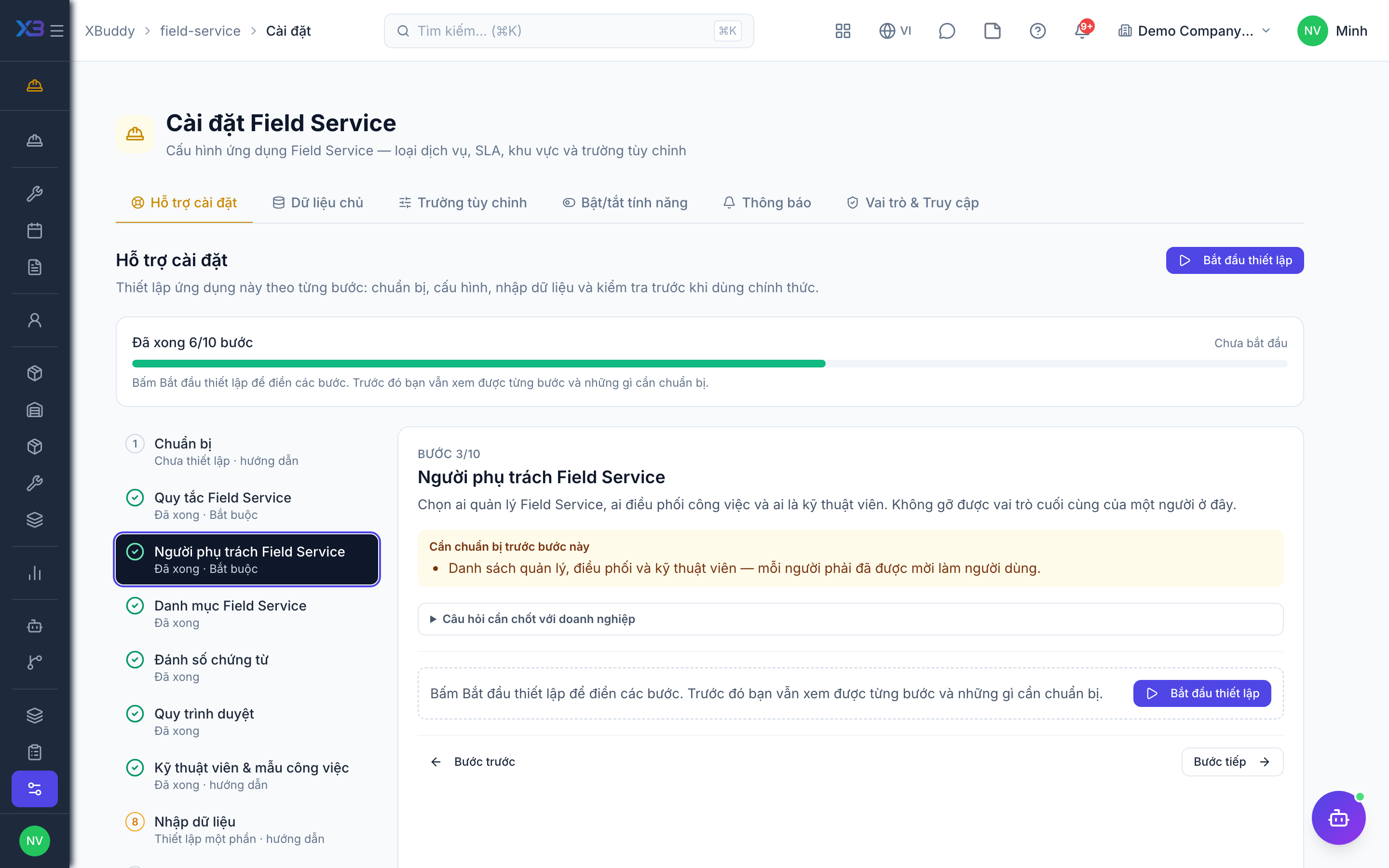
4. Field service lists
Optional
The choice lists used on field service forms: technician skills, skill categories, territories, resolution types and escalation reasons. Open a list to fill it with the standard values, rename, hide or add values.
Prepare first
- The skills, skill categories, territories, resolution types and escalation reasons the field team really uses (Vietnamese and English names).
Questions to answer
- Which technician skills do you distinguish (electrical, HVAC, network…), and how are service territories split?
Lookups to review (Settings → Lookups):
- Escalation Reasons (
escalation_reasons) - Resolution Types (
resolution_types) - Service Territories (
service_territories) - Skill Categories (
skill_categories) - Technician Skills (
technician_skills)
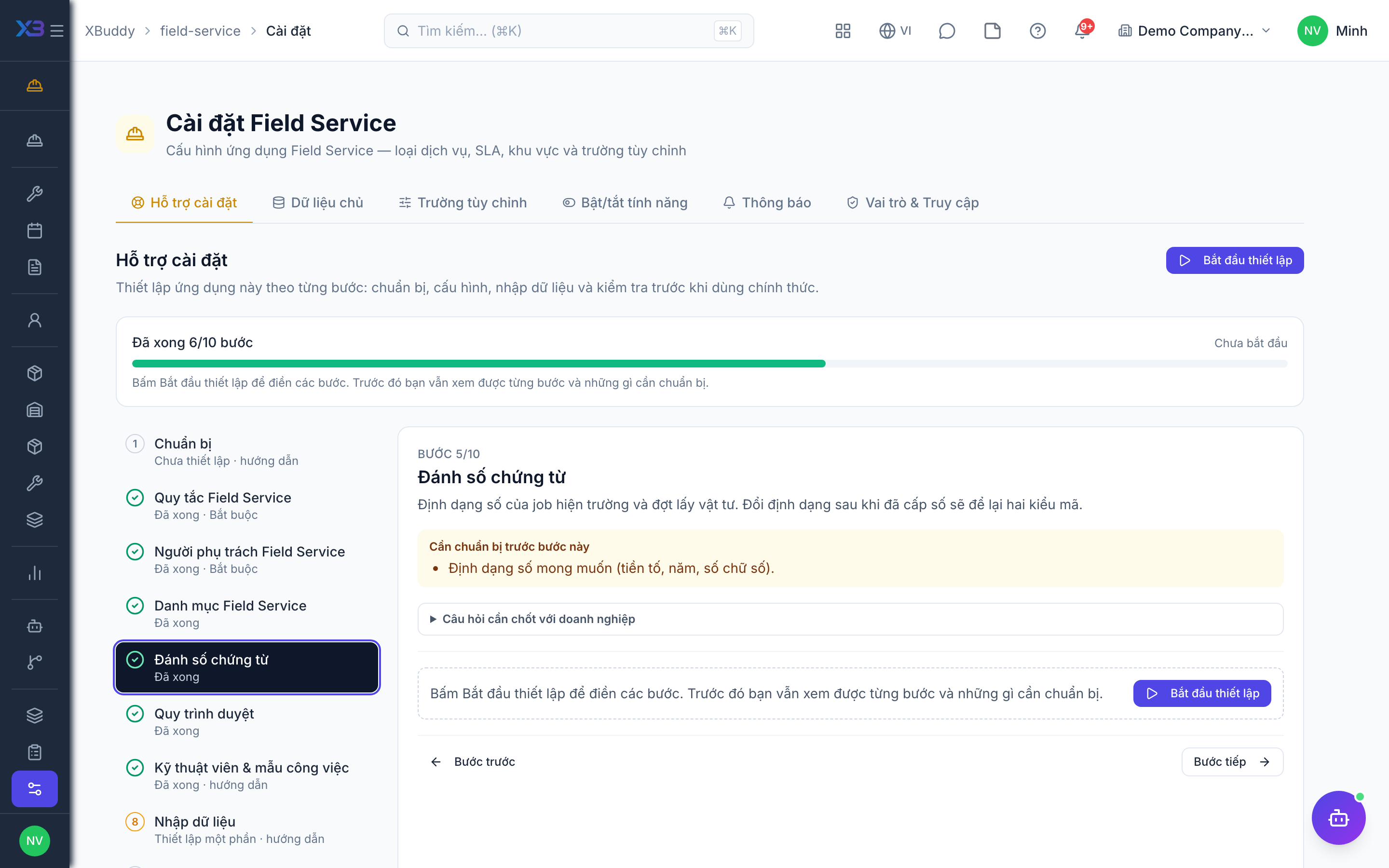
5. Document numbering
Optional
Number format of field service jobs and requisition batches. Changing the format after numbers were issued leaves two code styles.
Prepare first
- The numbering format the business wants (prefix, year, number of digits).
Questions to answer
- Do you want a specific numbering format for jobs, or keep the defaults?
Document types to configure numbering for (Settings → Document numbering):
service_jobfs_requisition_batch
6. Approval workflows
Optional · After step: Field service rules, Field service people
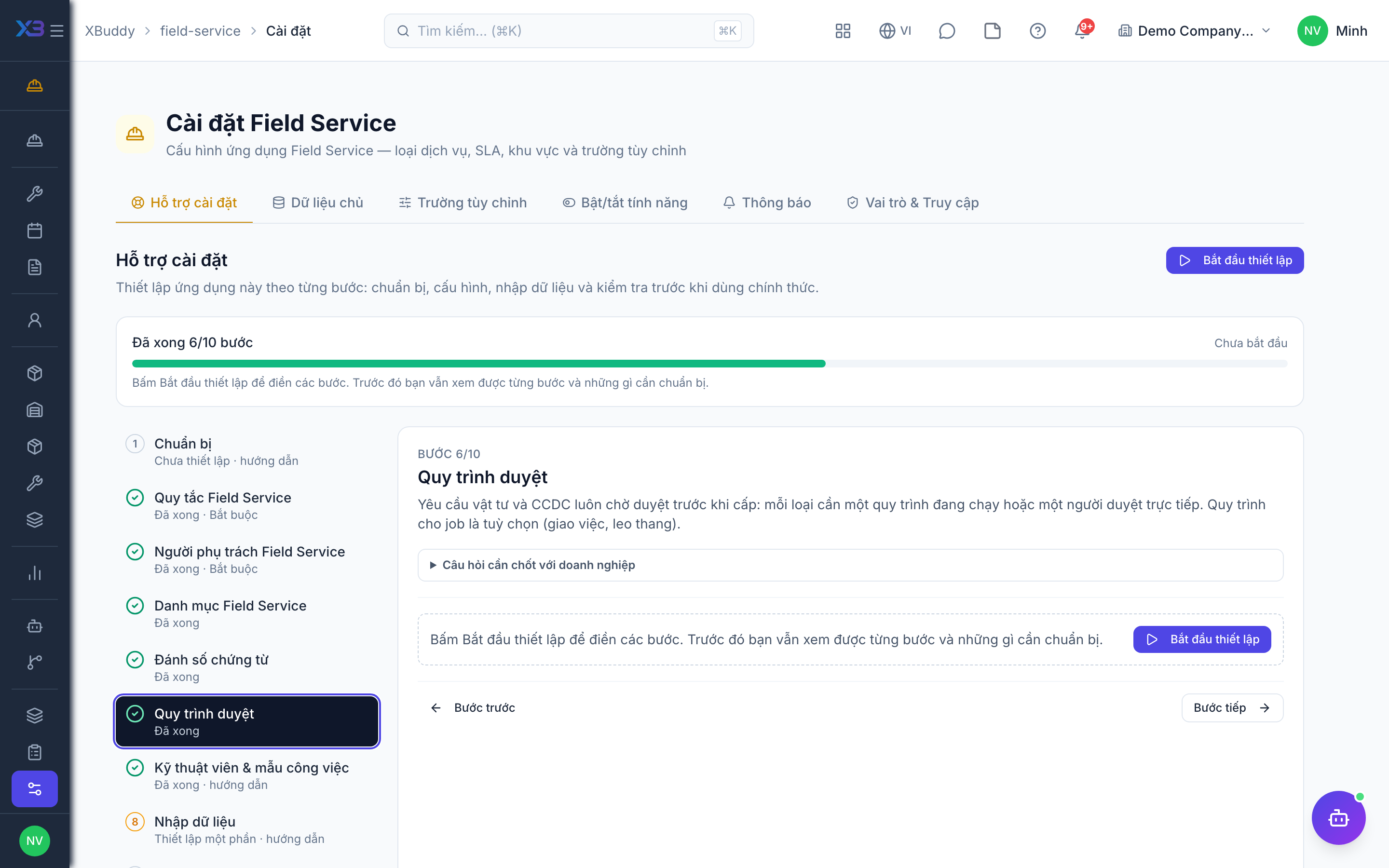
Parts and tool requisitions always wait for approval before they are issued: each needs an active workflow or a person who approves directly. Job workflows are optional (dispatch and escalation).
Questions to answer
- Who approves parts and tool requests before they are issued to a technician — one manager, or a multi-step flow?
Approval workflows to enable (Workflow → Template library) — see Workflow templates:
field_service_requisitionfield_service_tool_requisitionservice_job
7. Technicians & job templates
Optional
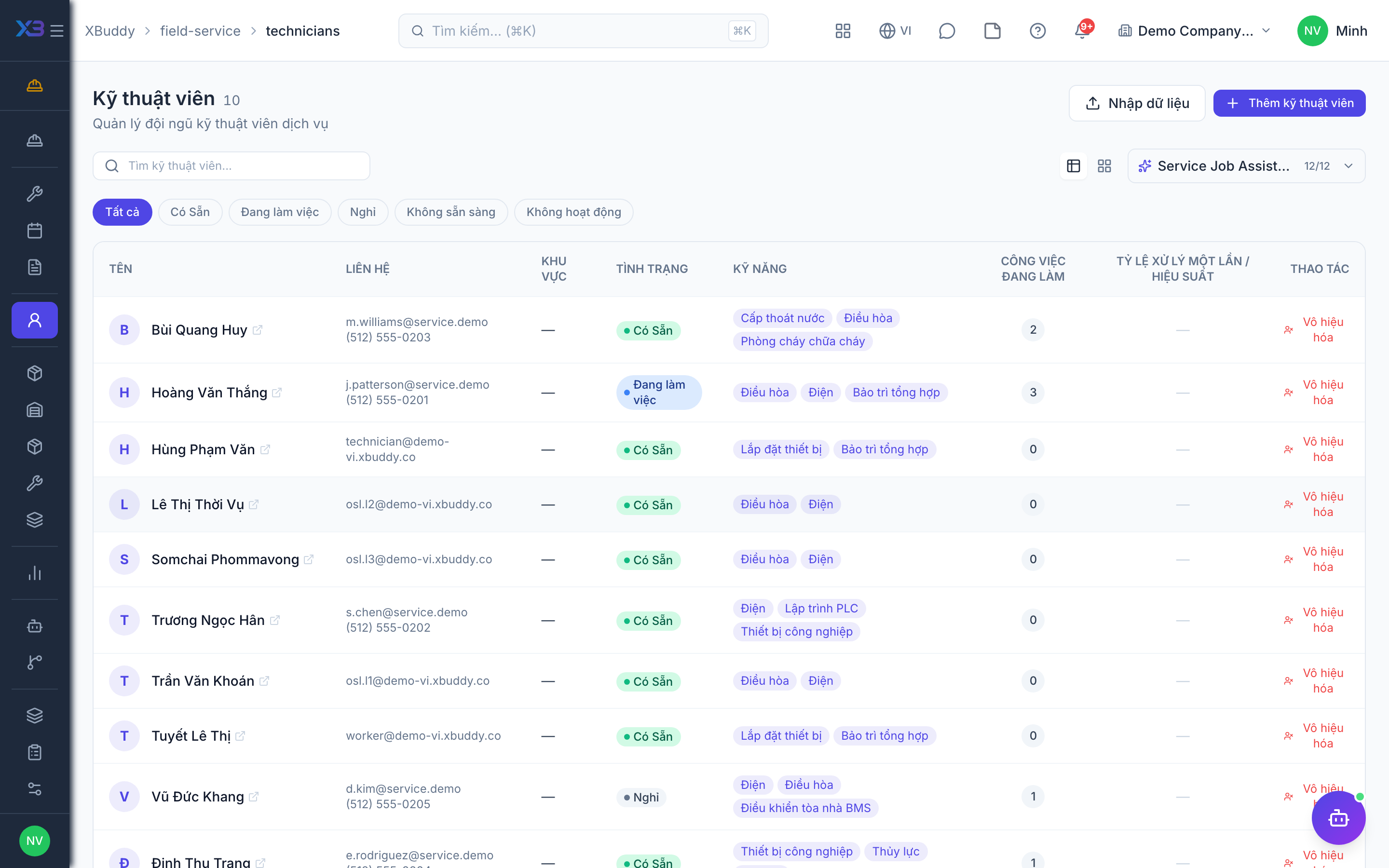
Set up who does the work and how standard jobs are planned on the existing screens: technicians, job types and job templates. Counts update from real data.
Prepare first
- Import technicians first, then job types, then job templates — later files link to earlier ones by code.
Questions to answer
- Which jobs repeat often enough to deserve a standard template (materials, tools, hours, crew size)?
| # | Task | How | Screen |
|---|---|---|---|
| 1 | Technicians | Every technician with skills and hourly cost. | /field-service/technicians (Import + template) |
| 2 | Job types | Job types with default priority and checklist. | /field-service/settings/job-types (Import + template) |
| 3 | Job templates | Only if you plan standard materials, tools and hours per job: published templates. | /field-service/settings/job-templates (Import + template) |
8. Import data
Optional
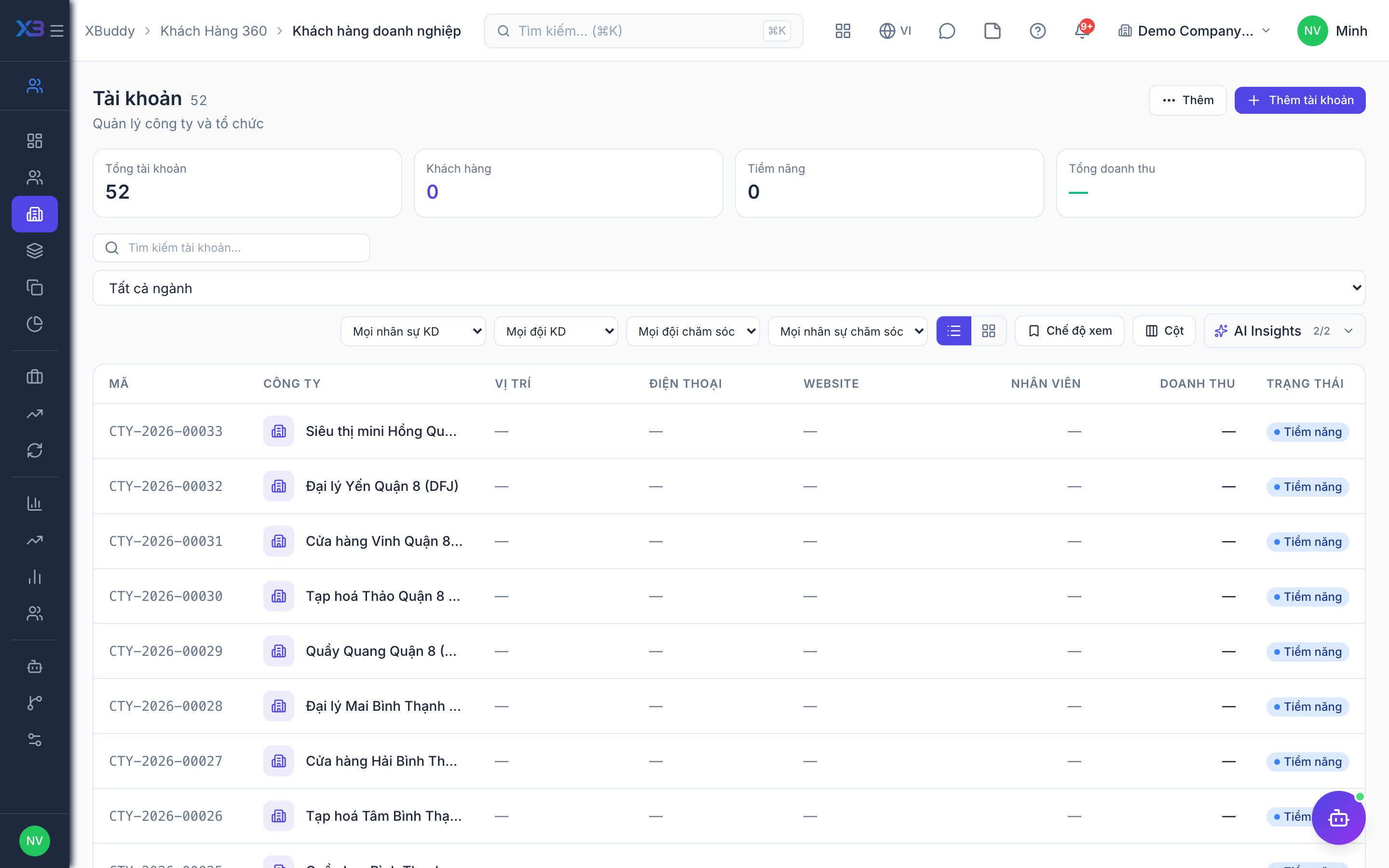
Bring customers in with the existing import screen and check that parts and vans exist in Inventory. Counts update from real data.
Prepare first
- Fill the old-system code column so re-importing the same file updates rows instead of duplicating them.
Questions to answer
- Where are customers, equipment and spare parts kept today, and how many of each?
| # | Task | How | Screen |
|---|---|---|---|
| 1 | Customers | Customer companies (CRM → Accounts → Import). | /crm/accounts (Import + template) |
| 2 | Parts in Inventory | The parts technicians use exist as stock items usable in Field Service. | /inventory/items |
| 3 | Van warehouses | Only if technicians carry stock: one van warehouse per vehicle with its managing technician. | /inventory/warehouses |
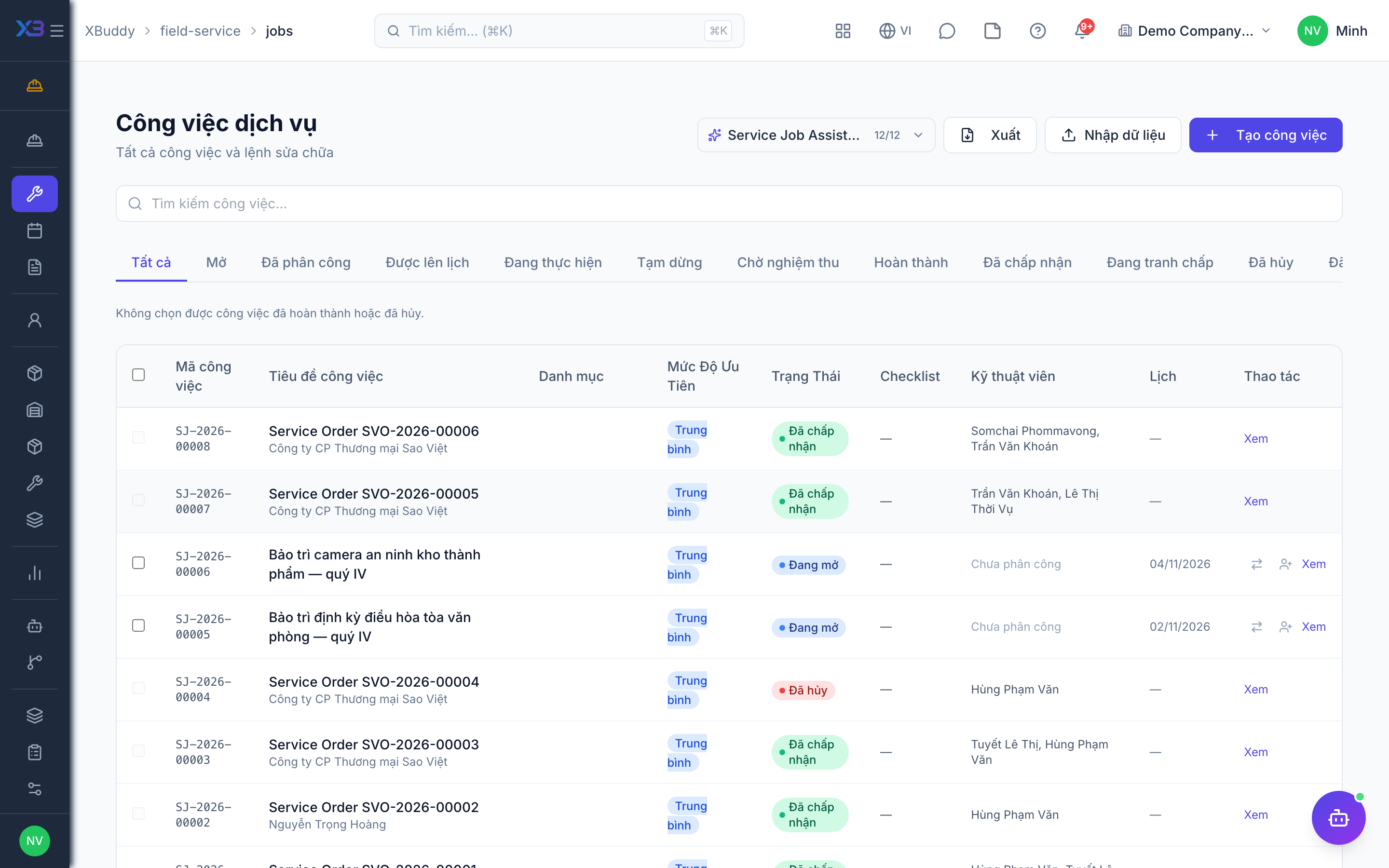
9. Open jobs
Optional
Jobs still open on the cut-over date are imported with the existing import screen; finished ones stay in the old system.
Prepare first
- Agree the cut-over date: jobs still open on that day are brought into XBuddy; finished ones stay in the old system.
| # | Task | How | Screen |
|---|---|---|---|
| 1 | Open jobs | Jobs not yet completed. Imported jobs open no workflow and apply no template. | /field-service/jobs (Import + template) |
10. Go-live check
Optional
Run one real job end to end with the key user before go-live. Tick each step once its result is checked.
Prepare first
- Use one real customer and one real technician; agree with the key user who checks each result.
| # | Task | How | Screen |
|---|---|---|---|
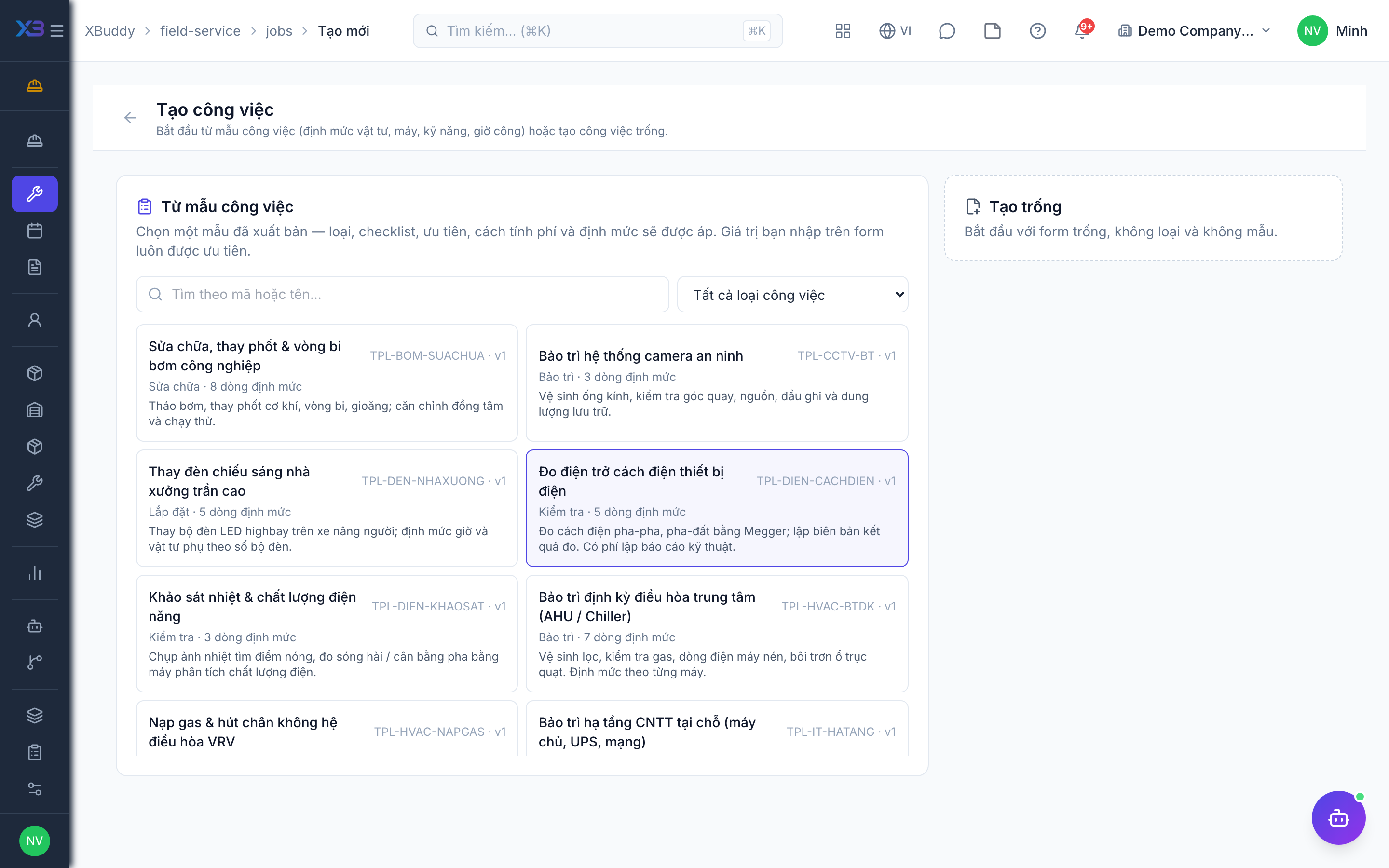
| 1 | Job from a job type | Priority, checklist and planned resources are filled in; the job can be assigned to a technician. | /field-service/jobs/new |
| 2 | Parts requisition | A requisition for the job is approved and the parts are issued. | /field-service/requisitions |
| 3 | Technician closes the job | As the technician: check in, log time and close the job with the evidence your rules require. | /field-service/jobs |
| 4 | Invoice | The job produced its invoice (after acceptance if required) or went to the Service Management billing queue. | /finance/invoices |
Next
See the feature pages of this app in the left menu, or the setup guides of every app.