Service Management setup guide
This page walks through 10 steps to set up Service Management, in the order the in-app Setup assistant recommends. Each step lists what to prepare, the questions to answer first and the screen to use.
In the app, open Settings → Setup assistant: it measures your current state, asks the survey questions below and proposes a change set you approve before it is applied. This page is the read-only version for preparing ahead or doing it by hand.
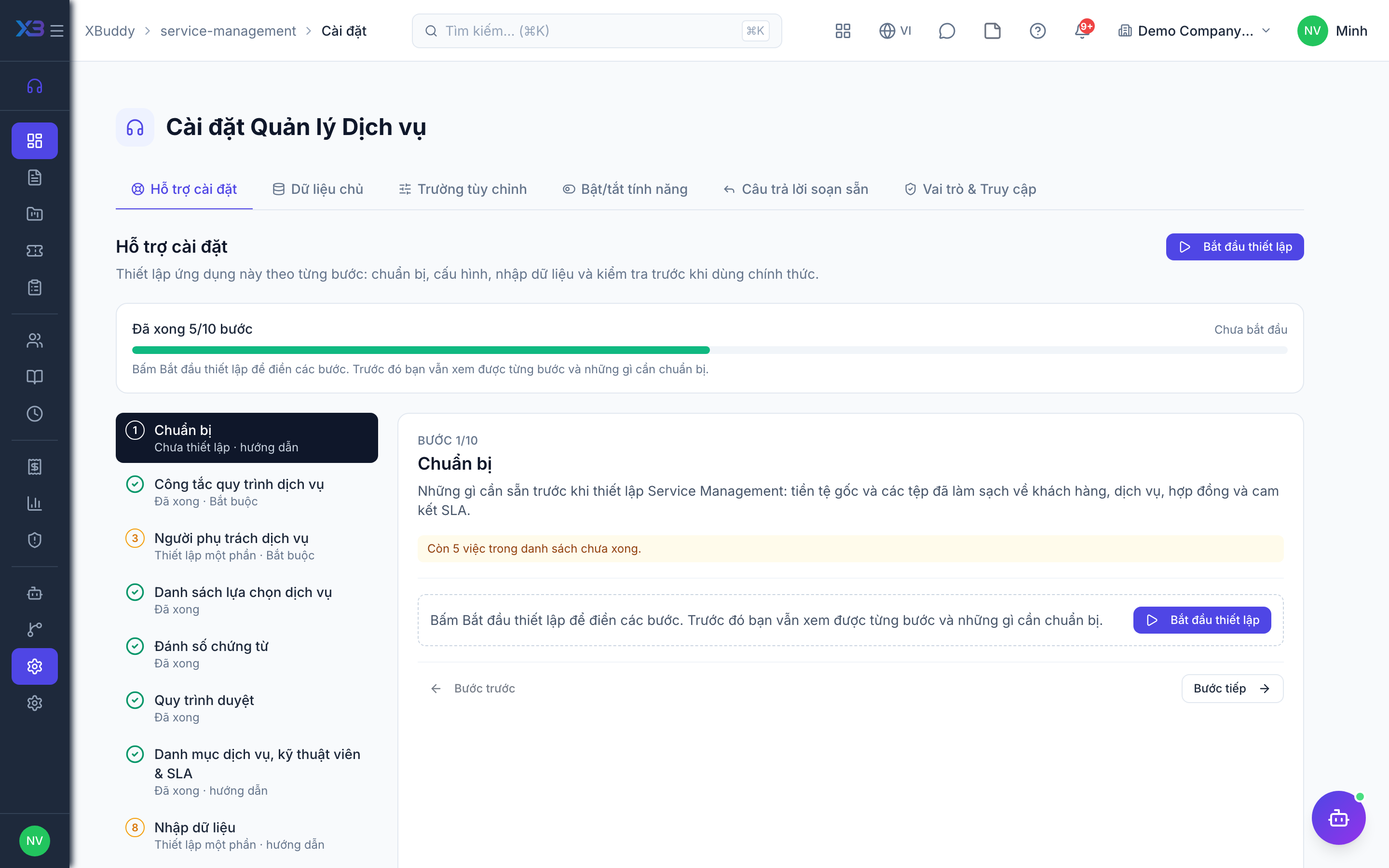
1. Prepare
Optional
What to have ready before setting up Service Management: base currency and cleaned-up files of customers, services, contracts and SLA commitments.
| # | Task | How | Screen |
|---|---|---|---|
| 1 | Base currency and time zone confirmed | Company settings: rates and thresholds use the base currency; SLA deadlines use the company time zone. | /settings/company |
| 2 | Customer file ready | Name, tax code, address, contact person and old-system code for each customer. | — |
| 3 | Service catalog written down | Service code, name, billing unit, standard rate and the agent tier/skills each service requires. | — |
| 4 | Active contracts listed | Customer, billing type, rates, included hours, term and renewal rule of each active contract. | — |
| 5 | SLA commitments written down | Response and resolution time per priority and the business hours they count in. | — |
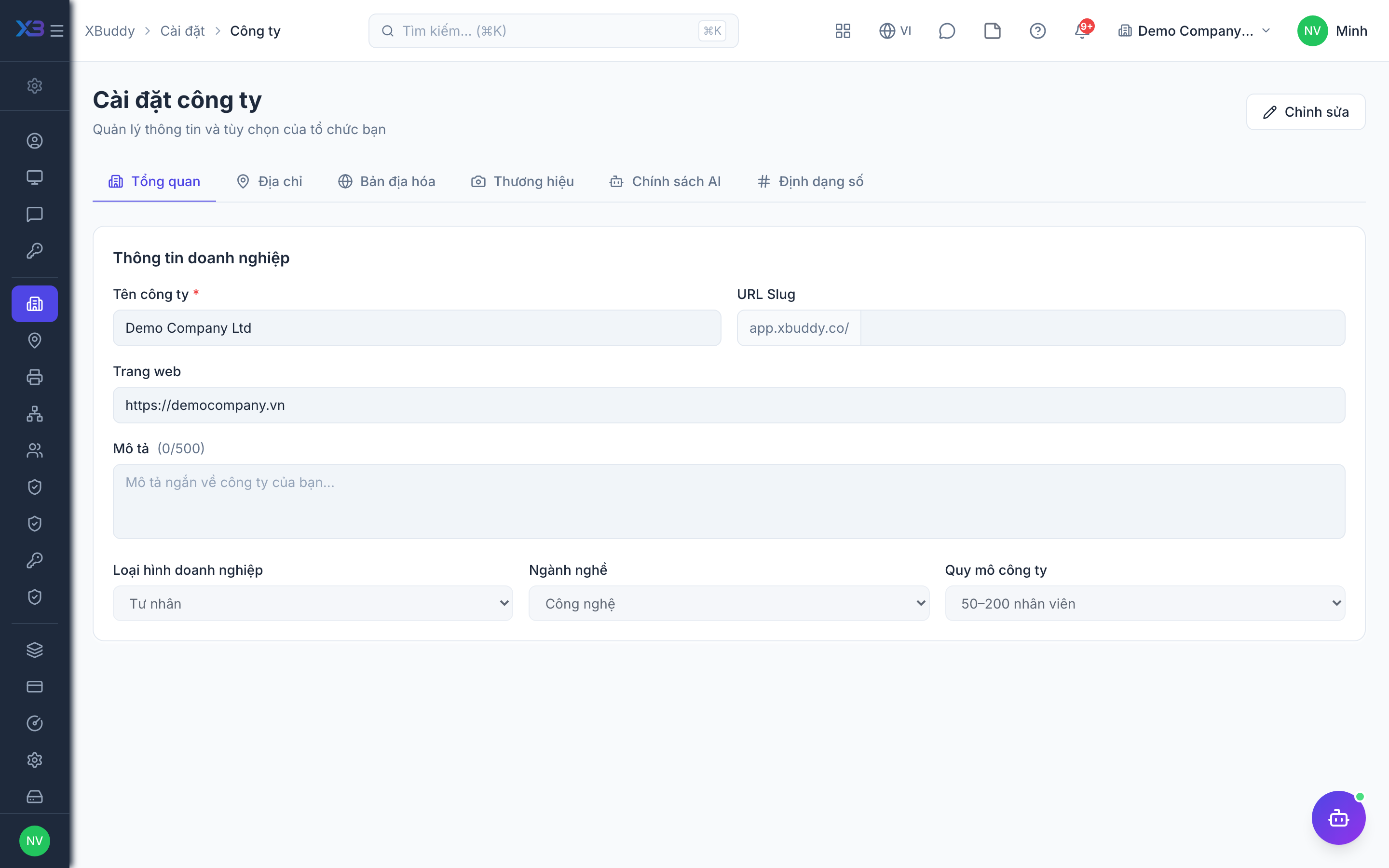
2. Service process controls
Required
Choose the checks every service document must pass: service order and project approval, tickets and SLA, billing and contract renewal, service categories.
Prepare first
- A short description of today’s service flow: contract, ticket, service order, timesheet, billing, renewal.
- The approval rule agreed with management for service orders and service projects: always, only discounted, or above an amount.
Questions to answer
- Which service orders and service projects need approval: always, only discounted or large ones?
- Do you commit response and resolution times (SLA) to customers, and should breached tickets escalate automatically?
- Must every ticket belong to an active contract? Do customers follow their tickets on a portal?
- How do you bill: time and material, fixed price, milestones or retainers? Must the customer confirm a statement before invoicing?
- Are contracts renewed automatically, and who must be reminded before they expire?
- Is the service business split into categories (managed IT, consulting) with different owners or approvers?
| Toggle | Key | Default | Effect |
|---|---|---|---|
| Require service order approval | service.require_service_order_approval | On | Every new service order must be approved before it can be confirmed. When off, an order still needs approval if it has a discounted line (with price approval on discount) or reaches the sales order amount threshold. |
| Require service project approval | service.require_project_approval | Off | Every new service project must be approved through the approval workflow before work starts. When off, only projects whose budget reaches the service project approval threshold need approval. |
| Service project approval threshold | service.project_approval_threshold | 50000000 | Service projects whose budget, converted to company currency, reaches this amount need approval when created, and again when the budget is raised above the last approved budget while planning or active. Rejecting a raise restores the approved budget. Blank = no amount rule. |
| SLA Enforcement | service.sla_enforcement | On | Enforce SLA timers and alert agents when breaches are approaching |
| First Response SLA | service.first_response_sla_enabled | On | Track and enforce a separate SLA timer specifically for the first agent response to a new ticket |
| Auto-escalate on SLA Breach | service.auto_escalation_on_breach | Off | Automatically escalate tickets that breach their SLA |
| Resolution Note Required | service.require_resolution_note | Off | A ticket cannot be marked resolved without a resolution note. |
| Service Contract Required for Ticket | service.contract_required_for_ticket | Off | A ticket can only be created linked to a service contract that is active and within its term. |
| CSAT Survey on Close | service.satisfaction_survey_on_close | Off | Send a satisfaction survey to the customer when a ticket is closed |
| Customer Portal Visibility | service.customer_portal_visibility | Off | Show tickets to customers in the self-service portal |
| Enforce agent eligibility on assignment | service.enforce_agent_eligibility | Off | Tickets and service orders can only be assigned to an agent whose tier and skills meet the requirements declared on the service catalog item (or the ticket tier). When off, the picker only flags ineligible agents. |
| Auto-invoice Time & Material | service.auto_invoice_time_and_material | Off | Allows automatic staging of approved billable hours into the billing queue (no automatic job uses it yet). Manual “Stage for billing” always works; invoices are created from the queue. |
| Invoice only from confirmed reconciliation | service.billing_statement_required | Off | Service Management billing items can be invoiced only from a reconciliation statement the customer has confirmed (signed record attached). Manual selection and period invoicing are disabled. |
| Recurring Retainer Billing | service.recurring_retainer_billing | Off | Each billing cycle, stage a pending billing event for every active retainer contract; review it in the Billing queue and generate the invoice with one click |
| Field Service jobs via billing queue | service.fs_jobs_via_billing_queue | Off | Completed field service jobs not dispatched from a service order stage billing items (priced scope lines, parts, technician hours at the agent rate) in the Service Management billing queue for review, instead of auto-creating an invoice. |
| Enforce contract rates on service orders | service.enforce_contract_rates | Off | A service order line linked to an active contract must use the contract’s effective rate. When off, the contract rate is only a default and users may override it. |
| Retainer Top-up Alert | service.retainer_topup_alert | On | Alert the contract owner once when more than 80% of a retainer’s included hours are used; alerts again after the hours are topped up or a new period starts. |
| Contract Renewal Notice Alert | service.renewal_notice_alert | On | Notify the contract owner once per contract term when an active service contract enters its renewal notice window (the “Renewal notice (days)” set on each contract, 30 by default). |
| Auto-Renew Service Contracts | service.auto_renew_service_contract | Off | Active service contracts are automatically renewed for the same period when they reach their expiry date |
| Service categories & category approval | service.categories | Off | Group service contracts, projects, tickets and service orders into service categories (e.g. Managed IT, Consulting), control who can create or view each category, and route approval to the approver assigned to the category. Off = one general category, no category access rules. |
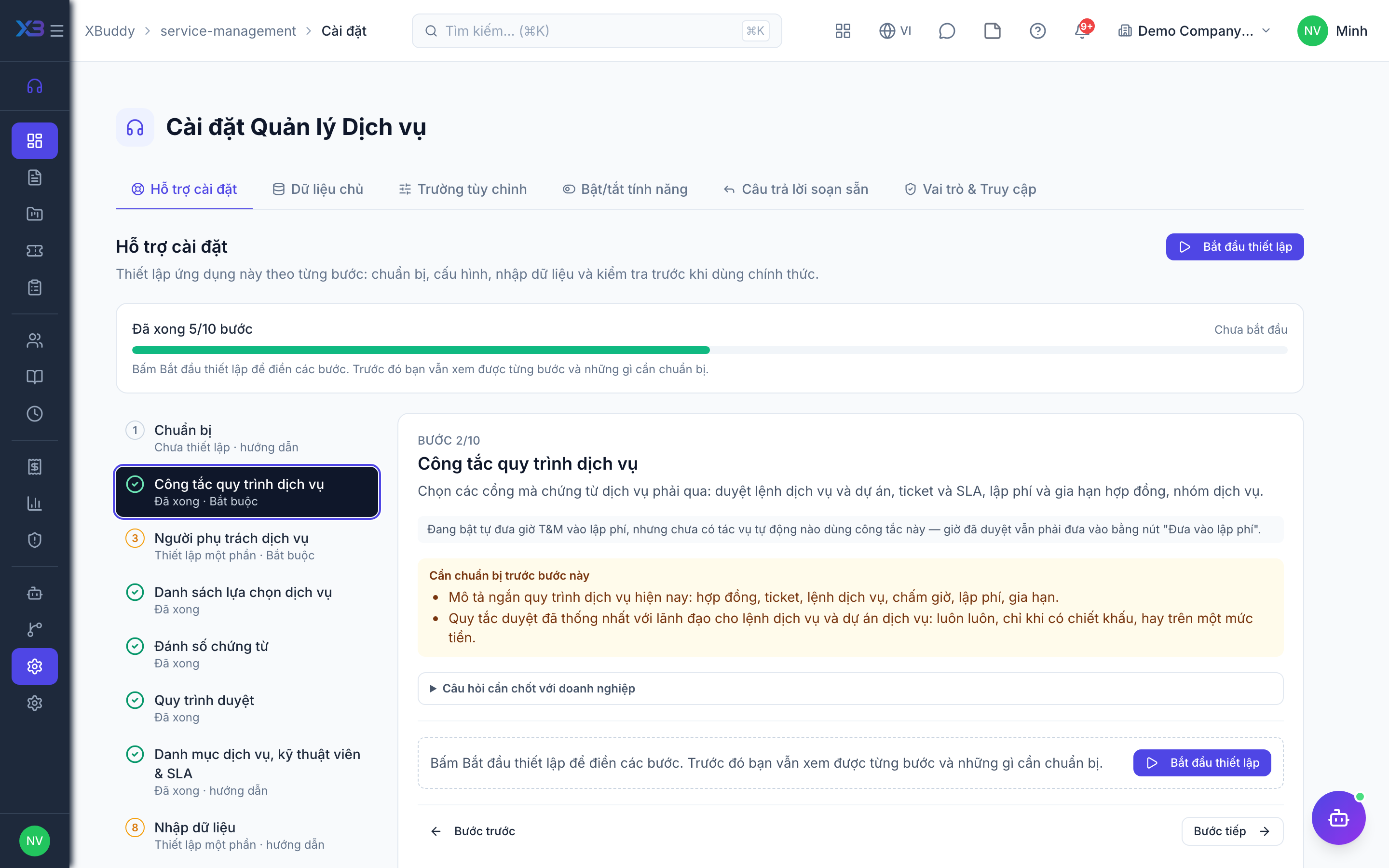
3. Service people
Required
Choose who runs the service business: the service manager, agents, category managers, first-line support and the customer success manager. You cannot remove a person’s last role here.
Prepare first
- The list of service managers, agents/technicians, support staff and approvers — each must already be invited as a user.
Questions to answer
- Who heads the service business, who are the agents, and who approves service orders and timesheets?
- Should an agent see only their own tickets, their team’s, or all?
| Role template | Key | For |
|---|---|---|
| Service Manager | service_manager | Service manager: approves service orders, projects and timesheets, owns Service Management settings |
| Service Agent | service_agent | Agent: works tickets and service orders, logs time |
| Service Category Manager | service_category_manager | Approves within the service categories assigned to them |
| Support Agent | support | First-line support: receives and answers tickets |
| Customer Success Manager | cs_manager | Customer success manager: customer health and renewals |
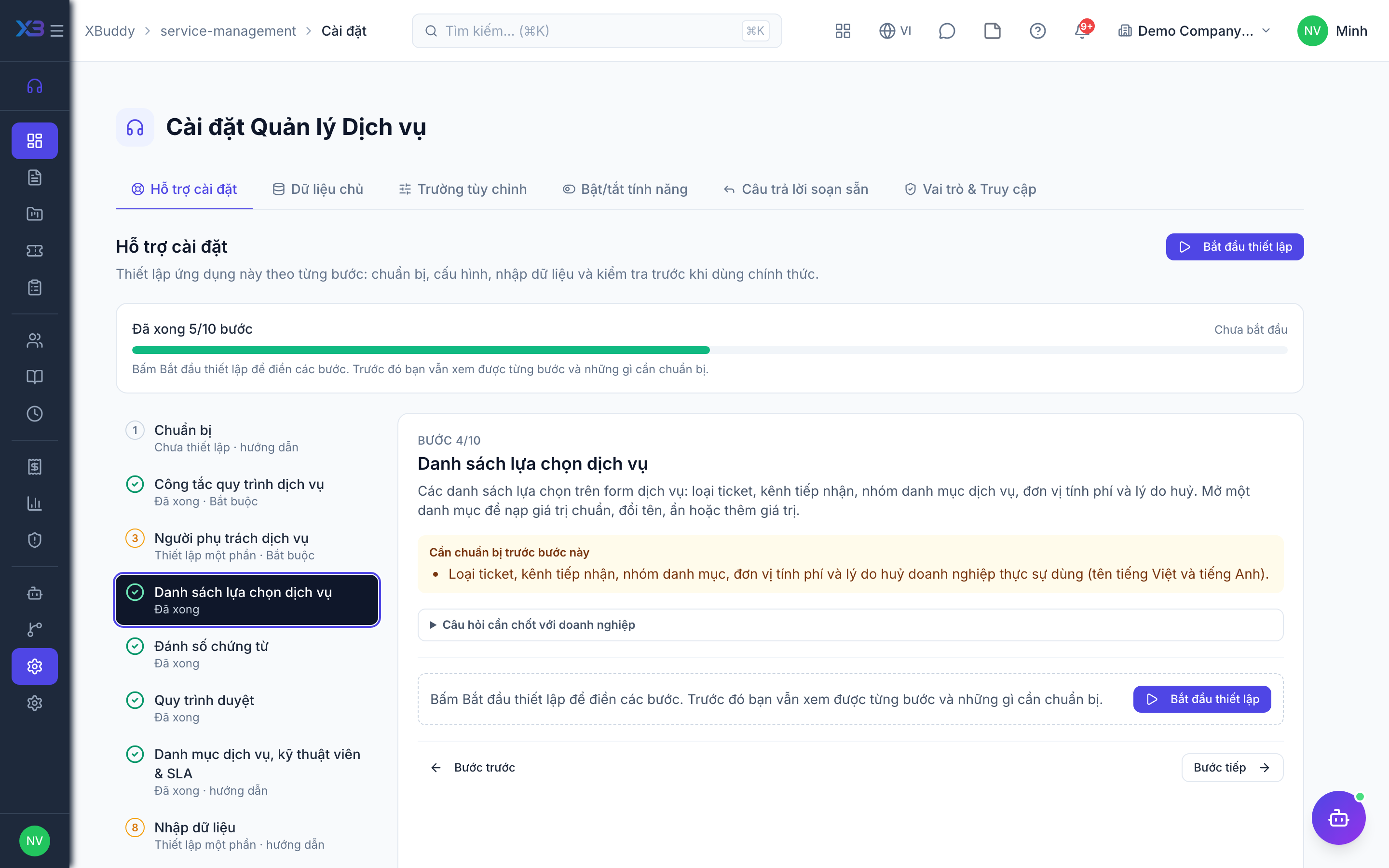
4. Service lists
Optional
The choice lists used on service forms: ticket types, channels, catalog categories, billing units and cancellation reasons. Open a list to fill it with the standard values, rename, hide or add values.
Prepare first
- The ticket types, channels, catalog categories, billing units and cancellation reasons the business really uses (Vietnamese and English names).
Questions to answer
- Through which channels do customers raise requests, and which ticket types do you distinguish?
- How is the service catalog grouped, and in which units do you bill (hour, day, visit, month)?
Lookups to review (Settings → Lookups):
- Service Billing Units (
service_billing_units) - Cancellation Reasons (
service_cancel_reasons) - Service Catalog Categories (
service_catalog_categories) - Service Channels (
service_channels) - Service Ticket Types (
service_ticket_types)
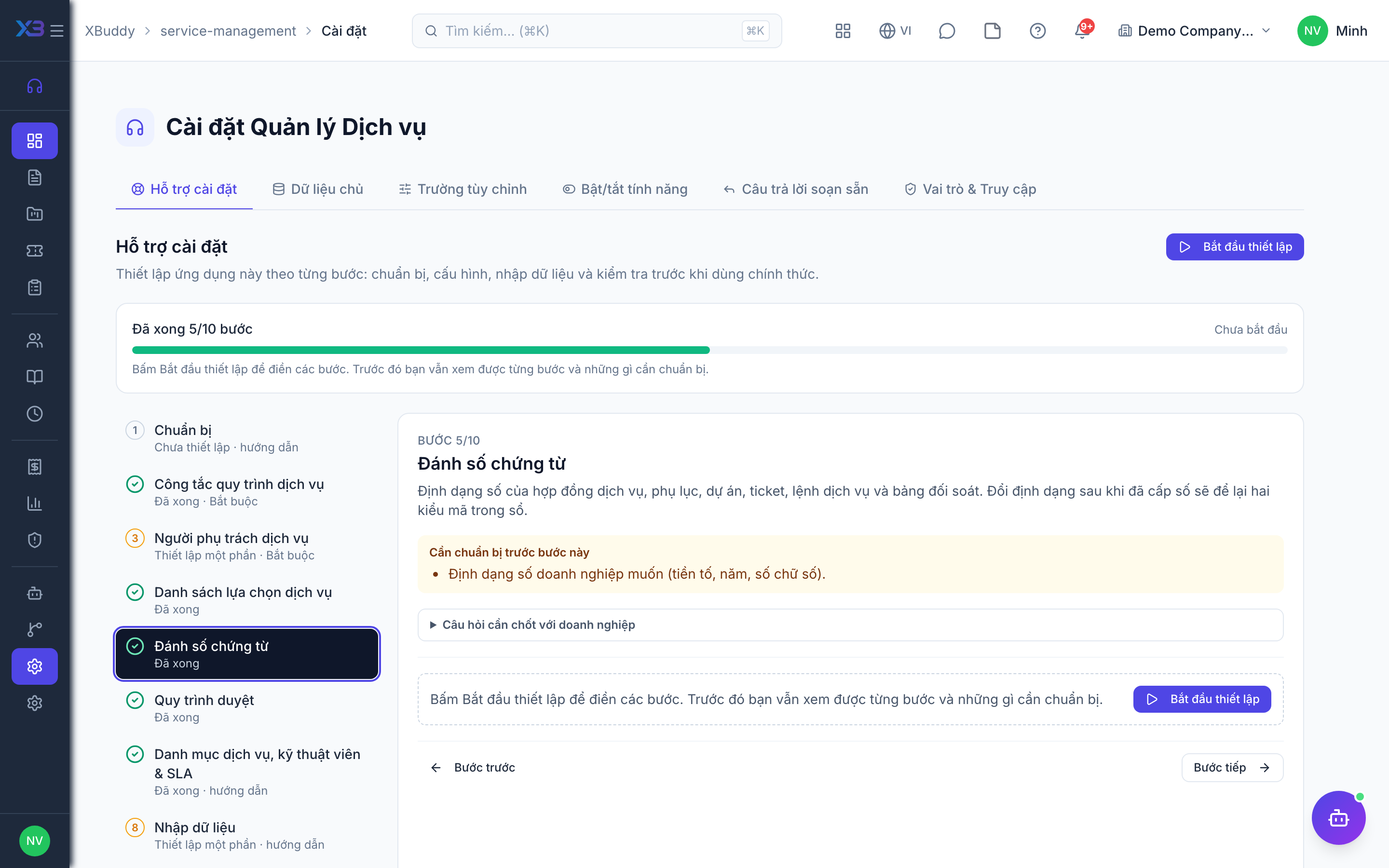
5. Document numbering
Optional
Number format of service contracts, amendments, projects, tickets, service orders and billing statements. Changing the format after numbers were issued leaves two code styles in the books.
Prepare first
- The numbering format the business wants (prefix, year, number of digits).
Questions to answer
- Do you want a specific numbering format for contracts, tickets and service orders, or keep the defaults?
Document types to configure numbering for (Settings → Document numbering):
SM_CONTRACTSM_CONTRACT_AMENDMENTSM_PROJECTSM_TICKETservice_orderSM_BILLING_STATEMENT
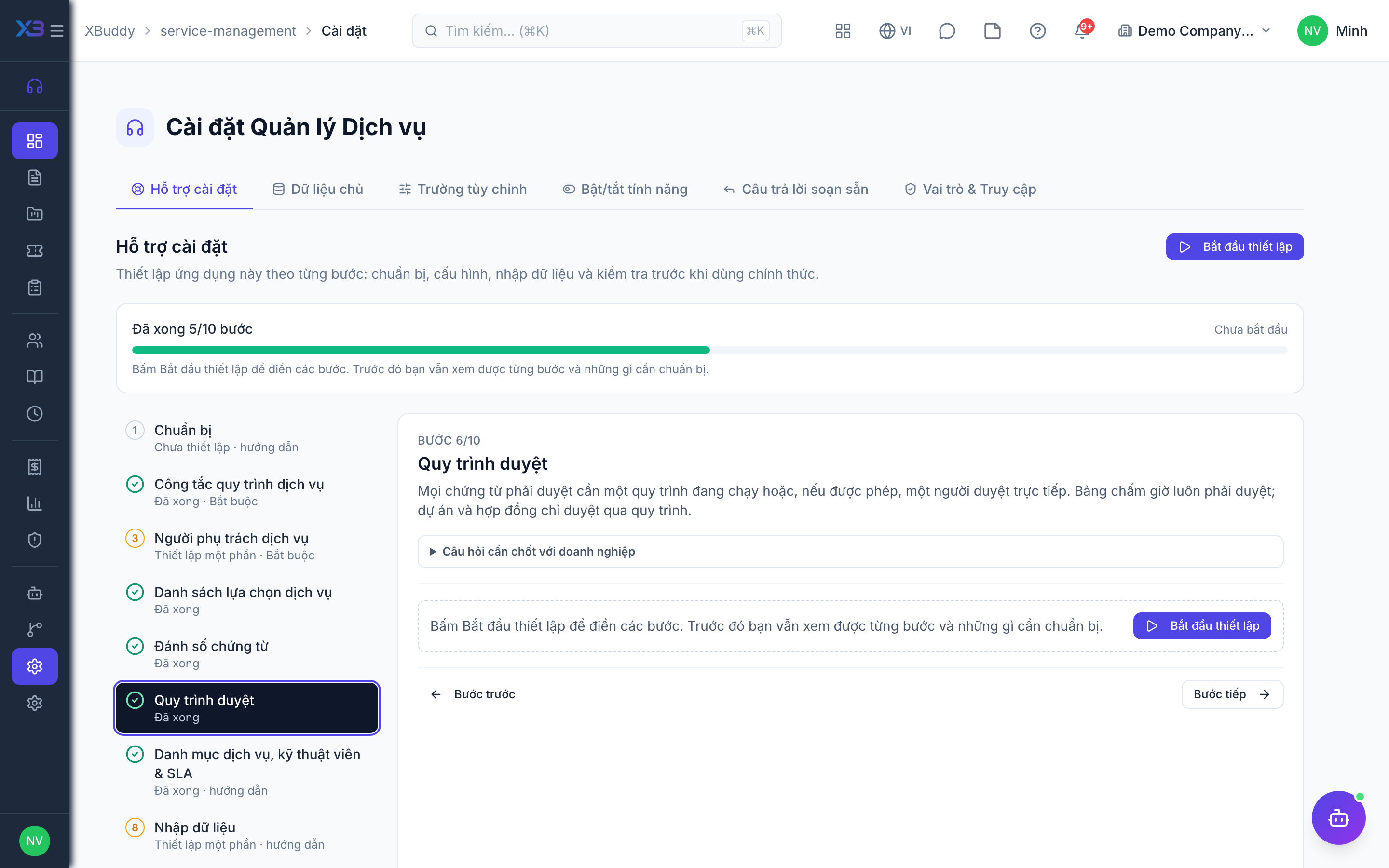
6. Approval workflows
Optional · After step: Service process controls, Service people
Every document that must be approved needs an active workflow or, where allowed, a person who approves directly. Timesheets always need approval; projects and contracts are approved only through a workflow.
Questions to answer
- Should service orders and projects go through a multi-step workflow, or does one manager approve directly?
- Who approves agents’ timesheets before they are billed?
- Must new service contracts be approved before they become active?
Approval workflows to enable (Workflow → Template library) — see Workflow templates:
service_ordersm_projectsm_timesheetsm_contract
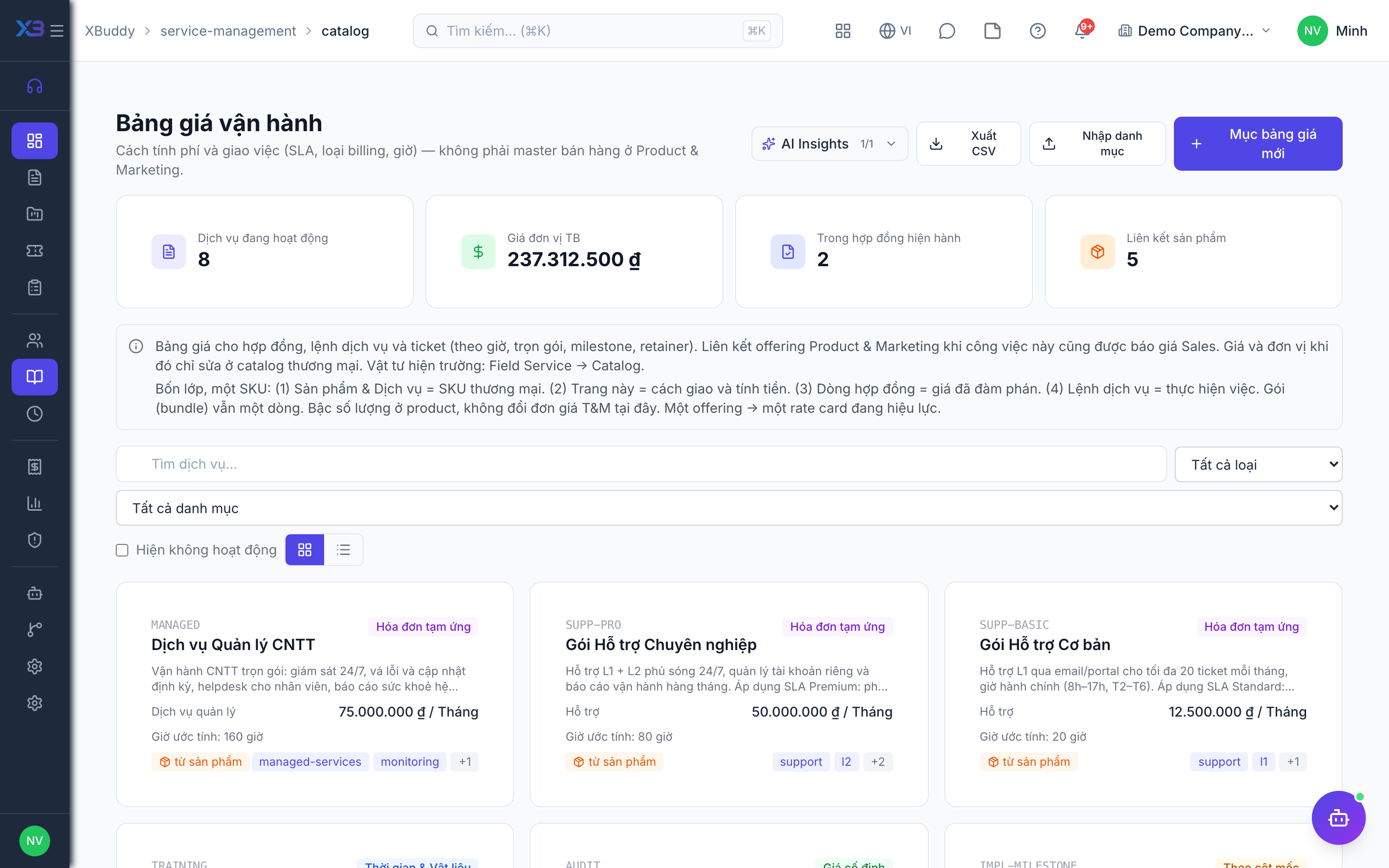
7. Catalog, agents & SLA
Optional
Set up what you sell and who delivers it on the existing screens: service catalog items, agent profiles with tier and skills, and SLA policies. Counts update from real data.
Prepare first
- Create the service catalog first, then the agents with their tier and skills — assignment checks match the two.
Questions to answer
- How many services do you sell, and which skills or tiers does each require?
| # | Task | How | Screen |
|---|---|---|---|
| 1 | Service catalog | Active service catalog items with billing unit and standard rate. | /service-management/catalog |
| 2 | Agent profiles | One profile per person who works tickets or service orders, with tier, skills and rate. | /service-management/agents |
| 3 | SLA policies | Only if SLA is on: response/resolution time per priority, one marked as default. | /service-management/settings/sla-policies |
8. Import data
Optional
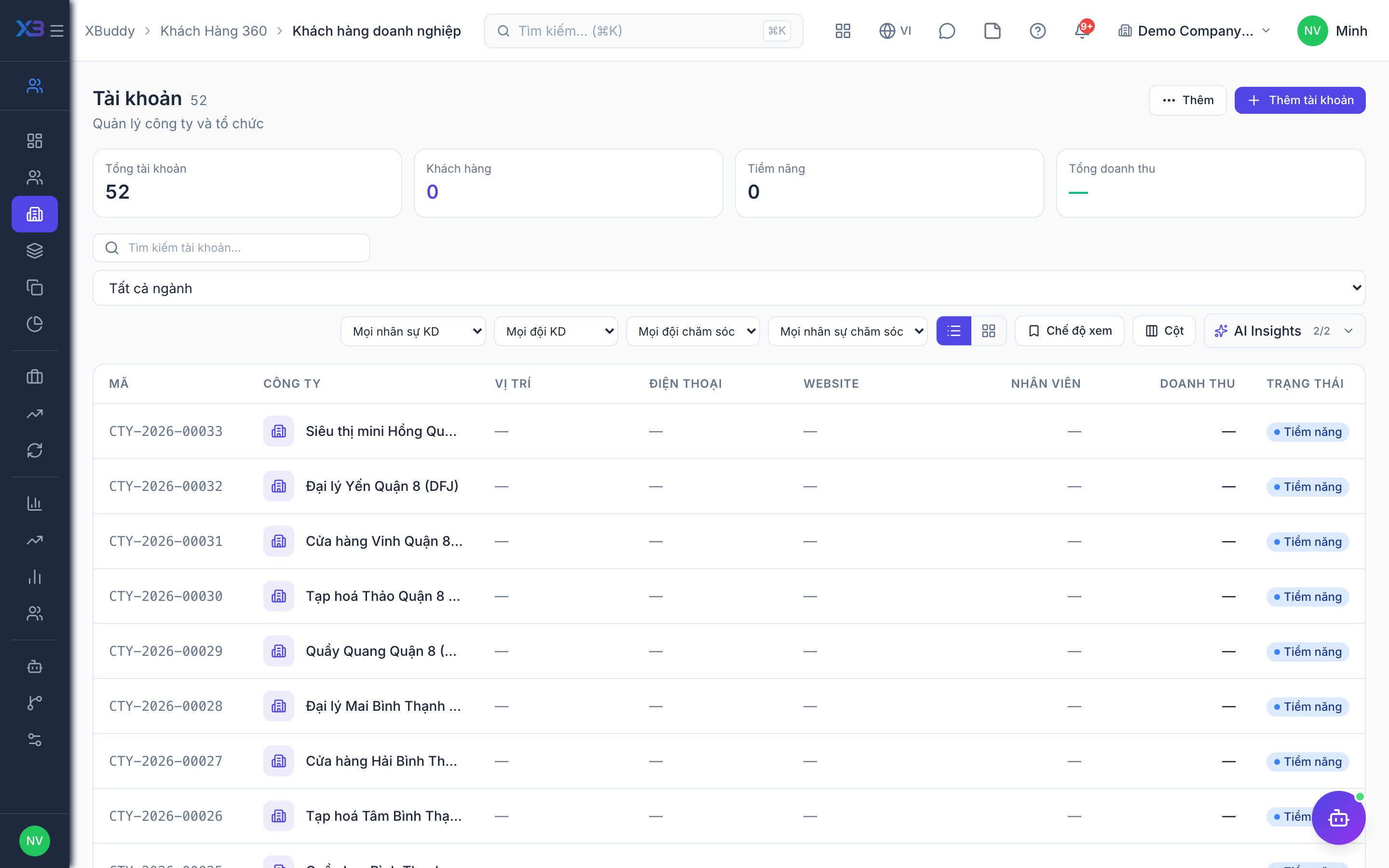
Bring customers, contracts and projects in with the existing import screens. Each button opens the import with its template; the counts update from real data.
Prepare first
- Import in this order: customers → service contracts → service projects. Contracts must exist before tickets and service orders can reference them.
- Fill the old-system code column so re-importing the same file updates rows instead of duplicating them.
Questions to answer
- Where are customers and service contracts kept today, and how many of each?
| # | Task | How | Screen |
|---|---|---|---|
| 1 | Customers | Customer companies (CRM → Accounts → Import). | /crm/accounts (Import + template) |
| 2 | Service contracts | Active service contracts with billing type, rates and term. | /service-management/contracts (Import + template) |
| 3 | Service projects | Only if you run service projects: the projects still running. | /service-management/projects (Import + template) |
9. Open documents
Optional
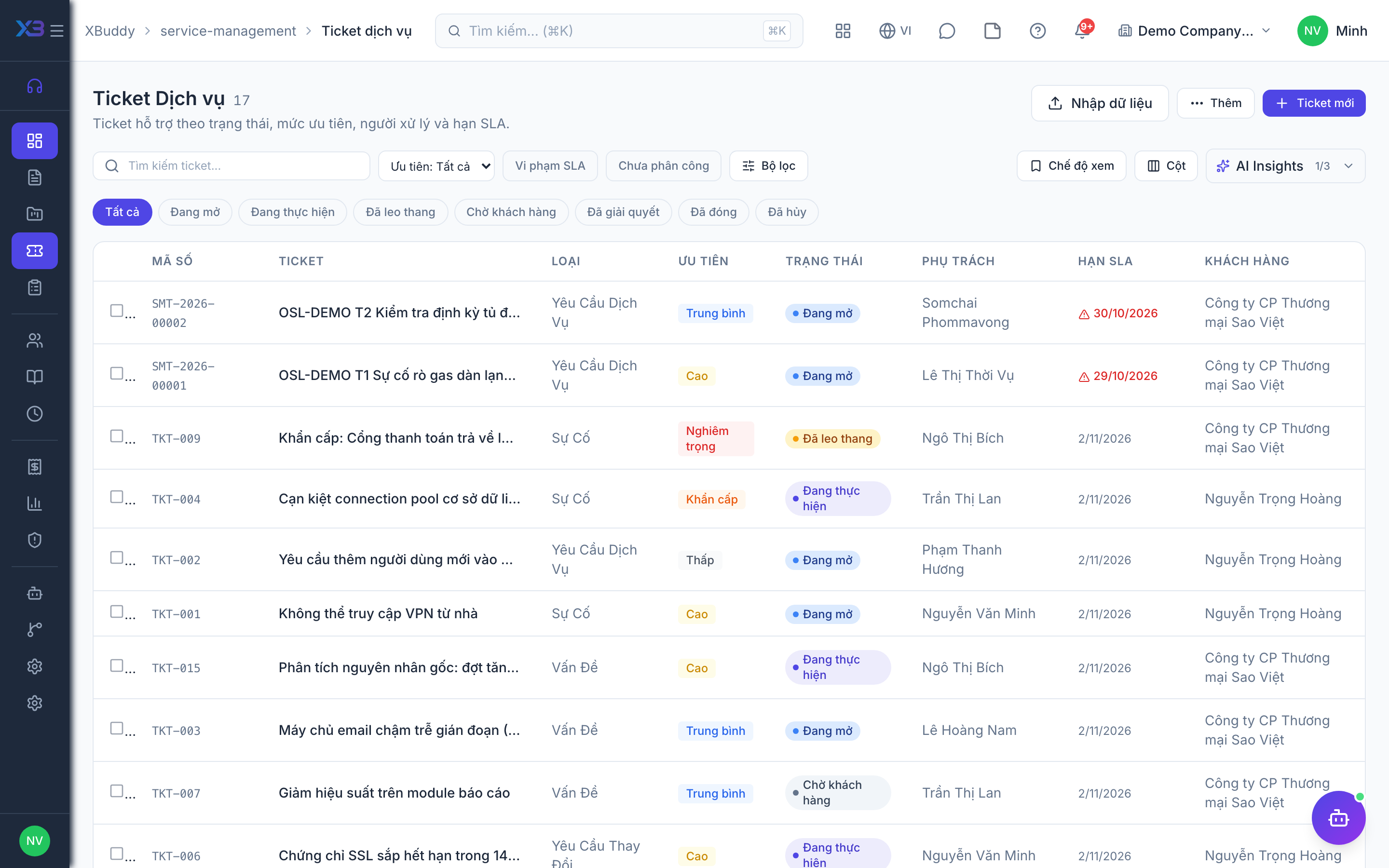
Tickets and service orders still open on the cut-over date are imported with the existing import screens; closed ones stay in the old system.
Prepare first
- Agree the cut-over date: tickets and service orders still open on that day are brought into XBuddy; closed ones stay in the old system.
| # | Task | How | Screen |
|---|---|---|---|
| 1 | Open tickets | Tickets not yet resolved or closed. | /service-management/tickets (Import + template) |
| 2 | Open service orders | Service orders not yet completed or invoiced. | /service-management/service-orders (Import + template) |
10. Go-live check
Optional
Run one real service case end to end with the key user before go-live. Tick each step once its result is checked.
Prepare first
- Use one real customer with one real contract; agree with the key user who checks each result.
| # | Task | How | Screen |
|---|---|---|---|
| 1 | Ticket under the contract | SLA deadlines appear (if SLA is on) and the ticket can be assigned to an eligible agent. | /service-management/tickets |
| 2 | Service order | Created from the catalog, approved if approval applies, then confirmed. | /service-management/service-orders |
| 3 | Timesheet | An agent logs and submits time; the manager approves it. | /service-management/timesheets |
| 4 | Billing | Approved hours are staged for billing and invoiced (via a confirmed statement if required). | /service-management/billing |
| 5 | Agent’s view | Logged in as an agent: they see only what their scope allows and cannot approve their own timesheet. | /service-management/tickets |
Next
See the feature pages of this app in the left menu, or the setup guides of every app.