Overview and reports
Overview page — the Today board
Go to Distribution → Overview. The Today board (permission distribution:read) shows managers, for the current day:
- Beat progress — same formulas as beat KPIs, computed for today by company date.
- Who is at which outlet — reps currently checked in.
- Today’s orders — outlet orders and van-sale orders.
- Needs action — orders awaiting approval, proposed outlets awaiting approval, van sessions awaiting reconciliation, open returns; overdue receivables only show to users with
credit:read. Each item links to where it is handled (for example the Pending tab of Outlets).
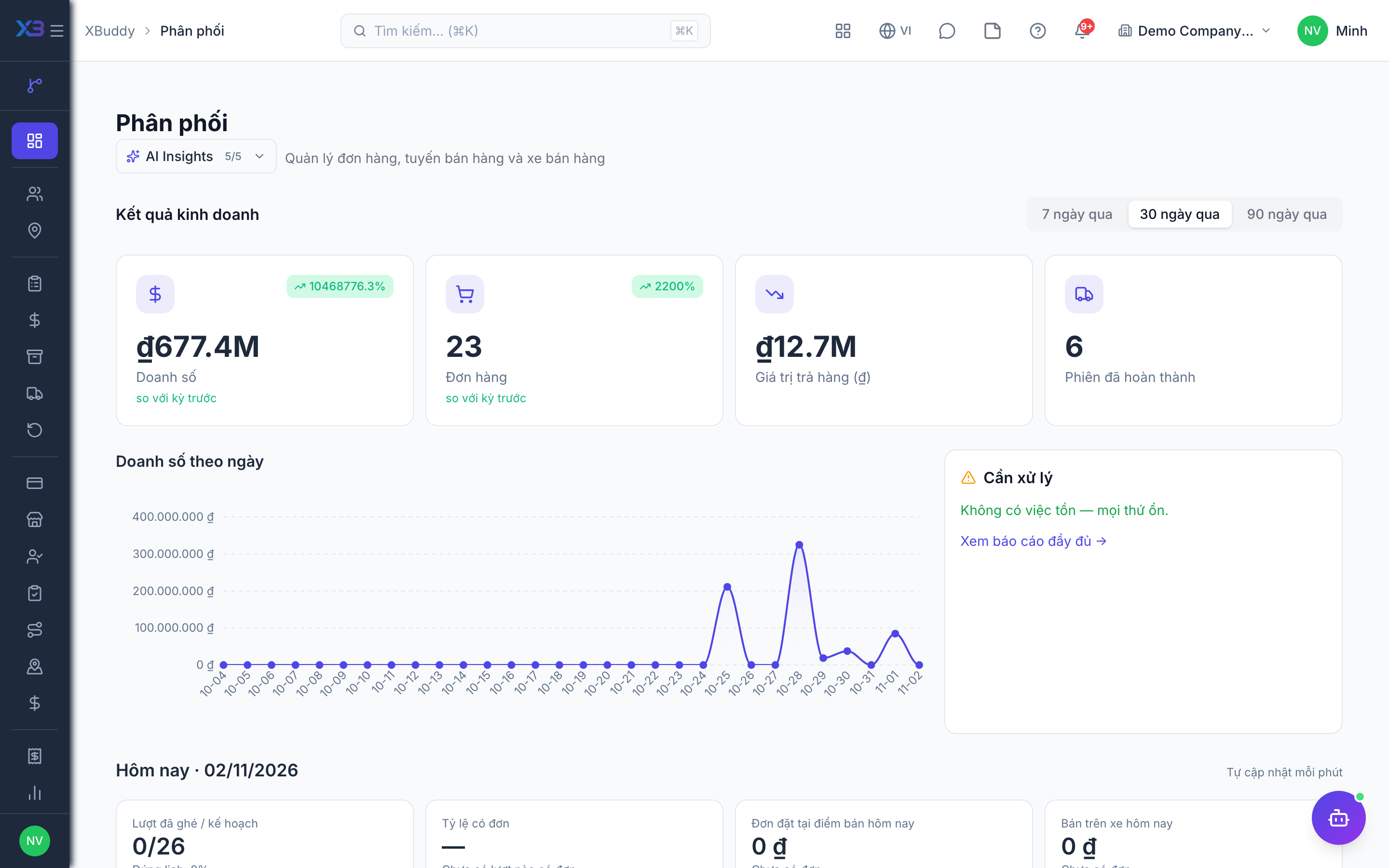
On the phone, the Office app has a Team routes today section reading the same data.
Reports page
Go to Distribution → Reports. The date range is kept in the URL so it can be shared. The page has 5 tabs:
| Tab | Content |
|---|---|
| Overview | Sales versus the previous period, sales by day, by territory. |
| SKU | Items by territory. |
| Field reps | Results per rep. |
| Returns & claims | Returns, rebates and claims. |
| Commissions | Distributor commissions. |
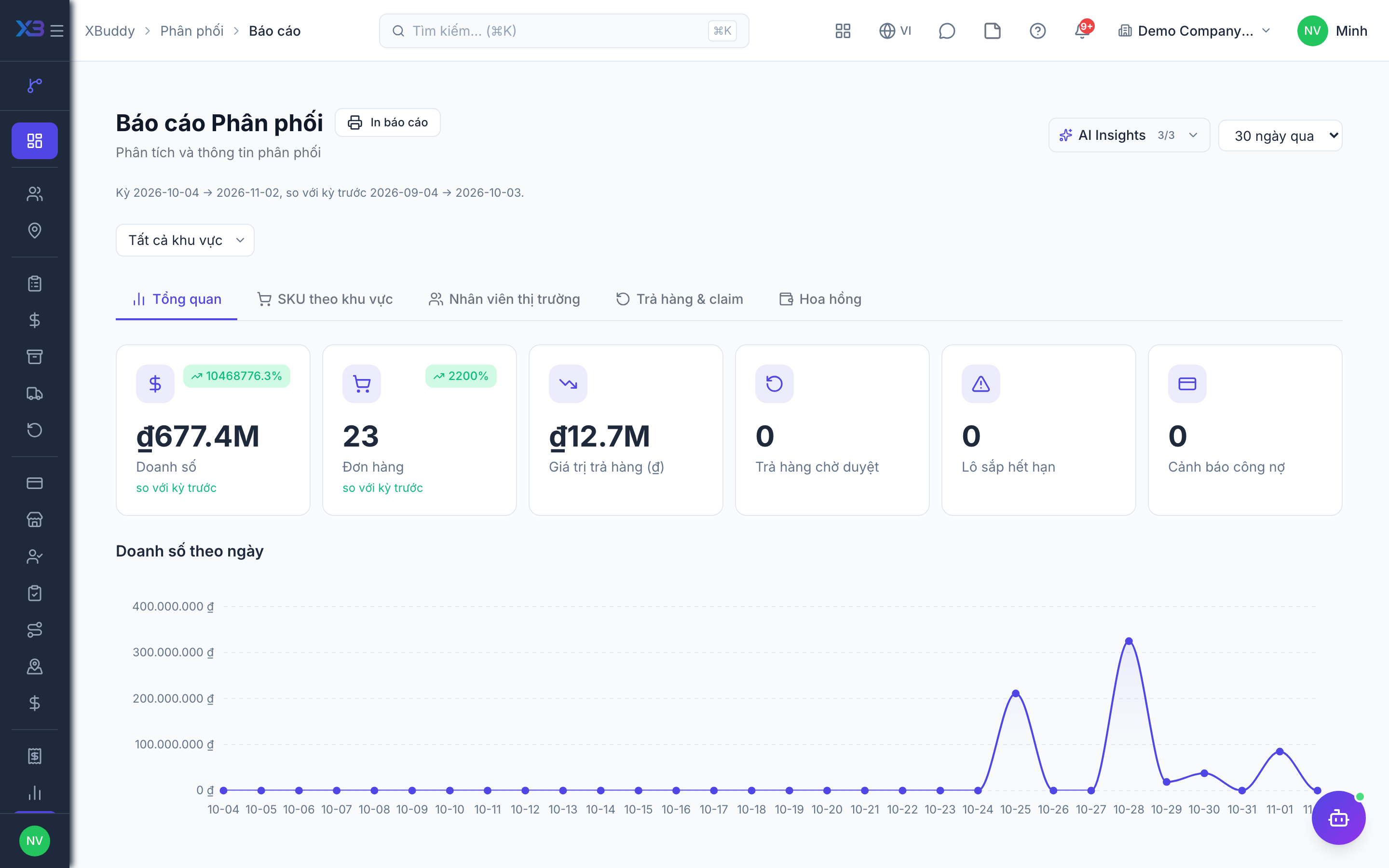
Permissions: distribution:read and analytics:distribution; the credit section needs credit:read, expiring lots need lots:read. Report details: Reports.
Related
- Outlets and care · Beats and route planning · Visits and check-in · Field sales rep journey
- Ordering at the outlet · Promotions, rebates & claims · Targets and sell-out · Commissions
- Beat KPIs and performance · Overview and reports · Permissions and settings · Setup guide
- Distribution Manager AI assistant · Workflow templates · Distribution & logistics flow · XBuddy Work app