The requisition-to-PO flow
A requisition captures a need before it becomes a commitment. Once approved, it converts to an RFQ or straight to a PO.
When to use
Use this flow whenever someone needs something bought and you want a record of who asked, who approved, and what was ordered. Small companies can skip it: requiring a requisition before a PO is optional and off by default.
Before you start
- Open access:
/procurement/requisitionsneedsprocurement:read; purchase orders needpurchase_orders:read. - Toggle
procurement.require_pr(default off): when on, every PO must originate from a requisition. - Toggle
procurement.require_po_approval(default on) andapproval.po_amount_threshold(empty by default) control whether and above what amount a PO needs approval. - Every employee can raise and submit a requisition and a department head can approve it without a Finance Pack seat; only the people who run RFQs, POs, receiving, vendor bills and payments need the pack.
Step by step
Raise a requisition
Go to Procurement → Purchase Requisitions (/procurement/requisitions) and click New Requisition. Add line items, quantities, needed-by dates, and the charging cost center. Budget checks run if budget control is enabled.
Route for approval
Submit. The requisition follows the configured Approval Chain based on total amount and category. While a workflow request is pending, direct approve or reject is blocked so there is only one decision path.
Convert to RFQ or PO
Once approved, convert to an RFQ to shop the requirement, or issue a Purchase Order directly to a preferred vendor. A requisition can be converted in parts: it shows as partially converted until the remaining quantity is ordered.
Receive and bill
Goods are received against the PO as a GRN (stock goes up), and the vendor bill is created from the GRN. Service purchases use a Service Confirmation instead.
Track to receipt
The PO links forward to the Goods Receipt (in Inventory) and the Vendor Bill (in Finance) in the Document Chain.
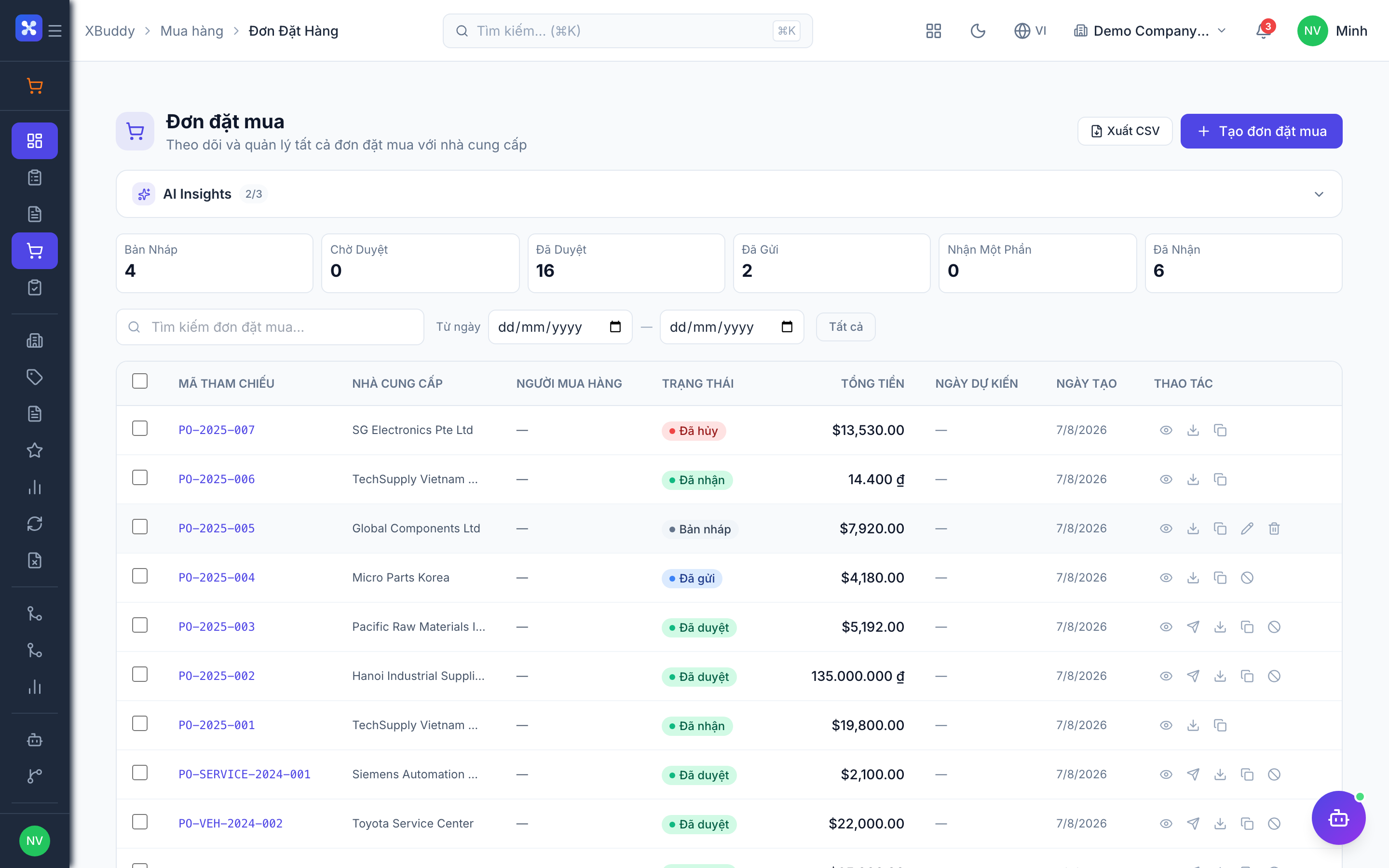
Requisition and order stages
| Stage | What happens | Who acts |
|---|---|---|
| Requisition submitted | Enters the approval chain by amount and category | Requester |
| Requisition approved | Can be converted to an RFQ or a PO | Approver |
| Partially converted | Some quantity is on a PO, the rest is still open | Procurement officer |
| PO approved | Commitment is recorded in the ledger | PO approver |
| Goods received (GRN) | Stock and cost layer updated; partial receipts allowed when procurement.partial_receipt is on | Warehouse keeper |
| Bill created | Created from the GRN, then matched and paid | Accountant |
Tips & common mistakes
- If a PO is cancelled, the unconverted quantity on its requisition becomes available again, so you can re-order it.
- A PO cannot be cancelled once goods are received or billed; reverse the receipt or bill first.
- Do not confuse this with Field Service material requisitions or HR recruitment requisitions; those are separate modules.
- Set the approval threshold before go-live, otherwise every PO follows the same default path.