Payroll & C&B specialist
Accurate payroll without late nights checking attendance
Approved attendance, leave, overtime and pay inputs flow into one payroll run — social insurance, PIT, two-person approval, GL posting and payslips.
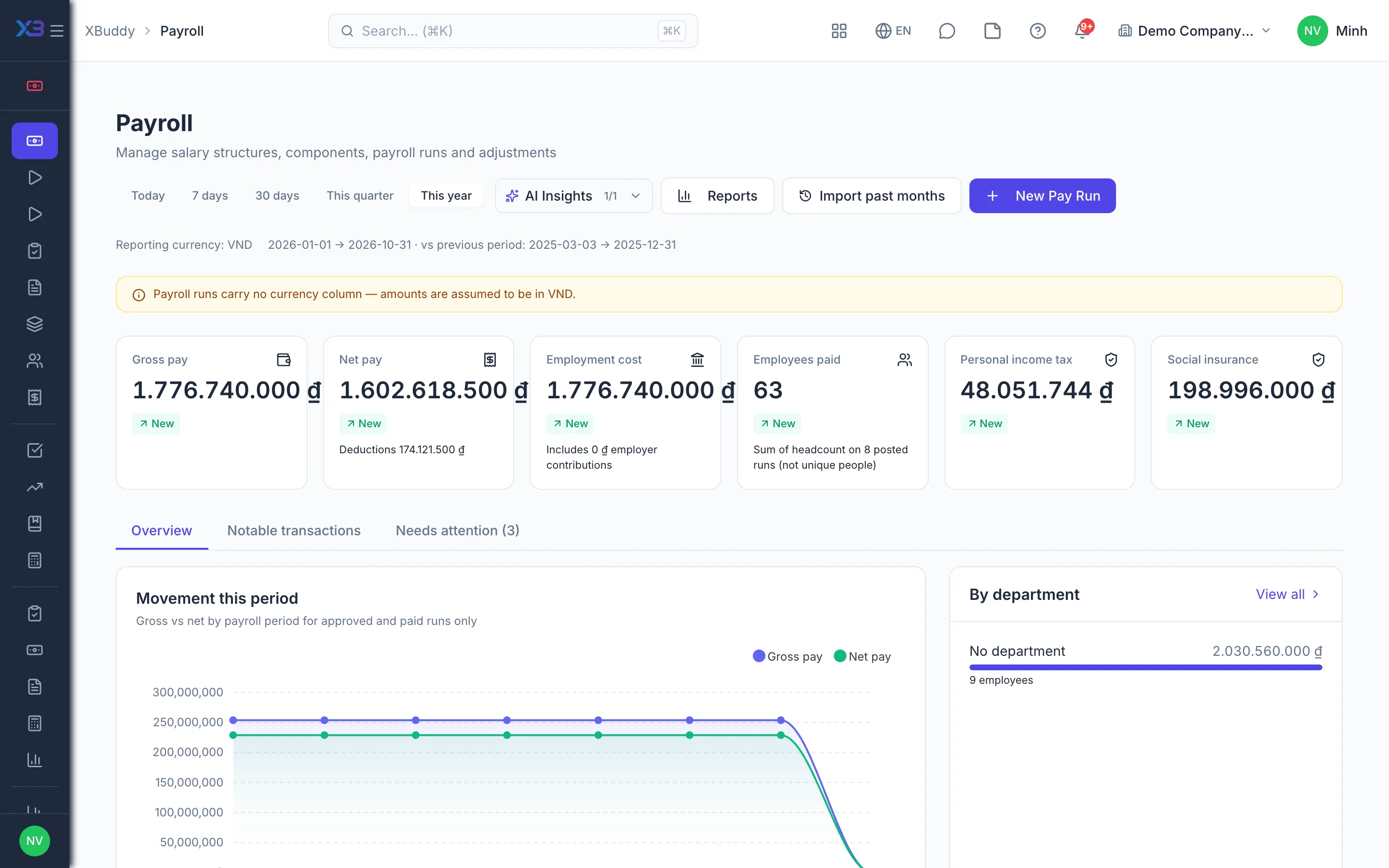
Key outcomes
- Readiness check before every run
- Social insurance and PIT computed and reconciled
- Employees view explained payslips themselves
Problems solved
- Inputs not finalised — Attendance comes from several branches and leave and overtime are still awaiting approval, yet payday has arrived. Running payroll on unconfirmed data means manual back pay and recoveries next month.
- Formulas living in Excel — Pay structures, allowances and performance bonuses live in one person’s spreadsheet. When an employee asks why their pay is what it is, nobody can explain each figure.
- Errors found after the run is closed — A mistake surfaces after the run is approved, and the only fix is editing the file by hand. PIT on the tax return drifts from the payroll, and the annual finalisation does not reconcile.
- Payslips handed out manually — The specialist emails payslips one by one, answers leave-balance questions and issues income certificates. Every cycle loses days to repetitive work.
How it works
- Employee pay records
- Attendance and overtime
- Readiness check
- Calculate and approve
- Filing and reconciliation
- Self-service payslips
This is a summary. The full content, step screenshots and FAQ are on the original page.
Related operations guide: Payroll & C&B specialist