Production planning & MRP
Production planning tells you what to make, what to buy, and when. You enter a master production schedule (MPS) by item and period, set lot-sizing and lead-time policies, then run MRP. MRP nets demand by period and proposes make or buy suggestions, each with its reason.
MRP never creates documents on its own. Only when you select suggestions and convert them does the system create draft Work Orders or draft purchase requisitions (PR).
Who uses it
Production planners (system role Production Planner). This role runs MRP and converts suggestions, but does not report output and does not close costing periods.
Before you start
- Toggle: MRP & production planning (
manufacturing.mrp) — Settings → ERP Configuration, Advanced group. - Permission:
manufacturing:planning. - Items need an active BOM; confirmed sales orders or forecasts give MRP its demand.
Steps
Enter the master production schedule
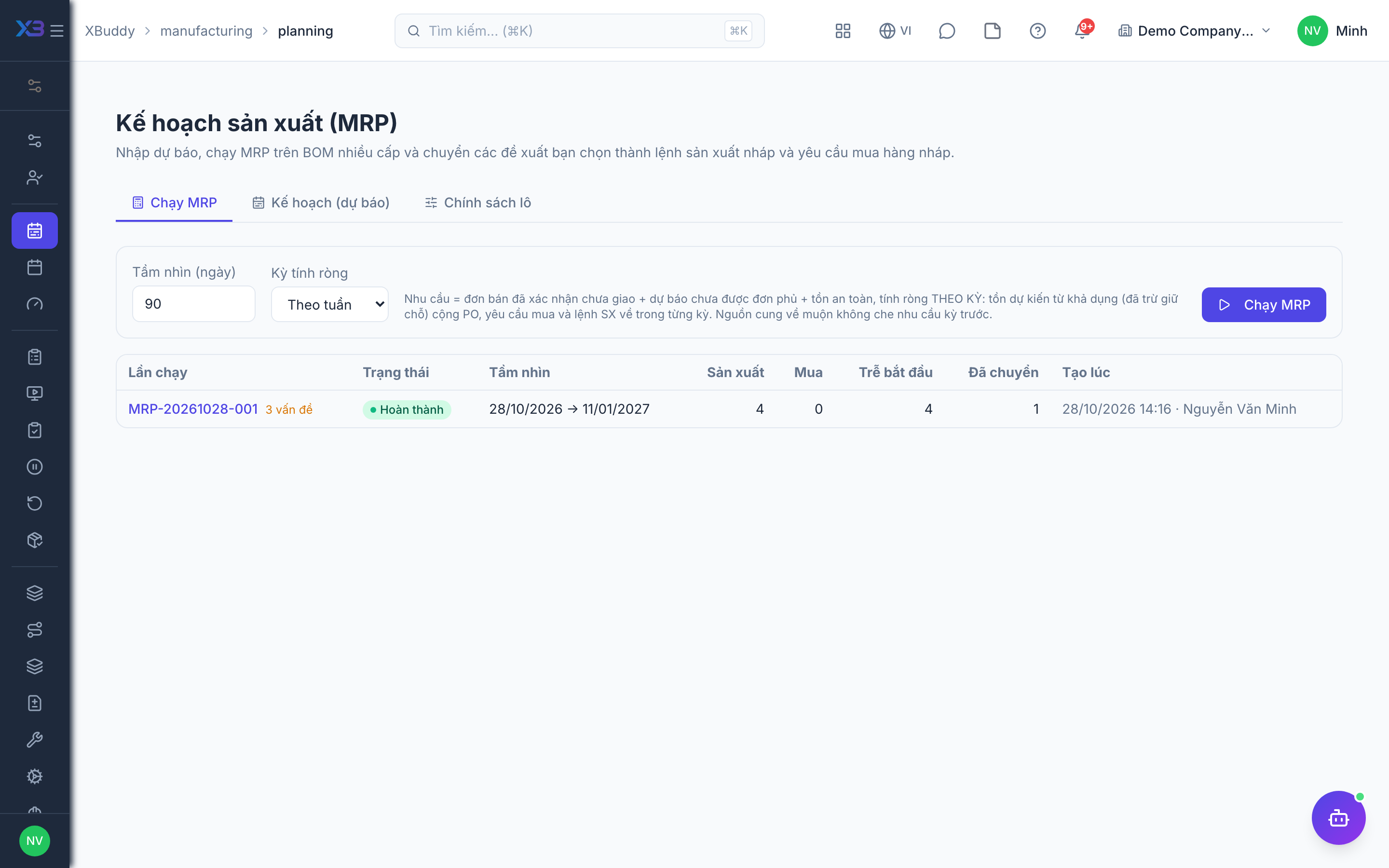
Go to Manufacturing → Production planning (/manufacturing/planning), plans tab. Enter quantities to produce per item and period.
Set item policies
On the policies tab, set lot sizing (lot-for-lot, minimum, multiple) and lead time per item. MRP uses them to round suggestions and offset release dates.
Run MRP
On the runs tab, choose a daily, weekly or monthly bucket and a horizon, then run. MRP reads confirmed sales orders, forecast not yet consumed by orders, safety stock, and materials still to be issued to open orders; supply is available stock plus open POs, PRs and Work Orders.
Review the run
Open a run (/manufacturing/planning/runs/[id]) to see suggestions per item, the demand behind each suggestion, and the supply considered.
Convert or dismiss suggestions
Select the suggestions you want and convert them: make suggestions become draft Work Orders, buy suggestions become draft PRs. Dismiss the ones you do not need. Then release the orders and submit the PRs as usual.
Tips & limits
- MRP runs per SKU of the current company and per period; one run is capped at about 20,000 suggestions and reports an error rather than truncating silently.
- With Production versions on, items with a published version are exploded using that version’s BOM.
- MRP does not yet suggest rescheduling or cancelling open orders.
- The overview and the Open MRP suggestions report tab show suggestions not yet handled.