POS reports
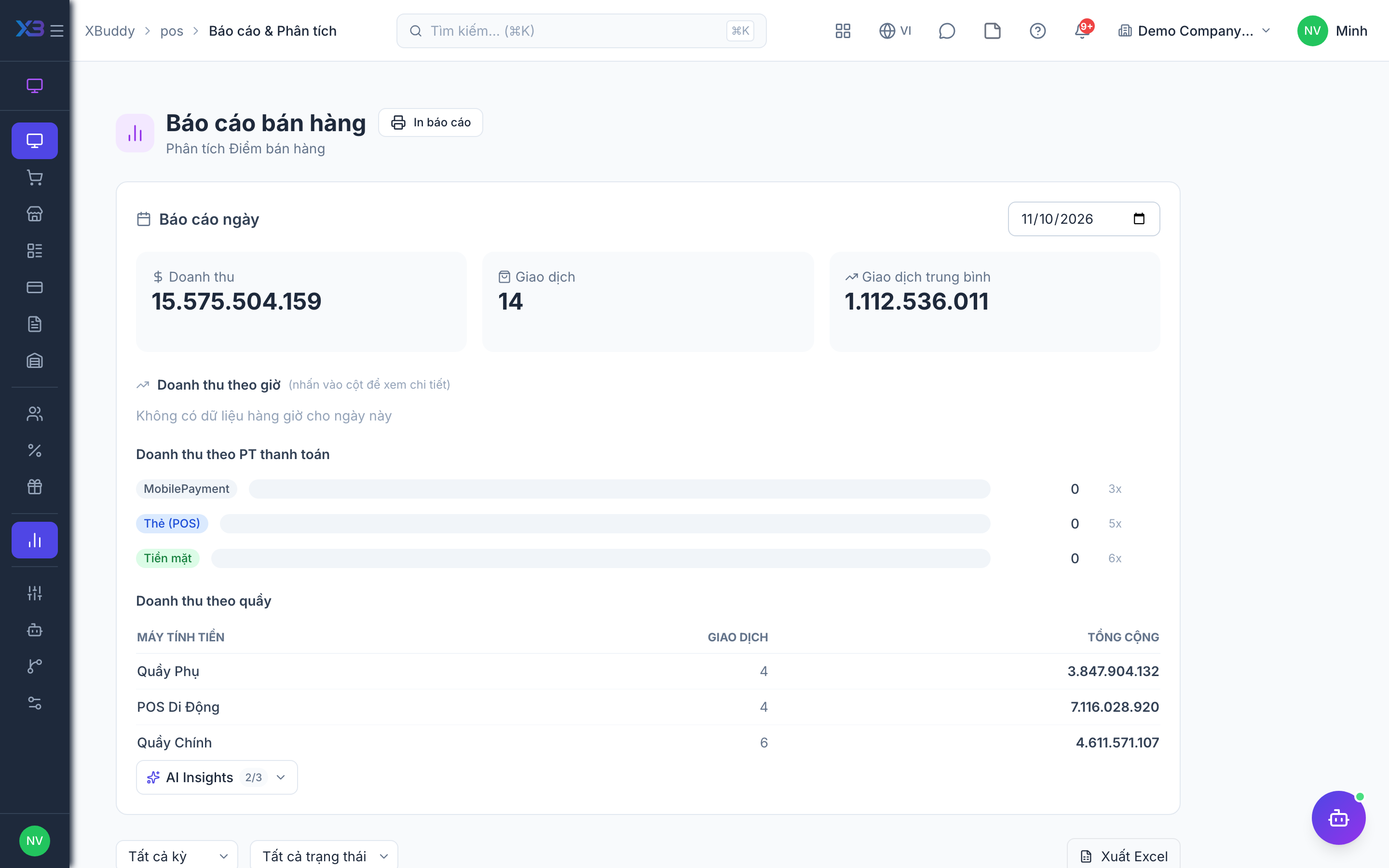
POS reports show how the counter is performing: revenue by day and hour, best sellers, VAT summary and a transaction export.
When to use
Use reports for daily reconciliation, to see peak hours and top products, and to give finance a VAT summary of retail sales.
Before you start
- Open
/pos/reports. Permission:pos:reports. The/posoverview shows today’s headline numbers withpos:use.
Pick the period
Choose the date range and shop you want to analyse.
Read the summaries
Review revenue by day and by hour, and the top-selling products.
Check VAT and export
Open the VAT summary for tax totals, and export transactions for finance or external review.
Tips & common mistakes
- Compare the day’s report with the closed-session reconciliation to spot gaps.
- Voided and refunded sales affect totals — check status when a figure looks off.
- Export is permission-controlled; give it only to people who may see all sales.