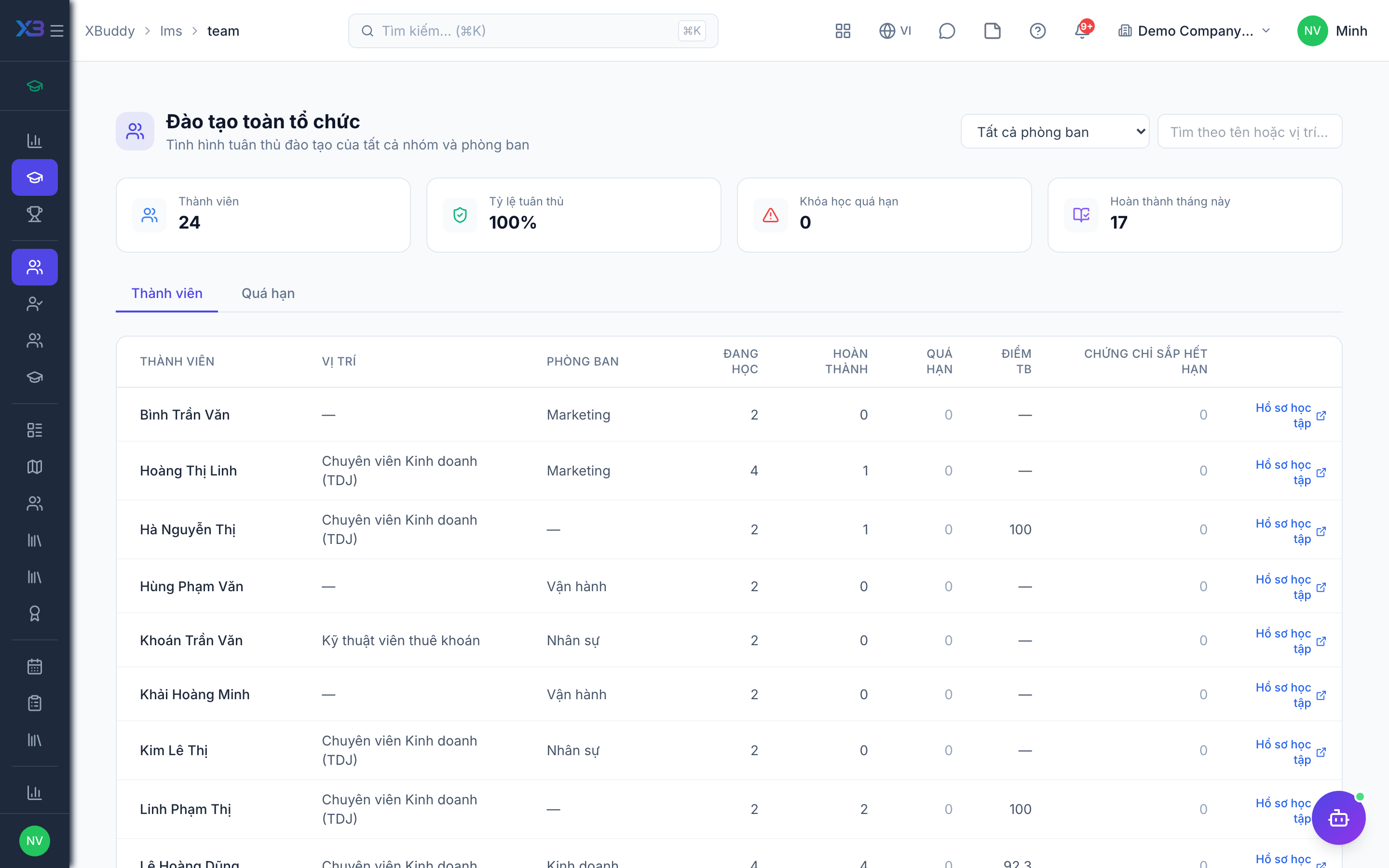
Team training and reports
Dashboards for managers and HR to follow training completion and compliance.
When to use
Use this as a manager to see whether your team has completed the training it should, and as HR to report compliance. It answers who is behind before an audit does.
Before you start
- Permissions:
lms:teamfor the Team Training dashboard;courses:readfor Reports;lms:managefor the organization-wide dashboard. - Reports are at
/lms/reports; the overview at/lms/overview. - The AI assistant flags learners at risk of not finishing and checks compliance daily.
Open the team view
Go to LMS → Team Training (/lms/team) to see your team’s courses and progress.
Check the overview and reports
Use Overview (/lms/overview) for the big picture and Reports (/lms/reports) for compliance detail.
Close the gaps
Remind late learners, or add an Enrollment Rule so the gap does not reopen.
Where to look
| Question | Page | Route |
|---|---|---|
| How is my team doing? | Team Training | /lms/team |
| What is the overall picture? | Overview | /lms/overview |
| Reports and compliance | Reports | /lms/reports |
| Who earns the most points? | Leaderboard | /lms/leaderboard |
Tips & common mistakes
- Check the team page before 1-1s to raise missing courses.
- Use compliance reports with Enrollment Rules to close gaps.
- LMS data is not yet complete in XBuddy Chat, so use the reports for official numbers.
- Training progress of a team is also visible read-only from Performance.