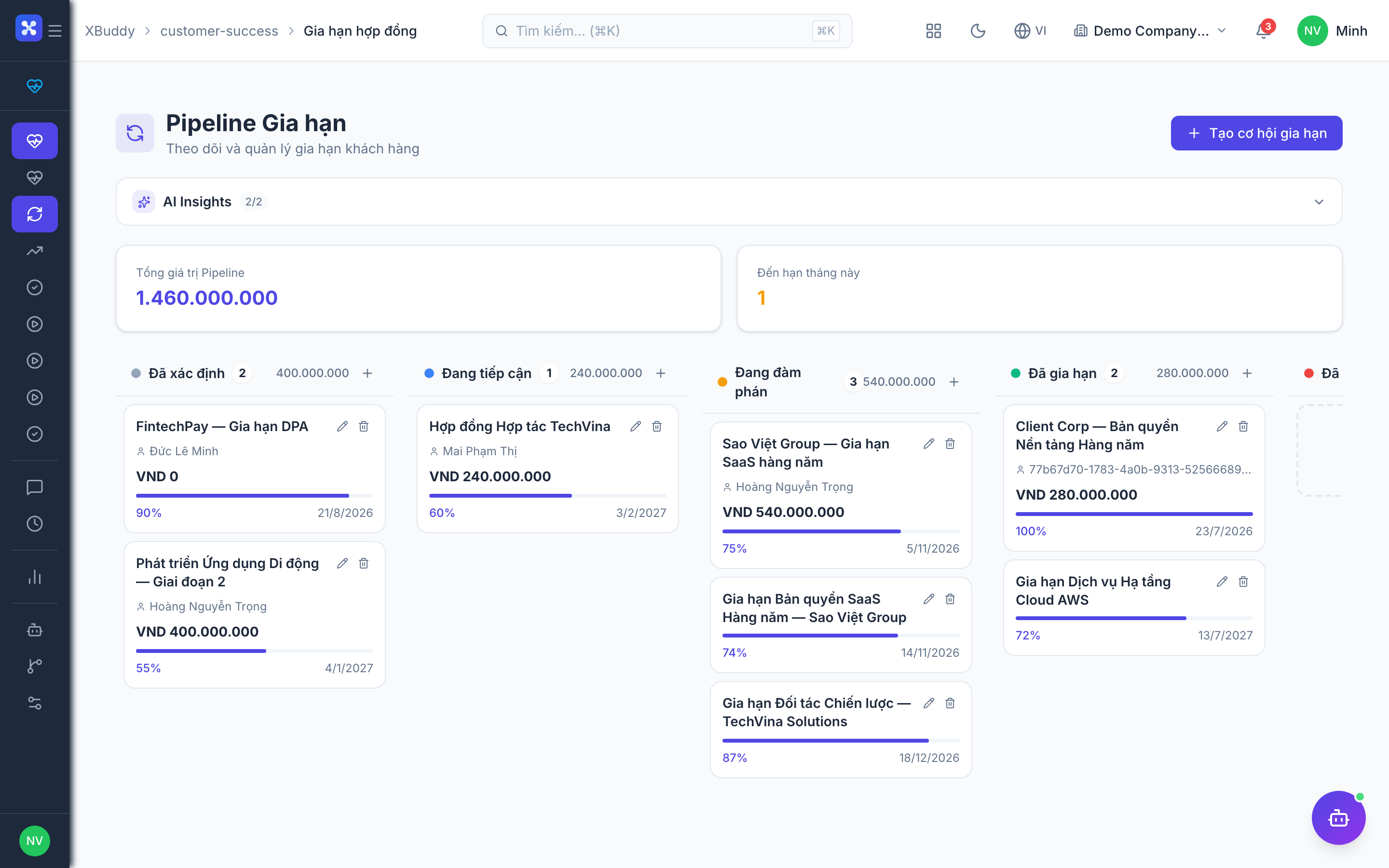
Renewals — one pipeline shared with CRM
Renewals in XBuddy live on a single, shared record. A renewal you create or work from Customer Success → Renewals is the exact same record visible under CRM → Service Renewals — not a copy, not a linked-but-separate row. Dragging a renewal to a new stage on the CS board and dragging it on the CRM pipeline update the same underlying stage; whichever app you use, the other sees it immediately.
How it works:
- Stages are tenant-defined, using the same pipeline configuration mechanism as CRM deals (configured under CRM Settings, pipeline type “renewal”). There’s no fixed, hardcoded set of renewal stages — your tenant sets the stages and their order to match how your team actually works a renewal.
- Terminal stages lock. Once a renewal reaches a closed-won or closed-lost stage, its stage can no longer be changed from either app — you record a churn reason instead of dragging it back into the pipeline.
- Ownership has two axes. A renewal has an individual
owner, and — if your tenant has CS team assignment turned on — it can also carry an owning CS team and CS rep. These aren’t duplicate “who’s responsible” fields fighting each other: the individual owner is typically the commercial contact, while the CS team/rep axis is how Customer Success tracks and scopes its own book of renewals. - Support status is tracked on the renewal itself. Like deals and leads, a renewal can have a “challenge” logged against it — a blocker with a category and severity (for example, budget cut, or a champion who left) — that a manager can see on a shared support queue. A challenge moves through open → in progress → resolved, so a CSM can flag it, a manager can pick it up, and everyone can see it get closed out.
Review upcoming renewals
Go to Customer Success → Renewals. Filter by month or owner to see what’s due and its value.
Prioritize by risk
Renewals inherit the account’s health signal; work the high-value, low-health ones first.
Move a renewal through its pipeline stages
Drag the renewal card to its next stage on the board (or update the stage from the renewal’s detail page). The change is immediate on both the CS board and the CRM pipeline — there’s nothing to sync manually.
Flag a support challenge on a renewal
If a renewal is stuck on something you can’t resolve alone — pricing pushback, a stalled champion, a competitor in the mix — log a challenge from the renewal’s activity tab with a category and severity. It appears on the shared support queue for a manager to pick up, and its status moves to “in progress” once someone starts working it and “resolved” once the blocker is gone.
Close the renewal
Progress the renewal to a closed-won stage (which can generate the follow-on contract/invoice in Finance) or a closed-lost stage with a churn reason if lost. Once closed, the stage locks.