Field sales rep journey
This page walks through a field sales rep’s day and what managers need to prepare: the rep profile (user, HR employee, van, source warehouse), today’s route on the phone, and weekly targets.
Before you start
- The rep is invited as a user and has the Field salesman (
distribution_salesman) or Driver (driver) role — see Permissions and settings. - Each van exists as a warehouse of type van in the Inventory app, plus a source warehouse to load from.
- Toggle Field salesman profile required (
distribution.salesman_profile_required): when on, beats, targets and van sessions can only be assigned to people with an active profile.
Create a rep profile
Go to Distribution → Field sales reps.
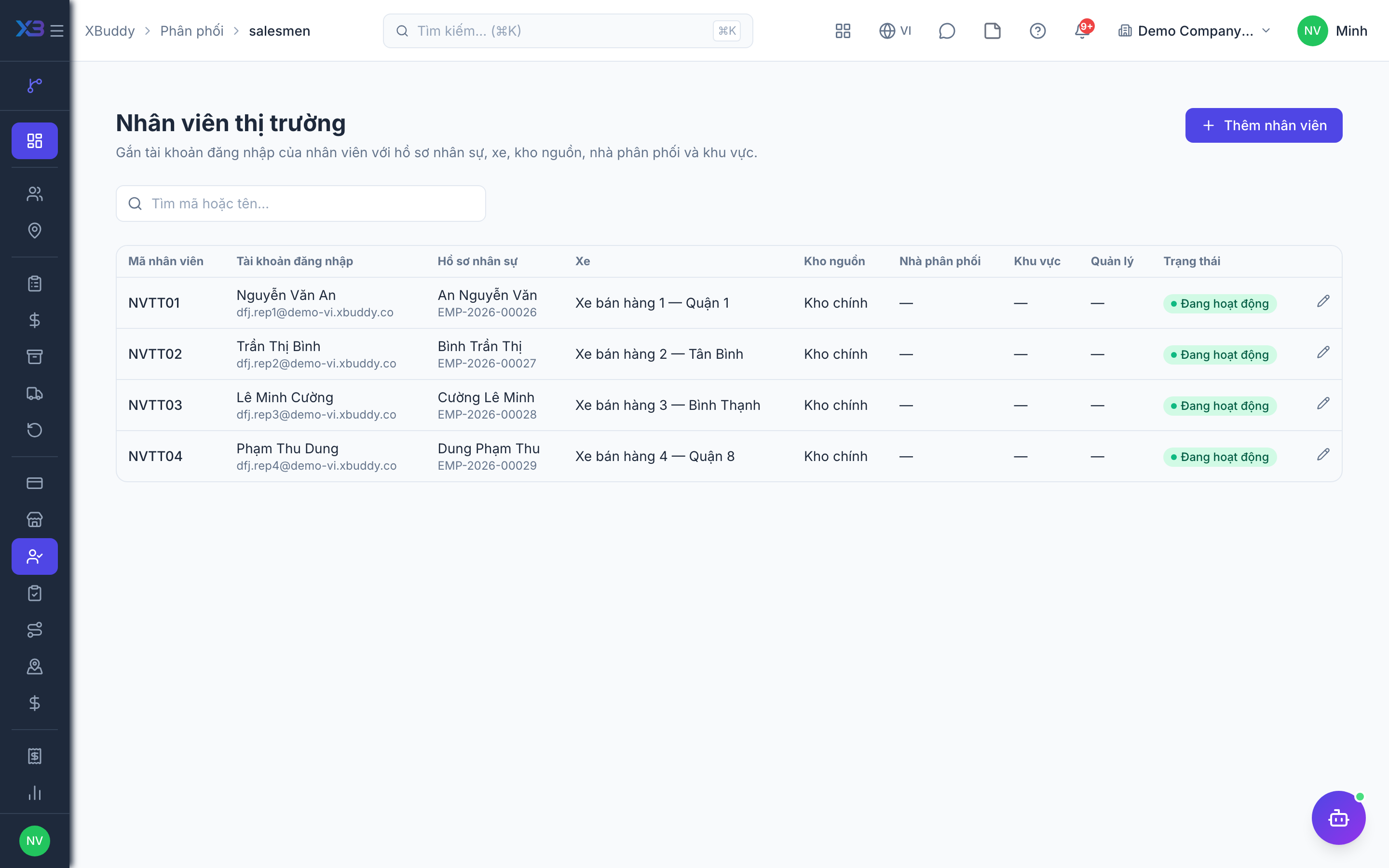
Add a profile
Enter a code, pick the login user and the HR employee record (used for payroll).
Assign van and source warehouse
Pick the van warehouse (each van belongs to one active profile only) and the source warehouse (a regular warehouse, not a van). When a van session is opened without warehouses, they are taken from the profile.
Assign distributor, territory, manager
Pick the distributor, territory and direct manager; add notes if needed.
A day on the XBuddy Work app
- Open today’s route — the outlets of the beat running today, in order.
- For van sales: open a session and load stock from the source warehouse — see Van sales and reconciliation.
- Visit each outlet: check in, work, check out; place orders or sell from the van.
- Propose a new outlet when you find a shop not yet in the catalog.
- Close the van session at the end of the day (works offline too — sent when back online).
Managers follow along on the web Today board or the “Team routes today” section of the Office app — see Overview and reports.
Weekly targets and KPIs
In Distribution → Route & sell-out KPIs, the targets tab lets you choose a week (starting Monday by company date, defaulting to the week containing today) or a month. Rep targets cover sales, coverage, visits, care score, cash collected and new outlets; actuals use the same formulas as beat KPIs. Weekly periods only have rep targets — distributor targets are monthly. Details: Targets and sell-out.
Data scope: a regular rep only sees their own visits, beats and KPIs; managers see their team.
Related
- Outlets and care · Beats and route planning · Visits and check-in · Field sales rep journey
- Ordering at the outlet · Promotions, rebates & claims · Targets and sell-out · Commissions
- Beat KPIs and performance · Overview and reports · Permissions and settings · Setup guide
- Distribution Manager AI assistant · Workflow templates · Distribution & logistics flow · XBuddy Work app