Capacity load & scheduling board
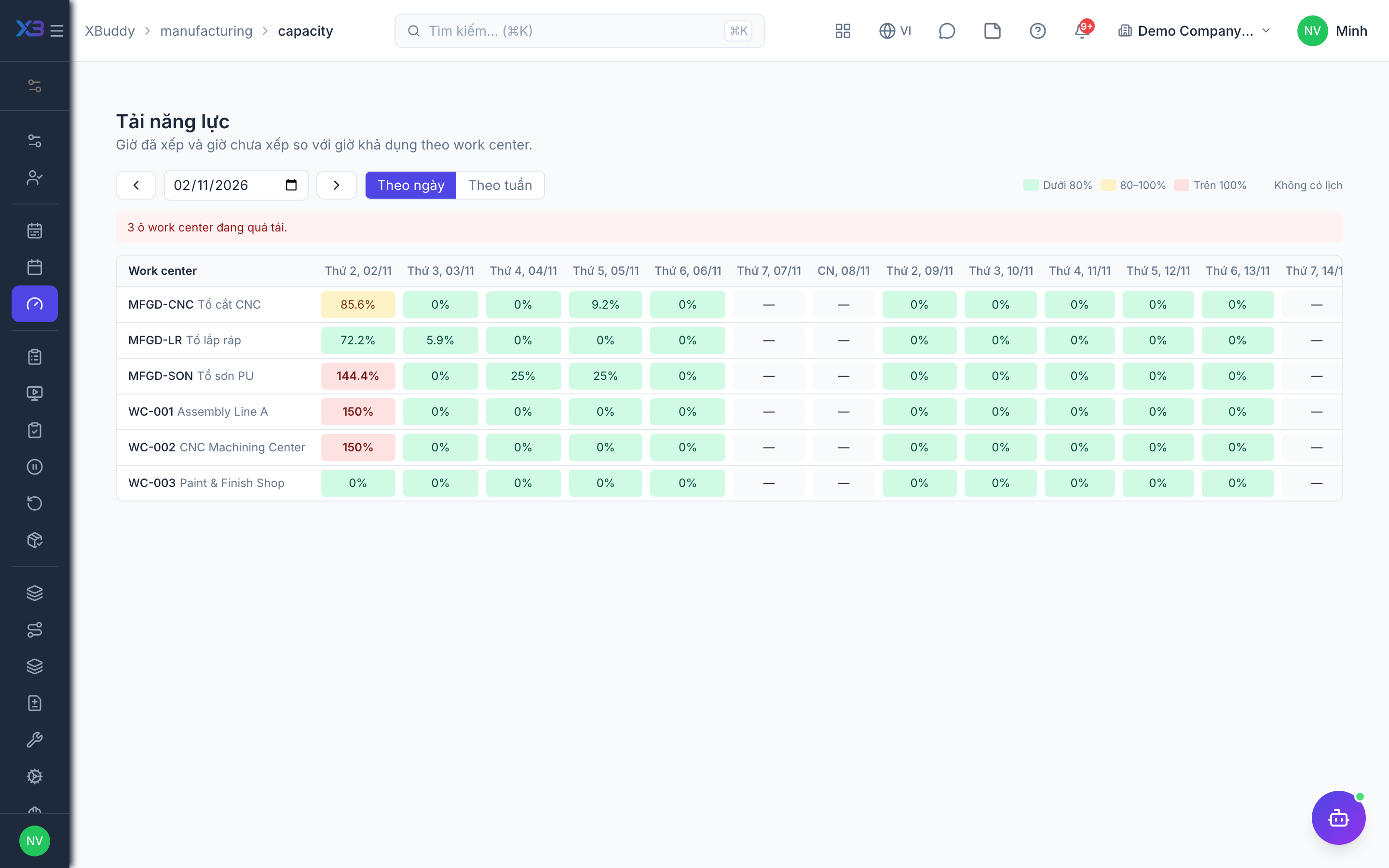
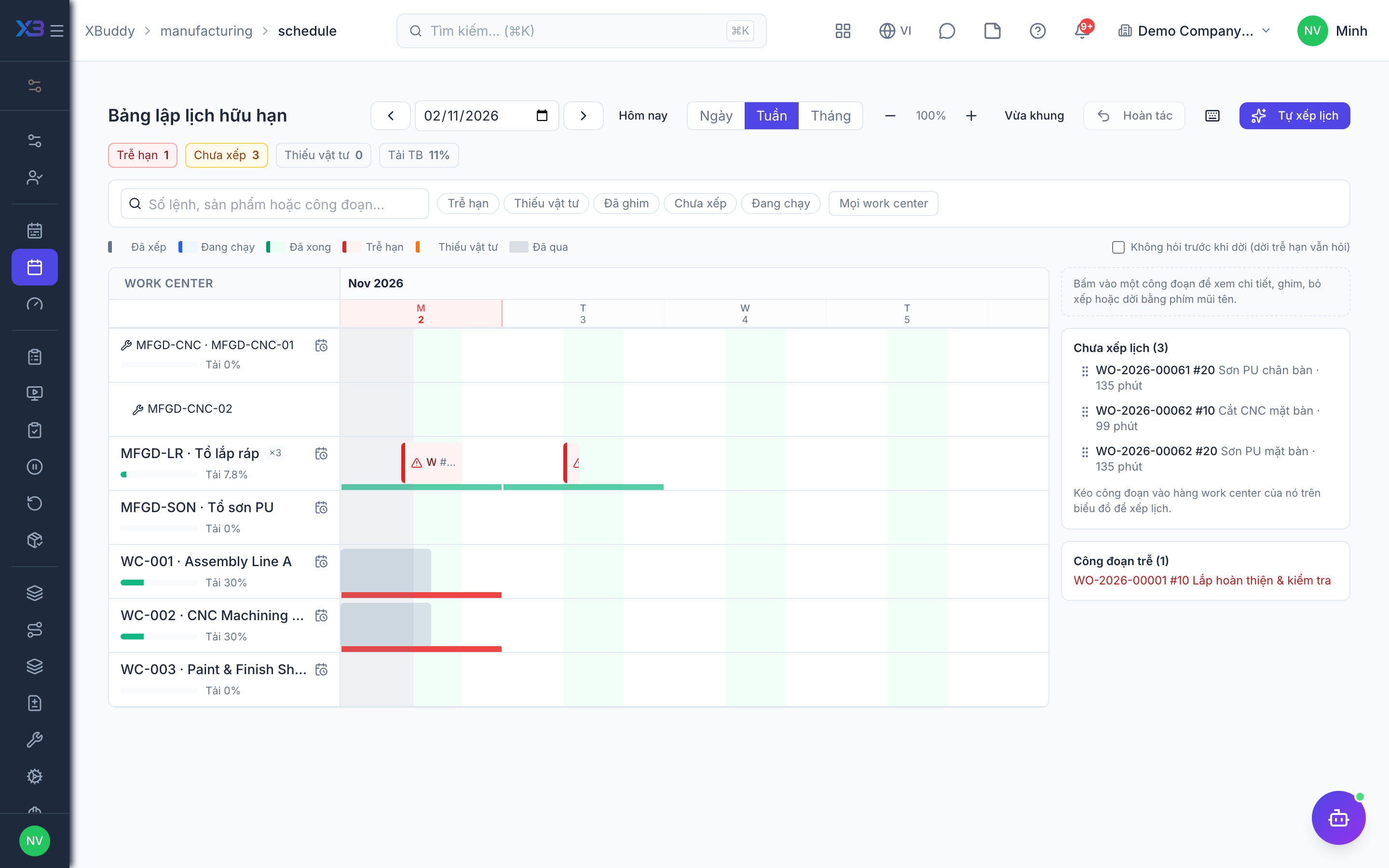
Two screens help you schedule the shop without double-booking machines: Capacity load shows how much of each work center’s capacity is used per day or week, and the scheduling board is a Gantt by work center and machine where you drag, pin and apply plans.
Who uses it
Production planners and supervisors. Writing the schedule needs manufacturing:schedule; viewing needs manufacturing:read.
Before you start
- Capacity load view (
manufacturing.capacity_view) to open the Capacity load page. - Finite-capacity production scheduling (
manufacturing.finite_scheduling) for plan suggestions and apply. Manual drag-and-drop and pinning work even when it is off. - Machines (
manufacturing.machines) if each machine should be its own resource. - Material-aware scheduling (
manufacturing.material_aware_scheduling, requiresfinite_scheduling) to account for material shortages. - Work centers have working calendars; holidays come from HR.
Steps
Check capacity load
Go to Manufacturing → Capacity load (/manufacturing/capacity). The heatmap shows work center × day or week; cells over 100% are overloaded. The board, the work center page, the overview and this page all read the same capacity calculation.
Open the scheduling board
Go to Manufacturing → Schedule and open the board (/manufacturing/schedule/board). Filter by work center or machine to narrow the Gantt.
Suggest and apply a plan
With finite scheduling on, let the system propose up to three plans, preview them, then apply. The schedule is written together with capacity bookings for each operation.
Adjust manually
Drag an operation to another time or change its machine within the same work center; the system validates before saving and explains any violation (outside working hours, placed in the past…). Unplace sends an operation back to the queue and undo reverts your last step. Pin an operation so suggestions will not move it.
Account for materials
With material-aware scheduling on, materials still to be issued are allocated from available stock by order due date. If a shortage is covered by an open PO, the first step will not start before the expected delivery date; if no date is known, the operation is flagged red but still scheduled.
Tips & limits
- When a work center has machines, each active machine is a capacity-1 resource instead of the parallel-machine count. Machines declared but none active is reported explicitly, not silently.
- Operation duration is not yet machine-specific (the slowest machine is used).
- Schedule lines owned by an operation, by a suggested plan, or pinned can only be edited on the board.