Beats and route planning
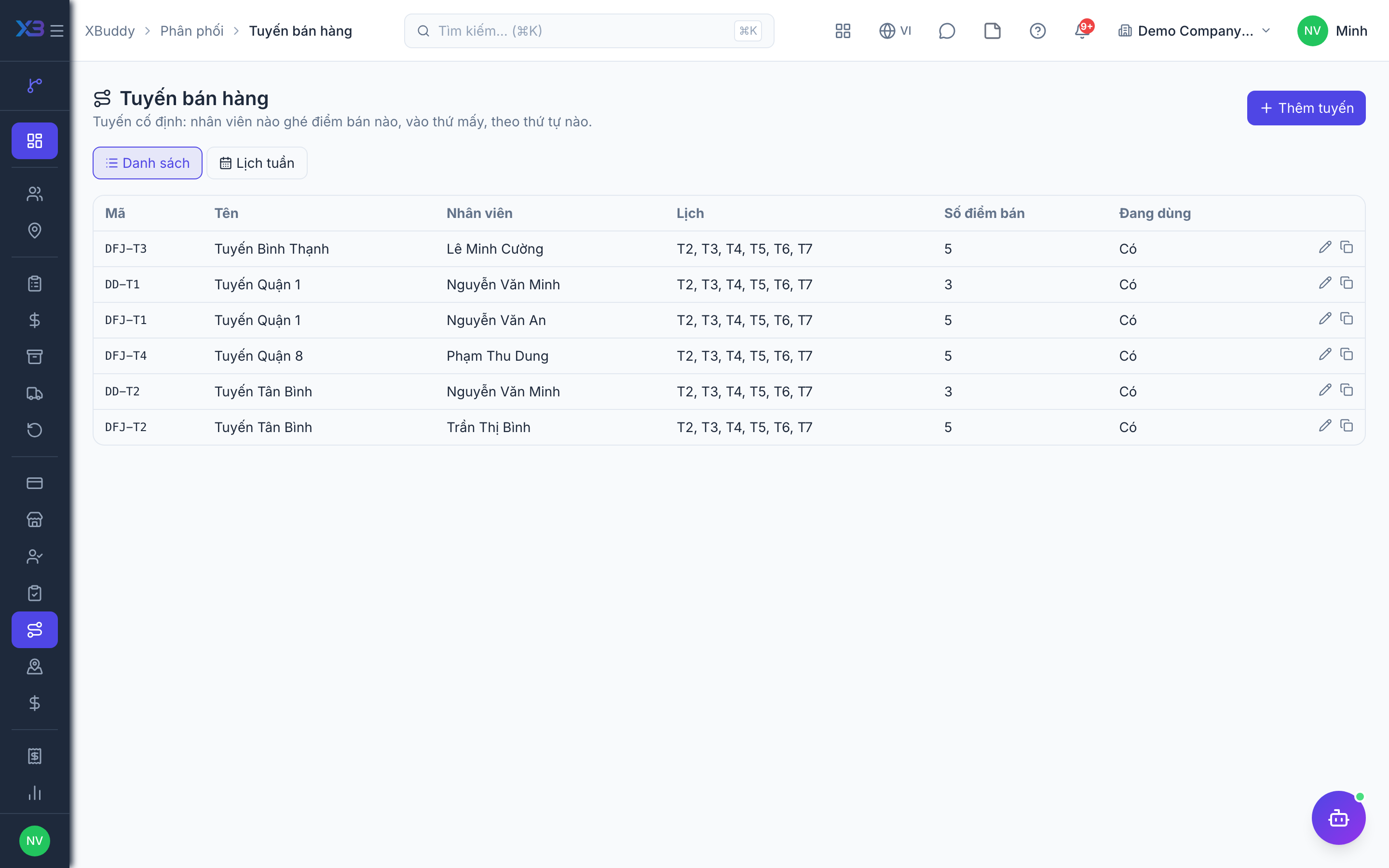
A beat is an ordered list of outlets a field sales rep visits on a schedule — by weekday or every other week. Beats drive the rep’s “today’s route” screen on the phone and are the denominator for on-schedule and coverage KPIs.
Who uses it: channel / sales managers create and adjust beats; the assigned approver reviews AI route-optimisation suggestions.
Before you start
- Permissions: view
distribution:read, create/editdistribution:write. The list, weekly view and beat detail follow the viewer’s data scope (out-of-scope beats are hidden). - Approved outlets (Outlets and care) and field sales rep profiles (Field sales rep journey) exist.
- Toggle Field salesman profile required (
distribution.salesman_profile_required): when on, beats can only be assigned to people with an active field sales rep profile.
Steps
Create a beat
Go to Distribution → Beats and create a beat: code, name, assigned rep, territory, weekdays it runs (or every other week).
Add and order outlets
Add outlets to the beat, then drag and drop to change the visit order.
Clone a beat
Use Clone to create a new beat from an existing one (the new code gets a -COPY suffix), then change the rep or the days.
View the weekly calendar
The weekly calendar shows which beat runs on which day — using the same rule as the rep’s “today’s route” screen.
Print the route sheet
Click Print route sheet for an ordered outlet list the rep can carry.
AI-suggested visit order
The route optimiser assistant (distribution_route_optimizer) runs every Monday morning and computes a shorter visit order from outlet GPS coordinates (keeping the first outlet fixed). It never writes on its own: each suggestion is an action waiting for an authorised approver; the beat’s outlet order only changes once approved.
A suggestion is only made when it saves at least 10% and 500 m. Beats missing coordinates or with fewer than 3 outlets are skipped. If the beat’s outlets changed after the suggestion was made, approval is refused — wait for a fresh suggestion.
Limits and tips
- Inactive territories/distributors cannot be newly assigned to a beat.
- Enter GPS coordinates for every outlet so the AI can suggest an order and the check-in distance flag is meaningful.
Related
- Outlets and care · Beats and route planning · Visits and check-in · Field sales rep journey
- Ordering at the outlet · Promotions, rebates & claims · Targets and sell-out · Commissions
- Beat KPIs and performance · Overview and reports · Permissions and settings · Setup guide
- Distribution Manager AI assistant · Workflow templates · Distribution & logistics flow · XBuddy Work app