Promotions, rebates and distributor claims
Promotions — one engine
XBuddy uses one promotion engine for POS and Distribution. Promotions are created in POS → Promotions; each promotion declares the channels it applies to (POS, Distribution) — a code only works in its declared channels. Types: percent off, fixed amount off, buy X get Y, free item, tiered percent (by amount or quantity, highest tier wins). Maximum uses are checked when the code is applied.
For outlet orders, every line is priced from the Sales price list first, then the promotion is evaluated and sent to the Sales Order as a header (subtotal) discount. If the Sales Order is rejected, the code use is released.
Promotions do not apply to van sales yet, and the phone app has no promo code field.
Distributor rebates and claims
Go to Distribution → Claims & rebates.
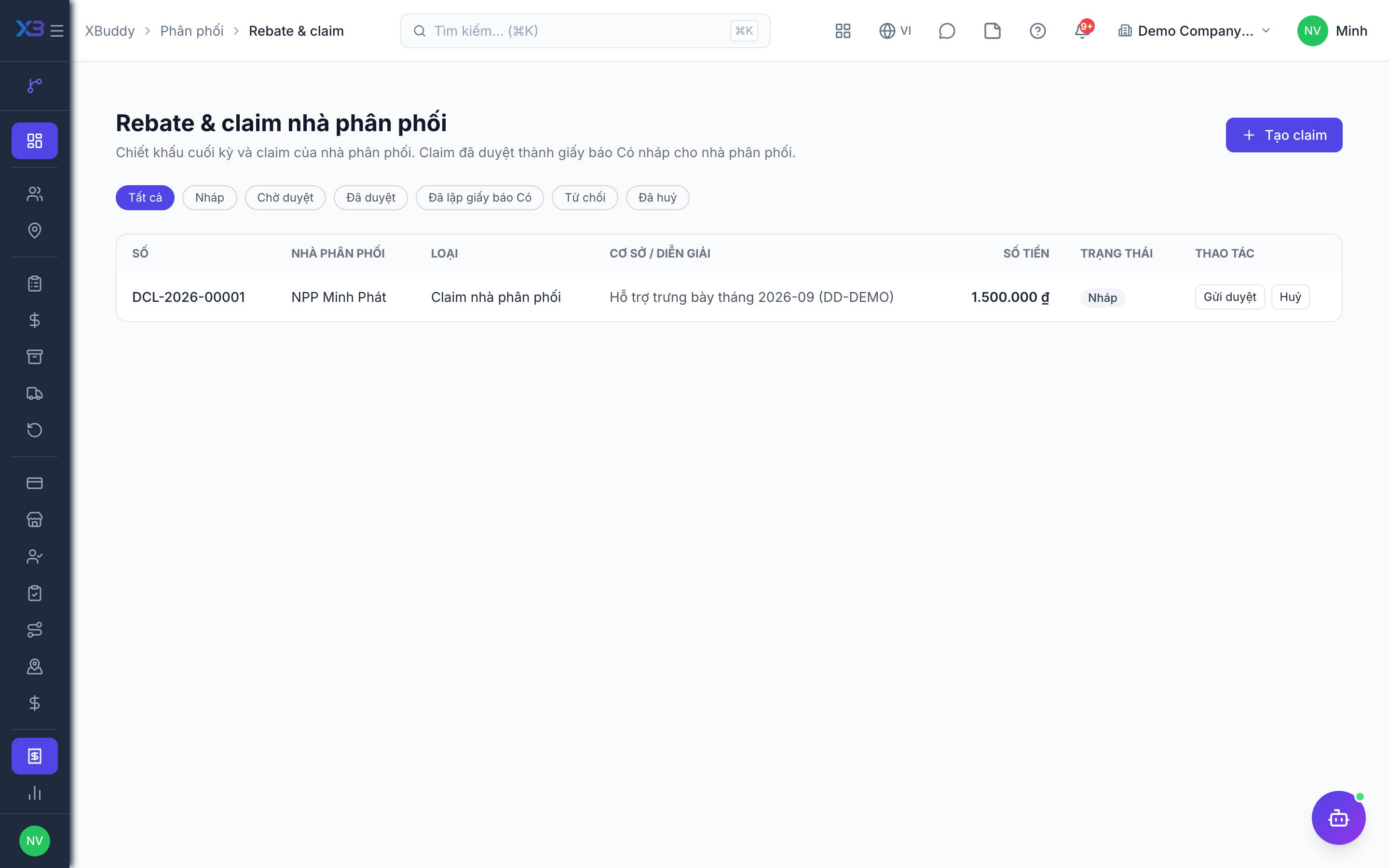
Before you start: permissions distribution:read / distribution:write; issuing a Credit Note also needs credit_notes:write. Have an approver for the distribution_claim subject — directly (a holder of the approve permission) or through the distribution_claim_approval template in the workflow template library.
Create a period-end rebate
Pick the distributor and period (month), enter the percentage. Use preview to see the basis: the distributor’s invoices sent in the month, before tax, converted to company currency, minus Credit Notes already issued on those invoices. Each distributor has at most one live rebate per period.
Or create a claim
Record a distributor claim (for example display support or promotion costs) with the requested amount.
Submit for approval
Draft → Pending approval → Approved; a rejected claim can be edited and resubmitted; draft or rejected claims can be cancelled.
Generate the Credit Note
An approved rebate/claim generates a draft Credit Note for the distributor (discount reason); Accounting finalises it. Status becomes Credited.
Related
- Outlets and care · Beats and route planning · Visits and check-in · Field sales rep journey
- Ordering at the outlet · Promotions, rebates & claims · Targets and sell-out · Commissions
- Beat KPIs and performance · Overview and reports · Permissions and settings · Setup guide
- Distribution Manager AI assistant · Workflow templates · Distribution & logistics flow · XBuddy Work app