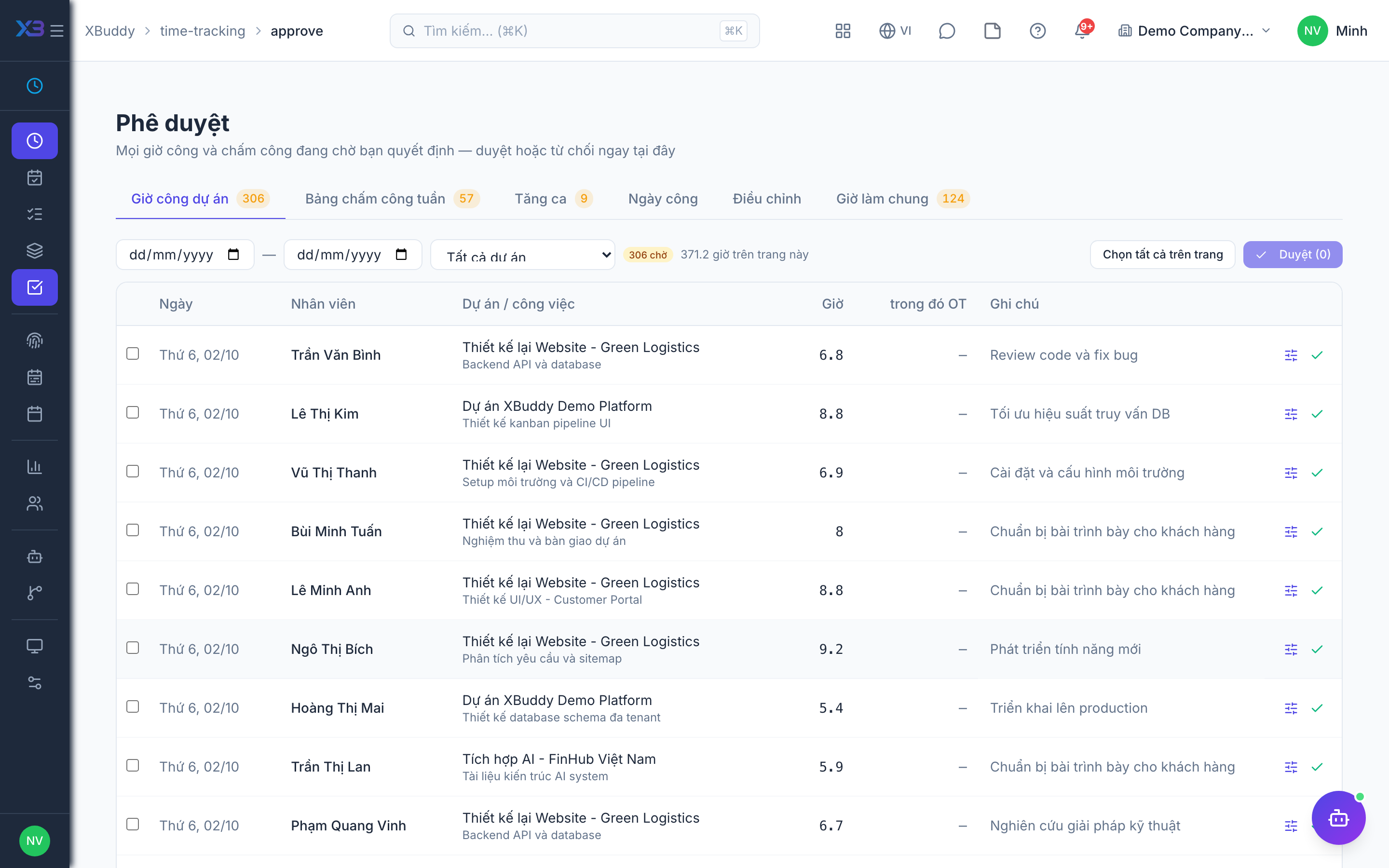
Timesheet approval
Approval is the gate: nothing reaches billing or payroll until a manager signs off, keeping revenue and pay accurate.
When to use
Use this when you manage a team that logs project hours weekly. Approving the timesheet is what lets hours be billed to clients and locks the week against late edits.
Before you start
- Permissions:
timesheets:approveto approve or reject;timesheets:readto see the queue. - Toggle
people.timesheet_approval_required_for_billing(default on): only hours in approved weekly timesheets can be billed. - Toggle
people.timesheet_lock_after_approval(default on): an approved week can no longer be edited. - Toggle
people.timesheet_approval_cascades_to_entries(default off): when on, approving a timesheet also approves its entries. - You cannot approve your own timesheet, and you only see people within your data scope.
Review the timesheet
A manager goes to Time Tracking → Approve (/time-tracking/approve) to review submitted entries for the period, checking billable flags, projects, and hours.
Approve or return
Approve the timesheet, or return entries for correction. Approved billable hours become available to project billing in Finance.
Bill and pay
In Finance, create an invoice from approved billable hours; in Payroll, attendance and approved overtime hours feed the pay run.
Timesheet statuses
| Status | Meaning | Who moves it |
|---|---|---|
| Draft | Week not yet submitted | The employee |
| Submitted | Sent for review; hours for the week are totalled | The employee submits |
| Approved | Accepted; week locks and billable hours become available to billing | A manager, never the owner |
| Rejected | Sent back with a reason | A manager; the employee fixes it and resubmits |
Tips & common mistakes
- Review billable flags and projects before approving; once billed, an entry cannot be changed.
- Reject with a clear reason so the employee knows what to fix.
- Self-approval is blocked by design; ask another approver when you are the one submitting.
- Service Management hours live in their own table and do not appear here.