Downtime, rework & OEE
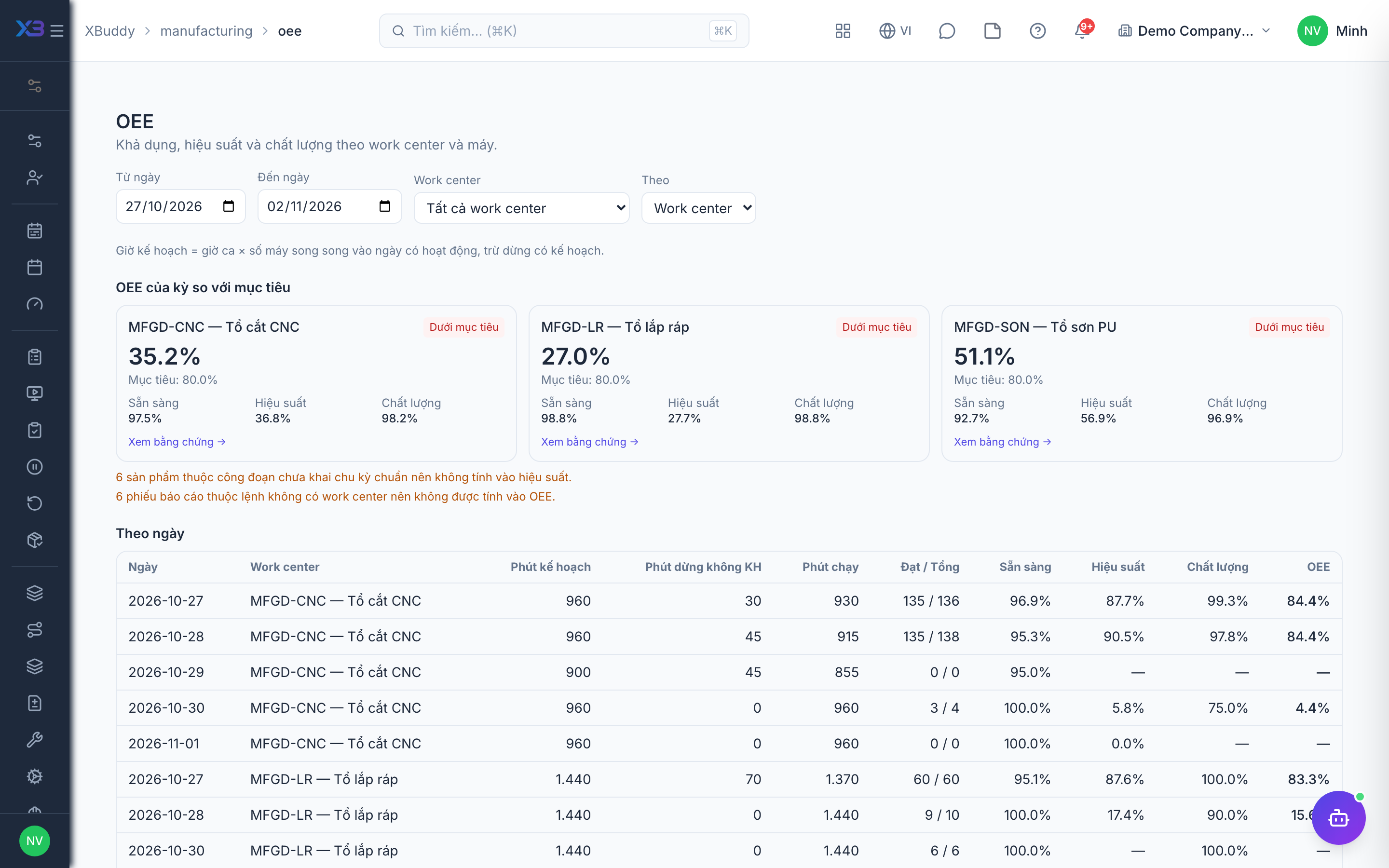
Three features measure and handle shop-floor losses: Downtime records how long a machine stopped and why; Rework creates rework Work Orders from defective output; OEE computes availability × performance × quality from production reports and recorded downtime.
Who uses it
Team leads and operators record downtime and create rework orders (manufacturing:execute); supervisors and managers view OEE (analytics:manufacturing).
Before you start
- Downtime tracking (
manufacturing.downtime). - Rework orders (
manufacturing.rework, requirespartial_execution). - OEE (
manufacturing.oee, requiresdowntime). - Downtime and rework reasons are maintained by your company in the shared lookup lists.
Steps
Record downtime
Go to Manufacturing → Downtime (/manufacturing/downtime), pick a work center or machine, a reason and a start time. Close the event when the machine runs again; edit or delete it if entered by mistake. Pausing with a reason on the shop floor also lands here.
Create a rework order
From a production report line with defects on a Work Order, or from an NCR linked to an order or operation, create a rework order — the Rework page (/manufacturing/rework) opens with the source filled in. The rework order gets a shortened routing starting at the failed operation.
View OEE
Go to Manufacturing → OEE (/manufacturing/oee), choose a period and a work center or machine. Review the three components and the downtime/scrap pareto; drill into a day to see the underlying figures.
Tips & limits
- Each machine has at most one open downtime event; overlapping events on the same machine are rejected so OEE is not double-counted.
- Total rework quantity from one source cannot exceed its defective quantity.
- Per machine, only availability is measured today (reports do not record the machine); there is no per-shift OEE yet.
- Asset maintenance can open downtime automatically — see Machines & maintenance.