Manufacturing
XBuddy Manufacturing turns demand into finished goods. It defines what a product is made of with a bill of materials (BOM), executes production through work orders that consume raw materials from inventory and receive finished goods back, organizes production capacity into work centers, and schedules the plan so orders land on time. Material consumption is always calculated in base stock units, so a BOM in kilograms and stock held in another unit never corrupt on-hand quantity.
Who uses it: production planners scheduling orders, shop-floor supervisors running work orders, engineers maintaining BOMs, and inventory/procurement owners who feel the material demand. Manufacturing sits on top of Inventory (raw materials out, finished goods in), Quality (in-process inspection), and Procurement (material shortages become purchase orders).
BOM lines carry a unit of measure and conversion factor. When a work order consumes material, XBuddy converts the BOM quantity to the item’s base stock unit before deducting on-hand — so consumption is always correct even when the BOM unit differs from the stock unit.
Key Features
- Bill of materials (BOM) with components, quantities, UOM, and conversion factors
- Work orders that consume raw materials and receive finished goods
- Base-unit material consumption (no unit-mismatch stock errors)
- Work centers representing production capacity and resources
- Production scheduling and capacity planning
- Material shortage detection that feeds procurement
- In-process quality inspection linked to work orders
- Work-order cost roll-up (materials, labor, overhead)
- Production reporting on output, yield, and work-center utilization
- AI-assisted production and quality suggestions
Important features
Bill of materials (BOM)
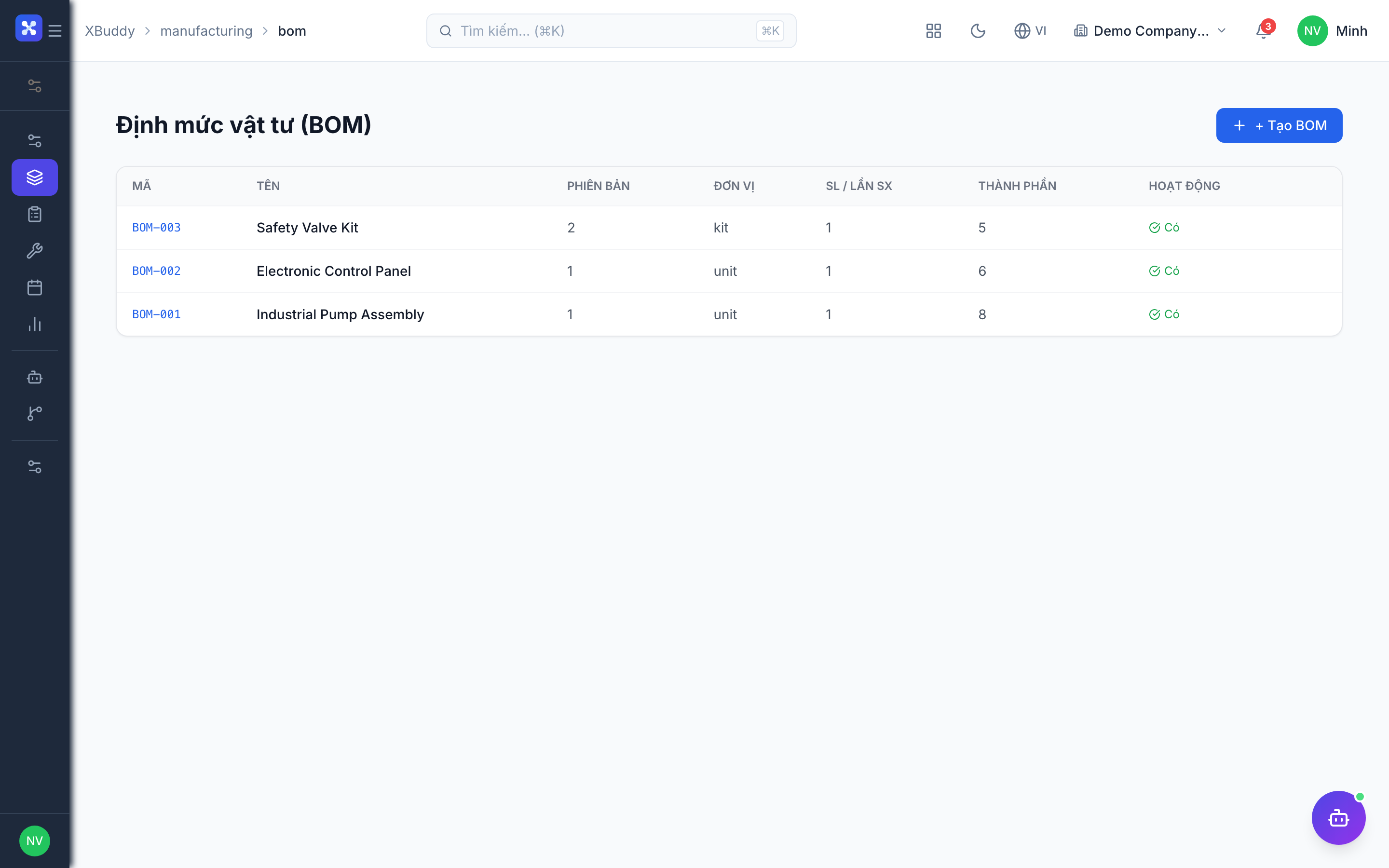
The BOM is the recipe — every component, its quantity, and its unit — needed to make one unit of a product. It’s the foundation the work order explodes into a material list.
Create a BOM
Go to Manufacturing → BOM → New BOM and select the product being made.
Add components with UOM
Add each raw-material or semi-finished component with its quantity and unit of measure. The conversion factor to the base stock unit is captured per line.
Version and reuse
Save the BOM; it’s reused whenever a work order is created for that product, ensuring consistent material demand.
Work orders & material consumption
A work order executes production for a quantity of a product. It explodes the BOM into required materials, consumes them from stock as production runs, and receives finished goods back into inventory.
Create the work order
Go to Manufacturing → Work Orders → New Work Order, pick the product and quantity; the BOM explodes into a material list.
Consume materials
As the order runs, raw materials are consumed from inventory. XBuddy converts each BOM line to the item’s base stock unit before deducting on-hand.
Receive finished goods
On completion, finished goods are received back into inventory and the work-order cost rolls up (materials, labor, overhead).
Work centers
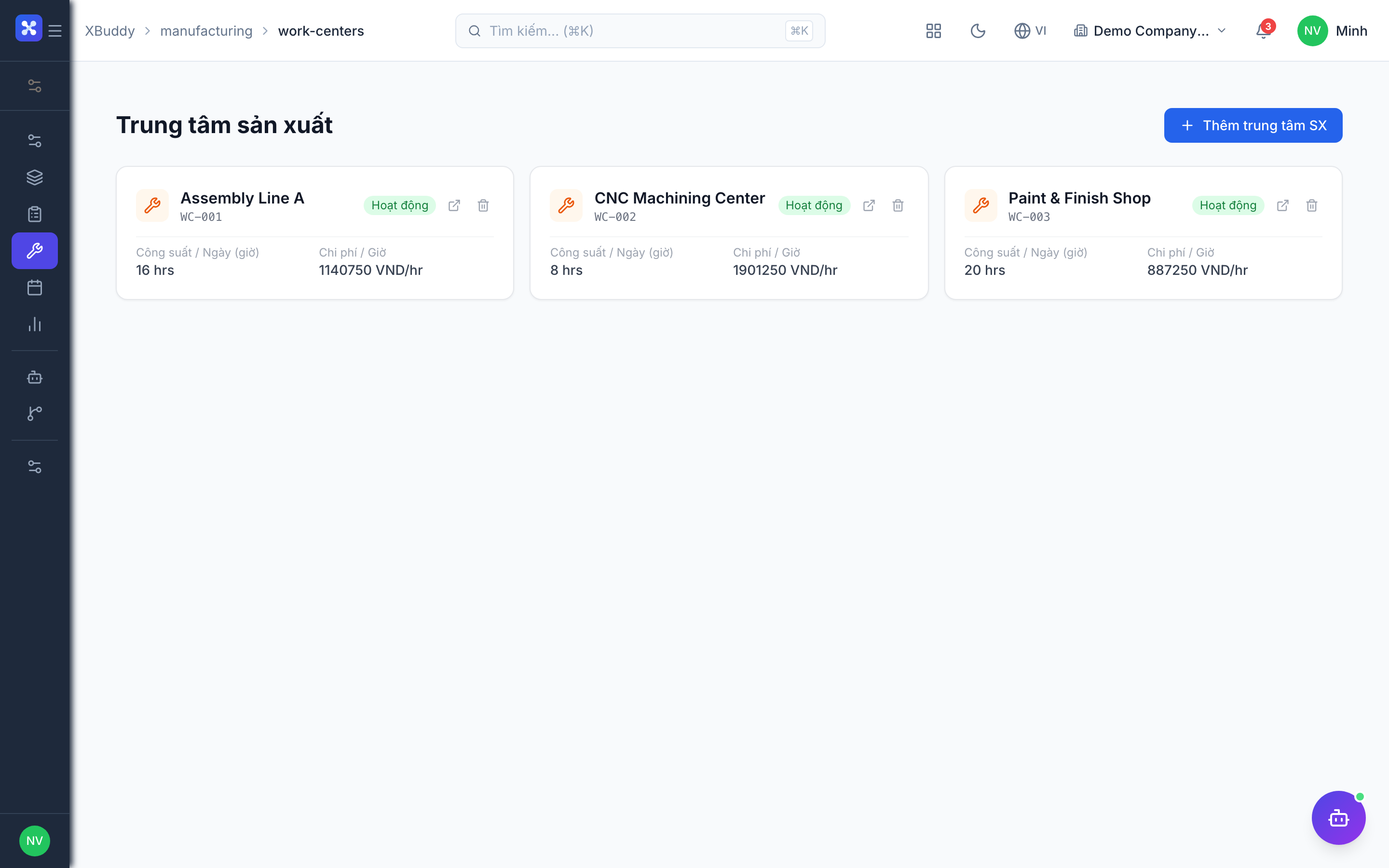
Work centers represent the machines, lines, or teams that do the work. They define capacity so scheduling knows how much can be produced and when.
Define work centers
Go to Manufacturing → Work Centers → New Work Center and set its capacity and available hours.
Route work orders
Assign work orders to the appropriate work center so load is visible and capacity isn’t overbooked.
Scheduling & capacity planning
The schedule sequences work orders across work centers so due dates are met without overloading capacity. It shows where the plan is tight and where there’s slack.
View the schedule
Go to Manufacturing → Schedule to see planned work orders across work centers over time.
Balance capacity
Move or resequence orders to level load; overbooked work centers are highlighted so you can adjust.
Release to the floor
Release scheduled work orders so the shop floor can begin production.
Material shortages & procurement
When a work order needs more of a component than is on hand, that shortage surfaces and can cascade into a purchase order so production isn’t blocked.
Detect the shortage
When a work order explodes its BOM, XBuddy compares required vs. on-hand and flags any shortfall.
Trigger replenishment
The shortage can raise a stock request or purchase order in Procurement so the material arrives in time.
Full feature reference
| Nav item | What it does |
|---|---|
| Overview | Manufacturing dashboard with open work orders, output, yield, and work-center utilization KPIs. |
| BOM | Bill-of-materials definitions: components, quantities, UOM, and conversion factors per product. |
| Work Orders | Production execution — explode the BOM, consume materials in base units, and receive finished goods. |
| Work Centers | Capacity units (machines/lines/teams) that work orders are routed to and scheduled against. |
| Schedule | Production scheduling and capacity planning across work centers over time. |
| Reports | Production reporting: output, yield, material usage, and work-center utilization with CSV export. |
| AI Hub | Run manufacturing AI assistants (Quality Inspector) and review production and quality suggestions. |
| Workflows | Automation for production events — shortage alerts, work-order approvals, or completion notifications. |
| Settings | Configure work centers, costing defaults, permissions/data scope, and manufacturing master data. |
Integration points
| Connects to | How the data flows |
|---|---|
| Inventory | Work orders consume raw materials from stock (in base units) and receive finished goods back into on-hand. |
| Quality | In-process inspections attach to work orders; a failed check can hold production and raise an NCR. |
| Procurement | Material shortages on a work order cascade into stock requests and purchase orders to replenish components. |
| Accounting | Material consumption and finished-goods receipt post COGS and inventory valuation to the general ledger. |
Related AI agents
| Agent | What it does |
|---|---|
| Quality Inspector | Monitors production quality and inspection results on work orders, flags recurring defects, and proposes corrective actions. |
Common workflows
1. From BOM to finished goods
- Engineering maintains the product’s BOM with components, quantities, and UOM.
- A planner creates a work order for a quantity; the BOM explodes into a material list.
- Production runs — materials are consumed in base units and finished goods are received into inventory.
- The work-order cost rolls up and posts inventory valuation to Accounting.
2. Scheduling to release
- Open Manufacturing → Schedule to see planned work orders across work centers.
- Balance capacity by resequencing overbooked work centers.
- Release work orders to the shop floor to begin production.
- Track progress and output in Overview and Reports.
3. Handling a material shortage
- A work order explodes its BOM and a component is short vs. on-hand.
- The shortage raises a stock request / purchase order in Procurement.
- Material is received into Inventory via goods receipt.
- The work order proceeds and consumes the replenished stock.
FAQ
Why does material consumption use base units? A BOM might list a component in kilograms while stock is held in another unit. XBuddy converts the BOM quantity to the item’s base stock unit before deducting on-hand, so consumption never corrupts inventory quantity.
What does “exploding a BOM” mean? When a work order is created, XBuddy expands the product’s BOM into the exact list and quantity of each component required for the order’s output — that’s the material demand.
What are work centers for? They represent production capacity (machines, lines, teams). The schedule routes work orders to work centers so load is visible and capacity isn’t overbooked.
How do finished goods get back into stock? On work-order completion, the finished product is received into Inventory, and the work-order cost (materials, labor, overhead) rolls up into its value.
What happens if I’m short a component? The shortage is flagged when the BOM explodes and can cascade into a stock request or purchase order in Procurement so production isn’t blocked.
How does quality fit in? In-process inspections attach to work orders; a failed inspection can hold production and raise an NCR in Quality against the batch.