Searching and finding gaps
Help staff find answers, and use reports to see what is read and what is rated poorly.
When to use
Use search and Ask when you need an answer fast, and use Reports when you want to know which articles are popular or unhelpful so you can improve them.
Before you start
- Searching and asking need
kb:read; reports at/knowledge/reportsalso needkb:read. - AI answers for employees who only have read access depend on
knowledge.employee_ai_ask_enabled(default: off). Editors can always ask.
There is no search log yet, so a “searches with no result” report has no real data. Find gaps through article ratings and the AI Hub instead.
Steps
-
Search from
/knowledge/kbby keyword; semantic search also covers documents from the Documents app. -
For a natural-language question, employees open Ask and look up at
/hr/self-service/helpand get an answer with its source articles. Send feedback on the answer. -
Open
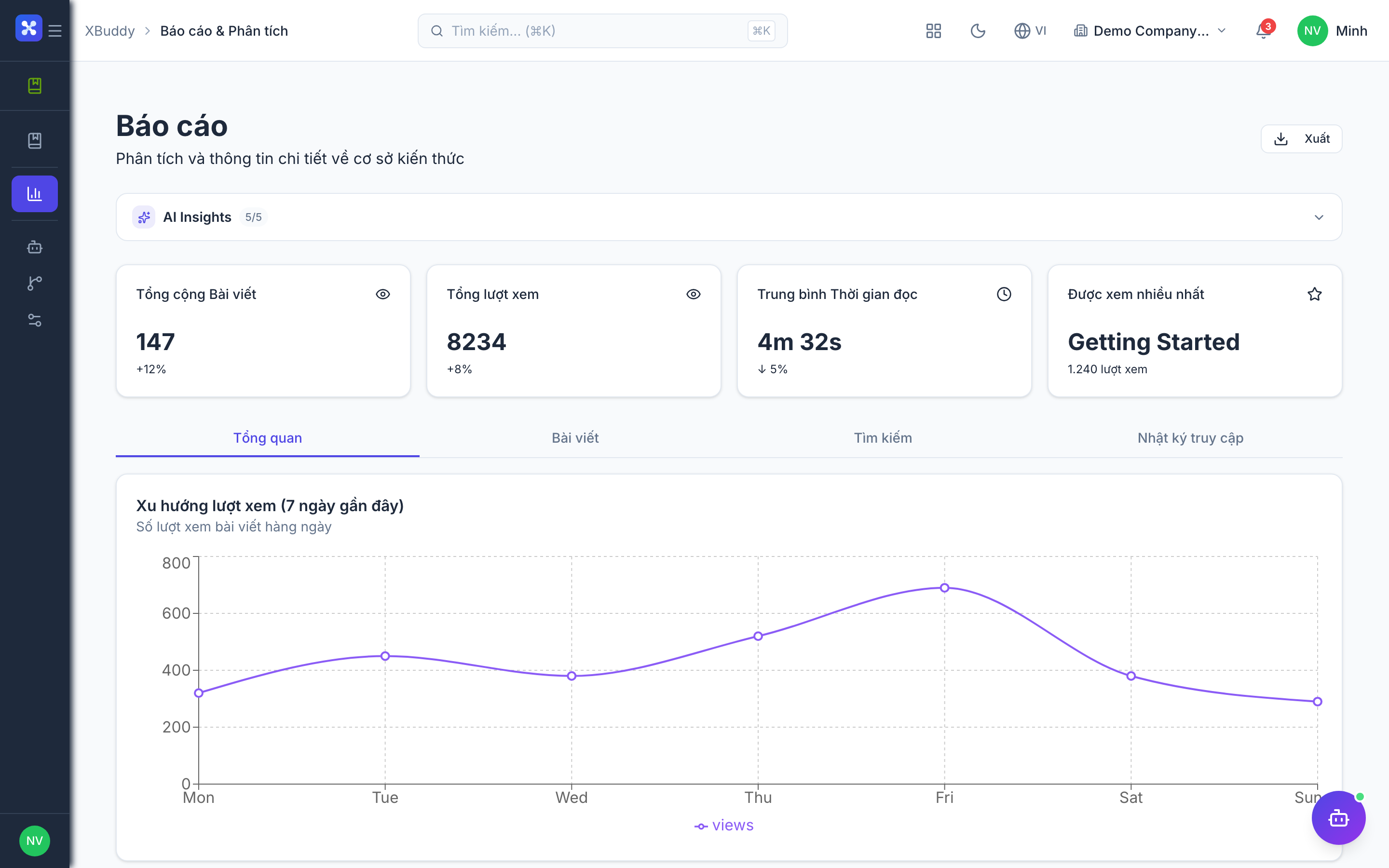
/knowledge/reportsto see views, popular articles and reader feedback. -
Articles with many “not helpful” ratings, and categories with few published articles, are your gap backlog. The Knowledge Curator in the AI Hub proposes rewrites and outlines for them.
Tips & common mistakes
- If Ask returns nothing useful, check whether the relevant article is actually published.
- Employees who see no AI answer usually lack the
knowledge.employee_ai_ask_enabledtoggle, not permission. - Treat repeated “not helpful” feedback as a signal to rewrite, not to delete.
- Reports reflect what was read; they do not list failed searches.