Lots, serials & expiry
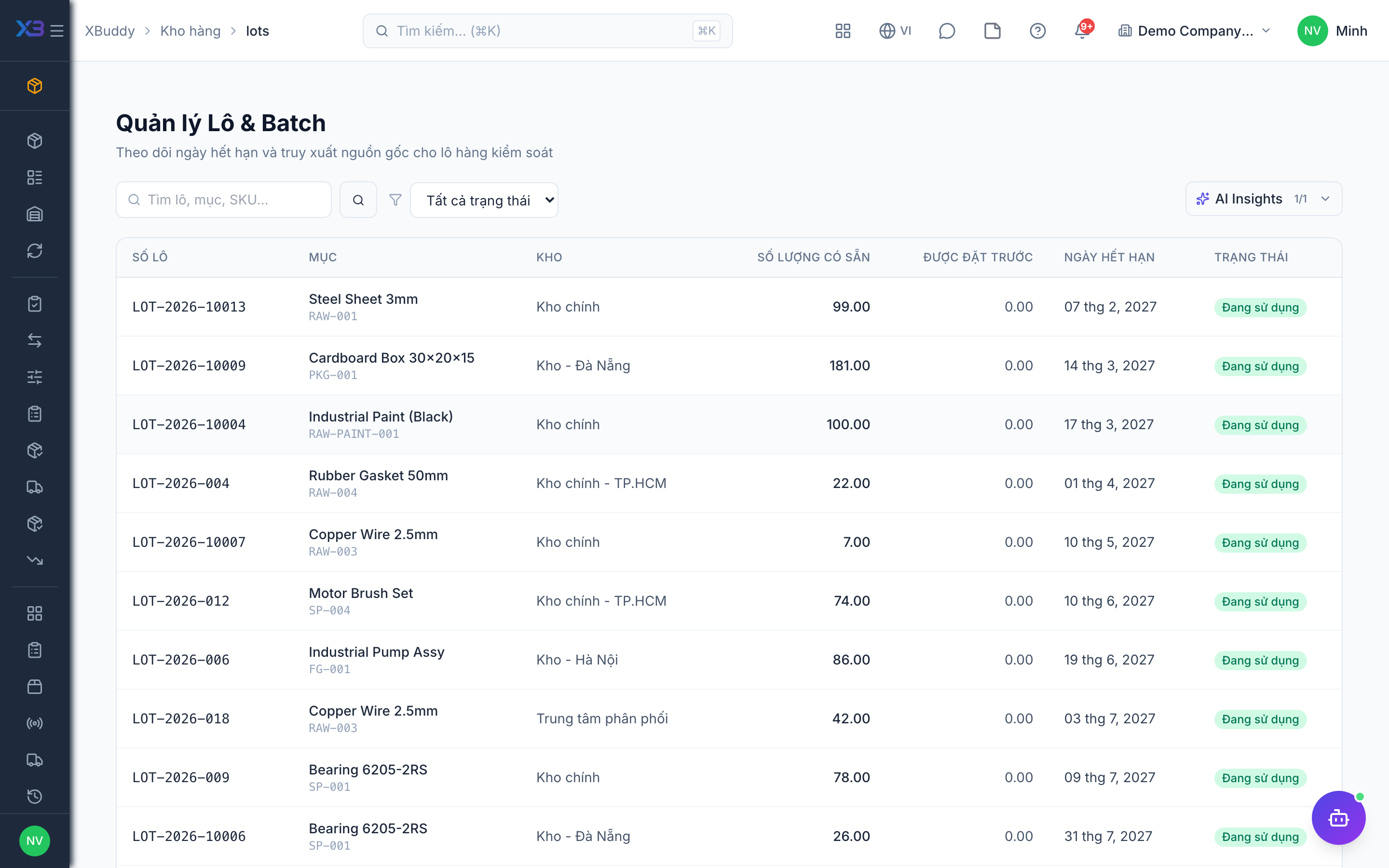
Lot and serial tracking give full traceability. Lots track batches (with expiry dates); serials track individual units. Both are captured on receipt and consumed on issue.
When to use
Use lots for batches (food, medicine, chemicals) where expiry matters, and serials for individual units you must trace (equipment, electronics).
Before you start
- Permissions:
inventory:read;lots:read/serials:readto view/inventory/lotsand/inventory/serials;lots:write/serials:writeto reserve or release. - Toggles:
inventory.lot_tracking,inventory.serial_tracking,inventory.expiry_date_tracking— all default off (on for new companies). Turn them on before receiving tracked goods.
Trace a lot
Go to Inventory → Lots to see every batch, its remaining quantity, and expiry date. Expiring lots are surfaced for action.
Trace a serial
Go to Inventory → Serials to look up any serialized unit and its full movement history.
Reserve and release
Reserve a lot for an order and release it if the order falls through.
Issue the oldest-expiring first
When goods leave, lots are consumed first-expired-first-out so older batches go before newer ones.
Scan to look up
Scan a lot label to open the lot with its stock by warehouse.
Tips & common mistakes
- A tracked item must carry the lot or serial on every receipt — missing numbers block confirming.
- A serial in repair is shown with the status “in repair”; it is not available to sell.
- Check expiring lots weekly; do not wait for stock to expire on the shelf.
- Do not turn tracking on for an item that already has stock without planning how existing quantities get a lot.