Production versions, alternates & multi-level BOM
This page covers four BOM extensions:
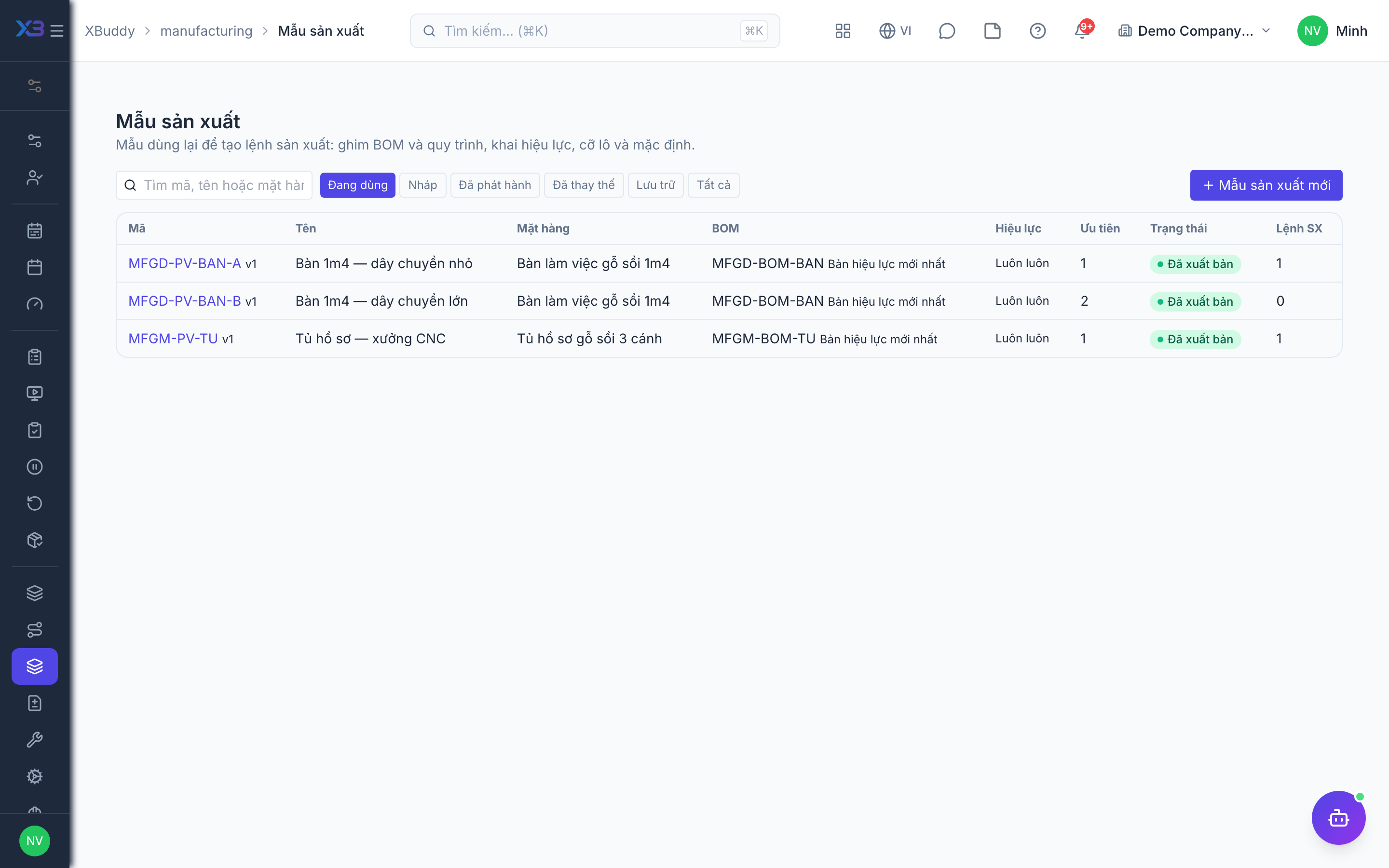
- Production versions — a thin layer that pins the BOM, routing, validity, lot size and order defaults; it does not copy materials.
- Alternate materials — a BOM line can list several alternates with a usage strategy.
- Multi-level BOM — semi-finished goods, phantom items, by-products, scrap, the BOM tree and where-used.
- Make-to-order (MTO) — create Work Orders from sales order lines.
Who uses it
Production engineers author versions and alternates (manufacturing:engineering); planners and storekeepers use them when creating orders and substituting materials (manufacturing:execute).
Before you start
- Production versions (
manufacturing.production_versions); a routing in a version needs Standalone routings. - Alternate materials on BOM lines (
manufacturing.bom_alternates). - Multi-level BOM (
manufacturing.multi_level_bom). - MTO needs Partial execution (
manufacturing.partial_execution).
Steps
Create a production version
Go to Manufacturing → Production versions (/manufacturing/production-versions) and create one for an item: choose the BOM (pin an exact revision or always follow the latest released), routing, validity dates, lot size range, priority and default warehouses. Attach SOPs or drawings if needed.
Publish it
A version moves draft → published → superseded/archived. Published versions cannot be edited; create a new version to change one. When creating a Work Order, pick a version or let the system choose by date, quantity and priority; if two versions tie, the system does not choose.
Define alternates
On the BOM detail, the Alternate materials column lets you add alternates, their conversion quantity and a strategy: manual, auto on shortage, or percentage mix. On the order’s Materials tab, Substitute material lets you swap the not-yet-consumed part by hand.
Use multi-level BOMs
Classify BOM lines (raw material, phantom, by-product, scrap), link child BOMs, view the tree and where-used, and roll up standard cost. From a parent order, create child orders for semi-finished goods made separately.
Make to order
On a sales order, the Production card creates Work Orders for lines that need manufacturing and tracks progress; finished goods are reserved for the order.
Tips & limits
- Values entered on the order always win over version defaults. A quantity outside the lot size with a hand-picked version is allowed with a warning.
- Alternates do not yet support semi-finished items with their own BOM, nor by-product/phantom lines; MRP plans on the primary material.
- Cancelling a sales order cancels MTO orders that have not started; started orders block the cancellation.