Job types & templates
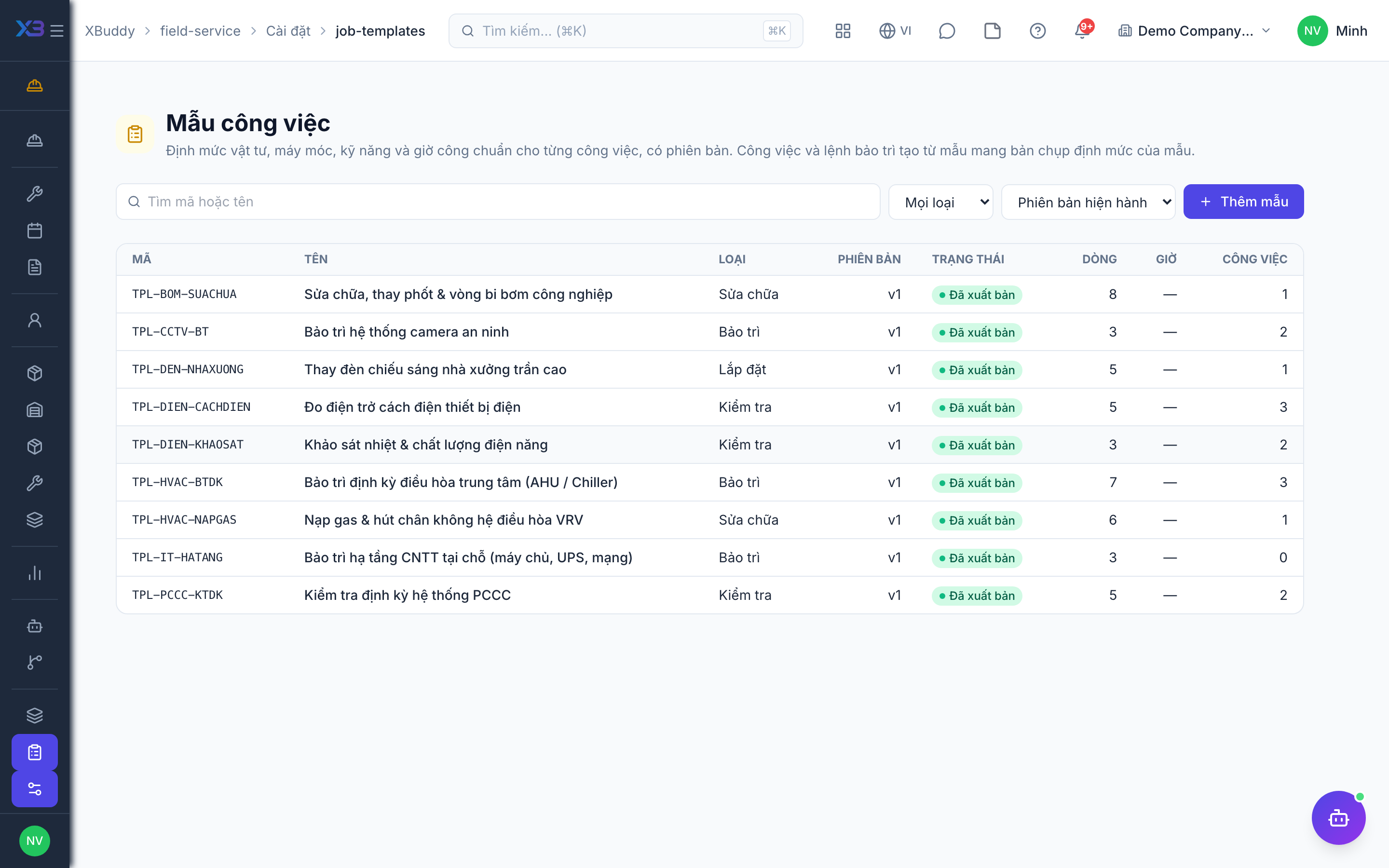
Job types classify work; job templates give each type a versioned plan — checklist, parts, tools, machines, skills and hours — that is copied onto every new job.
When to use
Use it when the same kind of job repeats (installation, repair, inspection) and you want consistent checklists and a ready parts list.
Before you start
- Open
/field-service/settings/job-typesand/field-service/settings/job-templates. Permission:field_service:admin. - Skills and zones used by templates come from
/field-service/settings/skillsand/field-service/settings/zones.
Define a job type
Create the type and, if you want, a default template for it.
Build a template
Add the checklist and the planned resources: parts, tools, machines, skills and hours. Use the preview to check the result.
Publish
Publish the template. A published version cannot be edited; to change it, create a new version.
Use it
Create jobs of that type: the plan is copied onto the job, so changing a template later does not rewrite jobs already in progress.
Statuses
| Status | Meaning | Who moves it |
|---|---|---|
| Draft | Being edited. | Administrator. |
| Published | In use; read-only. | Administrator. |
| Archived | No longer offered for new jobs. | Administrator. |
Tips & common mistakes
- Start with a few common types; too many types make dispatch harder.
- Mark checklist items as required only when they must block completion.
- Planned parts feed the requisition plan, so keep quantities realistic.
- Archive an old version instead of deleting it.