Ordering at the outlet
During a visit, the rep places an order for the outlet (pre-sales). Each order creates one real Sales Order through the Sales app — with the same pricing gate, credit limit check and Sales Order approval as any other sale. Goods are then delivered by the distributor or warehouse through the normal sales process.
Before you start
- Permission
distribution_visits:write; the rep is checked in to a visit at the outlet. - The outlet must be linked to a customer contact.
- Items must have a price in a Sales price list — unpriced lines are refused rather than saved at zero. See Price lists.
- Toggles that may apply: Stock count required before ordering, Outlet care checklist (before ordering), Photo first, before any visit action.
Steps (XBuddy Work app)
Review the order context
The order screen shows the outlet’s last order, the latest stock count, and its receivable and credit limit.
Use the suggested quantity
Suggested quantity = last order quantity − counted stock (never negative); with no stock count, it equals the last order quantity.
Promo code (if any)
Pre-sales orders accept promo codes enabled for the Distribution channel (the phone screen has no promo code field yet). The discount goes to the Sales Order as a header (subtotal) discount.
Submit the order
The order becomes a Sales Order. If Sales rejects it (for example over the credit limit), the order shows an error status and the promotion use is released.
Orders page
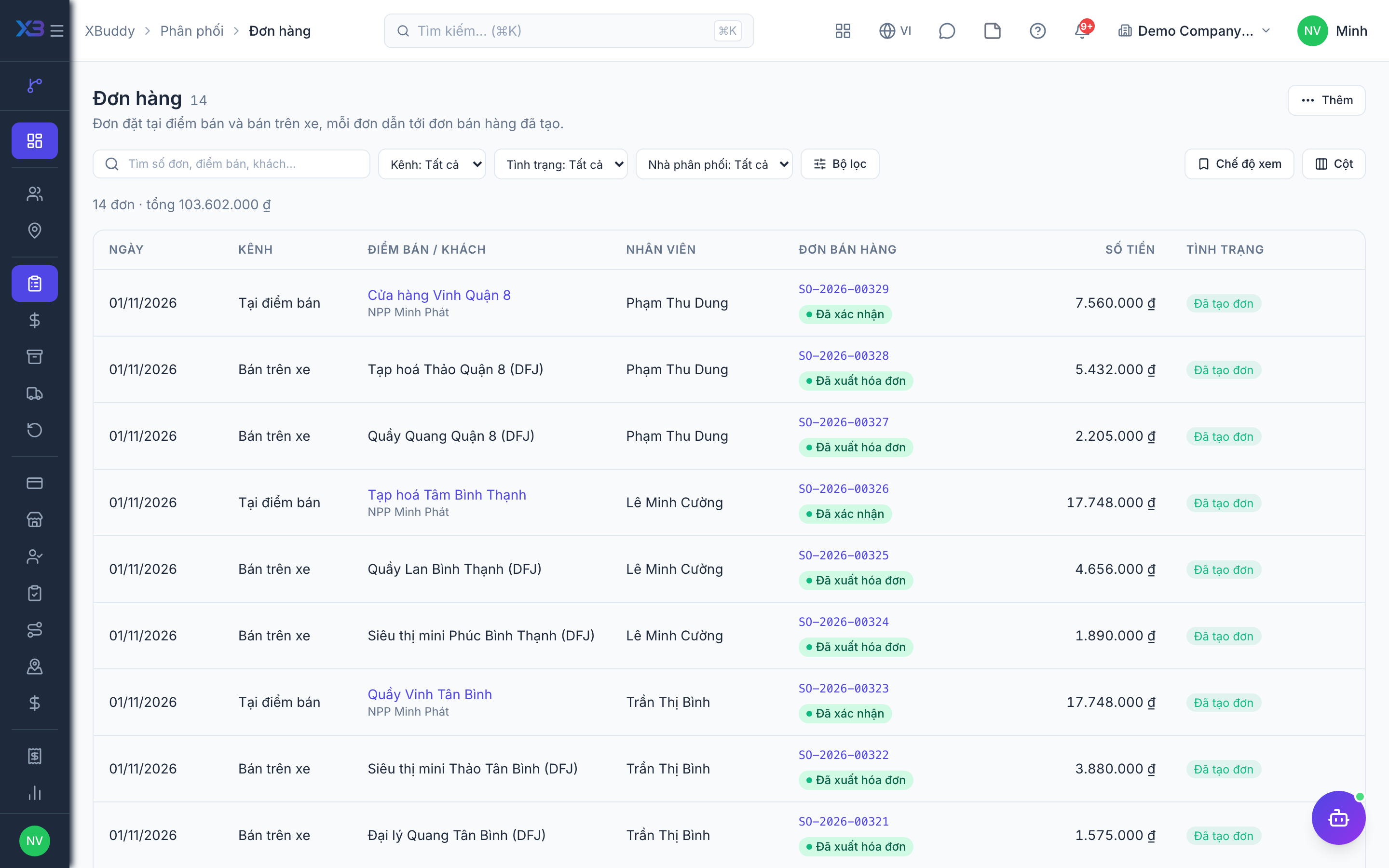
Go to Distribution → Orders: a read-only list combining outlet orders and van-sale orders, with a unified status (OK · in progress · problem); each row links to its Sales Order; CSV export. Approval and invoicing happen on the Sales Order page.
Limits
- The phone app has no promo code field yet; promotions do not apply to van sales.
- Item search on the phone needs a connection; once items are picked, the order can be sent offline.
- Resending the same order (same device key) never creates a second Sales Order.
Related
- Outlets and care · Beats and route planning · Visits and check-in · Field sales rep journey
- Ordering at the outlet · Promotions, rebates & claims · Targets and sell-out · Commissions
- Beat KPIs and performance · Overview and reports · Permissions and settings · Setup guide
- Distribution Manager AI assistant · Workflow templates · Distribution & logistics flow · XBuddy Work app