Commissions
Distribution has two kinds of commission recipients, both calculated on collected cash (not on orders placed) and both using Sales commission plans:
| Distributor commission | Field rep commission | |
|---|---|---|
| Recipient | Distributor | Rep who placed the outlet order / rep on the van session |
| When active | Always | Toggle distribution.field_commission_on_collected |
| Paid via | Draft vendor bill to the distributor | The Sales commission run |
Distributor commission
Go to Distribution → Commissions.
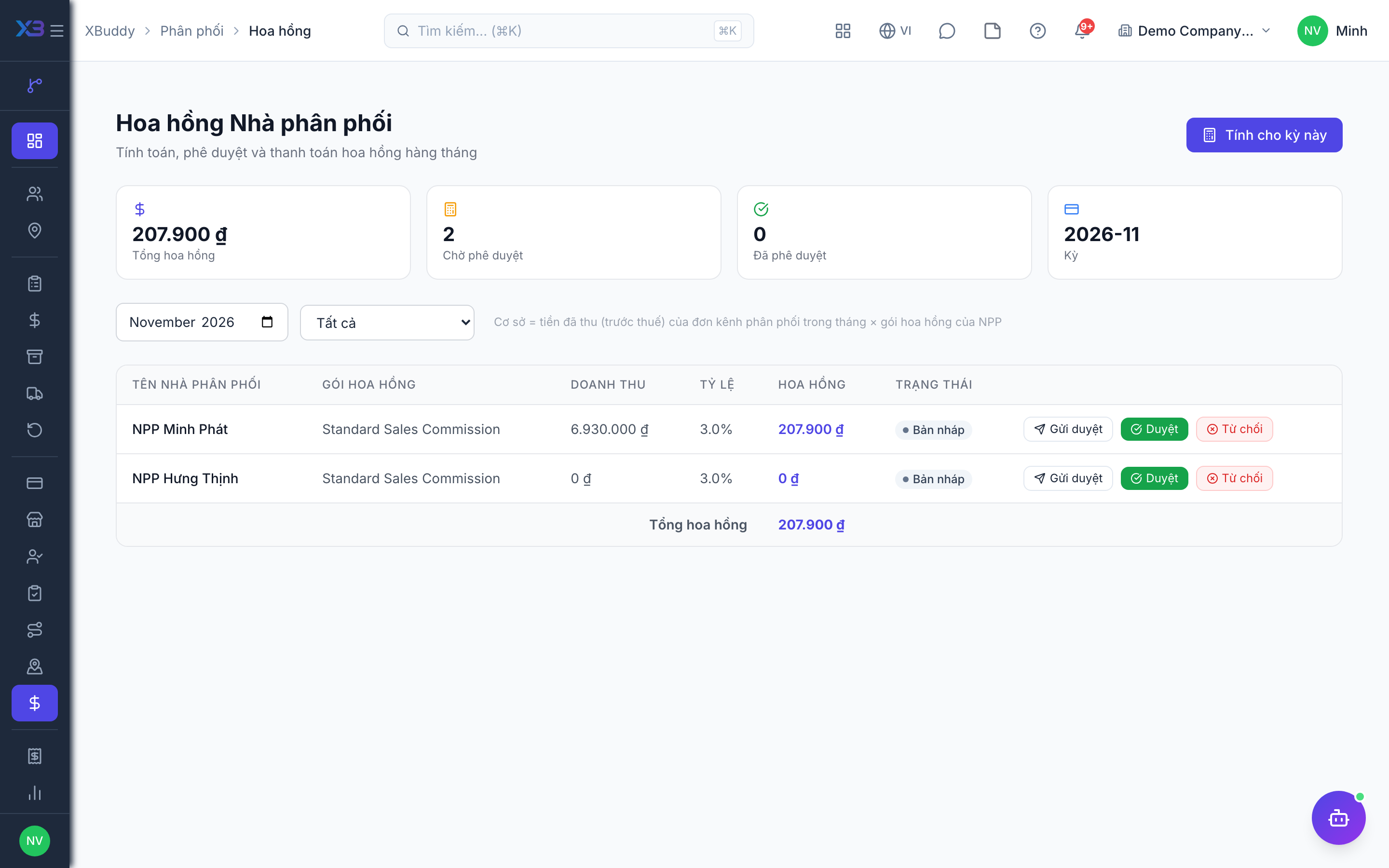
Before you start: assign a Sales commission plan to each distributor on the distributor record. Distributors without a plan are skipped with a reason — the system never guesses a rate. Permissions distribution:read / distribution:write.
Calculate the month
Click Calculate: basis = cash collected in the month (by payment date), before tax, converted to company currency, on invoices of Distribution-channel Sales Orders. Recalculating only overwrites drafts.
Approve
Approve directly or through the distribution_commission_approval workflow template.
Create the vendor bill
Click Create bill: a draft vendor bill is created for the distributor’s contact; payment goes through accounts payable and the payment approval gate. Status: Draft → Approved → Billing → Billed. If the vendor bill is voided, the commission returns to Approved so it can be billed again.
Field rep commission
Turn on Field-salesman commission on cash collected (distribution.field_commission_on_collected) in Distribution settings — sales.commission_tracking must be on in Sales first. Off by default.
When on, outlet orders and van-sale orders leave the “order sales” basis and are commissioned on cash collected in the period (before tax), so an order is never paid twice. Returns are deducted: the cumulative basis never exceeds the invoice value minus return Credit Notes. The run happens in the Sales commission screen.
When an invoice changes rep
If an invoice moves to another field rep, the amount collected in earlier periods is always clawed back from the previous rep. The toggle Credit the new salesman when an invoice changes hands (distribution.field_commission_reattribution_credit, requires the toggle above):
- Off (default): the new rep only earns cash collected from the current period.
- On: the new rep also receives the amount collected in earlier periods (the credit line is labelled on the run page).
The Sales commission screen does not yet label these lines as “on collected cash”.
Related
- Outlets and care · Beats and route planning · Visits and check-in · Field sales rep journey
- Ordering at the outlet · Promotions, rebates & claims · Targets and sell-out · Commissions
- Beat KPIs and performance · Overview and reports · Permissions and settings · Setup guide
- Distribution Manager AI assistant · Workflow templates · Distribution & logistics flow · XBuddy Work app