Running the recruitment pipeline
Recruitment starts with a requisition (an approved request for headcount) and ends with a hired employee. Job postings, candidates, and interviews all sit on top of an approved requisition.
Request headcount
Go to HR → Recruitment → Requisitions and open a requisition for the department, position, and headcount you need. This can go through an approval chain before a job posting is allowed.
Post the job
From an approved requisition, create a job posting (HR → Recruitment, /hr/recruitment). Candidates apply and land in the pipeline automatically.
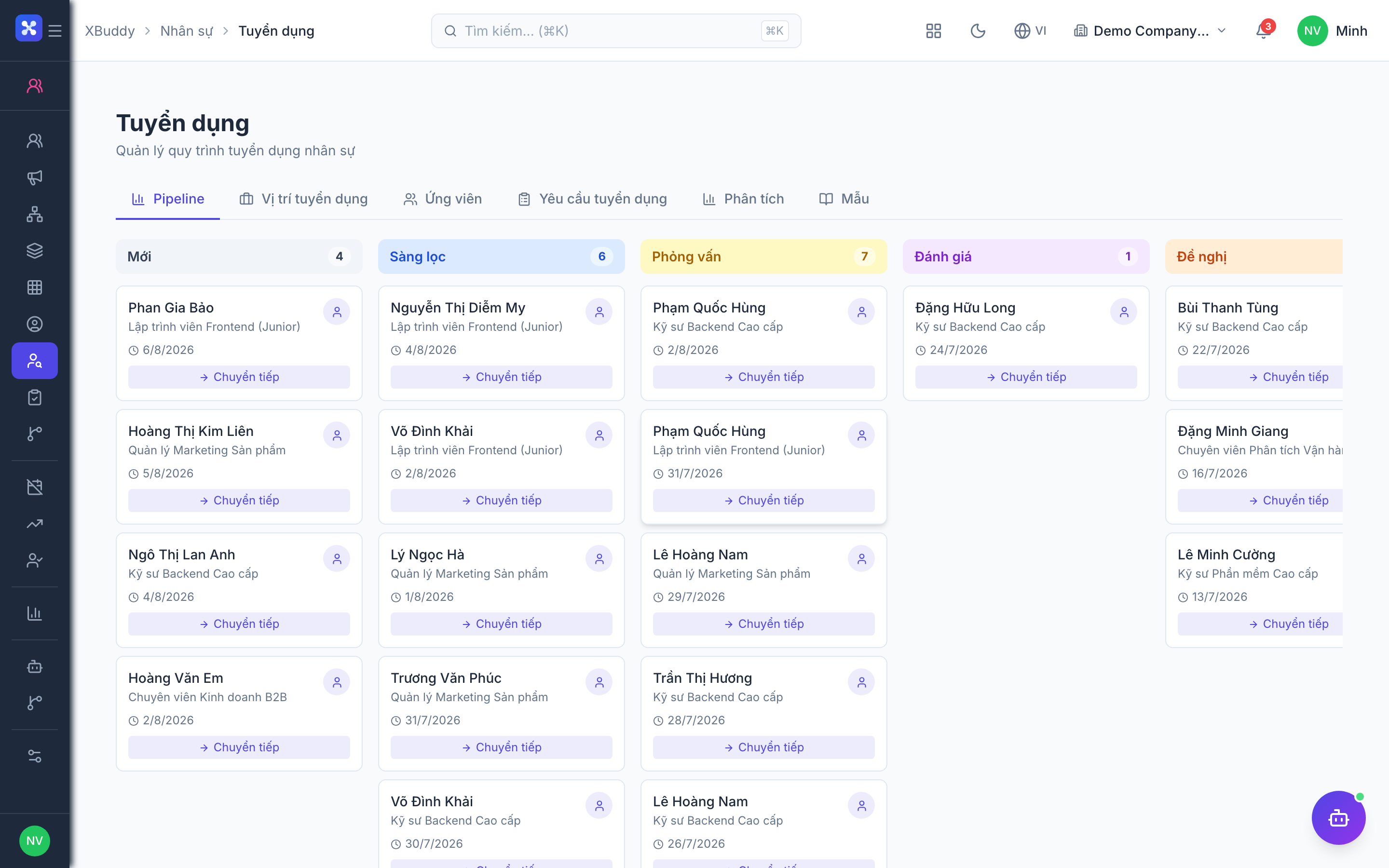
Track candidates through stages
Move applicants through pipeline stages (Applied → Screening → Interview → Offer). Schedule interviews and record scorecards against each candidate.
Let AI screen and shortlist
Run a batch CV scan to have AI score every candidate against the job requirements and rank them. AI never advances or rejects a candidate on its own — it proposes a shortlist and drafts follow-up messages; a recruiter reviews and approves each suggestion.
Convert the offer to an employee
When a candidate accepts, convert the offer directly into an employee record — hire date, position, and manager carry over, and onboarding tasks trigger automatically. A quotation can only be converted once, and a hired candidate’s other open applications are closed automatically.
AI screening is a co-pilot, not an autopilot. The Recruiter Copilot agent ranks candidates, drafts interview-scheduling tasks, and flags applications that have gone quiet — but every action it proposes (shortlist, schedule, reject) waits in a suggestion queue for a human recruiter to approve before it takes effect.