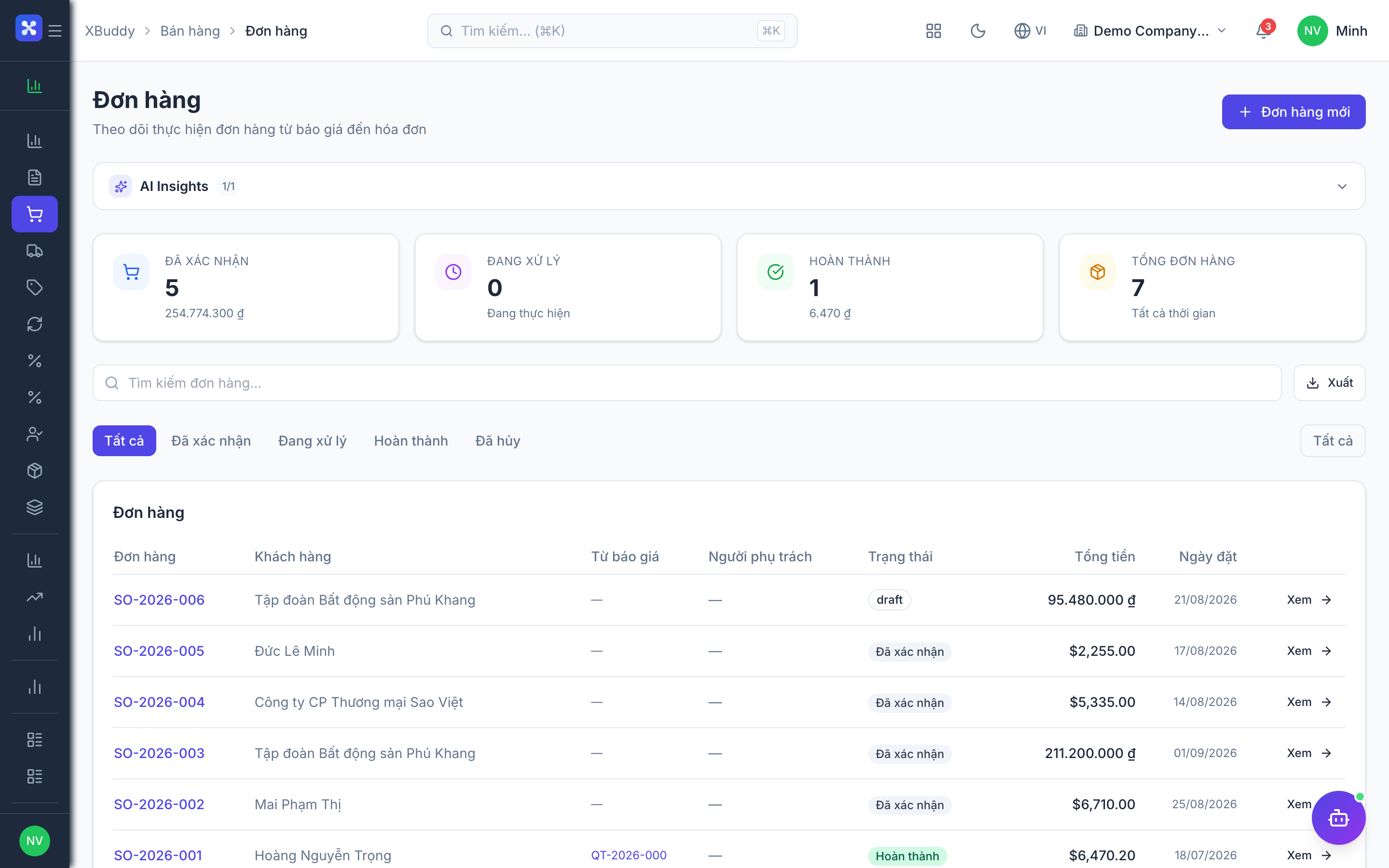
Sales Orders
An accepted quotation becomes a Sales Order — the commercial commitment the customer has agreed to. Confirming a Sales Order is the moment XBuddy reserves stock for the ordered product lines and, depending on your revenue recognition setting, may also post revenue to the ledger.
Confirm the order
Open Sales → Sales Orders, review the order, and confirm it. Product lines reserve the ordered quantity in Inventory; service lines have nothing to reserve. If the order references a CRM deal, confirming it also advances that deal toward Won.
Fulfil with a delivery order
From a confirmed order with product lines, click Create Delivery Order. Under Sales → Delivery Orders, the warehouse picks and dispatches the goods; confirming the delivery order posts a goods issue in Inventory and decrements on-hand stock for the shipped quantities. One Sales Order can spawn several partial delivery orders as stock becomes available.
Bill it
From the confirmed or delivered order, generate an invoice in Finance with the sold or delivered quantities pre-filled. If your tenant requires a delivery order before invoicing product lines (a common control for physical-goods businesses), XBuddy blocks invoicing product quantities that haven’t shipped yet — service lines are exempt from that check.
Track fulfilment status
Each order tracks qty_ordered, qty_fulfilled, and qty_invoiced per line, so the order detail page always shows exactly how much of the commitment has shipped and been billed — useful for spotting stalled or partially-delivered orders.
Service lines behave differently from product lines. A service line (consulting, installation, a subscription) never goes through a Delivery Order — there is nothing physical to ship. Instead, a service line is treated as fulfilled the moment it is invoiced: qty_fulfilled is stamped to match qty_invoiced automatically. If the delivery-order-required control is on, it only blocks product lines from being invoiced early — service lines can always be billed as soon as the order is confirmed. If your engagement needs real scheduling, technician dispatch, or a completion sign-off for the service itself, dispatch it as a Service Order instead of relying on the Sales Order — see the Service Management app.