Routings, revisions & ECO
A routing describes the operations, work centers and standard times needed to make a product. Separating routings from BOMs and managing them by revision gives every change a trail; with ECO, changes must be approved before they apply.
Who uses it
Production engineers (manufacturing:engineering to write). Viewers need manufacturing:read.
Before you start
Three toggles build on each other:
- Standalone routings (
manufacturing.routings). - BOM & routing revisions (
manufacturing.bom_revisions, requiresroutings). - Engineering change orders (ECO) (
manufacturing.eco, requiresbom_revisions).
Steps
Author a routing
Go to Manufacturing → Routings (/manufacturing/routings), create a routing and add operations. Empty step numbers are filled as 10, 20, 30; duplicates are rejected. Link the routing to a BOM.
Create and release a revision
On the routing page (/manufacturing/routings/[id]), create a new revision, compare it with the previous one and release it. A released revision cannot be edited; releasing a new one retires the previous revision of the same code and moves BOMs using it to the new one.
Raise an ECO
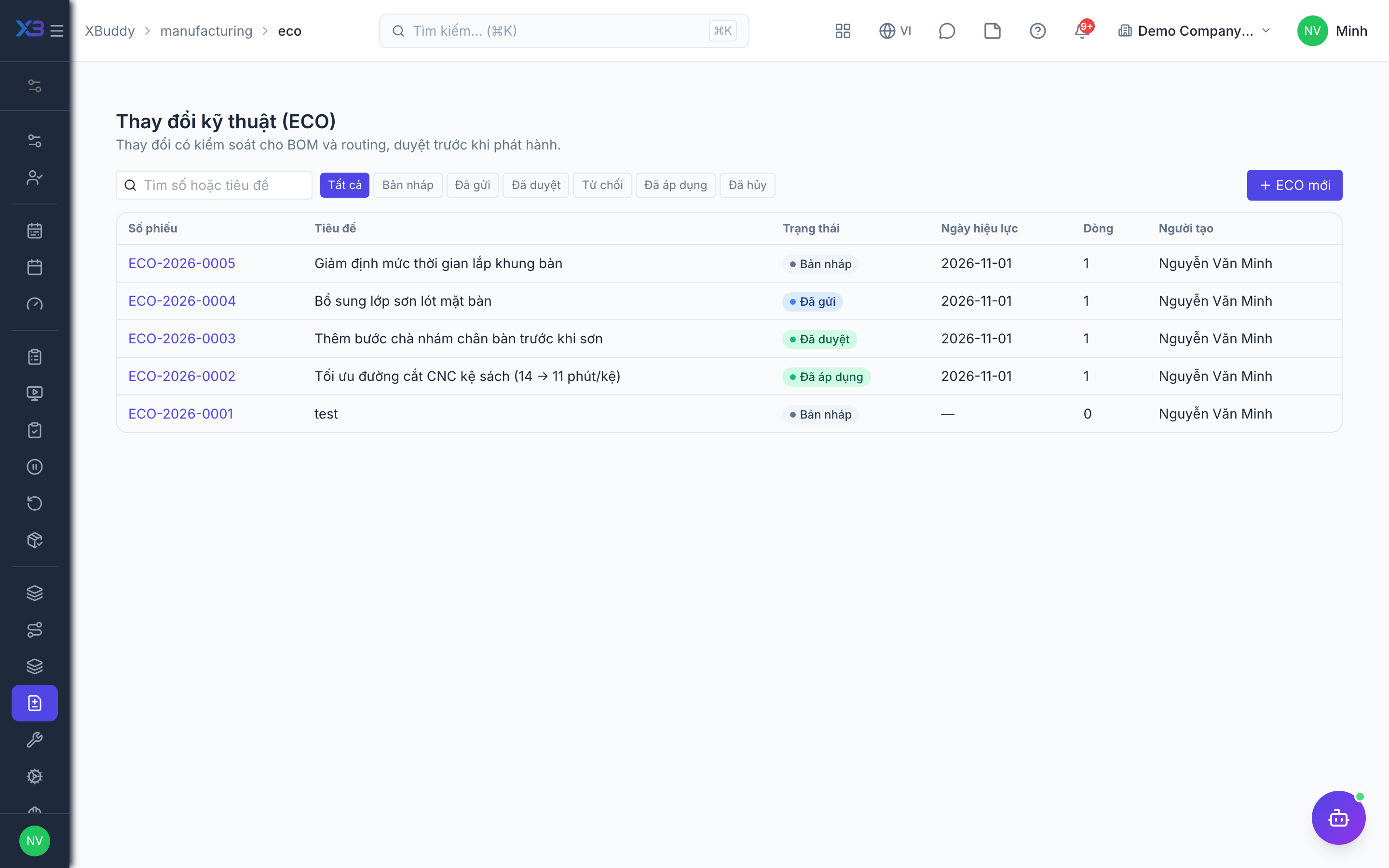
With ECO on, go to Manufacturing → Engineering changes (ECO) (/manufacturing/eco), create an ECO and add the BOM/routing lines to change. An ECO moves draft → submitted → approved → applied (or rejected, cancelled).
Approve and apply
Submit the ECO for approval. The creator cannot approve their own ECO. While it is under review, its draft content is locked so the approver sees exactly what will apply. Applying releases the revisions and updates draft Work Orders.
Tips & limits
- Work Orders snapshot the BOM and routing revision at creation; an ECO does not change confirmed or running orders.
- With ECO on, the next revision cannot be released directly — it must go through an ECO.
- A routing shared by several BOMs can only be edited on the routing page, not from a BOM.
- Operations cannot carry file attachments yet (text instructions only). When no workflow matches, an ECO is approved directly by a holder of
manufacturing:engineering.