Manufacturing setup guide
This page walks through 10 steps to set up Manufacturing, in the order the in-app Setup assistant recommends. Each step lists what to prepare, the questions to answer first and the screen to use.
In the app, open Settings → Setup assistant: it measures your current state, asks the survey questions below and proposes a change set you approve before it is applied. This page is the read-only version for preparing ahead or doing it by hand.
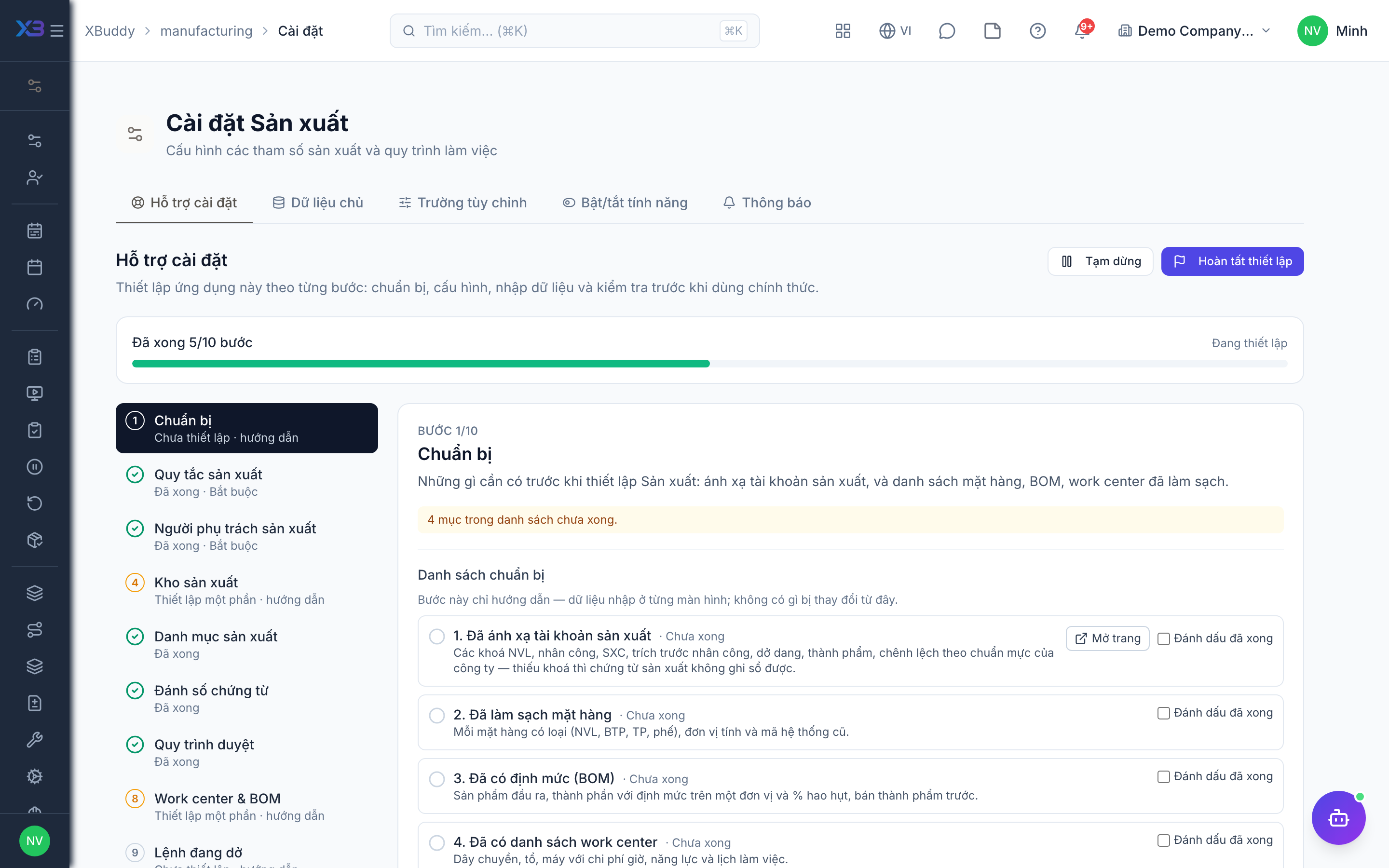
1. Prepare
Optional
What to have ready before setting up Manufacturing: manufacturing GL accounts mapped, and cleaned-up files of items, BOMs and work centers.
| # | Task | How | Screen |
|---|---|---|---|
| 1 | Manufacturing accounts mapped | Material, labor, overhead, labor accrual, WIP, finished goods and variance keys by your accounting standard — missing keys make production documents fail to post. | /accounting/posting-rules |
| 2 | Items cleaned up | Each item with its type (raw material, semi-finished, finished, scrap), unit and old-system code. | — |
| 3 | BOMs written down | Output item, components with quantity per unit and scrap %, sub-assemblies first. | — |
| 4 | Work centers listed | Lines, cells or machines with hourly cost, capacity and working calendar. | — |
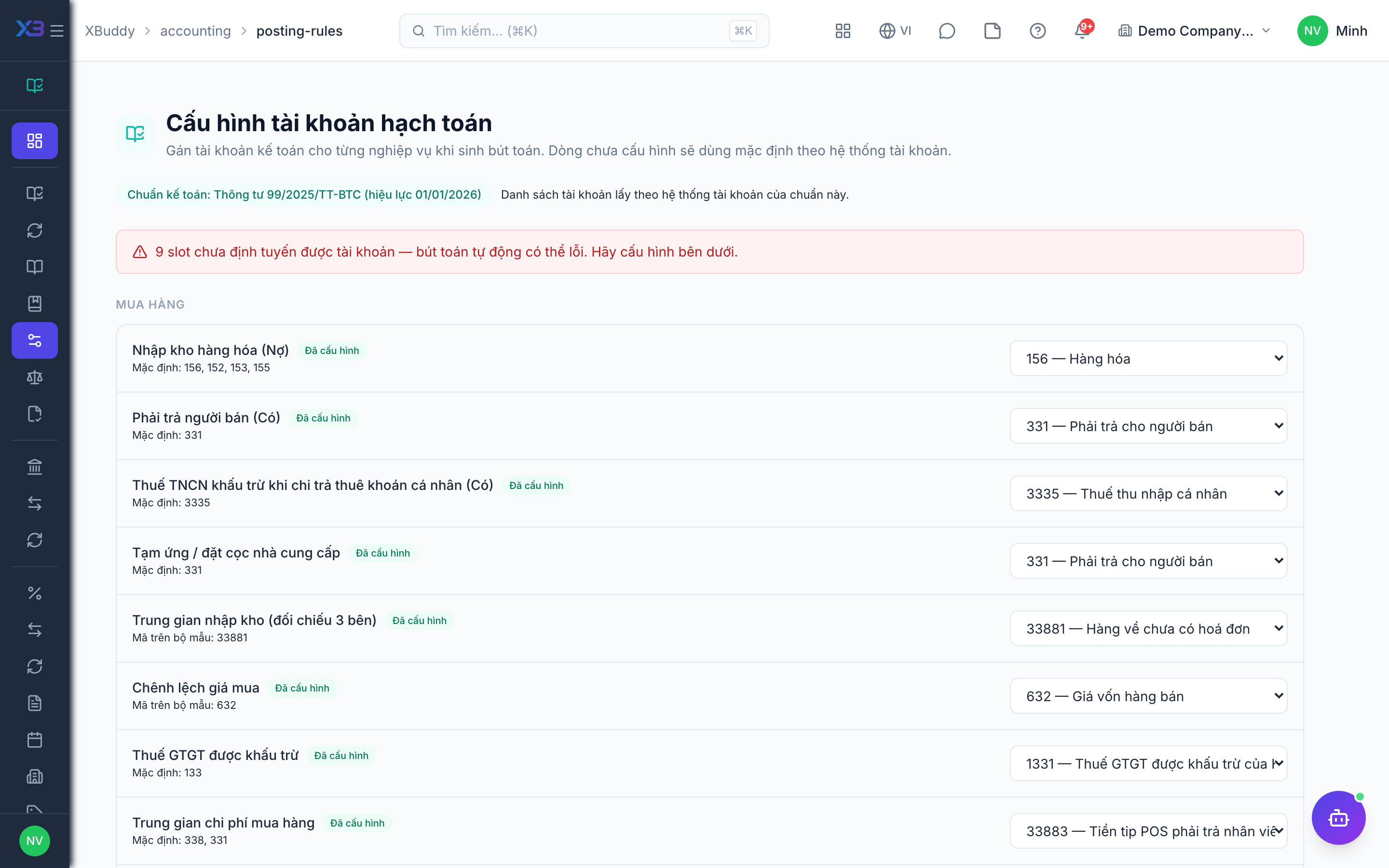
2. Production rules
Required
Turn features on in order: the core group first (BOM structure, issuing and reporting, material reservation), then optional groups — planning, engineering, shop floor, quality — and product costing last.
Prepare first
- Turn features on in order: multi-level BOM, partial execution, then planning/scheduling, the shop-floor layer, and product costing last.
- How the workshop works today: make-to-stock or make-to-order, issue materials in one go or in batches, outsourced steps, lot/serial tracking.
Questions to answer
- Do your products have sub-assemblies (multi-level BOMs), substitute materials or several ways to make the same product?
- Are materials issued in several batches and output reported in parts? Must a work order wait until all material is in stock?
- Do you plan production from a forecast (MRP) and schedule work centers by capacity, or schedule by hand?
- Will operators use a tablet on the floor? Do you track machines, downtime, skills, rework or lot/serial traceability?
- Must finished goods wait for a quality check before sale? Do you outsource steps or calculate product cost each month?
| Toggle | Key | Default | Effect |
|---|---|---|---|
| Multi-level BOM | manufacturing.multi_level_bom | Off | Sub-assemblies, phantom and by-product lines, BOM status and effectivity, where-used and standard cost roll-up. Work orders consume what the BOM explosion says (by-products are never consumed). Off = single-level BOMs as before. |
| Partial execution (issues, reports) | manufacturing.partial_execution | Off | Issue materials in batches with over-issue approval, return materials, report output partially with lots/serials and scrap, child orders for sub-assemblies. Journal per document. Off = start issues everything, completion receives everything. |
| Reserve materials on release | manufacturing.reserve_materials | Off | Confirming a work order reserves the material still to be issued at the role warehouse, so sales orders and other work orders cannot take it. The reservation shrinks as materials are issued, grows back when an issue is voided or materials are returned, and is released when the order completes or is cancelled. Not enough stock ⇒ reserve what is available and report the shortage. Off = no reservation. |
| Block release on material shortage | manufacturing.block_release_on_shortage | Off | When the material reservation cannot cover every line, refuse to confirm the work order instead of confirming it with a shortage warning. |
| Block completion when material cost is zero | manufacturing.block_zero_cost_completion | Off | When an issued material line has no stock-ledger cost, refuse to complete the work order instead of valuing finished goods at the item cost price (the fallback is always recorded as a cost warning on the order). |
| Alternate materials on BOM lines | manufacturing.bom_alternates | Off | Declare substitute materials per BOM component line, each with its own unit and quantity ratio. Choose per line: switch by hand on the work order, switch automatically when the main material is short, or mix by percentage. Work orders record which line was substituted and why. Off: work orders consume the main material only, as before. |
| Production versions (manufacturing templates) | manufacturing.production_versions | Off | Reusable templates for work orders: pin a BOM (fixed revision or latest released) and a routing, set validity dates, lot size range, priority, default warehouses, lead time and instructions. Work orders created from a version copy its structure at creation time. Off: work orders are created straight from a BOM as before. |
| MRP & production planning | manufacturing.mrp | Off | Forecast plan, MRP runs over the BOM (multi-level when that toggle is on) netting stock, open POs/requisitions/work orders, lot sizing and lead time. Planners pick suggestions to create draft work orders and purchase requisitions — nothing is created automatically. Off = no Planning page. |
| Finite-capacity production scheduling | manufacturing.finite_scheduling | Off | Schedule work-order operations on work centers against HR calendars, holidays, parallel machines and step order, with a Gantt board, optimizer plans and pinning. Off = schedule entries are entered by hand as before. |
| Material-aware scheduling | manufacturing.material_aware_scheduling | Off | The scheduler does not place the first operation before the expected material arrival; orders with unknown arrival are flagged short. Requires finite scheduling. |
| Capacity load view | manufacturing.capacity_view | Off | Heatmap of scheduled and unscheduled hours against available hours per work center and day/week. |
| Standalone routings | manufacturing.routings | Off | Routings become their own records shared by many BOMs, with ordered steps, work center/machine, setup and run times, QC gates and instructions. Off = steps are kept inside each BOM as before. |
| BOM & routing revisions | manufacturing.bom_revisions | Off | Draft → released (locked) → obsolete revisions for BOMs and routings; work orders keep the revision they were created from. Requires standalone routings. |
| Engineering change orders (ECO) | manufacturing.eco | Off | Propose a change with reason, effective date and how to handle open work orders and stock; approve it through a workflow, then apply it to release the new revision. Requires revisions. |
| Shop floor & operation tickets | manufacturing.shop_floor | Off | Operators start, pause and complete operations on a tablet screen; actual minutes come from the time log and completion posts a production report. Requires partial execution. |
| Production crews and operator skills | manufacturing.labor_skills | Off | Group operators into production crews, declare the competencies and headcount each routing step needs, and assign steps to a person or a crew on the shop floor. Labor minutes count every person on the step. Skills come from the HR competency matrix. Requires the shop floor. |
| Operators missing a required skill | manufacturing.skill_gate | Warn — allow with a notice | What happens when a step is assigned to, or started by, someone who lacks a competency at the level the step requires. Warn lets it through with a notice; Block refuses it. |
| Assign production work to production personnel only | manufacturing.personnel_roster_only | Off | Crews, operation assignment and the people on production reports only accept employees in the Production personnel list. Operators who start a step themselves are not blocked; reports flag them as not in the list. Requires production crews and operator skills. |
| Machines | manufacturing.machines | Off | Machines under each work center with cycle time or speed, batch size, setup and status; active machines become scheduling lanes and maintenance windows are excluded. Off = parallel machine count on the work center. |
| Downtime tracking | manufacturing.downtime | Off | Record planned and unplanned stops per work center or machine with a reason code. Off = no Downtime page. |
| OEE | manufacturing.oee | Off | Availability × performance × quality per work center or machine, compared with the OEE target. Requires downtime tracking. |
| Link machine downtime to asset maintenance | manufacturing.asset_maintenance_link | Off | When a maintenance record or work order in Asset Management starts on an asset linked to a machine, the machine is marked under maintenance and a downtime event opens automatically (planned for scheduled/preventive work, unplanned for corrective/emergency); completing or cancelling it closes the event. Machine status Down/Maintenance can no longer be set by hand. Requires downtime tracking and machines. |
| Rework orders | manufacturing.rework | Off | Create rework work orders from a non-conformance or a defect report line; their cost is added to the original order. Requires partial execution. |
| Lot/serial genealogy | manufacturing.genealogy | Off | Tracked materials must be consumed by lot/serial and linked to the output lots/serials, so you can trace backward to suppliers and forward to customers. Requires partial execution. |
| QC steps use Quality inspection templates | manufacturing.qc_inspection_templates | Off | A quality-check step can carry an inspection template from the Quality app. Starting the step opens a pending inspection; its final result (with min/max checks) becomes the step result, and a failed inspection raises an NCR. Quick pass/fail entry is locked for such steps. |
| Hold finished goods for quality check | manufacturing.output_qc_hold | Off | Finished / semi-finished goods received from a production report are put on hold (not sellable or issuable) until an inspector decides Pass (release, and reserve for the sales order on make-to-order) or Fail (keep on hold and raise an NCR). |
| Subcontracting | manufacturing.subcontracting | Off | Routing steps can be outsourced to a subcontractor: a service purchase order linked to the work order, material sent to the partner’s transit warehouse, and a subcontract receipt that consumes material at the partner and receives the output in one step. The subcontracting fee is charged to the work order’s WIP when the vendor bill is posted. Requires partial execution. |
| Product costing (monthly) | manufacturing.production_costing | Off | Monthly job costing: materials from the stock ledger, labor (reported hours or closed payroll), overhead from the workshop cost centers’ GL, ending WIP, the cost transfer entry by accounting standard and re-pricing of finished-goods receipts. Off = no Product costing page; WIP left on a completed order is settled to variance as before. |
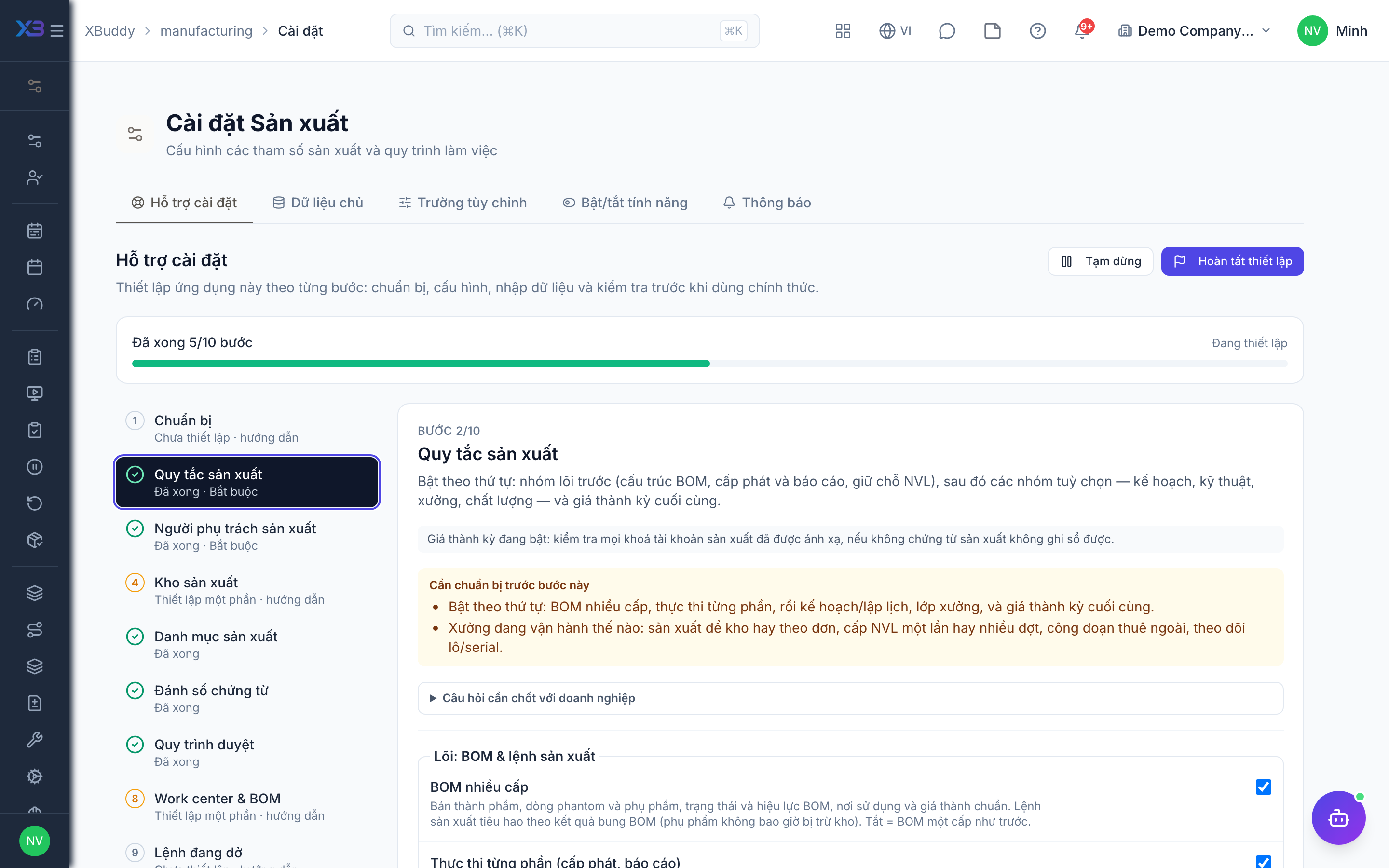
3. Production people
Required
Choose who runs production, who plans, who maintains BOMs and routings, who works on the floor and who calculates product cost. You cannot remove a person’s last role here.
Prepare first
- The list of production managers, planners, engineers, operators and cost accountants — each must already be invited as a user.
Questions to answer
- Who heads production, who plans, who maintains BOMs and routings, who works on the floor, and who calculates product cost?
| Role template | Key | For |
|---|---|---|
| Manufacturing Manager | manufacturing_manager | Production manager: runs production, administers the app, approves over-issues |
| Production Planner | production_planner | Planner: MPS/MRP, draft work orders and scheduling |
| Manufacturing Engineer | manufacturing_engineer | Engineer: BOMs, routings and engineering changes |
| Manufacturing Operator | manufacturing_operator | Operator: issues materials and reports output |
| Cost Accountant | cost_accountant | Cost accountant: monthly product costing — should not also be an operator |
4. Production warehouses
Optional
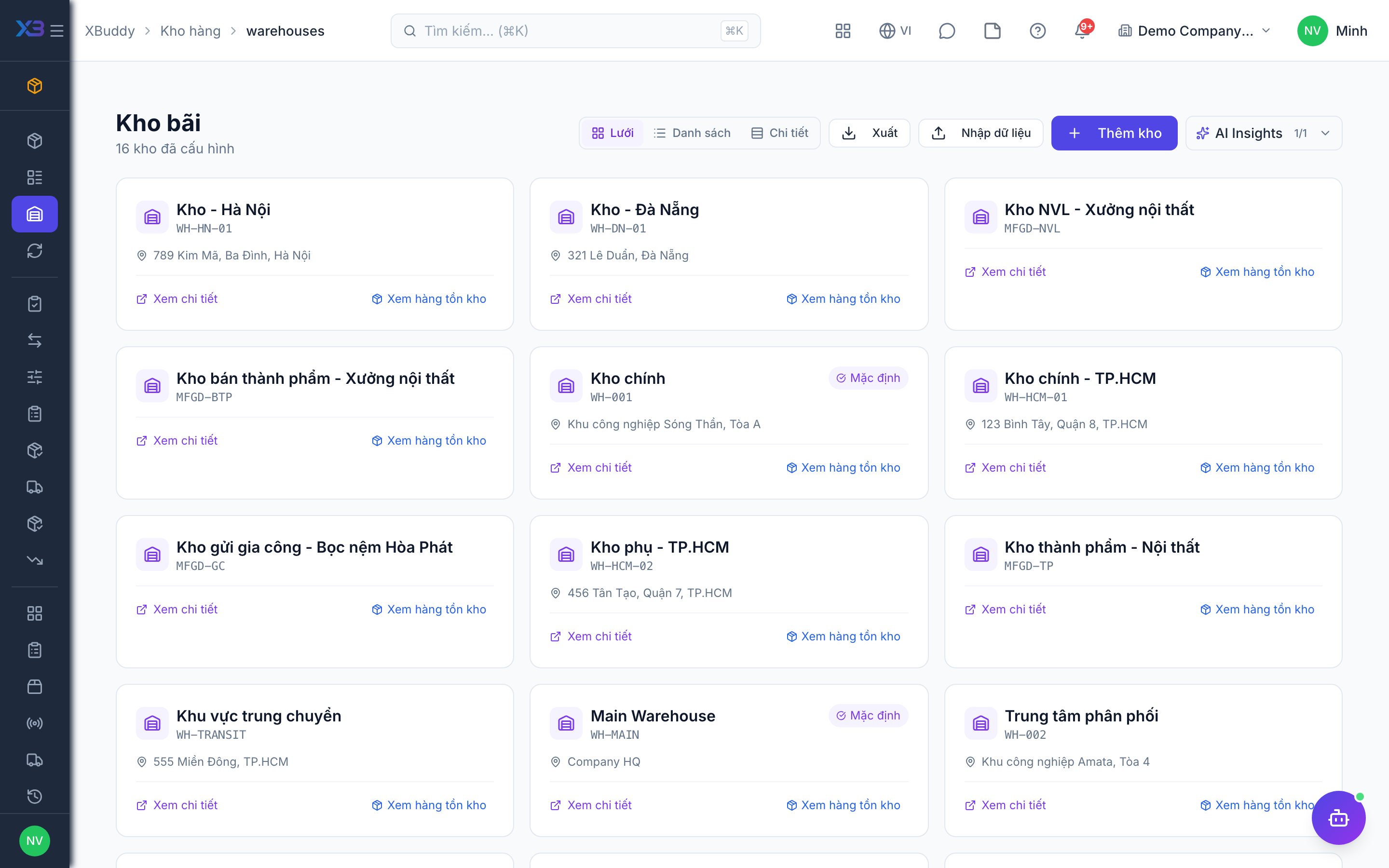
Work orders take material from and put output into warehouses by role. Create them on the existing Inventory screen; counts update from real data.
Prepare first
- Decide one warehouse per role: raw materials, work in progress, finished goods, scrap, and a transit warehouse per subcontractor.
Questions to answer
- Which warehouses hold raw materials, work in progress, finished goods and scrap today? Do subcontractors hold your material?
| # | Task | How | Screen |
|---|---|---|---|
| 1 | Raw-material warehouse | At least one active warehouse of type Raw material. | /inventory/warehouses (Import + template) |
| 2 | Finished-goods warehouse | At least one active warehouse of type Finished goods; add WIP and scrap warehouses if you track them. | /inventory/warehouses |
| 3 | Default warehouse per item type | With multi-level BOM on: Manufacturing → Settings → Master data. Order used: work order, work center, BOM, then default by item type. | /manufacturing/settings |
5. Production lists
Optional
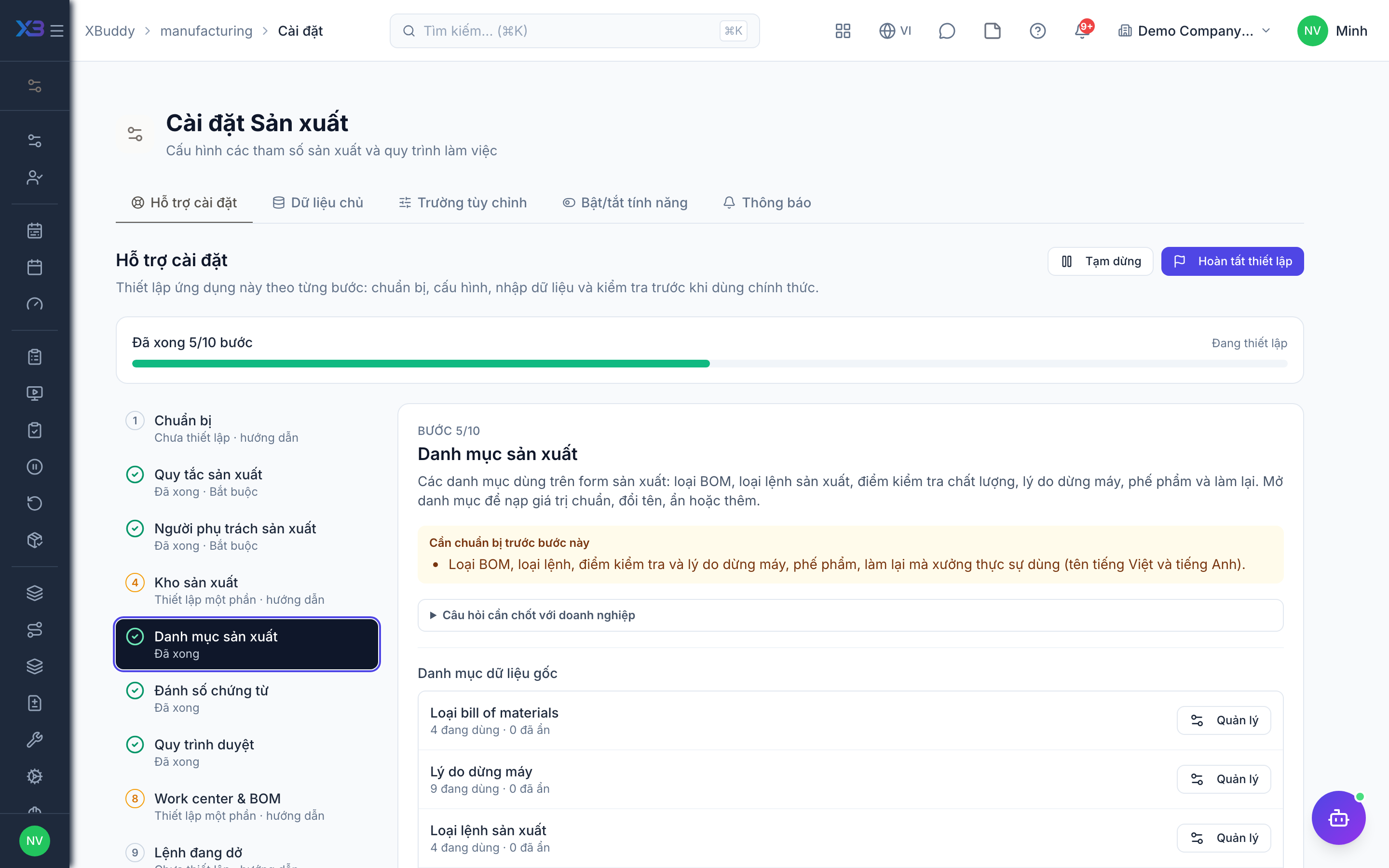
The choice lists used on production forms: BOM types, production order types, QC points, and downtime, scrap and rework reasons. Open a list to fill it with the standard values, rename, hide or add values.
Prepare first
- The BOM types, production order types, QC points and the downtime, scrap and rework reasons the workshop really uses (Vietnamese and English names).
Questions to answer
- Which reasons do you record for machine stops, scrap and rework, and at which points do you check quality?
Lookups to review (Settings → Lookups):
- BOM Types (
bom_types) - Downtime Reasons (
downtime_reasons) - Production Order Types (
production_order_types) - Quality Control Points (
quality_control_points) - Rework Reasons (
rework_reasons) - Scrap Reasons (
scrap_reasons)
6. Document numbering
Optional
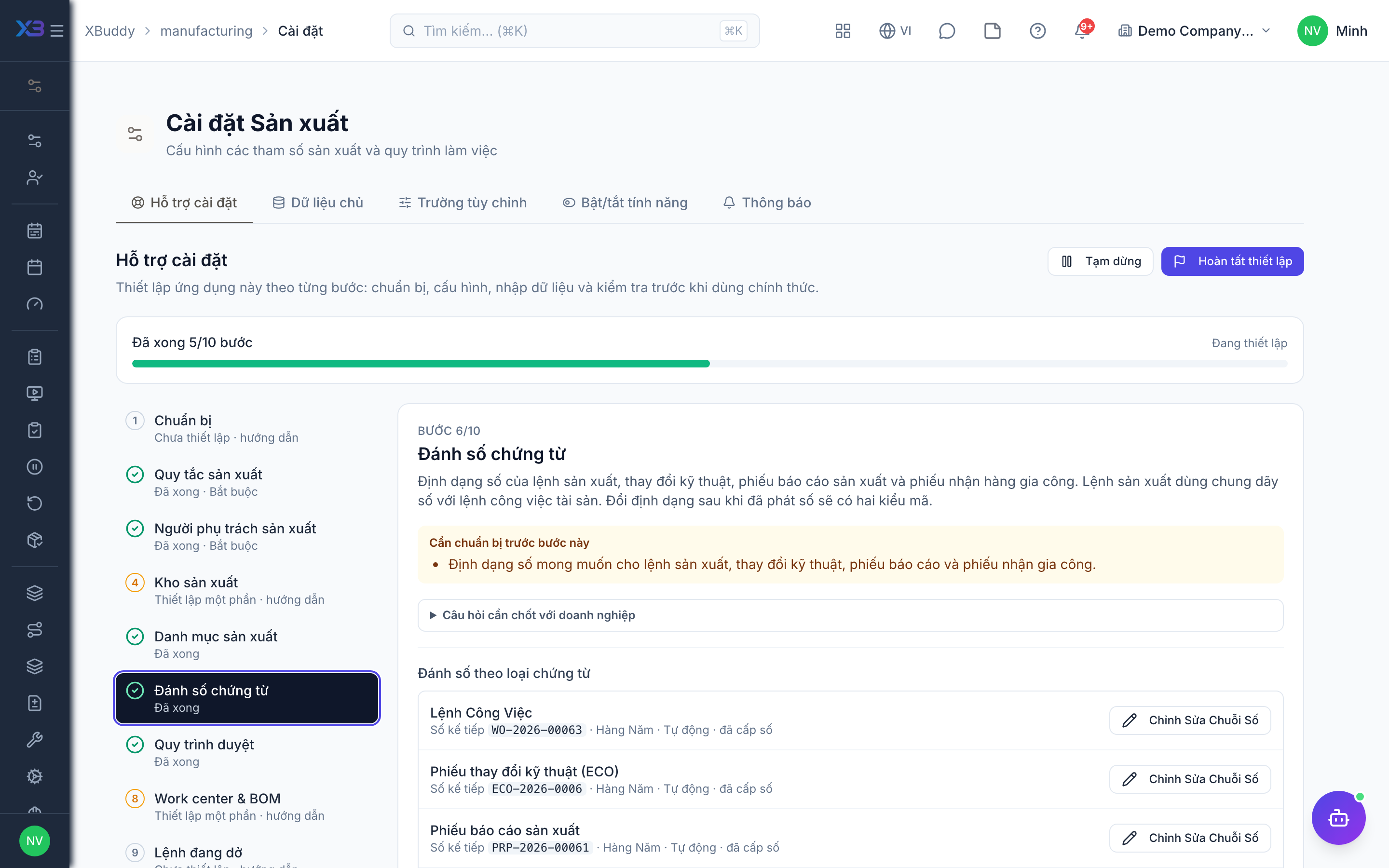
Number format of work orders, engineering changes, production reports and subcontract receipts. Work orders share their sequence with asset work orders. Changing the format after numbers were issued leaves two code styles.
Prepare first
- The numbering format wanted on work orders, engineering changes, production reports and subcontract receipts.
Questions to answer
- Do you want a specific numbering format for work orders, or keep the defaults? (Work orders share their sequence with asset work orders.)
Document types to configure numbering for (Settings → Document numbering):
work_orderengineering_changeproduction_reportsubcontract_receipt
7. Approval workflows
Optional · After step: Production rules, Production people
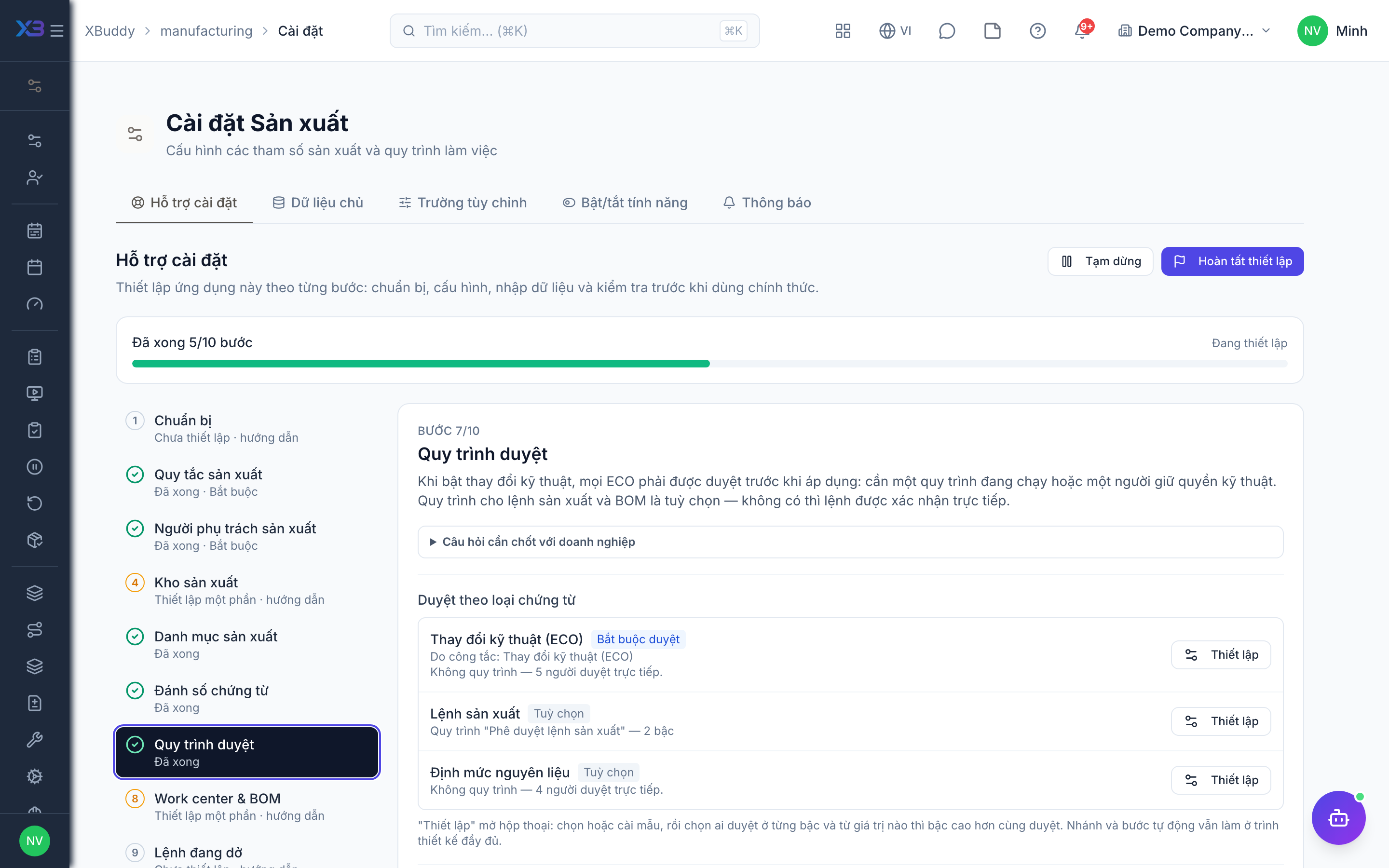
With engineering changes on, every ECO must be approved before it is applied: it needs an active workflow or a person holding the engineering right. Work order and BOM workflows are optional — without one, orders are confirmed directly.
Questions to answer
- Must work orders be approved before release, and who approves engineering changes to BOMs and routings?
Approval workflows to enable (Workflow → Template library) — see Workflow templates:
engineering_changework_orderbom
8. Work centers & BOMs
Optional
Create the production master data on the existing screens. Counts update from real data.
Prepare first
- Create work centers first, then routings, then BOMs from sub-assemblies up to finished goods.
Questions to answer
- Where are BOMs and routings kept today (spreadsheet, old ERP), and how many finished products do you make?
| # | Task | How | Screen |
|---|---|---|---|
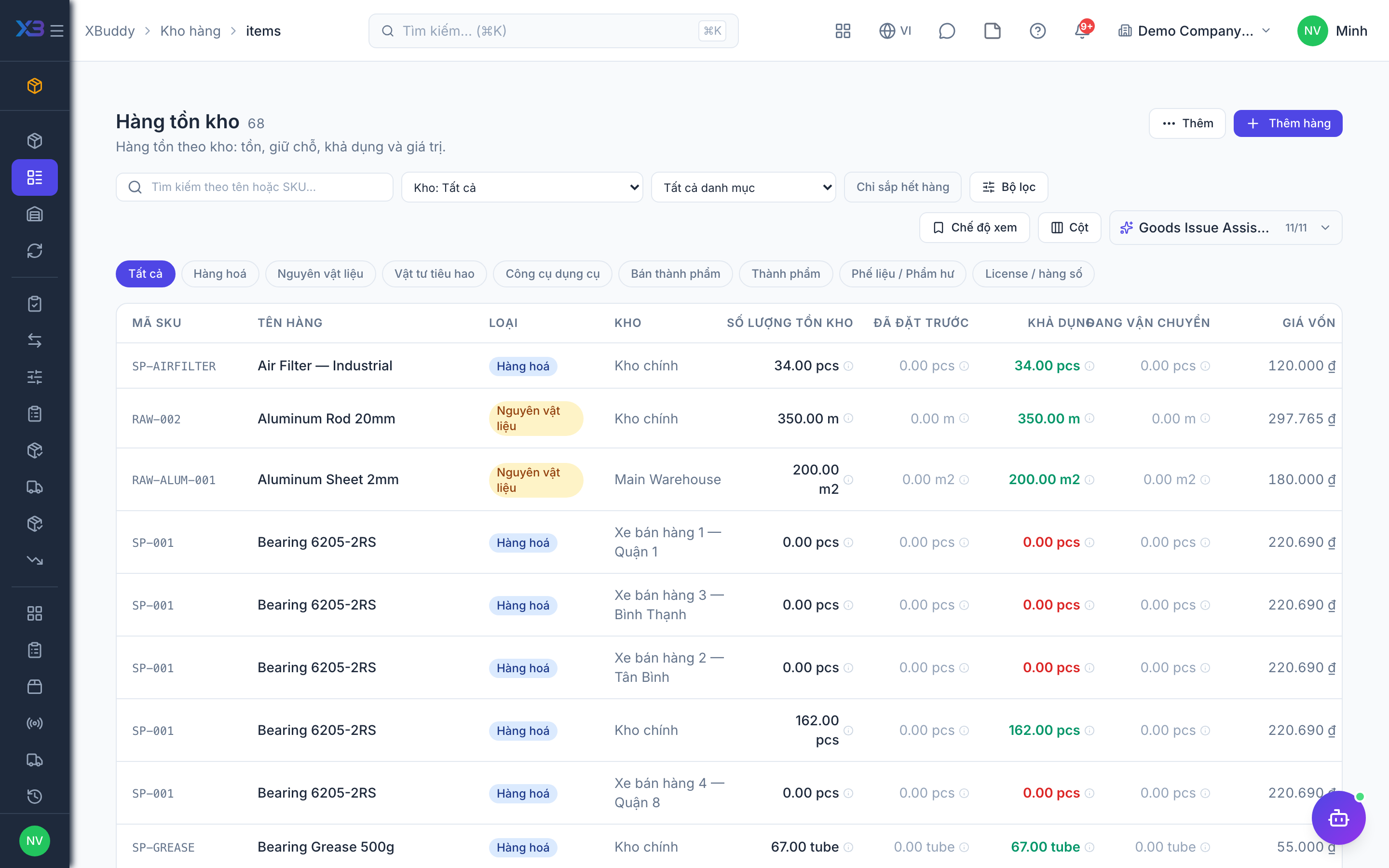
| 1 | Materials and products | Every material and product exists as a stock item with the right item type. | /inventory/items |
| 2 | Work centers | Work centers with hourly cost and capacity. | /manufacturing/work-centers |
| 3 | BOMs | BOMs, sub-assemblies first; with routings on, attach a routing to each. | /manufacturing/bom |
9. Orders in progress
Optional
Bring over work orders still running on the cut-over date and agree the opening WIP balance with accounting.
Prepare first
- Agree the cut-over date: work orders still running that day are re-created in XBuddy with the material already issued; finished ones stay in the old system.
| # | Task | How | Screen |
|---|---|---|---|
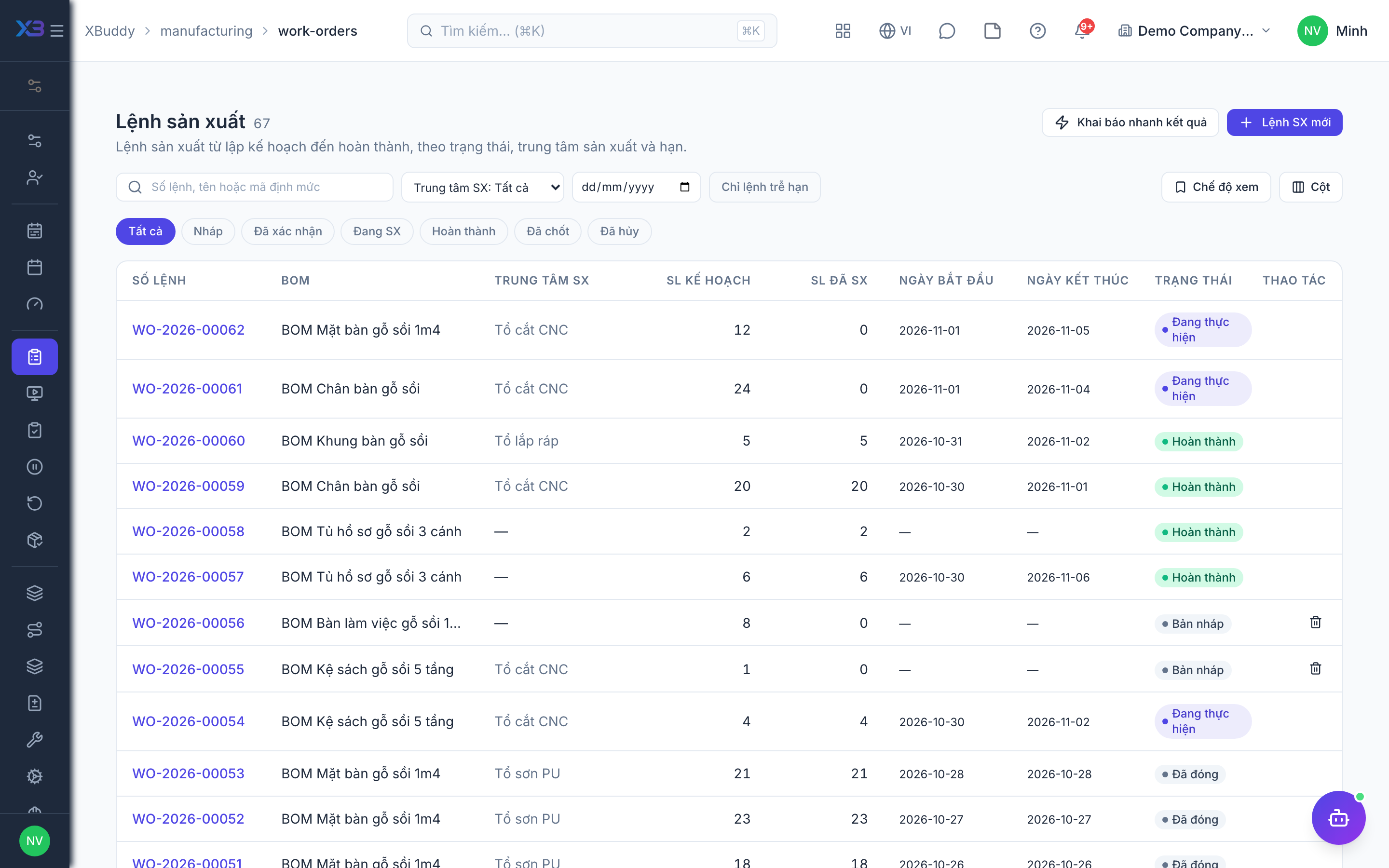
| 1 | Running work orders re-created | With the material already issued and output already received. | /manufacturing/work-orders |
| 2 | Opening WIP agreed | So product cost of the first period starts from the right figure. | /accounting/journal |
10. Test run
Optional
Run one real product end to end before going live and check every result with the key user.
Prepare first
- Use one real product with a short BOM; agree with the key user who checks each result.
| # | Task | How | Screen |
|---|---|---|---|
| 1 | Create and confirm a work order | Materials are reserved at the right warehouse. | /manufacturing/work-orders |
| 2 | Issue materials and report output | Stock moves between the role warehouses, including scrap. | /manufacturing/work-orders |
| 3 | Complete the order | WIP and finished-goods journal entries posted with no cost warning. | /manufacturing/work-orders |
| 4 | Check the reports | The order shows with planned vs actual cost. | /manufacturing/reports |
Next
See the feature pages of this app in the left menu, or the setup guides of every app.