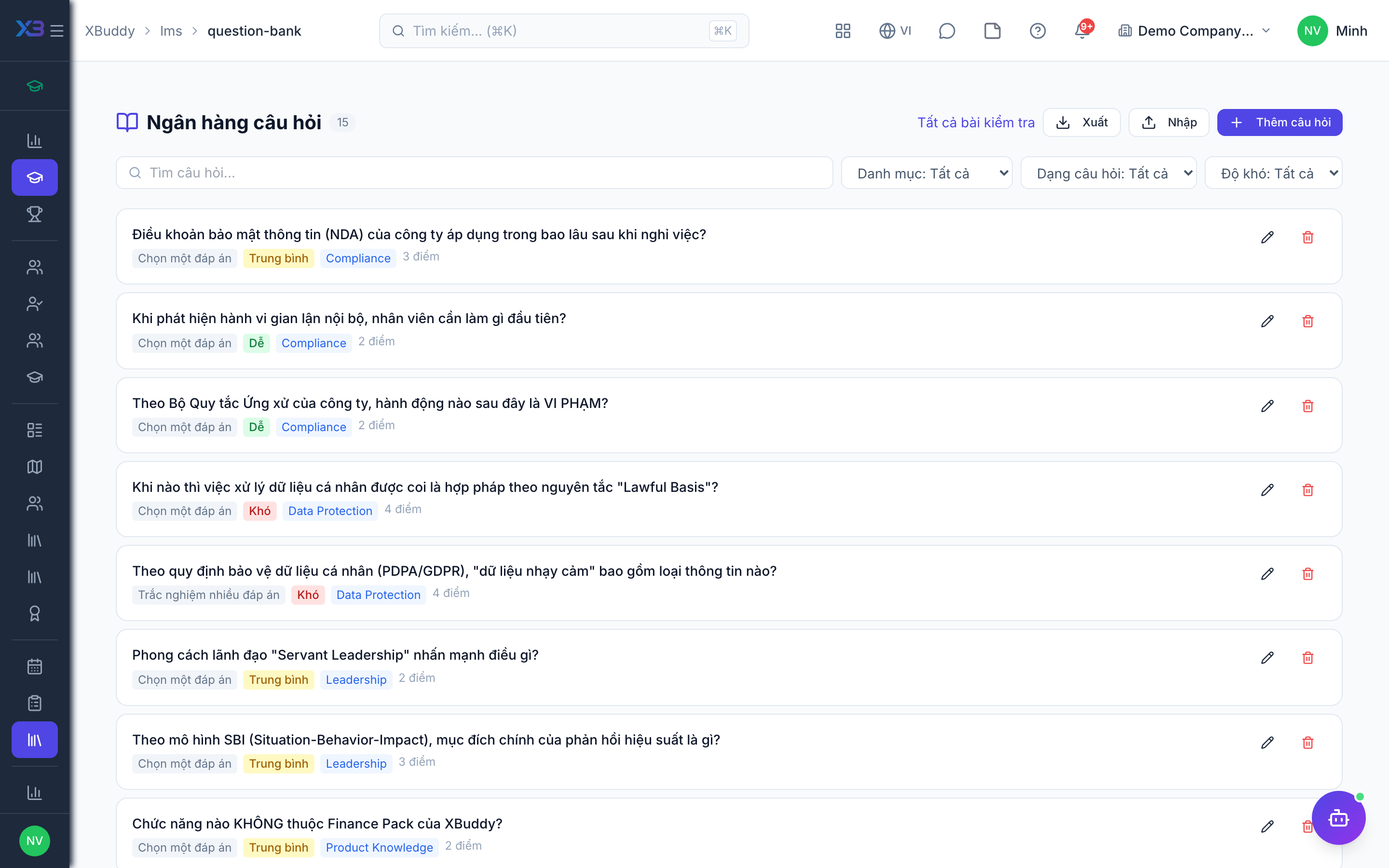
Assessments and the question bank
Assessments verify learning; the Question Bank stores reusable questions so you build a test from a pool rather than re-writing questions each time.
When to use
Use this when you need proof of learning, such as a test at the end of a safety course. A question bank lets you reuse questions and build several tests from one pool.
Before you start
- Permissions:
courses:readto take assessments;courses:writeto build them. - Toggle
people.lms_quiz_pass_required(default off): when on, a course cannot be completed without a passing score. - Learners see their own attempts under My attempts (
/lms/assessments/my-attempts).
Build the question bank
Go to LMS → Question Bank (/lms/question-bank) and add questions (multiple choice, true/false, multi-select) grouped by topic, each with correct answers and points.
Assemble an assessment
Go to LMS → Assessments (/lms/assessments) and create an assessment, drawing questions from the bank. Set the pass mark, time limit, and number of attempts.
Attach and grade
Attach the assessment to a course as a module. Auto-graded questions score instantly; results feed completion status and the learner’s profile.
Grading
Auto-graded questions score instantly. Submitted work and assignments are reviewed by an instructor from the submissions page of the assessment or assignment. Results feed completion and the learner’s profile. The AI assistant analyses assessment results and flags learners at risk.
Tips & common mistakes
- Group questions by topic so you can draw balanced tests.
- Set the pass mark and attempts before publishing the course.
- Review the question analysis; a question everyone fails is usually badly worded.
- Give feedback on submissions; learners see it in their submissions list.