Subcontracting
Use subcontracting when an operation is performed by a partner. XBuddy tracks materials held at the partner’s warehouse, receives the returned output, and charges subcontracting fees to Work Order cost through the vendor bill.
Who uses it
Planners, purchasing and storekeepers. Viewing needs manufacturing:read; voiding a receipt needs manufacturing:execute.
Before you start
- Subcontracting (
manufacturing.subcontracting, requirespartial_execution). - On the BOM routing, the subcontracted operation declares the subcontractor, service, unit price and partner warehouse.
Steps
Create the subcontract PO
On the Work Order (/manufacturing/work-orders/[id]), the subcontracting panel creates a service purchase order linked to the order and operation.
Send materials
From the same panel, transfer materials to the subcontractor’s warehouse; leftovers can be brought back.
Receive subcontracted output
Record the returned goods: the system consumes materials at the partner warehouse and receives the output in one transaction. A receipt can be voided if needed.
Track company-wide
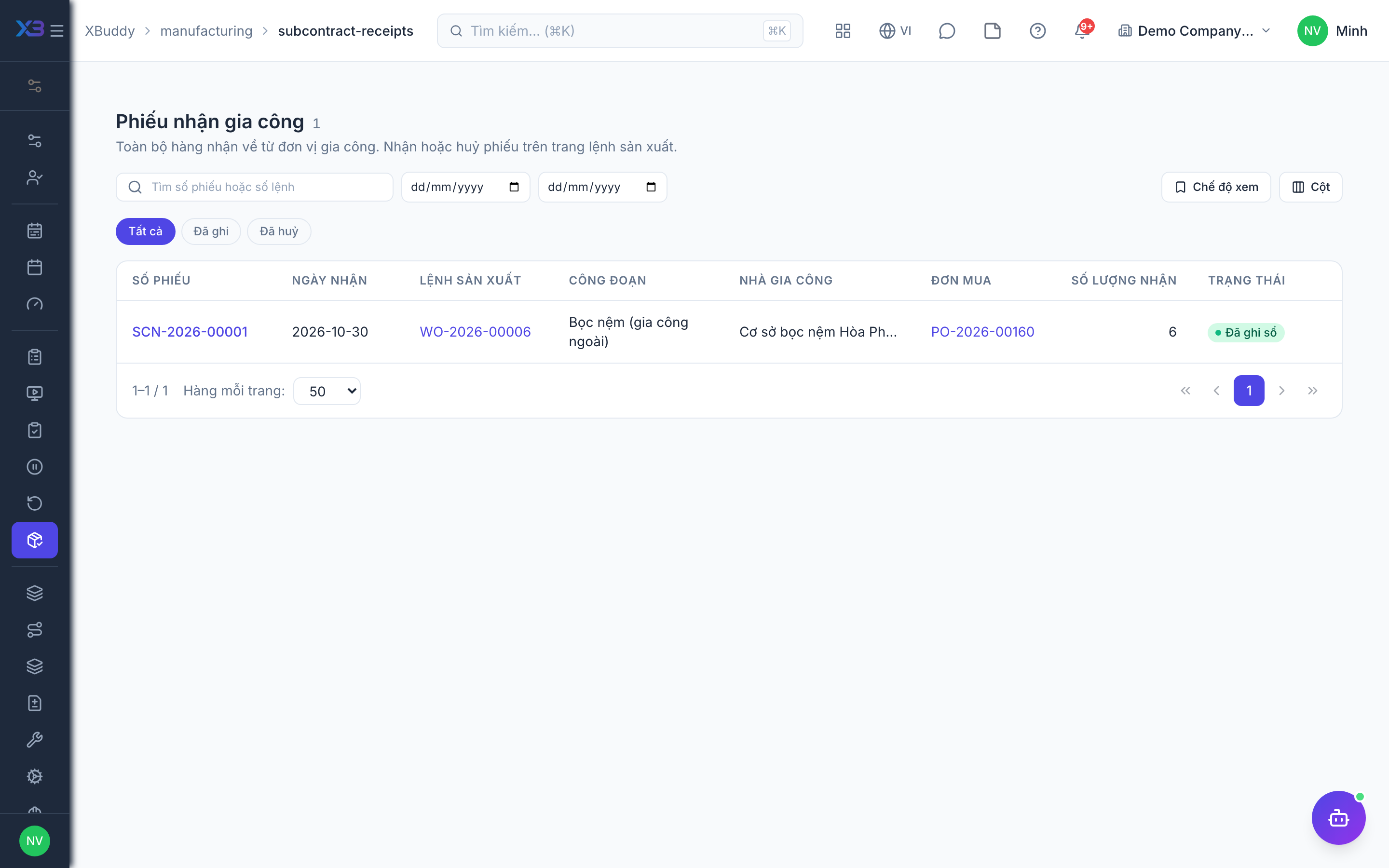
Go to Manufacturing → Subcontract receipts (/manufacturing/subcontract-receipts) to see all receipts, filtered by status, date or keyword. Open one (/manufacturing/subcontract-receipts/[id]) to see the order, operation, PO, consumed materials and document chain.
Book the fee
The vendor bill for the subcontract PO charges the fee to the order’s cost (WIP account 154).
Tips & limits
- The receipts list uses the same data scope as the Work Order list.
- When the toggle is off, the menu is hidden but existing receipts can still be opened for reference.