Permissions & feature toggles
Manufacturing keeps the basic flow (BOM, Work Order, issue, complete) always on; most advanced capabilities are toggles that are off by default. This page summarises permissions and toggles; for a step-by-step setup, see the Setup guide.
Permissions
| Permission | Used for |
|---|---|
manufacturing:read | View BOMs, orders, work centers, machines, overview |
manufacturing:write / manufacturing:delete | Create, edit, delete data; assign operations |
manufacturing:execute | Shop floor, quick report, downtime, rework, material substitution |
manufacturing:engineering | Routings, revisions, ECO, alternates, production versions |
manufacturing:planning | Production planning and MRP |
manufacturing:schedule | Writing the schedule on the board |
manufacturing:costing | Period product costing, money columns in reports |
manufacturing:quality | Company-wide operation quality checks |
manufacturing:admin | App settings, over-issue approval, AI Hub, workflows |
analytics:manufacturing | Reports and OEE |
Built-in system roles include Production Planner (planning, MRP, scheduling) and Cost Accountant (period costing). Assign roles under Settings → Roles.
Feature toggles
All live in Settings → ERP Configuration, Advanced group, under manufacturing.*.
| Group | Toggles |
|---|---|
| Core | Multi-level BOM (multi_level_bom) · Partial execution (partial_execution) · Block completion at zero material cost (block_zero_cost_completion) · Reserve materials (reserve_materials) · Block release on shortage (block_release_on_shortage) · Alternate materials (bom_alternates) · Production versions (production_versions) · Subcontracting (subcontracting) |
| Planning | MRP (mrp) · Finite-capacity scheduling (finite_scheduling) · Material-aware scheduling (material_aware_scheduling) · Machines (machines) · Capacity load view (capacity_view) |
| Engineering | Standalone routings (routings) · BOM & routing revisions (bom_revisions) · ECO (eco) |
| Shop floor | Shop floor (shop_floor) · Downtime (downtime) · Maintenance link (asset_maintenance_link) · Rework (rework) · OEE (oee) · Crews & skills (labor_skills) · Skill gate level (skill_gate) · Production personnel only (personnel_roster_only) |
| Quality | Lot/serial genealogy (genealogy) · QC uses Quality inspection templates (qc_inspection_templates) · Hold finished goods for QC (output_qc_hold) |
| Costing | Period product costing (production_costing) |
Some toggles depend on others: routings → bom_revisions → eco; partial_execution → shop_floor, rework, genealogy, subcontracting; downtime → oee, asset_maintenance_link; finite_scheduling → material_aware_scheduling; reserve_materials → block_release_on_shortage; shop_floor → labor_skills → personnel_roster_only. Turn on the parent first.
Steps
Assign roles
Assign roles to users according to the permission table above.
Turn on toggles as needed
Start with the core group and add more only when the shop needs them. Turning a toggle off keeps the basic behaviour; pages of disabled features show a “not enabled” notice.
App settings
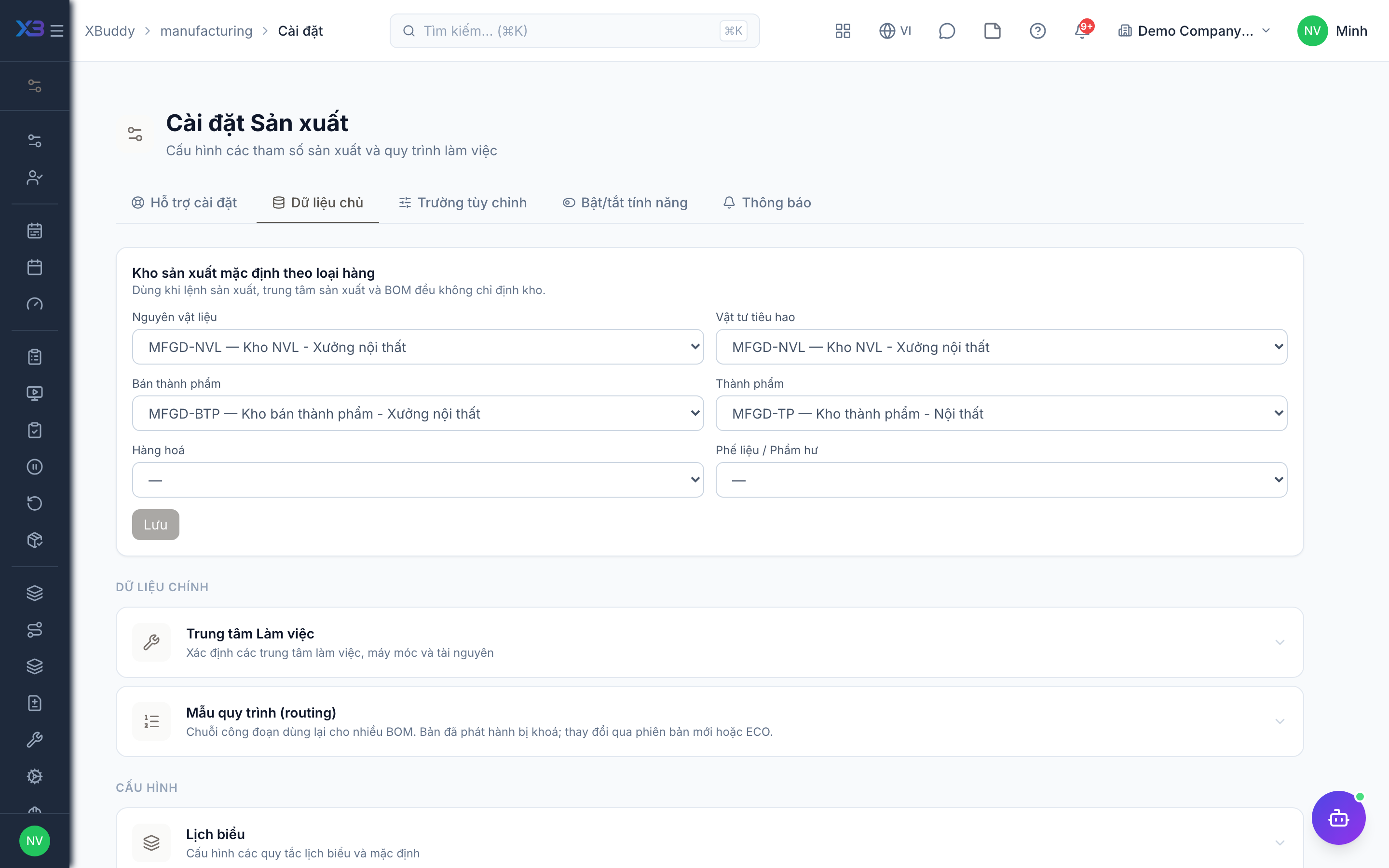
Go to Manufacturing → Settings (/manufacturing/settings) to manage work centers and default warehouses by role (raw materials, WIP, finished goods, scrap — saving needs manufacturing:admin).