Turning on the public portal
Let customers read selected articles without logging in.
⚠️
Beta: the public portal is read-only and not yet a branded help-center site.
When to use
Use this when you want customers to self-serve from help articles without an account. Nothing becomes public by accident: an article must meet several conditions at once.
Before you start
- You need
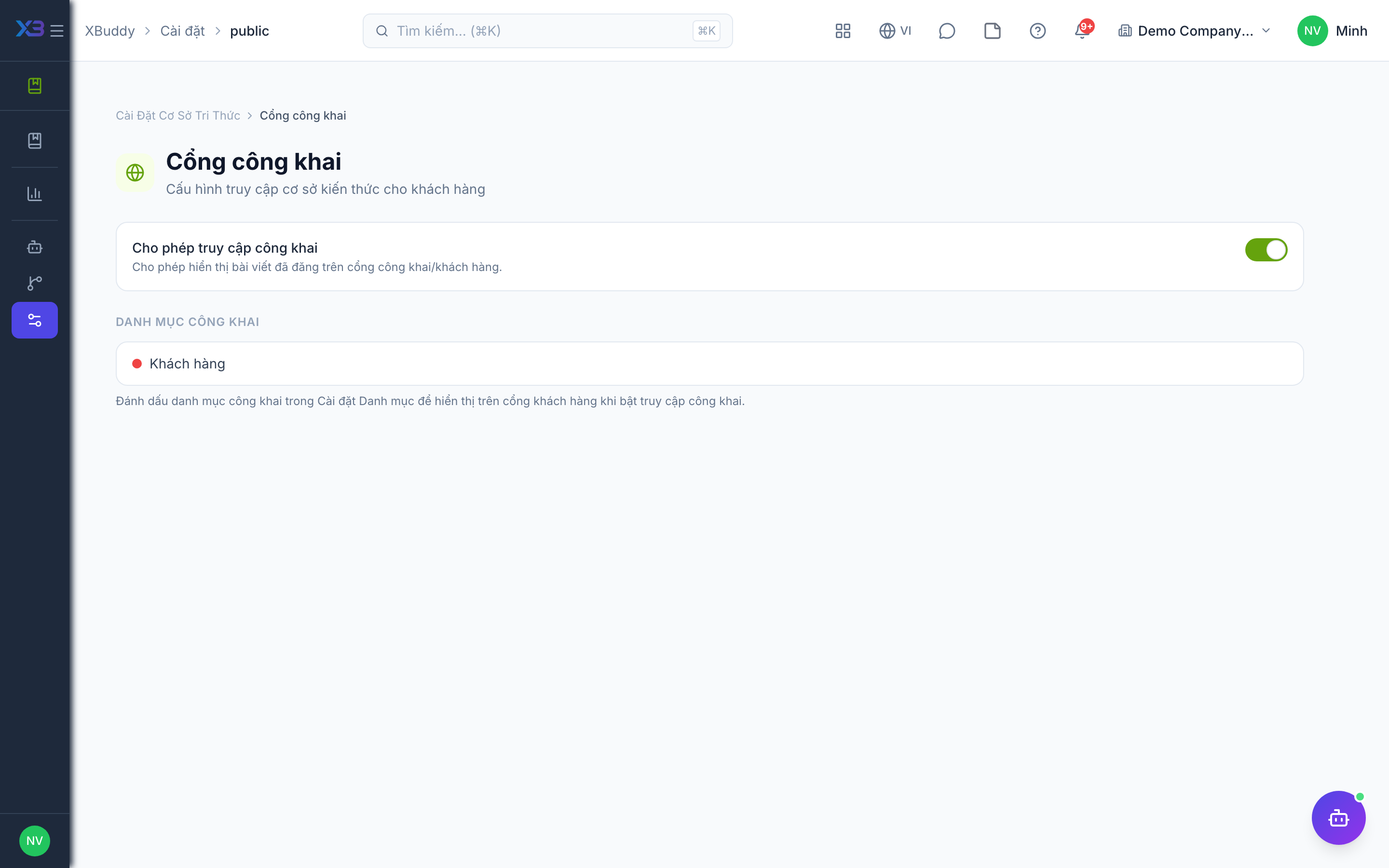
kb:writeto open/knowledge/settings/public. - The toggle
knowledge.public_access_allowed(default: on) must be on; when it is off the whole portal returns not found. - An article appears only if it is published, marked Public, and sits in a public category.
Steps
-
Open /knowledge/settings/public and check the public-access toggle is on.
-
Copy the portal address shown on that page and share it with customers.
-
In /knowledge/settings/categories, mark the categories you want visible as public.
-
In each article, set the access level to Public and publish it.
-
Open the portal address in a private window to confirm only the intended articles show.
Tips & common mistakes
- The portal is read-only: visitors can browse categories, list and read articles, but cannot comment or send feedback.
- Uncategorized articles never show publicly.
- Turn the toggle off to hide the entire portal quickly if something is wrong.
- There is no branded help-center site yet; the portal is a simple reading surface.