Catalog and enrolment rules
The Catalog is the storefront learners browse; Enrolment Rules automate who gets assigned what, so compliance training reaches the right people without manual work.
When to use
Use this to decide who can take which training: let people find and join courses themselves, and let rules assign mandatory courses to the right groups so you do not chase them by email.
Before you start
- Permissions:
courses:readfor the Catalog;enrollments:managefor admin enrolment;lms:adminfor Enrollment Rules and settings. - Toggle
people.lms_self_enrollment_allowed(default on): off means only managers can enrol people. - Toggle
people.lms_require_enrollment_approval(default on): new enrollments wait for approval instead of starting immediately.
Review the catalog
Go to LMS → Catalog (/lms) to see all published courses and paths. Learners self-enrol here where self-enrolment is allowed.
Create an enrolment rule
Go to LMS → Enrollment Rules (/lms/enrollment-rules) and define a rule — for example, “all new Sales hires are enrolled in the Sales Onboarding path within 7 days of start date”.
Let the rule run
The rule auto-enrols matching learners on a schedule; new hires and role changes trigger fresh enrolments automatically.
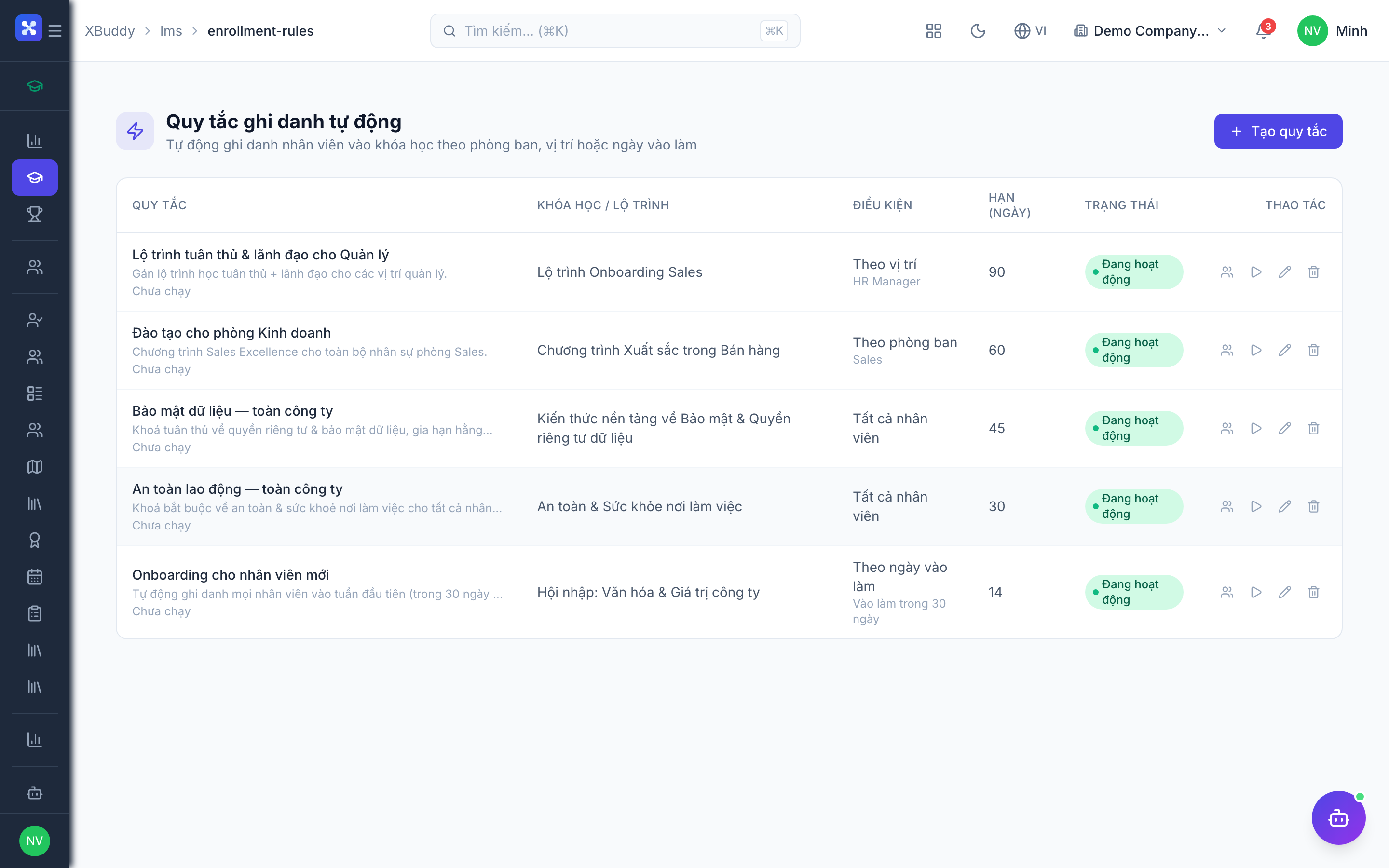
Enrolment paths
| Path | Who triggers it | Needs |
|---|---|---|
| Self-enrol | The learner | courses:enroll and self-enrolment allowed |
| Admin enrol | A coordinator | enrollments:manage |
| Class (cohort) enrol | Roster for a live class | enrollments:manage |
| Path enrol | Sequence of courses | enrollments:manage |
| Rule | The scheduled rules engine | An Enrollment Rule |
| External invite | Registration link with token | Admin approval |
| Coaching link | A linked coaching program | Coaching feature on |
| AI suggestion | Learning Coordinator proposes it | A user with enrollments:manage accepts |
Tips & common mistakes
- Keep approval on for paid or limited-seat courses; turn it off for open training.
- Test a rule on a small group before applying it company-wide.
- Self-enrolment off does not stop rules or admins from enrolling people.
- The AI assistant proposes enrolments; it does not enrol anyone by itself.