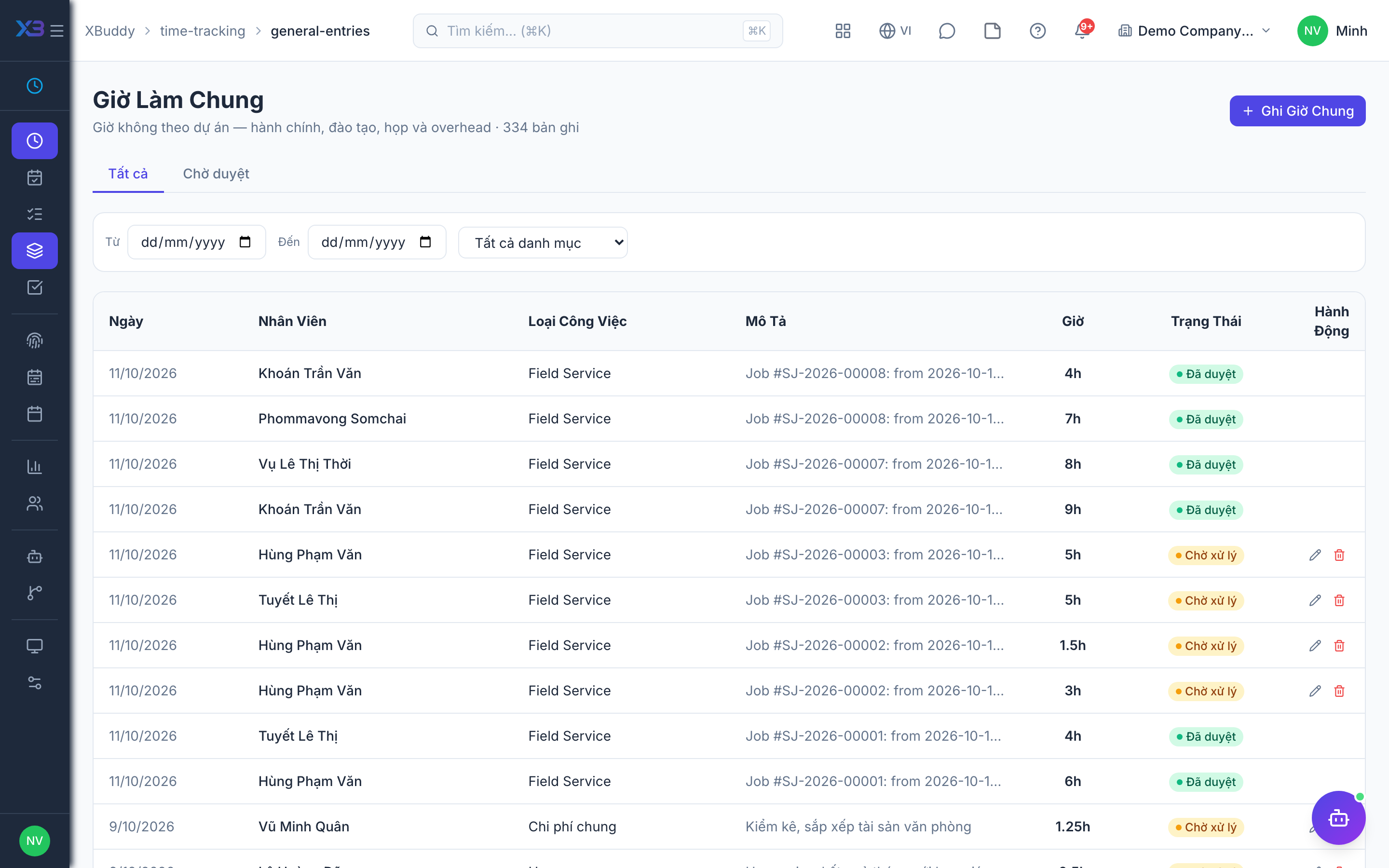
General entries — time not tied to a project
Not every hour worked belongs to a client project. General Entries (/time-tracking/general-entries) capture time against internal categories (meetings, admin, training, PTO-adjacent work) so total hours reconcile against attendance without forcing everything into a project.
When to use
Use this for work that belongs to no project: internal meetings, admin, training. It lets total hours reconcile with attendance without forcing everything into a project.
Before you start
- Permissions:
time_entries:read_generalto view,time_entries:write_generalto create or edit your own,time_entries:approve_generalto approve. - Approvers cannot approve their own entries, and only see people in their data scope.
Steps
Open General Entries
Go to Time Tracking → General Entries (/time-tracking/general-entries).
Add the entry
Pick the date and category, enter the hours and a short note.
Wait for approval
Entries start unapproved. A manager approves them in bulk from Approvals, or from the pending view on this page. Once approved, an entry can no longer be edited.
Statuses
| Status | Meaning | Who moves it |
|---|---|---|
| Unapproved | Logged, waiting for a decision | You create it |
| Approved | Counted and locked | A manager with time_entries:approve_general, never yourself |
Tips & common mistakes
- Use general entries for non-project work instead of a placeholder project.
- Check the pending view before month end so nothing is left unapproved.
- A manager can create an entry for another person only within their own data scope.
- Fix mistakes before approval; afterwards the entry is locked.