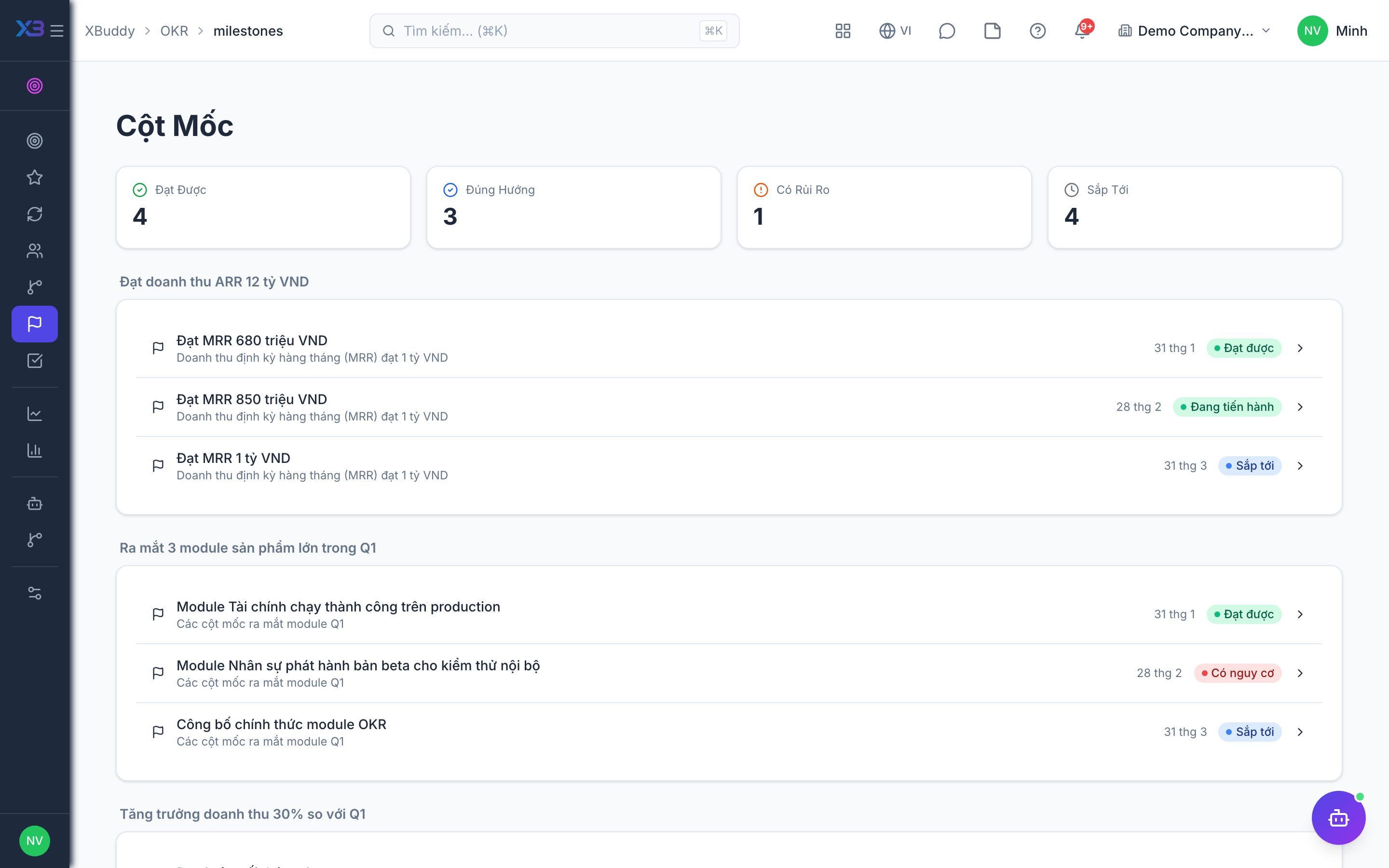
Milestones and actions
Milestones and Actions connect execution to outcomes so a Key Result isn’t just a number that mysteriously moves.
When to use
Use this for key results that take several steps. Milestones show whether you are on schedule before the final number moves, and actions record what is being done for each objective.
Before you start
- Permissions:
okrs:readto view;okrs:writeto add milestones and actions (you must be allowed to edit the key result). - Linking tasks to milestones needs the task-link permission on your role.
Add milestones
Go to OKR → Milestones (/okr/milestones) to define dated checkpoints that a Key Result must pass (e.g. “Beta shipped”, “First 100 customers”).
Log actions
Go to OKR → Actions (/okr/actions) to capture the concrete tasks driving each Key Result. Link actions to Projects where the real work lives.
Track completion
As milestones are hit and actions completed, owners update the linked Key Result value during check-in — closing the loop between activity and result.
Pages
| Page | Route |
|---|---|
| Milestones | /okr/milestones |
| All Actions | /okr/actions |
Milestones carry a health status and the critical path across a key result’s milestones is analysed. When a linked task changes status, the milestone updates.
Tips & common mistakes
- Define milestones with dates; undated checkpoints cannot show lateness.
- Link the tasks that deliver a milestone instead of retyping progress.
- Use the critical path to see which delay moves the whole key result.
- Keep actions at the objective level; use tasks for detailed work.