Distribution
XBuddy Distribution is the vertical add-on for businesses that sell through a network of distributors, wholesalers, and field reps rather than direct to end customers. It manages the distributor accounts, the orders they place, the price lists they buy on, the lots you ship them, the van sales your reps run in the field, and the territories, credit, and commissions that govern the whole channel.
Who uses it: channel managers overseeing distributors and territories, field sales reps running van sales and reconciling stock, and finance teams managing distributor credit and rep commissions. Distribution builds on Inventory and Sales to move volume through a multi-tier channel.
Distribution is a vertical add-on. It draws stock from Inventory, prices orders like Sales, and can hand fulfilment to Logistics — so those modules underpin the channel flow.
Key Features
- Distributor management — accounts, tiers, contacts, and terms
- Distribution orders placed by or on behalf of distributors
- Price lists with distributor- and territory-specific pricing
- Lot tracking for batch/expiry traceability through the channel
- Van sales — mobile stock, on-the-spot selling, and reconciliation
- Territory management assigning distributors and reps to areas
- Distributor credit limits and outstanding-balance control
- Commissions for reps and distributors on channel sales
- Returns from distributors back into stock
- Reports on channel volume, distributor performance, and credit exposure
Important features
Managing distributors and territories
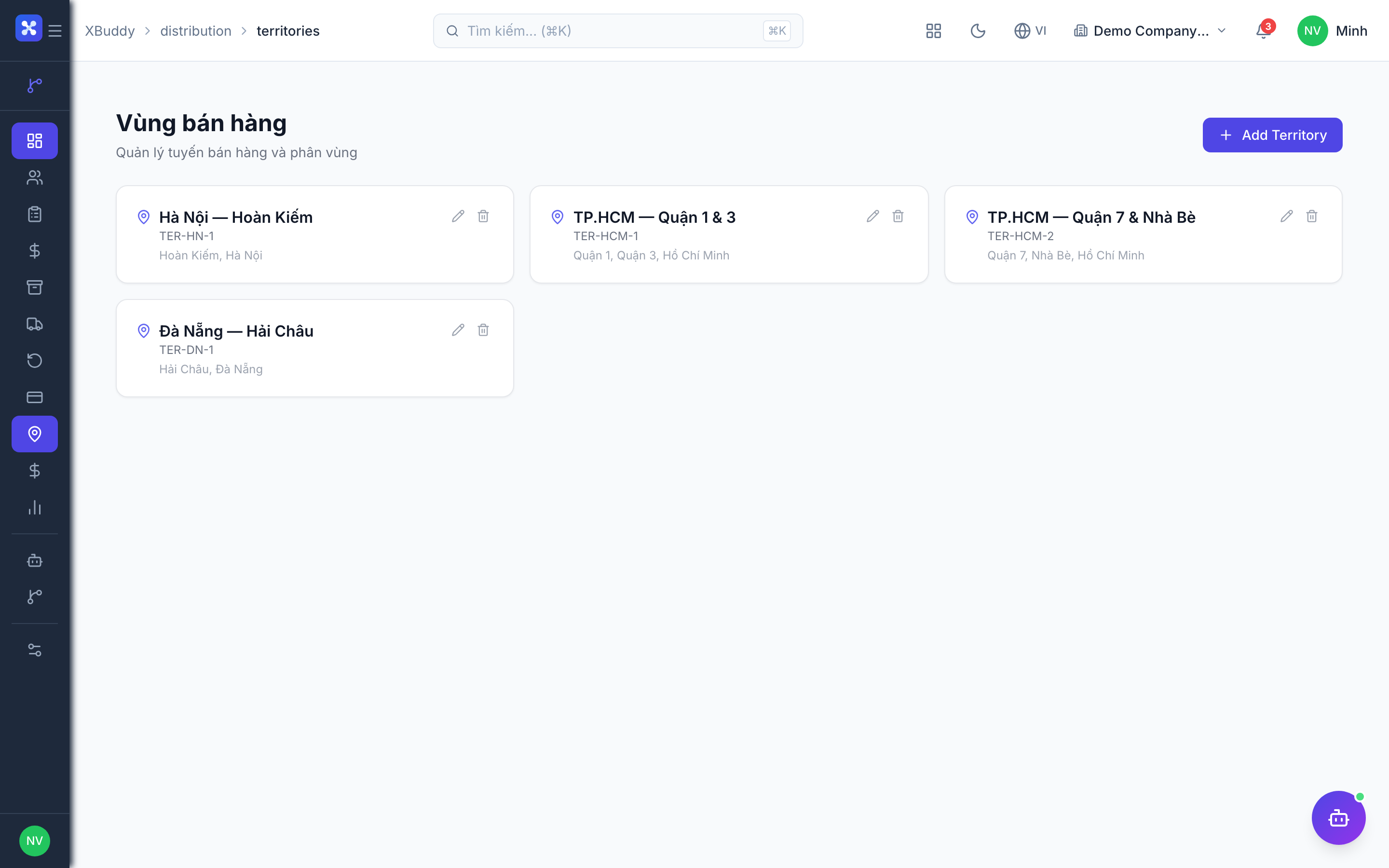
The distributor is the core account of the channel. Assigning them to territories keeps coverage clear and commissions attributable.
Register distributors
Go to Distribution → Distributors to create distributor accounts with tier, contacts, payment terms, and credit limit.
Assign territories
In Distribution → Territories, map distributors and reps to geographic areas so orders and commissions route correctly.
Set channel terms
Attach the right price list and credit terms to each distributor so orders price and gate automatically.
Distribution orders and price lists
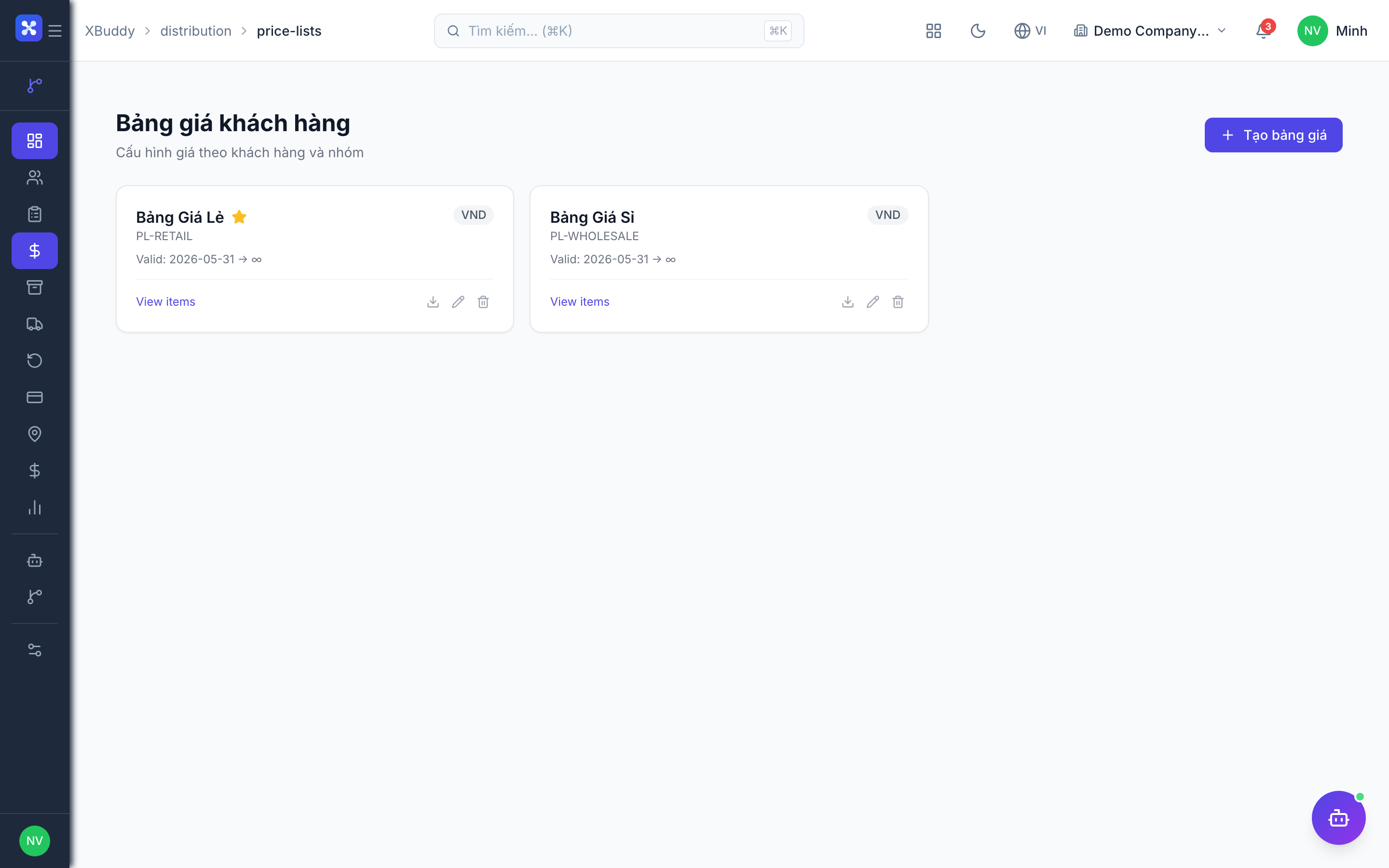
Orders are how volume moves. Price lists ensure each distributor buys at the tier and terms you agreed, without manual overrides.
Create a distribution order
Go to Distribution → Orders and raise an order for a distributor; lines price from their assigned price list.
Apply the price list
Distributor- or territory-specific pricing (from Distribution → Price Lists) fills in automatically.
Check credit and fulfil
The order is checked against the distributor’s credit limit, then fulfilled from inventory (optionally via Logistics).
Van sales and reconciliation
Field reps carry stock on a van, sell on the spot, and reconcile at day’s end. Van sales tracks the loaded stock against what was sold, returned, and collected.
Load the van
Assign stock to a rep’s van in Distribution → Van Sales; this is tracked as mobile inventory.
Sell in the field
Reps record on-the-spot sales against the van’s stock, drawing down mobile inventory as they go.
Reconcile at day end
Compare loaded vs sold vs returned stock and cash collected; discrepancies are flagged for review.
Credit, commissions, lots & returns
The financial and traceability spine of the channel: control distributor credit, pay reps and distributors commissions, trace lots, and take back returns.
Control credit
Distribution → Credit shows each distributor’s limit and outstanding balance; orders over limit are gated.
Track lots
Shipments carry lot/batch data so you can trace expiry and recalls through Distribution → Lots.
Pay commissions and handle returns
Distribution → Commissions calculates rep/distributor earnings on channel sales; Distribution → Returns brings distributor returns back into stock.
Full feature reference
| Nav item | What it does |
|---|---|
| Overview | Distribution dashboard — channel volume, top distributors, credit exposure, van-sales activity, and territory coverage. |
| Distributors | Distributor accounts with tier, contacts, payment terms, assigned price list, and credit limit. |
| Orders | Distribution orders placed by or for distributors, priced from their price list and gated by credit before fulfilment. |
| Price Lists | Distributor- and territory-specific price lists that drive automatic pricing on distribution orders. |
| Lots | Lot/batch tracking for traceability, expiry management, and recalls across the channel. |
| Van Sales | Mobile stock assigned to field reps, on-the-spot selling, and end-of-day reconciliation of loaded vs sold vs returned. |
| Returns | Goods returned by distributors, received back into inventory and reconciled against the original order. |
| Credit | Distributor credit limits and outstanding balances, with over-limit orders gated for review. |
| Territories | Geographic assignment of distributors and reps, driving order routing and commission attribution. |
| Commissions | Commission calculation for reps and distributors on channel sales. |
| Reports | Channel volume, distributor and rep performance, credit exposure, van-sales reconciliation, and lot movement. |
| AI Hub | Run the Distribution Manager assistant for channel, credit, and performance insights. |
| Workflows | Automation for distribution events — credit-limit alerts, van-reconciliation discrepancy flags, or reorder triggers. |
| Settings | Distributor tiers, price-list rules, credit policy, commission structures, territory definitions, and van-sales configuration. |
Integration points
| Connects to | How the data flows |
|---|---|
| Inventory | Distribution orders and van loads draw stock from inventory; lots carry batch/expiry data; returns receive stock back. |
| Sales | Distribution orders price and post like sales documents, feeding revenue and the customer/distributor ledger. |
| Logistics | Fulfilment of distribution orders can be dispatched through Logistics for routing, carrier assignment, and delivery. |
| Finance | Distributor credit, outstanding balances, and rep/distributor commissions post to receivables and the ledger. |
| CRM | Distributors are managed as accounts, keeping contacts, terms, and history alongside the rest of your relationships. |
Related AI agents
| Agent | What it does |
|---|---|
| Distribution Manager | Monitors channel volume and distributor performance, flags credit-limit and over-exposure risk, surfaces van-sales reconciliation discrepancies, and highlights underperforming territories. |
Common workflows
1. Onboard a distributor
- Create the account in Distribution → Distributors with tier, terms, and credit limit.
- Assign a territory in Distribution → Territories and attach the right price list.
- They can now place orders that price and gate automatically.
2. Run a van-sales day
- Load stock to the rep’s van in Distribution → Van Sales.
- The rep sells in the field, drawing down mobile inventory.
- Reconcile loaded vs sold vs returned stock and cash at day end; the Distribution Manager flags discrepancies.
3. Control channel credit
- Open Distribution → Credit to review each distributor’s outstanding balance.
- Orders over the credit limit are gated for review.
- Collect or adjust before releasing further orders; track exposure in Reports.
FAQ
How is Distribution different from Sales? Sales handles direct-to-customer transactions; Distribution manages a multi-tier channel — distributors, territory-based pricing, van sales, credit, and commissions — that sells your products onward.
Where does the stock come from? From Inventory. Distribution orders and van loads draw stock from your warehouses, and returns receive it back, with lots carrying batch/expiry data.
Can each distributor have different pricing? Yes. Price lists can be distributor- or territory-specific, and orders automatically price from the distributor’s assigned list.
How does van sales reconciliation work? Stock loaded to a rep’s van is tracked as mobile inventory. At day end you compare loaded vs sold vs returned stock and cash collected; discrepancies are flagged.
What controls how much a distributor can order? Each distributor has a credit limit and outstanding balance. Orders that would exceed the limit are gated for review until the balance is cleared.
Who earns commissions? Reps and/or distributors, calculated on channel sales per the commission structures you define in Settings, and paid via the Commissions view.