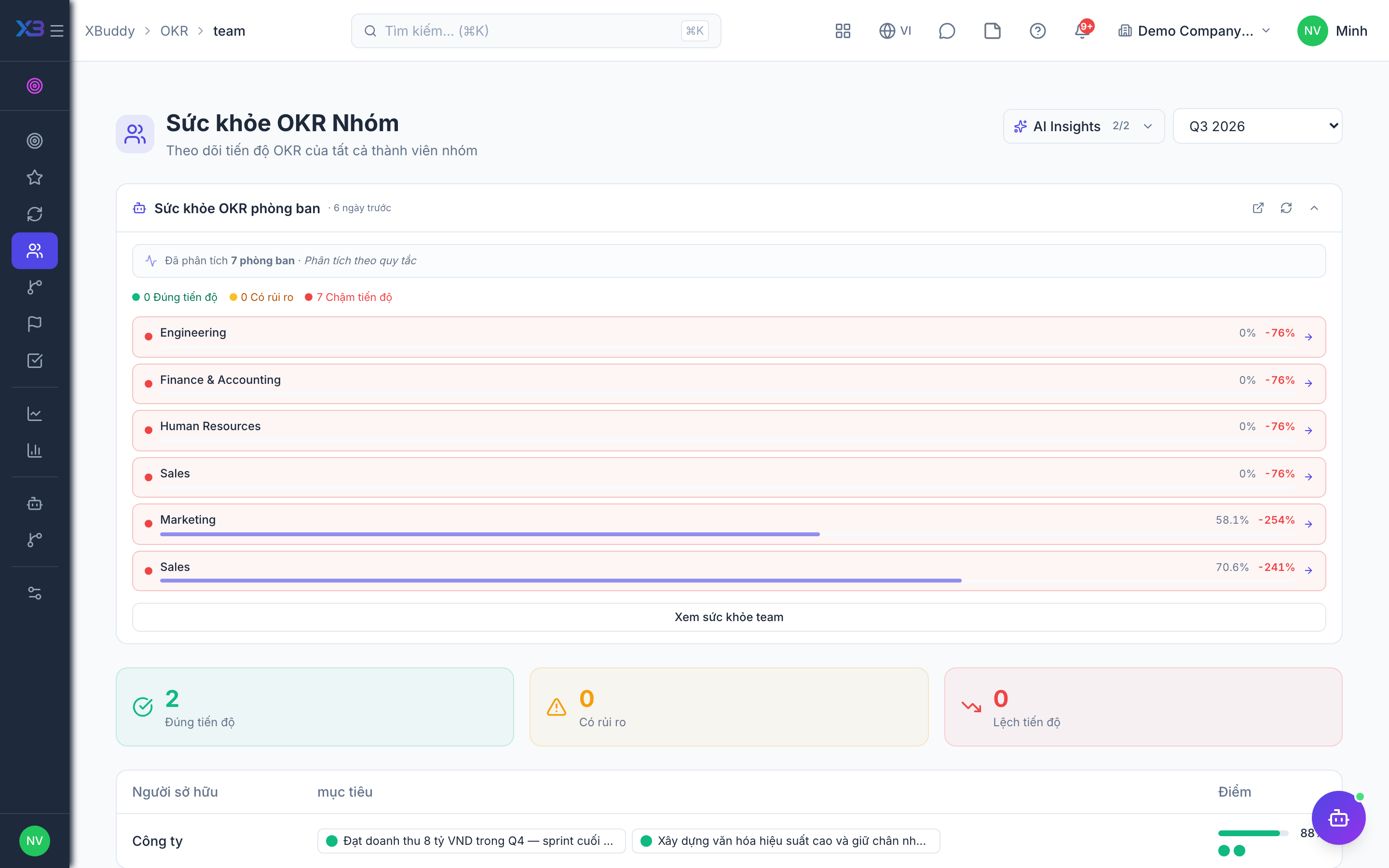
Team health and analytics
Team Health gives managers a live read on their teams; OKR Analytics gives leadership the cycle-wide picture.
When to use
Use this weekly as a manager to see which of your team’s objectives need help, and at cycle end as leadership to judge how the cycle went. It turns raw check-ins into a view of risk and alignment.
Before you start
- Permission:
okrs:read. - Numbers depend on check-ins being made; a team that does not check in looks idle, not healthy.
- The AI assistant can remind owners to check in and summarise a cycle.
Review team health
Go to OKR → Team Health (/okr/team) to see per-team progress, at-risk objectives (low confidence or lagging progress), and check-in compliance.
Analyse the cycle
Go to OKR → OKR Analytics (/okr/analytics) for completion rates, confidence-over-time trends, and alignment coverage (how many OKRs ladder up correctly).
Export for review
Go to OKR → Reports (/okr/reports) to produce retrospective and leadership-review reports for the cycle.
Pages
| Page | Route | Shows |
|---|---|---|
| Team OKR Health | /okr/team | Team progress, at-risk goals, check-in compliance |
| Alignment Tree | /okr/tree | How objectives ladder up |
| Analytics | /okr/analytics | Overview, trends, completion by level, risk heatmap, correlations |
| OKR Reports | /okr/reports | Reports for review and retrospective |
Tips & common mistakes
- Look at the risk heatmap before the 1-on-1s so you know where to ask.
- Low check-in compliance usually explains stale numbers.
- Compare completion by level to see whether company, team or individual OKRs lag.
- The alignment tree shows gaps where individual goals serve no team goal.