Delegation Templates
Delegation templates capture common coverage patterns so you don’t have to configure them by hand. Each pattern is a delegation rule with sensible defaults for its scenario.
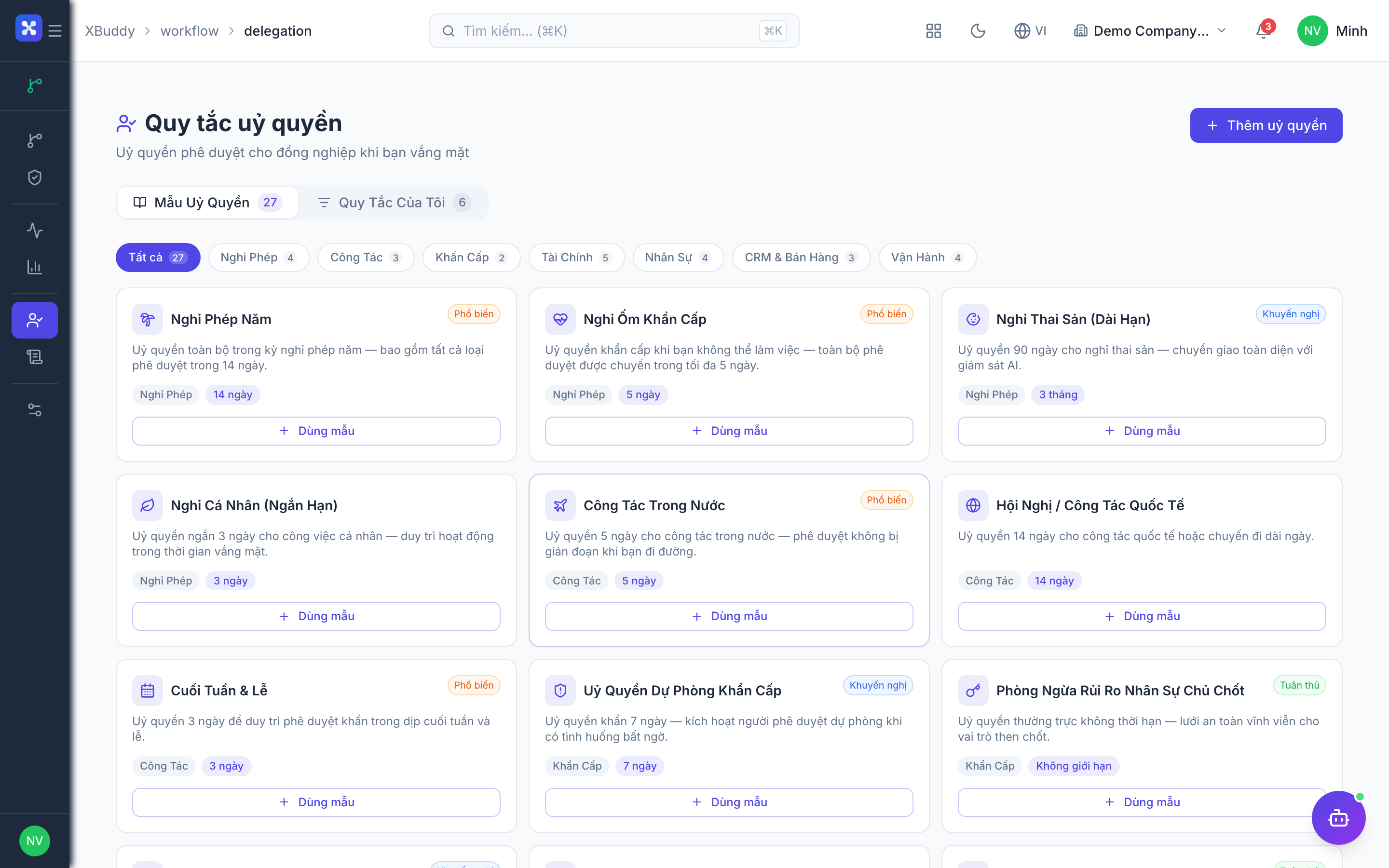
How to use a delegation template
Step 1 — Open the templates
Go to Workflow → Delegation and click Use Template.
Step 2 — Pick a pattern
Choose the pattern closest to your need (see tables below). The template pre-fills the window type and conditions.
Step 3 — Fill in the people and dates
Set delegator, delegate, and the exact date range.
Step 4 — Save
Save to activate. The rule becomes active automatically at its start date.
All delegation patterns require the delegation feature toggle in Workflow → Settings.
Out-of-office patterns
| Pattern | Window | Conditions | Best for |
|---|---|---|---|
| Annual leave cover | Fixed dates | All subject types | Planned holidays |
| Business travel | Fixed dates | Amount ceiling | Trips where large items should still escalate |
| Sick / emergency | Open-ended, revoke later | All subject types | Unplanned absence |
| Public holiday cover | Short fixed dates | Single subject type | Coverage over a closure |
Escalation-on-timeout patterns
| Pattern | Window | Conditions | Best for |
|---|---|---|---|
| Timeout backup | Standing | Triggers when a step ages past SLA | Ensuring stalled approvals move up |
| Skip-level fallback | Standing | Routes to the delegator’s manager | High-priority approvals that can’t wait |
Escalation-on-timeout works together with a workflow’s SLA settings. Configure the step SLA in the Workflow Builder, then use a timeout delegation as the safety net.
Role-based standing patterns
| Pattern | Window | Conditions | Best for |
|---|---|---|---|
| Standing deputy | Long window | Single subject type | A permanent second-in-command |
| Domain split | Long window | Split by subject type across two delegates | Sharing an approver’s load |
| Amount-tiered cover | Long window | Amount bands to different delegates | Routing small vs large approvals separately |
Choosing a pattern
| If the absence is… | Use |
|---|---|
| Planned, dated | Out-of-office (fixed dates) |
| Unplanned | Sick / emergency (open-ended, revoke later) |
| A permanent arrangement | Role-based standing |
| A safety net for slow approvals | Escalation-on-timeout |
FAQ
Q: Can I combine templates? A: Yes — create several delegation rules with non-overlapping conditions (e.g. one by amount band, another by subject type).
Q: Do standing delegations expire? A: Only if you set an end date. Otherwise revoke them manually when the arrangement ends. Review standing rules periodically in Workflow → Delegation.