Performance
XBuddy Performance is where you set expectations, measure them, and grow your people. It connects goal setting, structured review cycles, continuous feedback, and talent analytics into one loop — so reviews stop being an annual scramble and become a running conversation backed by data.
Managers set goals and run 1-on-1s, HR orchestrates review cycles with 360 feedback and calibration, and leaders read talent signals from KPI dashboards, the balanced scorecard, and the nine-box grid. Because it syncs with OKR for KPIs and LMS for development, the growth actions you agree on actually get tracked.
Performance pairs with OKR (KPI sync) and LMS (training). Set your review cycle and rating scale in Settings before launching a company-wide review so everyone is calibrated on the same scale.
Key Features
- Goal setting cascaded from company to team to individual
- Review cycles with 360-degree feedback and calibration
- Development plans (IDPs) that link to training
- One-on-one meeting agendas and notes
- Pulse surveys for continuous engagement signals
- KPI dashboard and balanced scorecard
- Sales performance and dedicated performance analytics
- Nine-box talent grid for performance-vs-potential mapping
Important features
Setting goals and running reviews
Set goals
Go to Performance → Goals to define objectives for individuals and teams, cascaded from company priorities so everyone pulls in the same direction.
Launch a review cycle
Go to Performance → Reviews to start a cycle. Choose participants, the rating scale, and whether to collect 360 feedback from peers, reports, and managers.
Calibrate ratings
Before finalizing, use calibration to compare ratings across managers and remove bias, ensuring a “meets expectations” means the same thing everywhere.
Development plans, 1-on-1s, and feedback
Build development plans
Go to Performance → Development Plan to create an IDP for each employee, then link courses from Performance → Training so growth actions are concrete.
Run structured 1-on-1s
Go to Performance → One-on-Ones for shared agendas and notes, keeping a running record between manager and report.
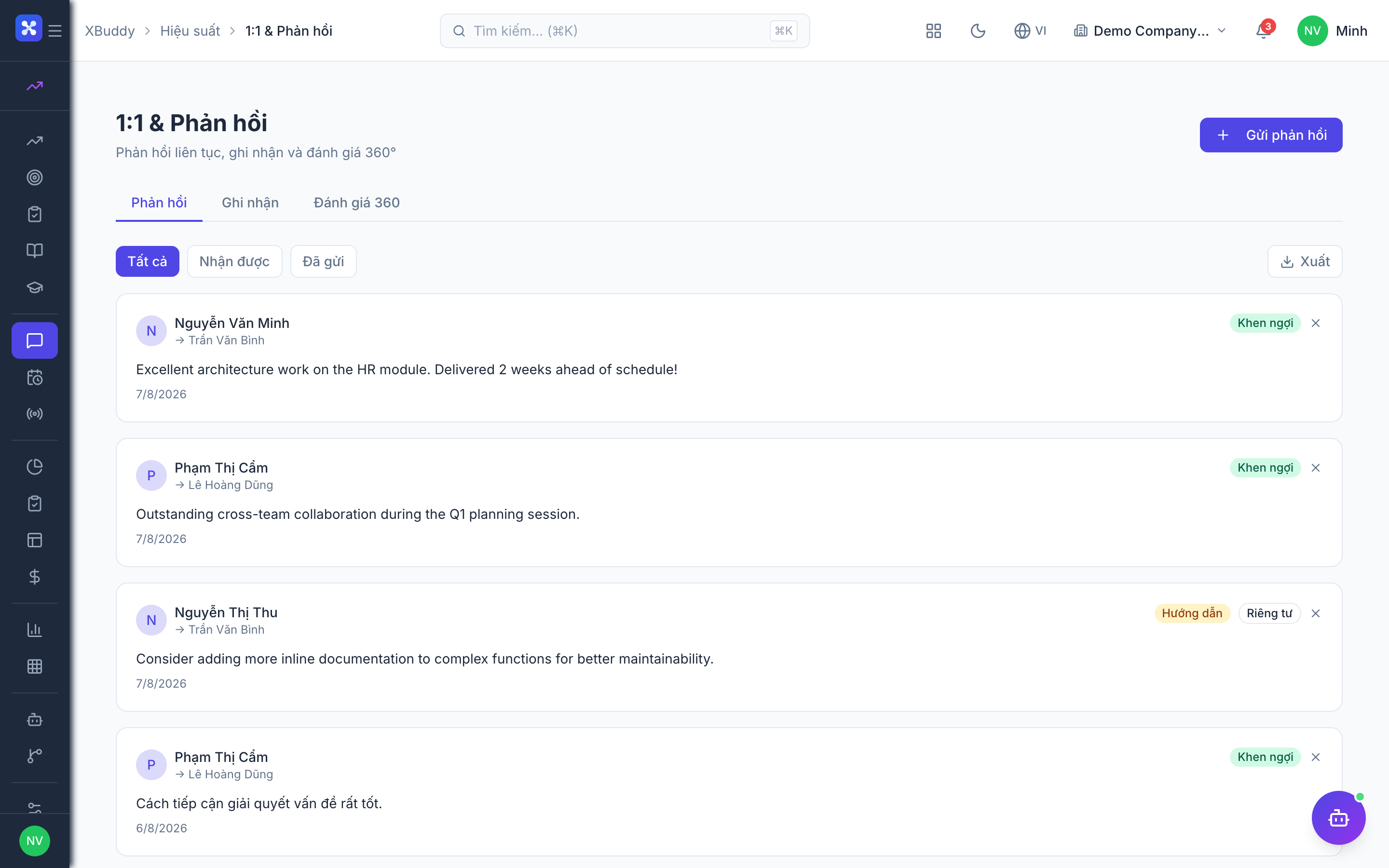
Collect continuous feedback
Go to Performance → Feedback for on-demand recognition and constructive feedback, and Performance → Pulse to run short engagement surveys between formal cycles.
KPI dashboards and scorecards
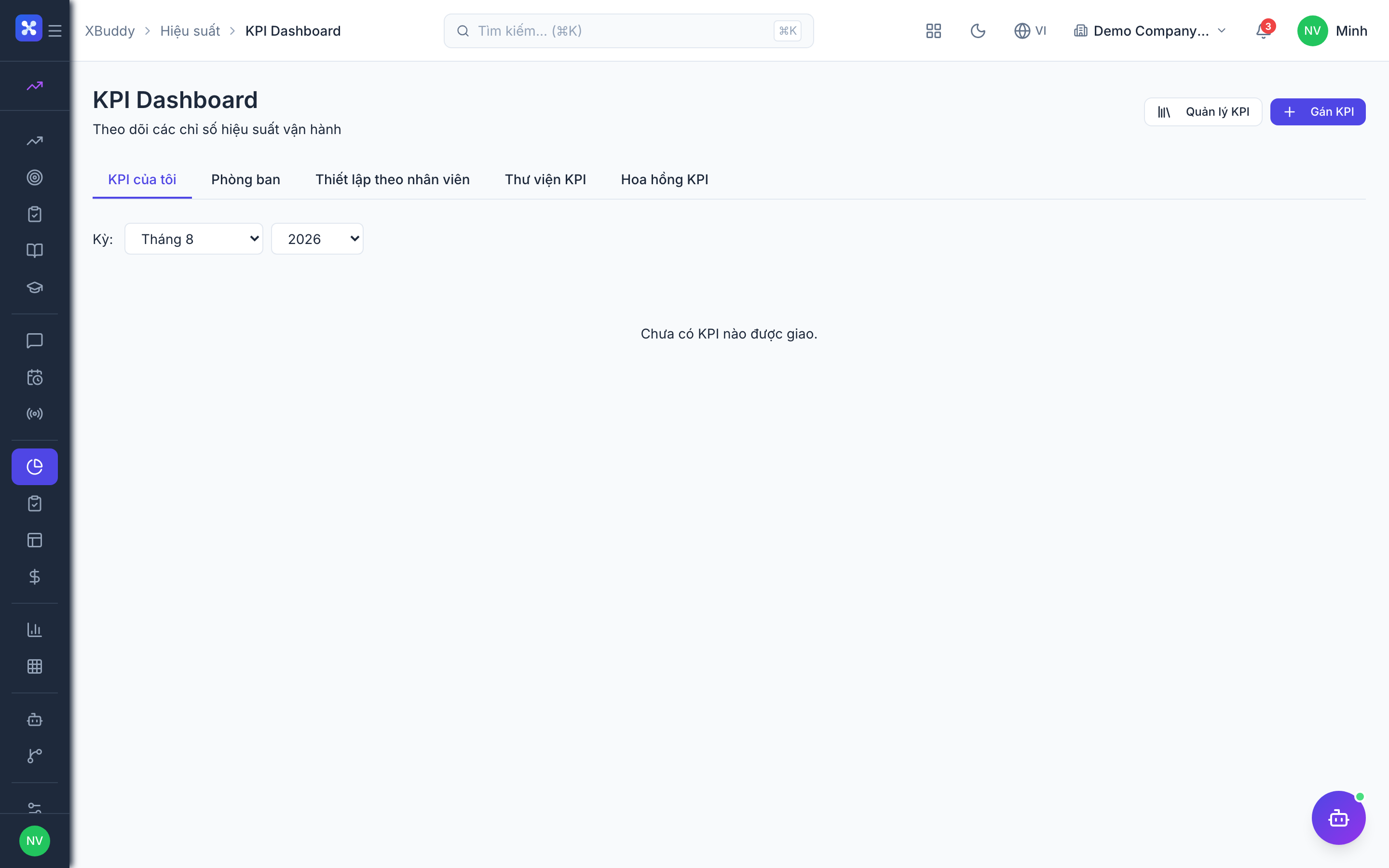
Track KPIs live
Go to Performance → KPI Dashboard to monitor the metrics that matter, synced with OKR key results.
Read the balanced scorecard
Go to Performance → Balanced Scorecard to view performance across financial, customer, process, and learning perspectives in one frame.
Drill into performance analytics
Go to Performance → Performance Analytics (and Sales Performance for revenue teams) to slice results by team, period, and rating.
Talent mapping with the nine-box grid
Open the nine-box
Go to Performance → Nine Box to plot employees on a performance-vs-potential grid.
Identify talent segments
See who your high-potentials, solid performers, and at-risk employees are at a glance for succession and development decisions.
Feed HR planning
Use the grid to inform HR succession planning and targeted development investment.
Full feature reference
| Nav item | What it does |
|---|---|
| Overview | Performance dashboard — active cycles, goal progress, pulse trends, and calibration status. |
| Goals | Set and cascade objectives from company to team to individual. |
| Reviews | Run review cycles with 360 feedback and calibration. |
| Development Plan | Create individual development plans (IDPs) linked to training. |
| Training | Browse and assign courses tied to development plans (from LMS). |
| Feedback | Capture on-demand recognition and constructive feedback between cycles. |
| One-on-Ones | Shared agendas and notes for recurring manager-report meetings. |
| Pulse | Short engagement surveys for continuous sentiment signals. |
| KPI Dashboard | Live KPI tracking synced with OKR key results. |
| Balanced Scorecard | Performance across financial, customer, process, and learning perspectives. |
| Sales Performance | Dedicated performance view for revenue teams (targets vs. actuals). |
| Performance Analytics | Slice results by team, period, and rating for deeper analysis. |
| Nine Box | Performance-vs-potential talent grid for succession and development. |
| AI Hub | Run and review Performance AI agents on goals, reviews, and analytics. |
| Workflows | Automation rules for performance events (cycle open, review overdue, low pulse). |
| Settings | Configure review cycles, rating scales, feedback rules, roles, and data scope. |
Integration points
| Integrates with | How |
|---|---|
| OKR | KPI dashboard and goals sync with OKR objectives and key results. |
| LMS / Training | Development plans link to courses; completions feed back to the plan. |
| HR | Review cycles anchor to hire dates; nine-box feeds succession planning. |
| Payroll | Ratings and sales performance can drive variable pay and commissions. |
| Self-Service Portal | Employees view their goals, update key-result progress, and see feedback. |
Related AI agents
| Agent | What it does |
|---|---|
| Performance & OKR Coach | Suggests coaching actions for underperforming reviews, nudges stalled goals and 1-on-1s, flags low pulse trends, and recommends development actions tied to skill gaps. |
Common workflows
- Run a company-wide review — Set the cycle, rating scale, and 360 participants in Reviews → self, peer, and manager assessments are collected → calibrate ratings across managers → finalize → outcomes feed development plans and variable pay.
- Grow an underperformer — Review flags a low rating → build a Development Plan → link LMS training → track progress in recurring One-on-Ones → re-assess next cycle.
- Map talent for succession — Complete the review cycle → plot ratings and potential on the Nine Box → identify high-potentials and at-risk employees → hand off to HR succession planning.
FAQ
Q: Can reviews include feedback from peers, not just the manager? A: Yes. Review cycles support 360-degree feedback — self, peers, direct reports, and manager — configured per cycle in Settings.
Q: What is calibration and why does it matter? A: Calibration compares ratings across managers before finalizing so the scale means the same thing everywhere, reducing individual bias and rating inflation.
Q: How do KPIs stay in sync with OKR? A: The KPI Dashboard is linked to OKR key results, so progress updates in one place reflect in the other without duplicate data entry.
Q: What does the nine-box grid show? A: It plots each employee on two axes — current performance and future potential — segmenting your talent into nine cells to guide succession and development decisions.
Q: Can I run engagement checks between annual reviews? A: Yes. Pulse surveys provide short, frequent engagement signals so you can act on sentiment continuously rather than once a year.