Team Knowledge Base
The Team Knowledge Base (Knowledge app) is your company’s internal wiki — SOPs, runbooks, onboarding guides, policies, and tribal knowledge, kept in one searchable place that only your staff can see. It captures the “how we do things here” that would otherwise live in people’s heads or scattered chats.
It is maintained and read by your internal team — every employee contributes and consults it.
This is the internal knowledge base. For customer-facing self-service documentation, use the Help Center (public Knowledge Base) app. Same authoring tools, private vs. public audience.
Key Features
- Rich internal-article authoring with draft → published lifecycle
- Category and sub-category organization for a browsable wiki
- Full-text search scoped to internal staff only
- Stale-content insights — flag pages not updated in a long time
- Search-gap insights — internal searches that found nothing
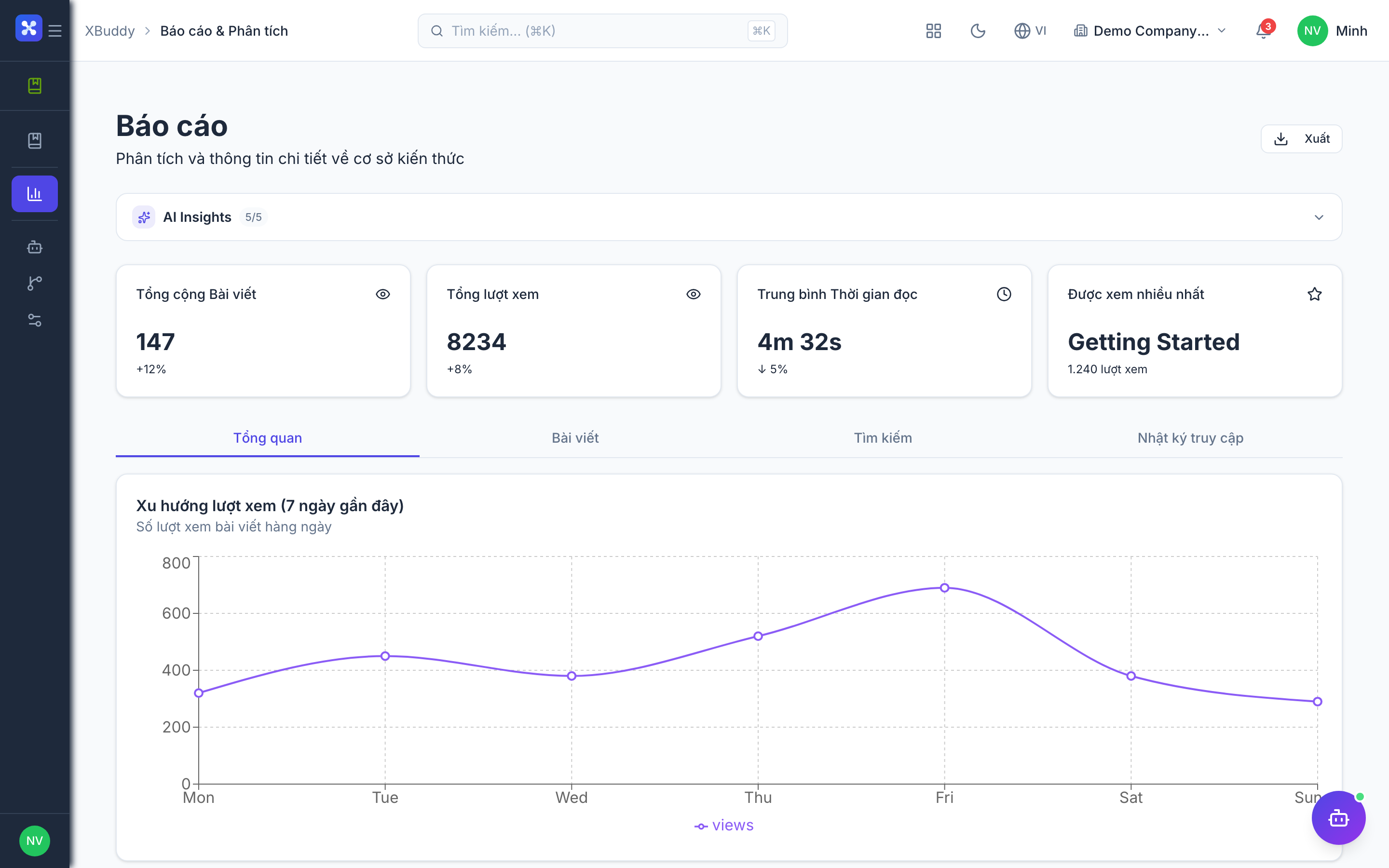
- Article analytics — views, contributors, freshness
- AI Hub for improvement suggestions and gap detection
- Workflows for internal review before publishing
Important features
Authoring an internal article
Capture know-how so the whole team can reuse it.
-
Go to /knowledge/articles and click New Article.
-
Add a title, pick a category (e.g. Engineering, Onboarding, Finance SOPs), and write the body.
-
Save as Draft for review, or Publish to make it visible to all staff.
-
Add tags so it surfaces in related searches.
Categorizing the wiki
Structure knowledge by team and topic so people can browse, not just search.
-
In /knowledge/articles, open Categories.
-
Create categories per team or domain and add sub-categories.
-
Drag articles into the right place; reorder to control browse order.
-
Set category-level access if some knowledge is department-restricted.
Searching and finding gaps
Keep the wiki useful by watching what people can’t find.
-
Staff search the internal knowledge bar; results are scoped to your organization.
-
Open /knowledge/reports to see top searches and no-result searches.
-
No-result searches are your content-gap backlog.
-
Assign or draft articles to fill each gap.
Keeping content fresh
Stale internal docs are dangerous — surface and fix them.
-
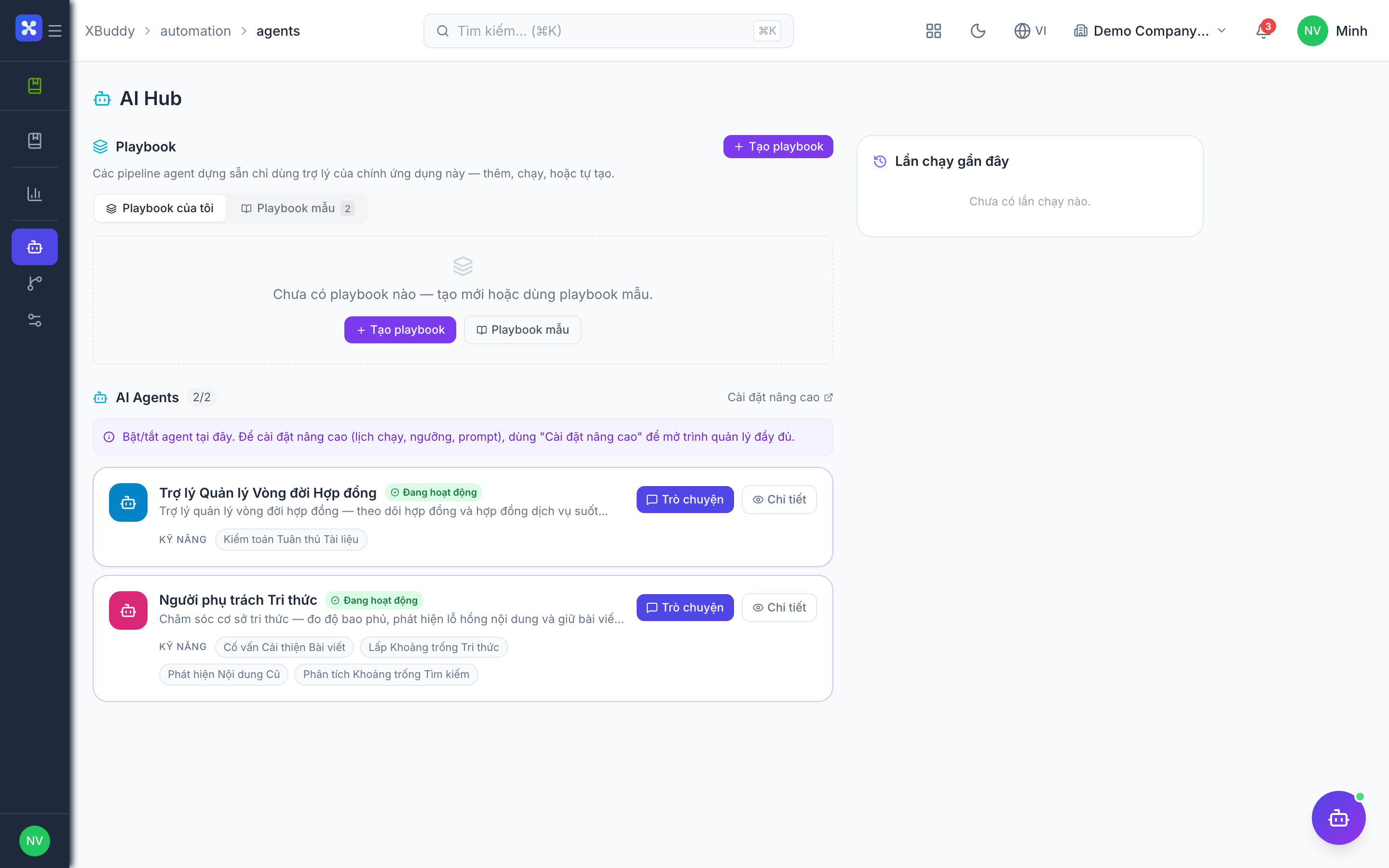
Open /knowledge/ai (AI Hub).
-
Review the stale content list — articles past their freshness threshold.
-
Accept an improvement suggestion or reassign the article to its owner.
-
Update and republish; the freshness clock resets.
Full feature reference
| Nav item | Path | Description |
|---|---|---|
| Articles | /knowledge/articles | The internal authoring workspace — create, edit, categorize, tag, and publish team wiki articles; manage the draft→published lifecycle and category tree. |
| Reports | /knowledge/reports | Analytics on internal article views, contributor activity, freshness, and internal search terms including no-result gaps. |
| AI Hub | /knowledge/ai | AI-driven stale-content detection, search-gap analysis, and article-improvement suggestions for the internal wiki. |
| Workflows | /knowledge/workflows | Automated internal review/approval routing before an article publishes, plus notifications to owners. |
| Settings | /knowledge/settings | Configure category access, freshness thresholds, search behavior, and who may author or publish internal articles. |
Integration points
| Module | How the Team Knowledge Base connects |
|---|---|
| HR | Onboarding guides and policy pages linked from employee onboarding |
| Help Center | Internal drafts can be promoted into public customer help articles |
| Service Management | Agents consult internal runbooks while resolving tickets |
| Projects | Team runbooks and standards linked from project workspaces |
| Analytics | Article and search metrics feed reporting |
Related AI agents
| Agent | What it does here |
|---|---|
| Knowledge Curator | Detects stale internal pages and search gaps, and suggests new or improved articles to keep the team wiki trustworthy and current. |
Common workflows
-
Documenting a new process
- In /knowledge/articles, create an article under the owning team’s category.
- Write the SOP with steps, screenshots, and links.
- Route through internal review in /knowledge/workflows.
- Publish; the team can now find it by search or browse.
-
Freshness sweep
- Open /knowledge/ai and review stale-content flags.
- Reassign each stale page to its owner.
- Owners update and republish.
- Confirm freshness recovers in /knowledge/reports.
-
Filling a knowledge gap
- In /knowledge/reports, sort by no-result searches.
- Draft articles to cover the missing topics.
- Publish and tag them for discoverability.
- Re-check the gap list next cycle.
FAQ
Q: Who can see the Team Knowledge Base? Only internal staff with access. It is not public — for customer-facing content use the Help Center app.
Q: How is this different from the Help Center? Audience and visibility. The Team Knowledge Base is internal (staff wiki); the Help Center is external (customer self-service). The authoring tools are the same.
Q: Can I restrict some categories to one department? Yes — set category-level access in /knowledge/settings so, for example, only Finance sees Finance SOPs.
Q: How does “stale content” get flagged? Articles that haven’t been updated beyond the freshness threshold you configure are surfaced in the AI Hub and reports.
Q: Can I promote an internal page to the public Help Center? Yes — promote a Team KB article into a Help Center article, then categorize and publish it for customers.
Q: Do internal searches respect department access? Yes — results are scoped to what the searching user is allowed to see, so restricted categories don’t leak into results.