Field Service
XBuddy Field Service coordinates on-site work end to end: jobs are created, scheduled, and dispatched to technicians and teams; van and field stock and parts requisitions keep crews supplied; and service contracts, job acceptance, and completion close the loop. It links to Inventory for parts, Service Management for tickets, and Procurement for subcontracting.
Field stock is its own ledger. Field Service tracks van/technician stock separately from central Inventory, keyed by part. Requisitions cascade from field stock to central inventory to a purchase order when replenishment is needed.
Key Features
- Job creation, scheduling, and dispatch to technicians and teams
- Technician and Team management with skills and availability
- Schedule board for assigning and rebalancing jobs
- Van/field Stock tracking and parts Requisitions with a replenishment cascade
- Service Catalog of standard services and parts
- Service Contracts with SLA and recurring visit terms
- Job acceptance/completion lifecycle with dispute and void handling
- Reports on job completion, SLA, and technician utilisation
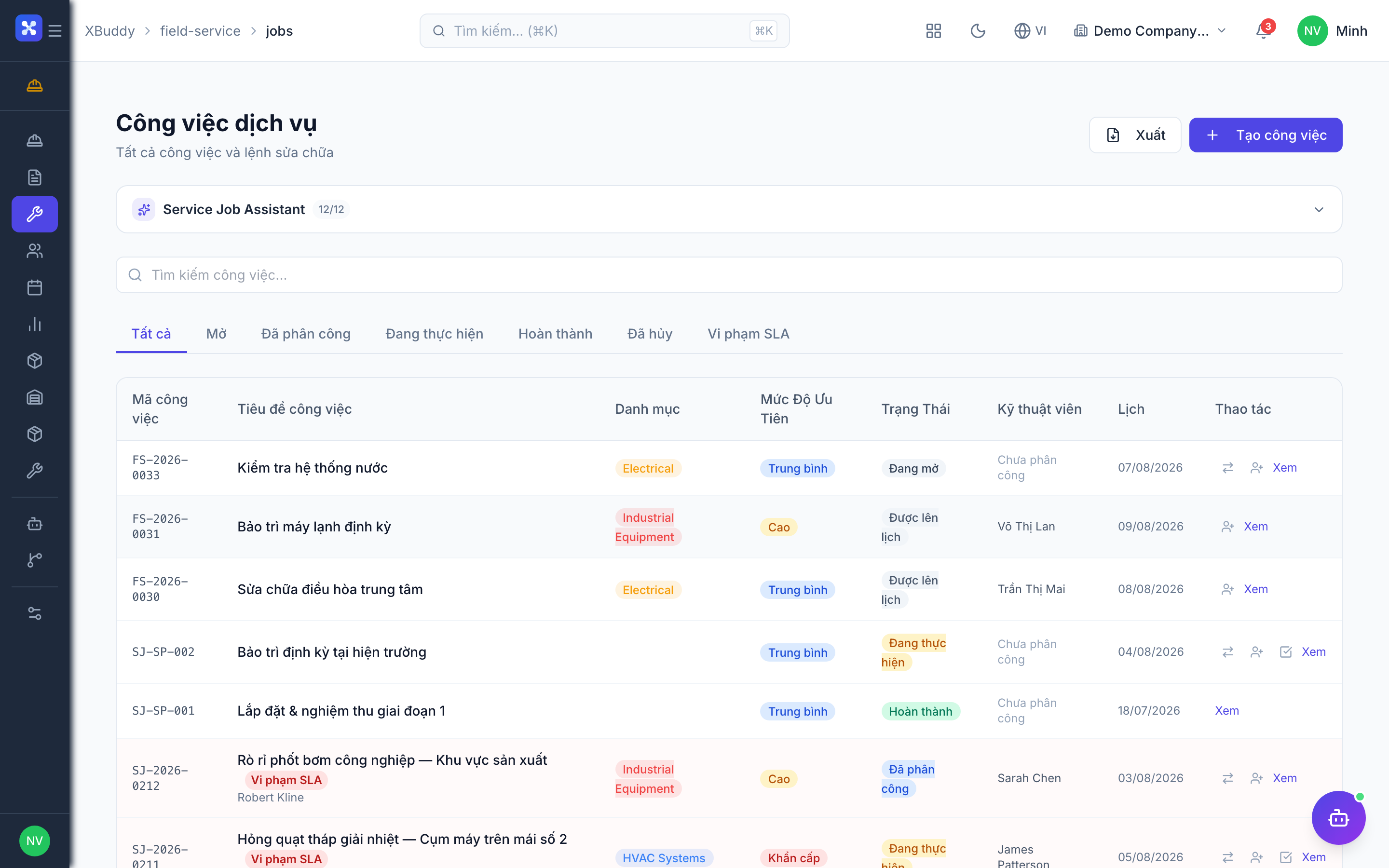
Important features
Creating and dispatching a job
A job is the unit of field work — created, scheduled, assigned, and completed.
Create the job
Go to Field Service → Jobs (/field-service/jobs) and click New Job. Set the customer, location, required service, and priority.
Schedule it
Open Field Service → Schedule (/field-service/schedule) and place the job on the board for a date and time slot.
Assign a technician or team
Assign to an individual technician or a team based on skills, availability, and location.
Track to completion
The technician updates status through to completion; the job moves through the acceptance lifecycle before it can be billed.
Technicians and teams
Technicians and teams carry the skills and availability that drive assignment.
Manage technicians
Go to Field Service → Technicians (/field-service/technicians) to maintain skills, certifications, and working hours.
Build teams
Open Field Service → Teams (/field-service/teams) to group technicians for jobs that need more than one person.
Assign by fit
When scheduling, the board surfaces technicians whose skills and availability match the job.
Van stock and parts requisitions
Field crews consume parts from van/field stock; when it runs low, a requisition triggers replenishment.
Track field stock
Go to Field Service → Stock (/field-service/stock) to see part quantities held by each technician or van.
Raise a requisition
Open Field Service → Requisitions (/field-service/requisitions) to request parts. The requisition cascades: field stock → central inventory Stock Request → purchase order if needed.
Consume on the job
Parts used on a job are recorded against it, decrementing field stock and posting the material cost.
Consumed parts post a material cost to the job at the requisition cost. Confirm requisitions and consumption promptly so job costing and stock stay accurate.
Service contracts and job acceptance
Contracts define ongoing service terms; job acceptance formalises completion before billing.
Set up contracts
Go to Field Service → Contracts (/field-service/contracts) to define SLA, recurring visits, and covered services per customer.
Complete and accept
When a technician finishes, the job enters the acceptance step. The customer accepts, or disputes; a disputed job is reworked, and completion can be voided if needed.
Bill on acceptance
Depending on settings, an accepted job triggers deferred invoicing so billing follows sign-off.
Full feature reference
| Nav item | Path | What it does |
|---|---|---|
| Overview | /field-service | KPI dashboard — open jobs, SLA, and utilisation |
| Jobs | /field-service/jobs | Create, schedule, and track field jobs |
| Technicians | /field-service/technicians | Technician skills, certs, and availability |
| Teams | /field-service/teams | Group technicians into service teams |
| Contracts | /field-service/contracts | Service contracts with SLA and recurring visits |
| Schedule | /field-service/schedule | Assignment board for dispatching jobs |
| Reports | /field-service/reports | Completion, SLA, and utilisation analytics |
| Catalog | /field-service/catalog | Standard services and parts catalog |
| Stock | /field-service/stock | Van/field stock per technician |
| Requisitions | /field-service/requisitions | Parts requests with replenishment cascade |
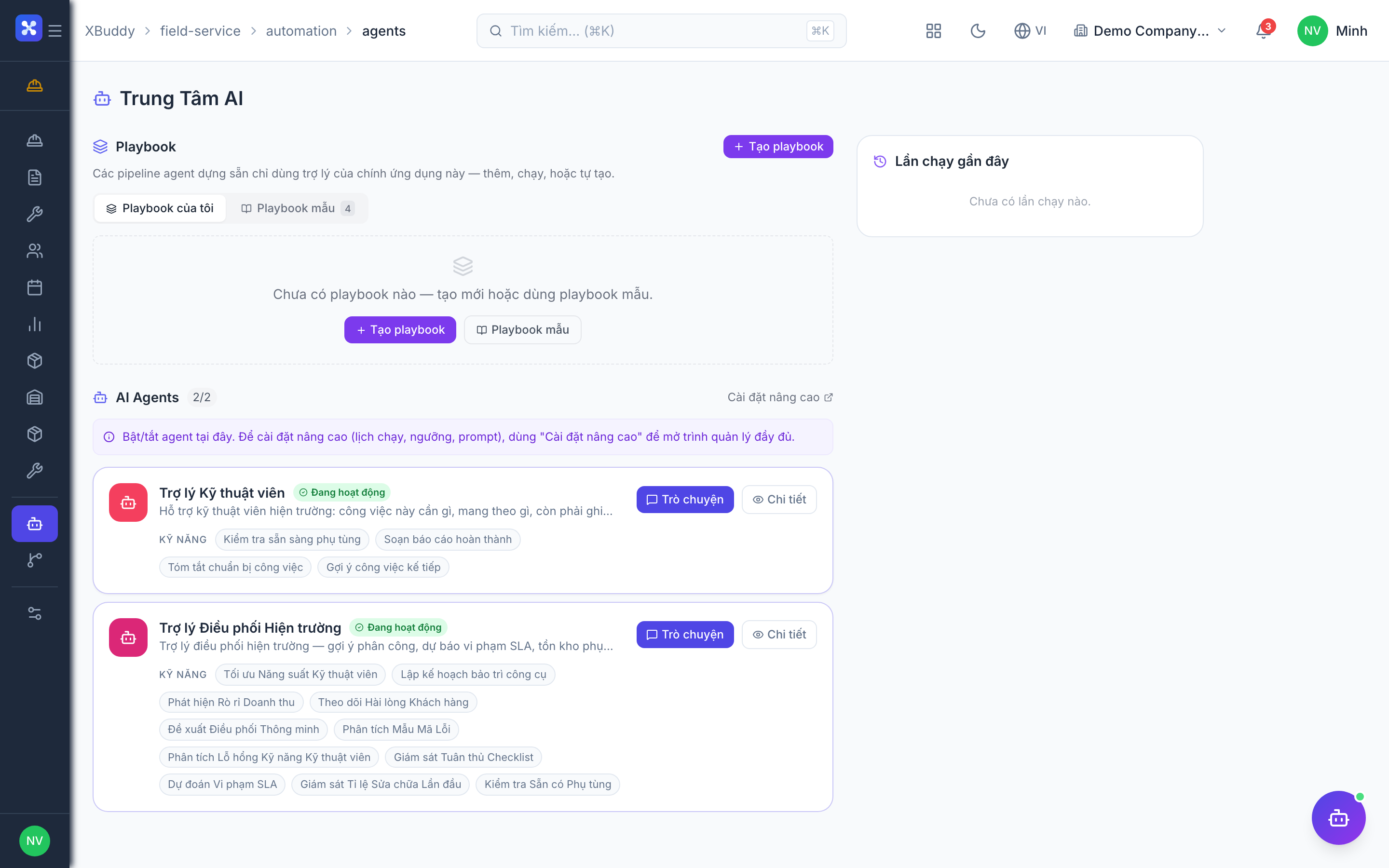
| AI Hub | /field-service/ai-hub | Field service AI agents and suggestions |
| Workflows | /field-service/workflows | Automation rules for job events |
| Settings | /field-service/settings | Module configuration and invoicing rules |
Integration points
| Integrates with | Direction | What flows |
|---|---|---|
| Inventory | Bidirectional | Parts requisitions draw from central stock; consumption posts material cost |
| Service Management | Inbound | Tickets escalate into scheduled field jobs |
| Procurement | Outbound | Subcontracting and out-of-stock parts raise purchase orders |
| Finance | Outbound | Accepted jobs trigger invoicing per contract terms |
| Accounting | Outbound | Material consumption posts journal entries (621/156) |
Related AI agents
| Agent | What it does |
|---|---|
| Field Service Dispatcher | Suggests technician assignments by skill and location, flags SLA-breach risk, and monitors job and requisition backlogs |
Common workflows
Standard service call
- Create the job with customer, location, and required service.
- Schedule it and assign a technician or team by skill fit.
- The technician completes work and records consumed parts.
- The customer accepts the job, triggering invoicing.
Parts replenishment
- Field stock for a part runs low.
- Raise a requisition; it cascades to central inventory and, if short, to a PO.
- Received parts restock the van and are consumed on future jobs.
Contract visit
- A recurring visit is due under a service contract.
- Generate the scheduled job and dispatch it.
- Complete, accept, and bill per the contract’s terms.
FAQ
Why is field stock separate from central inventory? Field stock tracks what each technician or van physically carries, keyed by part. It draws from central inventory via requisitions but is counted separately so job consumption is accurate.
What happens when a customer disputes a completed job? The job returns for rework. Completion is not final until the customer accepts; a disputed or erroneous completion can be voided with a full reversal of its costs.
How do subcontracted jobs work? For work you outsource, the job links to a Procurement service confirmation and purchase order, so the subcontractor cost flows into job costing.
When does an accepted job get invoiced? It depends on the module setting. With deferred invoicing enabled, billing is generated on acceptance so it follows the customer’s sign-off rather than at scheduling.