ERP — Order-to-Cash & Procure-to-Pay
The Finance Pack covers the two fundamental commercial cycles every product-selling business runs: selling to customers (Order-to-Cash) and buying from suppliers (Procure-to-Pay). Both flows use the same Document Chain principle — each step is created from the previous one, quantities are tracked at line level, and every step is optional based on your configuration.
Apps involved: Sales · Finance · Accounting · Procurement · Inventory · CRM
Order-to-Cash (Sales)
The Order-to-Cash cycle covers everything from a customer request through to receiving payment.
Full flow
[Quote] → Sales Order → [Delivery Order] → Invoice → PaymentSteps in brackets are optional — toggle them on or off per your business rules. Each stage names the app that owns it.
Quote (optional) — Sales
Create a quote for the customer with proposed pricing, items, and validity date. The customer can approve or negotiate. Once approved, convert to Sales Order in one click — all lines, pricing, and customer data carry over.
- Status:
draft→sent→accepted/rejected/expired - Supports multiple versions (revision history)
- PDF generation for customer-facing output
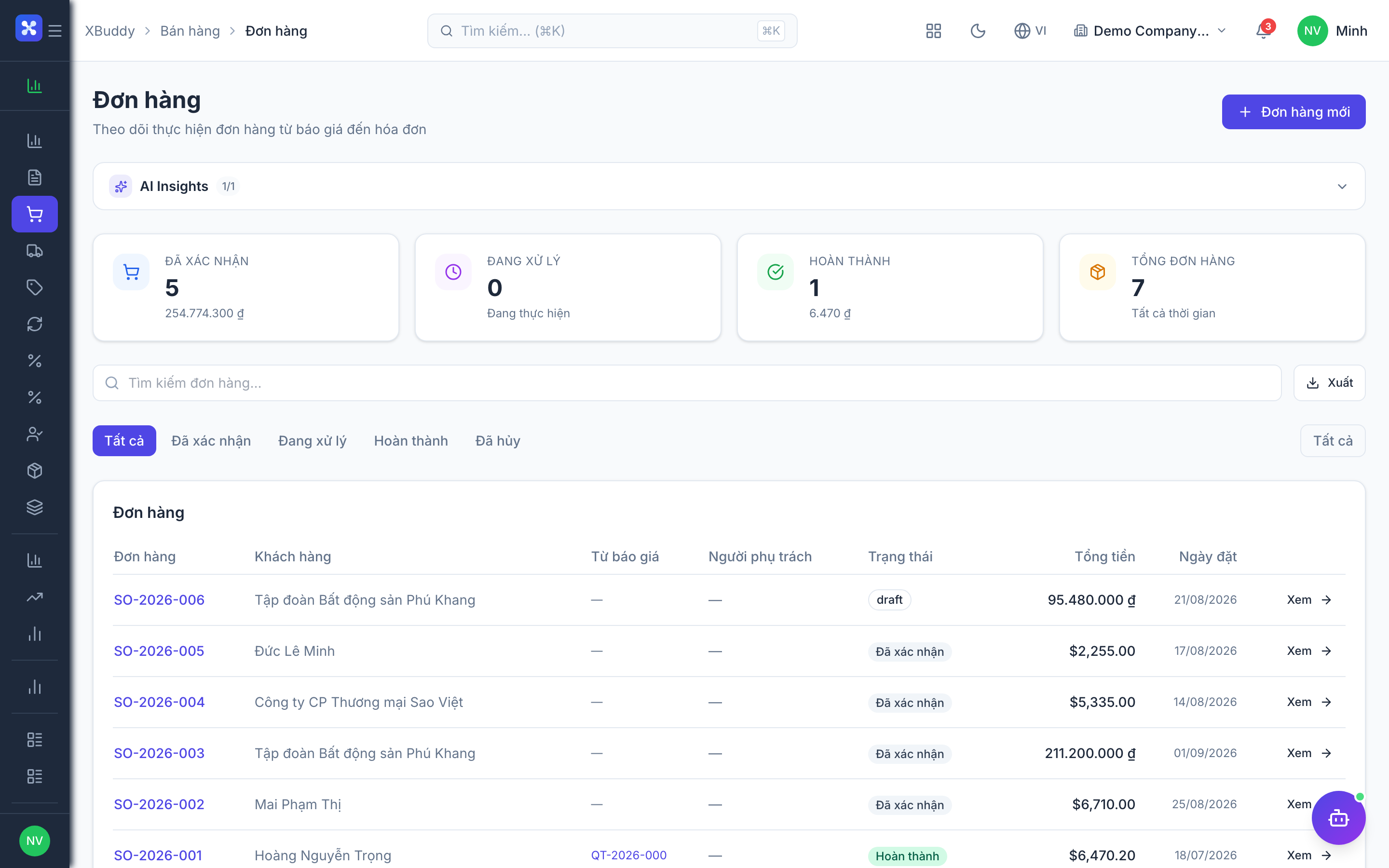
Sales Order — Sales
The confirmed commitment to sell. Once confirmed, the SO drives inventory (if delivery is enabled) and invoicing.
- Status:
draft→confirmed→partially_delivered→fully_delivered/cancelled - Line-level qty tracking: ordered → delivered → invoiced
- Multiple delivery orders per SO (partial shipments)
Delivery Order (optional) — Inventory
Records the physical movement of goods out of the warehouse.
- Status:
draft→confirmed→shipped→completed/cancelled - Confirms actual quantities shipped (may differ from ordered)
- Triggers stock deduction in Inventory module
- Connects back to SO to update delivery status
Invoice — Finance
The legal demand for payment, linked to the SO and DO.
- Status:
draft→sent→partially_paid→paid/cancelled - Quantity validation: cannot invoice more than delivered (strict mode)
- Recurring invoice support for subscription billing
- e-Invoice integration (Vietnam: Viettel-CA, BKAV, MISA)
Payment — Finance / Accounting
Records cash received against the invoice.
- Auto-reconciliation: system matches payments to open invoices
- Partial payments supported
- Payment triggers AR balance update in Accounting
When revenue is recognised
By default, revenue hits your books when you send the invoice. That is the right answer for most businesses, but not for all — so a sales order can be set to recognise earlier:
| Method | Revenue is recognised when |
|---|---|
| On invoice (default) | You send the invoice |
| On order | You confirm the sales order |
| On shipment | Each time goods actually leave — partial deliveries recognise partially |
| On completion | You mark the order fulfilled |
| By milestone | You record a milestone, on your own schedule |
This is an advanced setting, off by default. Leave it off and every order behaves exactly as it always has. Turn it on only if your accounting policy genuinely requires it — the choice belongs to your accountant, not to sales.
The important consequence: when revenue was already recognised earlier, the invoice posts only the remaining amount. If nothing remains, the invoice creates no accounting entry at all — it is still a valid legal document, it simply does not book the same revenue twice. Voiding an order reverses every entry it created, not just the latest one.
Procure-to-Pay (Purchasing)
The Procure-to-Pay cycle covers supplier management — from identifying a need through to paying the supplier.
Full flow
[PR] → [RFQ] → Purchase Order → [GRN] → Vendor Bill → PaymentPurchase Requisition (optional) — Procurement
An internal request to purchase something. Used when purchasing requires approval before an order is placed.
- Status:
draft→submitted→approved/rejected - Approval workflow with multi-level sign-off
- Once approved, converts to RFQ or PO directly
RFQ — Request for Quotation (optional) — Procurement
Send a price request to one or more suppliers. Compare responses, score vendors, and select the best offer.
- Status:
draft→sent→closed - Multiple supplier quotes on a single RFQ
- Vendor scoring: price, lead time, quality rating
- Convert best response to Purchase Order
Purchase Order — Procurement
The confirmed commitment to buy from a specific supplier at agreed terms.
- Status:
draft→confirmed→partially_received→fully_received/cancelled - Line-level tracking: ordered → received → billed
- Automatic notifications to supplier on confirmation
Goods Receipt Note (optional) — Inventory
Records goods physically arriving at the warehouse.
- Status:
draft→confirmed/cancelled - Can receive partially (GRN qty ≤ PO qty remaining)
- Confirms stock addition in Inventory module
- Supports lot number and expiry date capture (if lot tracking is on)
- Triggers 3-Way Match automatically
3-Way Match — Finance
Automated reconciliation of PO ↔ GRN ↔ Vendor Bill before payment is approved.
| Check | Pass condition |
|---|---|
| Quantity match | Bill qty ≤ GRN qty |
| Price match | Bill price ≤ PO price (within tolerance) |
| PO reference | Bill references a valid PO |
Discrepancies surface as exceptions requiring manual review. Matched bills flow to payment without friction.
Vendor Bill — Finance
The supplier’s invoice, recorded against the PO and GRN.
- Status:
draft→submitted→approved→partially_paid→paid - Must pass 3-Way Match (or manual override with reason)
- Updates AP balance in Accounting
Payment — Finance / Accounting
Records cash paid to the supplier.
- Batch payment support (pay multiple bills in one run)
- Bank reconciliation: matches payments to bank statement lines
- Updates AP balance on payment confirmation
Landed Costs
When purchasing physical goods, the true cost includes freight, insurance, import duties, and handling fees — not just the PO price. XBuddy lets you attach these costs to a GRN and allocate them across line items by quantity, value, or weight.
GRN (goods received)
  + Landed Cost document (freight, duties, insurance)
  = Adjusted unit cost used for inventory valuation and COGS
Landed cost journals post automatically to the configured GL accounts.
Data Integrity Rules
| Rule | Behaviour |
|---|---|
| Invoice > delivered qty | Blocked (strict mode) or warned (loose mode) |
| GRN > PO qty | Blocked — cannot receive more than ordered |
| Cancel confirmed SO | Requires all linked DOs and invoices to be cancelled first |
| Cancel paid invoice | Must create a credit note — cannot delete |
| Modify confirmed PO | Requires amendment workflow |
Status Reference
Quote:          draft → sent → accepted / rejected / expired
Sales Order:    draft → confirmed → partially_delivered → fully_delivered / cancelled
Delivery Order: draft → confirmed → shipped → completed / cancelled
Invoice:        draft → sent → partially_paid → paid / cancelled
Purchase Req.:  draft → submitted → approved / rejected
Purchase Order: draft → confirmed → partially_received → fully_received / cancelled
GRN:            draft → confirmed / cancelled
Vendor Bill:    draft → submitted → approved → partially_paid → paid
Integration Points
| Module | What happens |
|---|---|
| Inventory | SO confirmation → Delivery Order queued; GRN confirmation → stock added |
| Accounting | Invoice confirmed → AR entry; Bill approved → AP entry; Payment → cash account |
| CRM | Deal won → Sales Order pre-filled from deal data |
| Procurement | Approved PR → RFQ or PO created |
| e-Invoice | Confirmed invoice → submitted to tax authority (VN: HHDDT) |
Related AI Agents
These assistants automate the two commercial cycles above:
| Agent | What it does | Cadence |
|---|---|---|
| AR Collector | Segments overdue invoices by risk tier and sends automated payment reminders | Daily / event-driven |
| AP Manager | Schedules payments, flags 3-way-match exceptions, spots early-payment discounts | Daily |
| Procurement Assistant | Reviews PR/RFQ/PO status, suggests reorders and vendor selection | Daily |
| Inventory Planner | Forecasts demand so POs are raised before stockouts | Weekly |
| FP&A Analyst | Projects 30/60/90-day cash position from open invoices and bills | Weekly |