Packs & Add-ons
XBuddy is licensed by pack, not app-by-app. A pack bundles a set of apps that a typical team buys together, so you get a coherent slice of the platform at one price. Add-ons then layer extra capabilities on top of your packs.
Packs
Each pack unlocks a group of apps aimed at a particular buyer. A tenant can subscribe to one or several packs.
| Pack | Apps it unlocks | Typical buyer |
|---|---|---|
| Finance Pack | Finance, Accounting, Procurement | Finance / accounting team |
| Business Pack | CRM, Sales, POS, Customer Success, Product Marketing | Sales & revenue teams |
| People Pack | HR, Payroll, Performance, OKR, LMS, Coaching, Self-Service | HR / people ops |
| Operations Pack | Inventory, Projects, Field Service, Quality, Asset Management | Operations / production |
| Collaboration Pack | Documents, Communications, Approvals, Contract Management, Service Management, Signatures | Cross-functional / admin |
Packs are the Module axis (axis 2) of access control. If your tenant hasn’t bought the pack that contains an app, that app is unlicensed and won’t open — even if your role would otherwise permit it.
Add-ons
Add-ons attach to your existing packs to extend the platform. They are the way to buy industry verticals and advanced capabilities without upgrading an entire pack.
| Add-on | What it adds |
|---|---|
| F&B | Food & beverage vertical |
| Manufacturing | BOMs, work orders, production |
| Logistics | Shipment & transport management |
| Distribution | Distributor & route management |
| Analytics | Cross-app business intelligence & reporting |
| Finance Extended | Consolidation, multi-currency (FX), budgets, cost centers |
Add-ons layer on top of packs — for example, a manufacturing SME might take the Operations Pack and attach the Manufacturing add-on. Advanced finance features (like statutory consolidation and FX) live in the Finance Extended add-on rather than the base Finance Pack.
Platform-free apps (everyone gets these)
A few apps are available to all users regardless of which packs your tenant holds, because they’re foundational to daily work:
- Calendar — shared scheduling
- Tasks — personal and team task management
- Self-Service (My HR) — every employee can view their own HR info, request leave, and see payslips
How to check what your tenant has
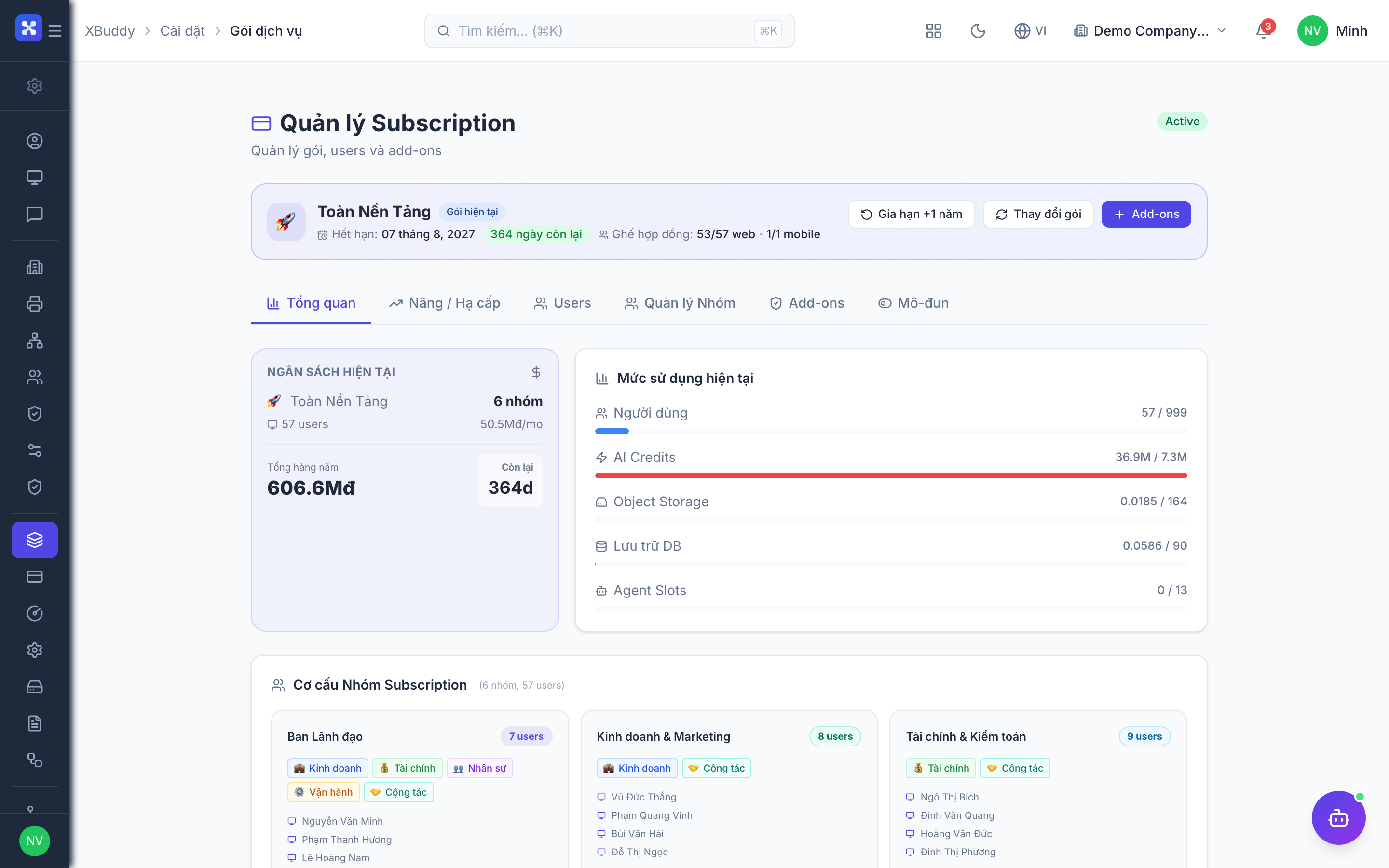
Open Settings → Subscription
From the App Switcher, open Settings, then go to Subscription in the left nav.
Review active packs
The Subscription page lists every pack your tenant is currently subscribed to, along with the apps each one unlocks.
Review active add-ons
Below the packs you’ll see any add-ons attached to your subscription, such as verticals or Finance Extended.
Cross-check against the App Switcher
Open the App Switcher — the apps you can see are the intersection of what your tenant has purchased and what your admin has granted you (the app-access filter). If an app you expect is missing, contact your tenant admin.
Only users with subscription-management permission can change packs or add-ons. Most users can view the subscription page to understand what’s available but not modify it.