Service Management
XBuddy Service Management covers the full lifecycle of post-sale service delivery — service contracts, ticket management, field technician dispatch, time and materials tracking, and automatic billing. It integrates tightly with Finance (invoicing), Inventory (parts), and HR (technician scheduling).
Apps involved: Service Management · Field Service · Contract Management · Inventory · Finance
Core Flow
SM Contract → Ticket → [Assign / Dispatch] → Work → Log Time & Parts → InvoiceWhich document does the work go on?
Selling a service is not selling a product, and XBuddy does not force them down the same pipeline. When a quote is accepted, it converts into one of two documents:
| You are selling | Document | What “fulfilled” means | Needs a delivery note? |
|---|---|---|---|
| Goods | Sales Order | Stock leaves the warehouse | Yes |
| A service | Service Order | The work is scheduled, done and accepted | No |
| Work on site | Service Order → Field Service job | A technician attends and the customer signs off | No |
A Service Order carries its own lifecycle — draft → awaiting approval → confirmed → scheduled → in progress → completed → invoiced — which a sales order simply does not have. It can dispatch one or many field jobs; the Service Order is the plan, the field job is the execution.
Mixed quote where delivery is the main event (selling a machine with installation included)? Use a Sales Order — the service line counts as fulfilled when you invoice it. If that service genuinely needs scheduling and sign-off, split it onto its own Service Order.
A quote can only be converted once. Whichever document you create, the quote is marked converted, so the same work can never be sold twice.
Service Contract — Contract / Service Management
A Service Contract defines the commercial terms under which you provide support or maintenance to a customer. It is the parent record for all service activity.
- Types: Fixed-fee, Time & Material, Retainer, Milestone-based
- SLA policies: Response time, resolution time per severity level
- Status:
draft→active→expired/cancelled - Contract value tracked against revenue recognised from linked invoices
Ticket (Service Request) — Service Management
Customers or agents open tickets against a service contract. Each ticket inherits the SLA policy from its contract.
- Status:
open→assigned→in_progress→resolved→closed - SLA clock starts on ticket creation; escalates automatically if breached
- Priority levels: Low / Medium / High / Critical
- Internal notes vs. customer-visible comments (separate threads)
- Customer satisfaction (CSAT) survey sent on close
Dispatch (Field Service — optional) — Field Service
For on-site work, a technician is dispatched from the ticket. The dispatch engine considers skill, availability, and location.
- Job card created for the technician: customer address, required parts, checklist
- Technician accepts job via mobile app
- Status:
scheduled→en_route→on_site→completed - GPS check-in recorded at site arrival and departure
Work & Logging — Field Service / Inventory
The technician (or support agent) logs work against the ticket:
| Log type | What is captured |
|---|---|
| Time logs | Start time, end time, work description, billable/non-billable flag |
| Parts used | Item SKU, quantity, from which warehouse — triggers Inventory Goods Issue |
| Checklist | Step-by-step task completion recorded on job card |
| Photos / attachments | Evidence of work done, customer signatures |
Invoice Generation — Finance
When work is complete, billing is triggered based on contract type:
| Contract type | Billing trigger | What is invoiced |
|---|---|---|
| Time & Material | Ticket resolved | All logged hours + parts at contract rates |
| Fixed Fee | Monthly / on milestone | Fixed amount per period |
| Retainer | Monthly | Retainer fee; surplus hours billed extra |
| Milestone | On milestone approval | Milestone value |
One click from the ticket or contract generates a pre-filled invoice in Finance. All line items carry over — no re-entry.
SLA Management
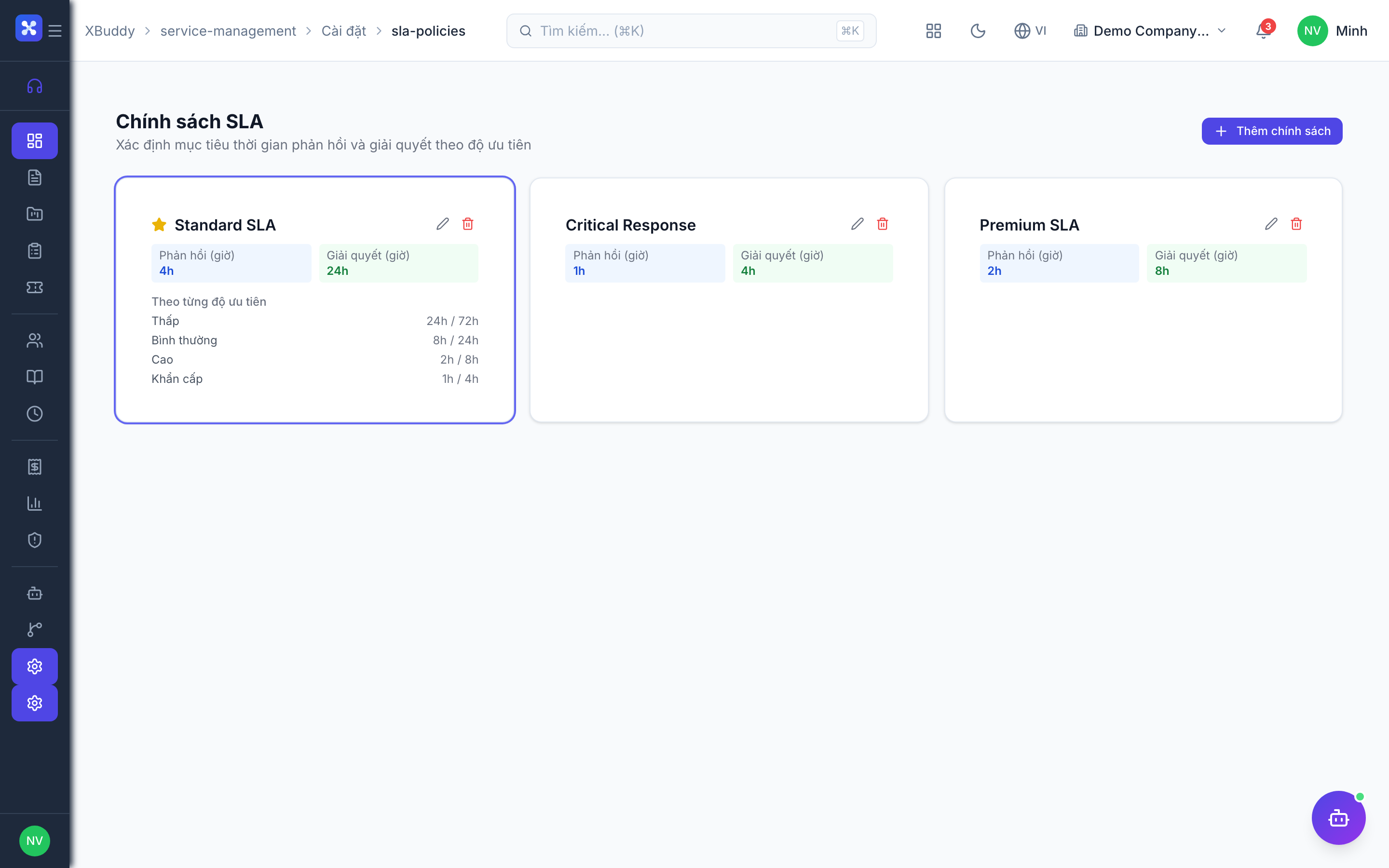
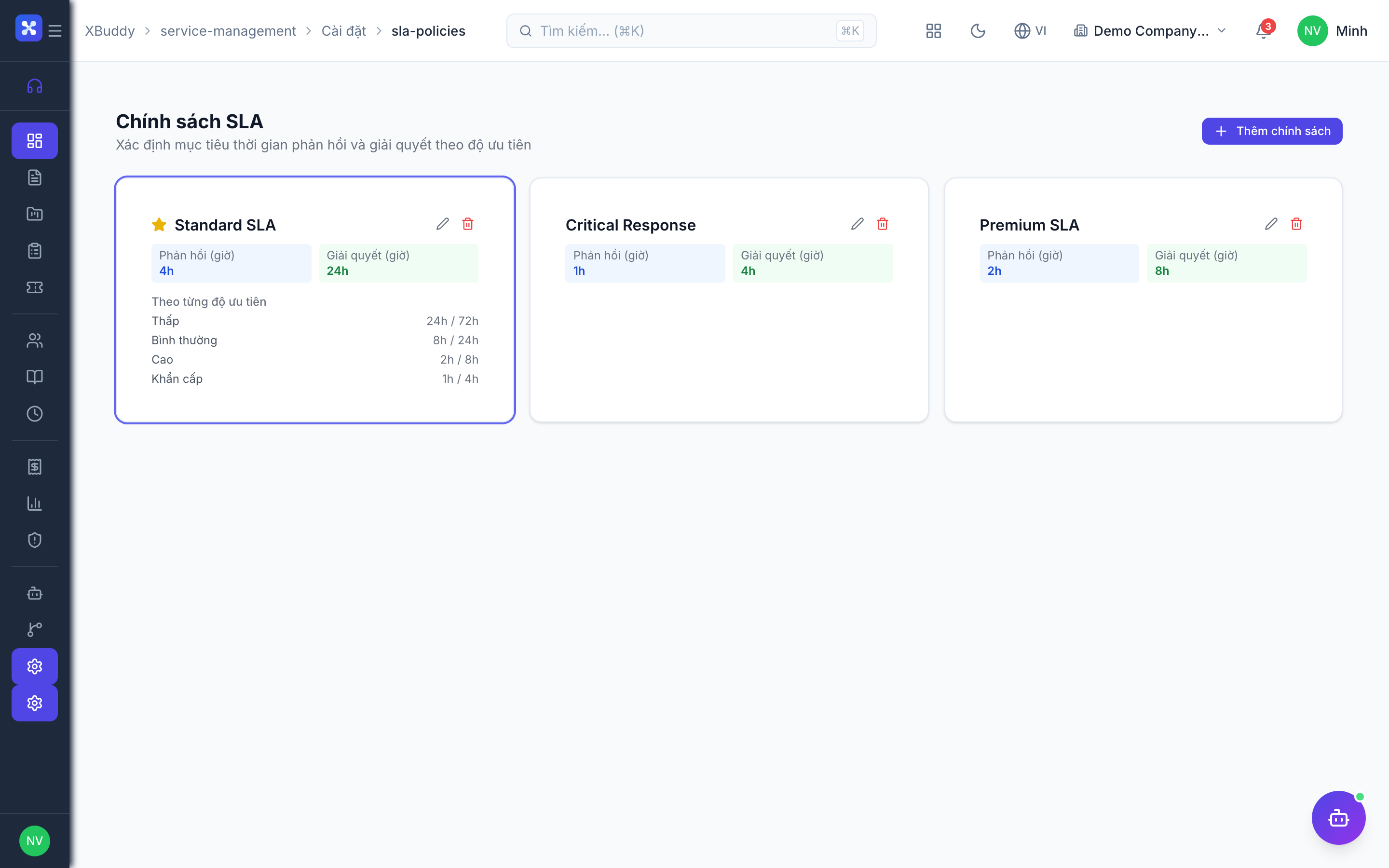
SLA policies define your response and resolution commitments. They attach to contracts and drive escalation.
SLA Policy structure
SLA Policy: "Enterprise Support — 24/7"
  Critical tickets: respond in 1h, resolve in 4h
  High tickets:     respond in 2h, resolve in 8h
  Medium tickets:   respond in 4h, resolve in 24h
  Low tickets:      respond in 8h, resolve in 72h
Escalation rules
- Near breach: notification to assigned agent at 75% of SLA time elapsed
- Breached: auto-escalate to team lead; update ticket priority
- Overdue: second escalation to service manager; flag on contract health score
SLA reporting
- SLA compliance rate (% tickets resolved within SLA)
- Average first response time by priority
- Breach root cause analysis (agent, time-of-day, complexity)
Billing Models in Detail
One-off
A single job, billed once. No contract, no project, no billing queue — the Service Order is invoiced directly when the work is done. This is the right model for an ad-hoc repair or a small consulting package, and most service businesses use it more often than they expect.
Time & Materials
The most flexible model. You bill exactly what was logged.
Ticket resolved
  → Review logged hours (engineer reviews for accuracy)
  → Review parts used (reconciled with Inventory)
  → Generate invoice: hours × labour rate + parts × unit cost
Discount rules, minimum billing increments (e.g. 30-min minimum), and non-billable categories are configurable per contract.
Retainer
Customer pays a monthly fee for a block of hours. Overages are billed extra.
Month end:
  → Invoice retainer fee
  → If hours used > retainer block: invoice surplus at overage rate
  → If hours used < retainer block: carry-over rules (configurable: use-it-or-lose-it / rollover cap)
Milestones
Break a project into stages; invoice each stage independently on approval.
Milestone 1: Installation complete      → Invoice £5,000
Milestone 2: User acceptance testing    → Invoice £3,000
Milestone 3: Go-live + handover         → Invoice £2,000
One engagement, one billing path
Retainer, milestone and materials billing all queue up in one place for review before an invoice exists — nothing bills itself automatically. A scheduled job only ever proposes a charge; a person approves it.
The same piece of work must travel down one billing path only. If a job was dispatched from a Service Order, that order does the billing — the job will not raise a second invoice on top. Likewise, if the Service Order already lists the parts, record them there rather than logging separate material consumption against the contract. Two paths for one job means billing the customer twice.
Parts & Inventory Integration
Technicians consume parts from the warehouse. Every part used is recorded and deducted from stock automatically.
Job card: "Replace compressor unit × 1"
  → Part SKU looked up in Inventory
  → Reserved for this job (holds stock)
  → On job completion: Goods Issue confirmed → stock deducted
  → Part cost added to invoice line (T&M contracts)
Technicians can request parts not in stock → triggers Purchase Request in Procurement.
Status Reference
SM Contract:  draft → active → expired / cancelled
Ticket:       open → assigned → in_progress → resolved → closed
              (any stage → on_hold, then back)
Dispatch Job: scheduled → en_route → on_site → completed / cancelled
Integration Points
| Module | What happens |
|---|---|
| Finance | Invoice generated from ticket/contract; payment updates AR |
| Inventory | Parts used → Goods Issue; stock deducted on job completion |
| CRM | Ticket linked to account; open tickets visible in Customer 360 |
| HR / Scheduling | Technician availability from HR attendance; dispatch considers leave |
| Customer Success | CSAT scores feed health score; repeat tickets flag at-risk accounts |
Related AI Agents
These assistants automate the service delivery lifecycle:
| Agent | What it does | Cadence |
|---|---|---|
| Support Concierge | Predicts SLA breaches, finds unbilled time/parts, monitors CSAT trends | Hourly / daily |
| FS Dispatcher | Scores technician fit per job (skill + location + availability), balances utilisation | Event-driven / weekly |
| Contract Lifecycle | Flags contracts approaching expiry with a renewal probability score | Weekly |