Roles
A role is a named bundle of permissions. Users are never granted permissions directly — they hold roles, and roles hold permissions. Manage roles at Settings → Roles (/settings/roles).
Built-in role templates
XBuddy ships base roles that are personas, not a single privilege ladder. A director approves but rarely enters data; an auditor reads everything but writes nothing.
| Role | Persona | Typical access |
|---|---|---|
viewer | Read-only auditor | Broad read, no writes |
employee | Self-service worker | Writes their own data (leave, attendance, timesheet, expense) |
manager | Team operations | Manage/write team resources |
director | Strategic approver | Broad read + approve, little data entry |
sales_manager, hr_manager, finance_manager, … | Domain leads | Full capability within their domain |
admin | Tenant administrator | * — every permission |
The only guaranteed subset relationship is that every manager and director is also an employee (they get the self-service permissions too). The base roles are otherwise independent by design — separation of duties.
Create a custom role
Open Roles
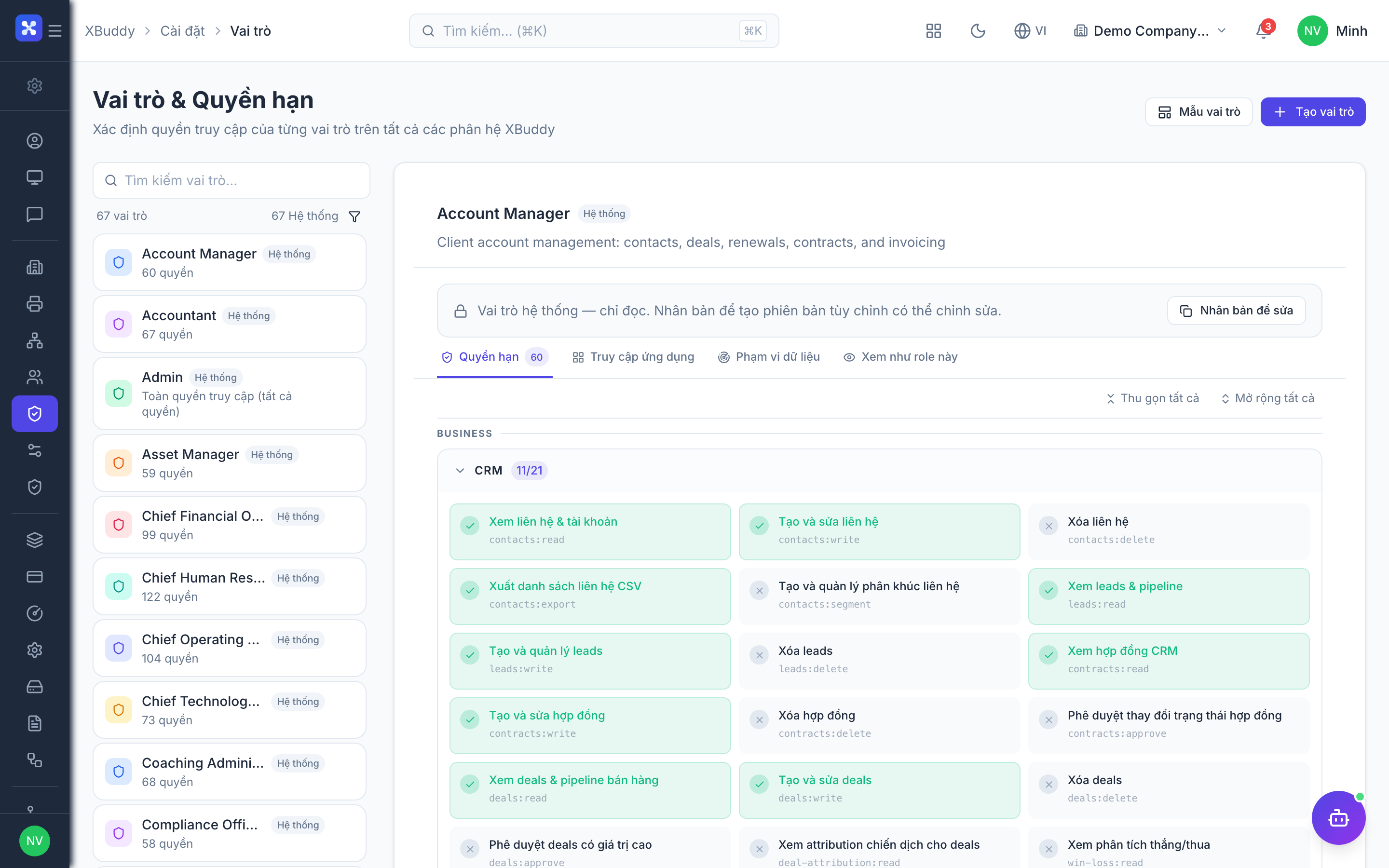
Go to Settings → Roles and click Create Role (or duplicate a base role as a starting point).
Name the role
Give it a clear name, e.g. Regional Sales Rep.
Grant permissions
In the permission matrix, tick the resource:action permissions this role needs — for example leads:read, leads:write, deals:read, deals:write. See Permissions for what each verb means.
Set data scope per resource
Switch to the Data Scope tab to limit which records the role sees — e.g. deals = own, contacts = team. See Data Scope.
Save
Save the role. Changes apply to all users holding it (permission caches refresh within a few minutes; sensitive revocations apply immediately).
Multiple roles are additive
A user can hold several roles at once. Their effective access is the union of everything those roles grant — both permissions and data scope (the widest scope tier wins). This makes it natural to compose access: employee for self-service plus Regional Sales Rep for CRM work.
App-Admin delegation
Grant a scoped permission like crm:admin or hr:admin to let a team lead configure their own app — its feature toggles, data scope, and master data — without exposing billing, users, or other domains. An App-Admin can only assign a subset of what they themselves hold (no privilege escalation).