Coaching
XBuddy Coaching runs structured one-on-one and group coaching across your organization. Coaches design Programs from reusable Program Templates, enrol coachees into Engagements, and hold Sessions against tracked Competencies. Coachees follow their own journey through a dedicated Coachee Portal — accessible by PIN or token even for people without a full XBuddy login — while analytics measure engagement progress and coaching effectiveness.
Two audiences, one system. Coaches and coordinators work in the main app (Programs, Engagements, Sessions); coachees work in the lightweight Coachee Portal (My Journey, My Sessions, My Goals). The two share the same underlying engagement and competency data.
Key Features
- Coaching Programs built from reusable Program Templates
- Engagements pairing a coach with a coachee (or cohort) under a program
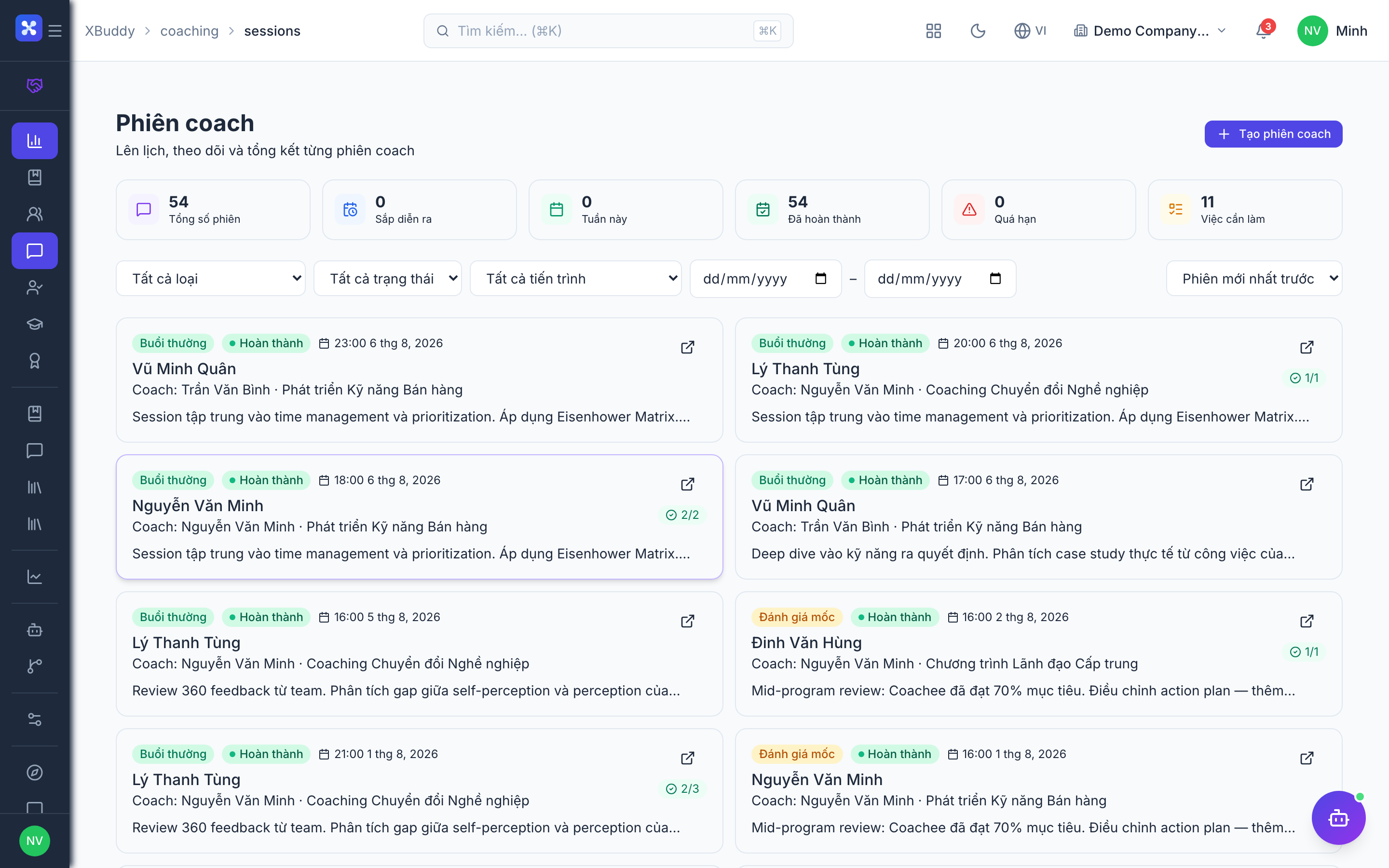
- Sessions with agendas, notes, action items, and competency ratings
- Competency framework to track development against defined skills
- Coachee Portal with PIN/token access for people without a full login
- Coach Certificates recognising qualified coaches, shareable to coachees
- Analytics on engagement progress, session cadence, and effectiveness
- AI Hub agents and Workflows for reminders, roll-over, and summaries
- Coachee self-service: My Journey, My Sessions, My Goals, My Competencies, My Certificates
Important features
Programs and program templates
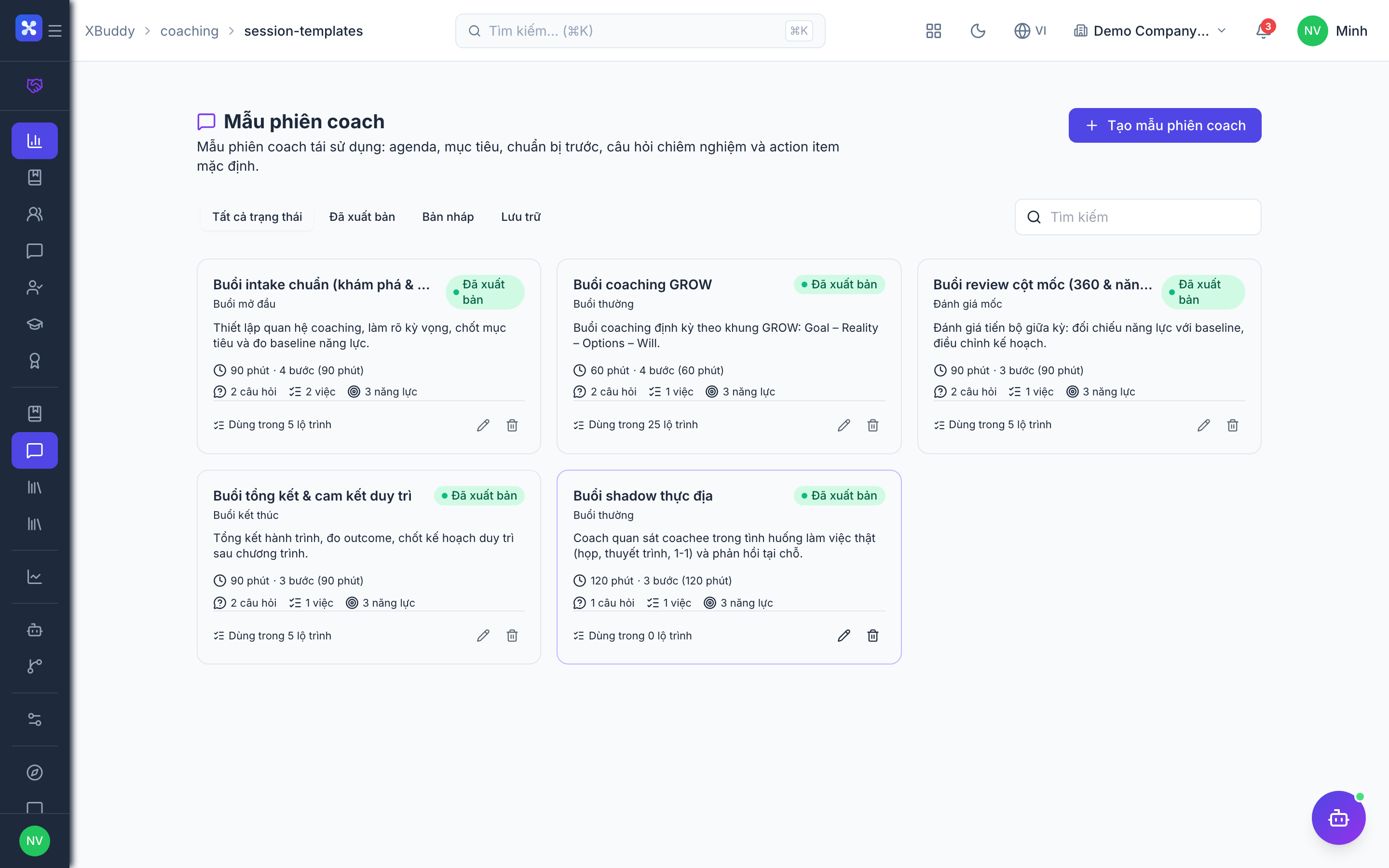
A Program Template is a reusable blueprint (objectives, session cadence, competencies); a Program is a running instance built from a template and tailored to a group or purpose.
Create a template
Go to Coaching → Program Templates (/coaching/program-templates) and define a template — its goals, recommended session count and cadence, and the competencies it develops.
Launch a program
Go to Coaching → Programs (/coaching/programs) and create a program from a template. Adjust objectives and cadence for the specific cohort.
Assign coaches
Attach one or more qualified coaches to the program so they can be paired into engagements.
Engagements and sessions
An Engagement is the coach–coachee relationship under a program; Sessions are the individual meetings that move it forward.
Create an engagement
Go to Coaching → Engagements (/coaching/engagements) and pair a coach with a coachee (or cohort) under a program. Set goals and a target end date.
Schedule sessions
Go to Coaching → Sessions (/coaching/sessions) and schedule sessions for the engagement, each with a date, agenda, and focus competency.
Run and record
After each session, capture notes, action items, and competency ratings. Progress rolls up to the engagement and appears in the coachee’s portal.
The coachee portal
The Coachee Portal gives people being coached a private view of their journey without needing a full XBuddy seat, using PIN or token access.
Share access
From an engagement, generate a portal link or PIN and share it with the coachee.
Coachee views their journey
The coachee opens My Journey to see program goals and progress, My Sessions for upcoming and past meetings, and My Goals for personal objectives.
Track competencies and certificates
The coachee reviews My Competencies to see rated development areas and My Certificates for any recognitions earned.
Portal PINs and tokens grant access to a single coachee’s private coaching data. Treat them like credentials — share only with the coachee, and regenerate the link if it may have been exposed.
Coach certificates and analytics
Coach Certificates recognise qualified coaches; Analytics measures whether coaching is actually working.
Issue coach certificates
Go to Coaching → Certificates (/coaching/certificates) to issue and manage certificates for qualified coaches, which coachees can see in the portal.
Review analytics
Go to Coaching → Analytics (/coaching/analytics) for engagement progress, session cadence (are meetings happening as planned?), and effectiveness signals such as competency growth.
Act on the signals
Use the AI Hub agents to nudge stalled engagements and summarise outcomes for coordinators.
Full feature reference
| Nav item | Path | What it does |
|---|---|---|
| Overview | /coaching | KPI dashboard — active engagements, sessions this week, at-risk engagements |
| Programs | /coaching/programs | Running coaching programs built from templates |
| Program Templates | /coaching/program-templates | Reusable blueprints for objectives, cadence, and competencies |
| Engagements | /coaching/engagements | Coach–coachee (or cohort) pairings under a program |
| Sessions | /coaching/sessions | Individual meetings with agendas, notes, and ratings |
| My Coachees | /coaching/my-coachees | A coach’s assigned coachees and their progress |
| Certificates | /coaching/certificates | Coach certificates issued and managed |
| Analytics | /coaching/analytics | Engagement progress, cadence, and effectiveness |
| AI Hub | /coaching/ai-hub | AI agents scoped to coaching |
| Workflows | /coaching/workflows | Automation for reminders, roll-over, and summaries |
| Settings | /coaching/settings | Competency framework, portal access, and certificate templates |
| My Journey (portal) | /portal/coaching/journey | Coachee’s program goals and overall progress |
| My Sessions (portal) | /portal/coaching/sessions | Coachee’s upcoming and past sessions |
| My Goals (portal) | /portal/coaching/goals | Coachee’s personal development objectives |
| My Competencies (portal) | /portal/coaching/competencies | Coachee’s rated competency development |
| My Certificates (portal) | /portal/coaching/certificates | Recognitions earned by the coachee |
Integration points
| Integrates with | Direction | What flows |
|---|---|---|
| LMS | Bidirectional | Coaching competencies and certificates align with learning paths; skill gaps recommend both training and coaching |
| Performance | Bidirectional | Development areas from performance reviews seed coaching goals; coaching progress feeds development plans |
| HR | Inbound | Employee records and manager relationships identify coachees and enable cohort assignment |
Related AI agents
| Agent | What it does |
|---|---|
| Learning Coordinator | Tracks engagement cadence, nudges coaches on stalled or overdue sessions, summarises session outcomes, and surfaces coachees whose competency growth has flattened |
Common workflows
Launching a coaching program
- Build a Program Template with goals, cadence, and target competencies.
- Create a Program from the template for a specific cohort and assign coaches.
- Create Engagements pairing coaches with coachees, then schedule the first sessions.
Running a coaching engagement
- Coach and coachee meet in scheduled Sessions; the coach records notes, action items, and competency ratings.
- The coachee follows progress and action items in the Coachee Portal.
- Analytics tracks cadence and competency growth; the Learning Coordinator nudges if sessions stall.
Onboarding a coachee to the portal
- From the engagement, generate a portal link or PIN.
- Share it with the coachee, who opens My Journey to see goals and My Sessions to prepare.
- The coachee reviews competencies and any certificates as the engagement progresses.
FAQ
What’s the difference between a Program and a Program Template? A template is a reusable blueprint (goals, cadence, competencies). A program is a live instance created from a template and tailored to a cohort or purpose.
Do coachees need an XBuddy login? No. The Coachee Portal supports PIN and token access, so coachees can follow their journey, sessions, goals, and competencies without a full seat.
How is coaching effectiveness measured? Analytics combines session cadence (are meetings happening?), engagement progress toward goals, and competency growth over time to signal whether coaching is working.
Can one coach handle multiple coachees? Yes. My Coachees lists all of a coach’s engagements, and a program can run many engagements in parallel, including cohort-based ones.
Where do coach certificates appear? Certificates are issued in Coaching → Certificates and become visible to coachees in the My Certificates section of the portal.